
What Is a Pinterest Board?
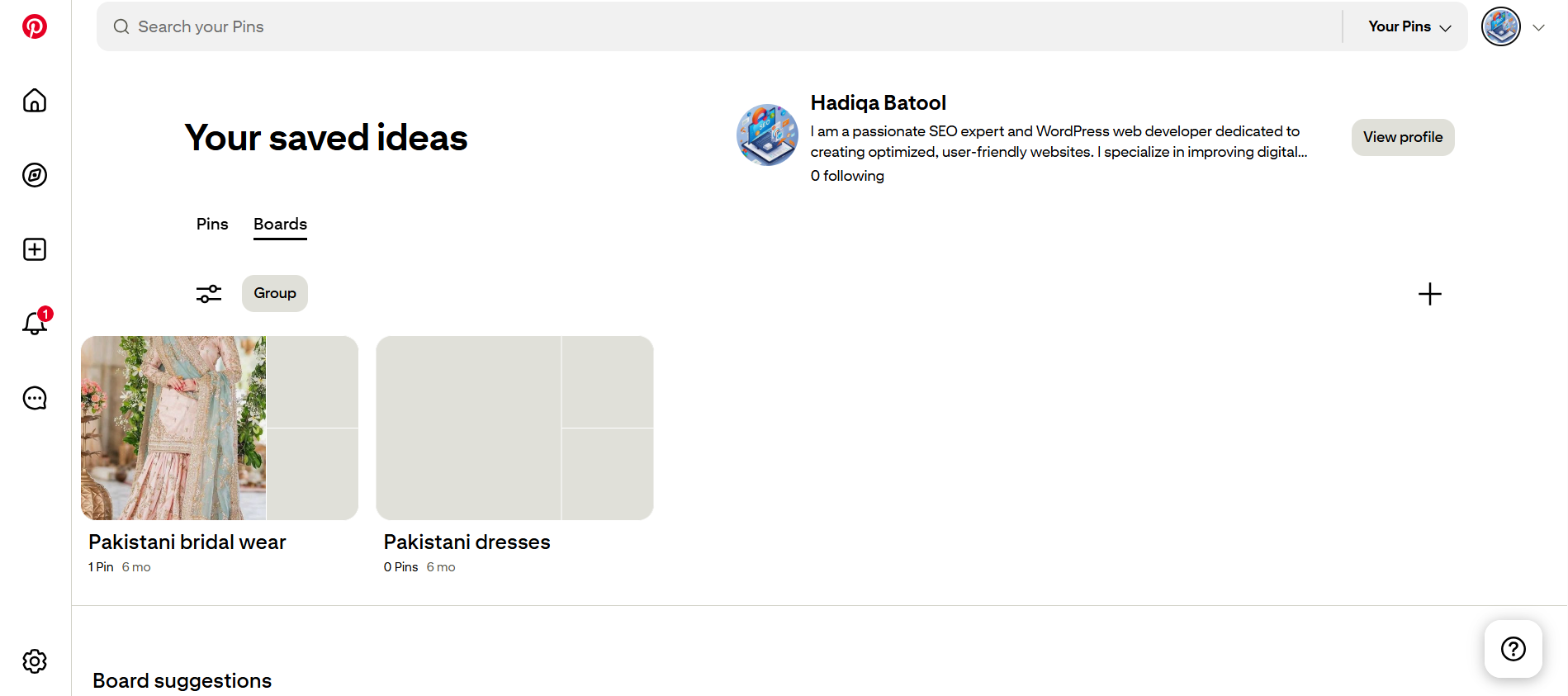
A Pinterest board is a collection where users save and categorize Pins (images, videos, or Idea Pins) around a specific theme or topic. Think of it like a digital folder where each board contains visual bookmarks related to a niche such as “Healthy Recipes,” “Home Office Ideas,” or “Content Marketing Tips.”
Boards help users organize their inspiration, while also signaling to Pinterest’s algorithm what your profile is about. Each board has its own title, description, category, and Pins all of which contribute to your overall Pinterest SEO. For businesses, well-structured boards are essential for attracting the right audience, improving content discoverability, and supporting your brand message.
Why Board Organization Matters for Pinterest SEO in 2026
Pinterest isn’t just a visual discovery platform; it’s a powerful search engine. And in 2026, Pinterest SEO depends heavily on how well your boards are organized. When boards are thoughtfully structured with relevant keywords, optimized descriptions, and focused themes, Pinterest better understands your content and recommends it to the right users.
Organized boards help you:
- Improve Pin discoverability through board relevance and keyword targeting
- Strengthen your niche authority by grouping similar content together
- Increase engagement by making it easier for users to find what they’re looking for
In short, messy boards confuse Pinterest’s algorithm while organized boards build visibility, trust, and long-term traffic.
Choose Strategic Board Topics Based on Your Niche and Goals
Start by identifying your content pillars the main topics your business, blog, or brand consistently covers. These become the foundation of your Pinterest boards. For example, if you’re in the wellness space, strategic board topics could include “Healthy Meal Prep,” “Home Workouts,” or “Stress Relief Tips.”
Each board should serve a clear purpose and target a specific keyword or interest. Avoid vague titles like “Stuff I Like” or “Miscellaneous” these dilute your SEO power and confuse Pinterest’s algorithm. Instead, align board topics with your audience’s search intent and the types of Pins you plan to save or create.
Think of your boards like category pages on a website the more focused and keyword-rich, the better they’ll rank in Pinterest search and smart feed.
Name Your Boards with Keywords (But Keep Them Natural)
Pinterest is a visual search engine, which means board names play a huge role in SEO. Use clear, descriptive titles that include your target keywords the same words your audience would type into the search bar. For example, “DIY Home Decor Ideas” is far more effective than “My Home Stuff.”
Avoid vague or overly clever board names that don’t tell Pinterest (or users) what the board is about. Instead, focus on being specific and searchable. Think “Wedding Hairstyles for Brides” instead of just “Hair Goals.”
Keep it natural and readable your board titles should appeal to both Pinterest’s algorithm and real people skimming your profile. Always capitalize each word to boost readability in mobile feeds.
Write a Keyword-Rich Board Description
Once you’ve named your board, add a clear and concise description that includes relevant keywords. This helps Pinterest understand the context of your board and improves your chances of appearing in search results.
Your description should explain what kind of Pins users can expect while naturally integrating 2–3 keywords. For example:
“Get inspired with modern farmhouse kitchen ideas, DIY home decor projects, and rustic interior design tips to transform your space.”
Avoid keyword stuffing. Instead, focus on writing for humans first clear, helpful descriptions that also guide the Pinterest algorithm. Think of it as a mini elevator pitch for your board’s content.
Create Sections Within Boards for Better Navigation
Pinterest allows you to add sections within each board a powerful feature to keep your content neatly categorized. Sections help users (and the Pinterest algorithm) find relevant content faster, especially if your board covers a broad topic.
For example, if you have a board titled “Healthy Recipes,” you could create sections like:
- Breakfast Ideas
- Vegan Dinners
- 30-Minute Meals
- Smoothies & Snacks
Organizing your Pins into logical sections improves user experience and makes your profile look more professional. It also encourages longer browsing time, which is a positive signal to Pinterest’s algorithm.
Use Custom Covers to Visually Brand Your Boards
Custom board covers not only make your Pinterest profile look cohesive and branded they also help visitors instantly understand what each board is about. Instead of relying on a random Pin preview, upload a dedicated image that includes:
- Your brand colors and fonts
- A short, clear board title (e.g., “DIY Decor Ideas” or “Pinterest SEO Tips”)
- Clean, vertical design (usually 600 x 600 px looks best in thumbnails)
A consistent visual identity across all board covers boosts brand recognition and professionalism. Plus, it signals to Pinterest that your account is curated with care increasing your trust and engagement metrics.
Prioritize SEO in Your Board Titles and Descriptions
Pinterest is a visual search engine and that includes your boards. To help your boards (and the Pins within them) rank in Pinterest search results, optimize both the board title and description with keywords your audience is actively searching for.
- Board Title: Be specific and keyword-focused (e.g., use “Healthy Vegan Recipes” instead of just “Yum”).
- Description: Add 1–2 keyword-rich sentences that clearly explain what users can expect to find inside. Mention your niche, target audience, and core content themes.
- Avoid fluff: Pinterest reads your board metadata like a blog post so skip vague phrases and include relevant search terms.
Smart board SEO increases discoverability, boosts your overall Pinterest profile authority, and helps your Pins reach the right users faster.
Use Board Sections to Organize Content Further
Board Sections allow you to divide a single board into subcategories making it easier for users to navigate your content. This is especially helpful for large boards with dozens of Pins.
- For example, a board titled “Pinterest Marketing Tips” can include sections like Pin Design, SEO Strategies, Analytics, and Ad Campaigns.
- Sections create a more organized browsing experience and help Pinterest understand the thematic structure of your board.
- They also allow users to go straight to what interests them, increasing dwell time and interaction.
Think of board sections as chapters in a book they make your content more digestible, easier to explore, and more likely to convert passive browsers into engaged followers.
Optimize Board Covers for Branding
Board covers are the first thing users see when they visit your Pinterest profile treat them like visual storefronts for your content.
- Use custom-designed covers that match your brand’s colors, fonts, and style. This helps create a cohesive, professional look across your profile.
- Choose a Pin that clearly represents the board’s content, or upload a branded graphic specifically sized for board covers (ideally 600 x 600 px).
- Consistent board covers not only build brand recognition but also signal quality and credibility to new visitors.
A well-designed board cover encourages clicks and shows you’re intentional about your Pinterest presence. It’s a small detail that makes a big impact on your visual branding.
Keep Your Boards Fresh and Active
Pinterest rewards consistent, active engagement and that includes keeping your boards up to date.
- Regularly add new Pins to each board, especially fresh content that aligns with trending topics or seasonal interest.
- Reorganize boards periodically by updating titles, rearranging Pin order, or removing outdated or irrelevant content to keep things relevant.
- Stay consistent by using scheduling tools like Tailwind to drip-feed content and maintain steady board activity.
- Fresh boards signal to the Pinterest algorithm that your profile is active and valuable, which can help improve your visibility in search and smart feed results.
Use Pinterest Boards for Content Planning or Campaigns
Pinterest boards aren’t just for curation they can double as visual content calendars or campaign trackers.
- Create secret boards for future content themes, product launches, seasonal campaigns, or blog post ideas. This helps you organize concepts before publishing them.
- Use sections to sort Pins by week, topic, or platform (e.g., “Week 1 Reels,” “Email Funnel Pins,” or “Fall Product Push”).
- Collaborate with your team or VA by inviting them to contribute to private planning boards.
This approach keeps your content pipeline organized, aligned with strategy, and easier to execute especially for bloggers, eCommerce sellers, and Pinterest managers.
Regularly Audit and Clean Up Old Boards
Over time, your Pinterest boards can become cluttered with outdated Pins, irrelevant sections, or disorganized content and that impacts your brand perception and SEO.
- Review your boards quarterly to remove underperforming or off-brand Pins.
- Merge duplicate or overlapping boards to streamline navigation and improve user experience.
- Update board descriptions and titles to include current keywords and maintain alignment with your 2025 content strategy.
A clean, updated Pinterest profile builds trust, improves algorithmic favor, and helps new followers quickly find your best content.
Master Framework for Organizing Pinterest Boards (2026)
- Define niche and audience
- Identify core content pillars
- Create 10–15 focused boards
- Use keyword-rich board titles
- Write clear, SEO descriptions
- Add board sections for structure
- Design consistent board covers
- Post fresh Pins regularly
- Remove outdated content
- Merge duplicate boards
Implementation Checklist
- Create 10–15 niche-specific boards
- Use clear, keyword-rich titles
- Write optimized descriptions
- Organize Pins into sections
- Design consistent board covers
- Post fresh content regularly
- Track performance metrics
- Audit and refine boards periodically
Expert Insights
Organizing your Pinterest boards effectively is more than just aesthetic it’s a strategic move that amplifies your visibility, strengthens your brand, and improves engagement across the platform. By setting up clearly named boards, optimizing descriptions with keywords, leveraging sections, and regularly auditing outdated content, you create a smooth experience for both Pinterest’s algorithm and your target audience.
In 2025, where search behavior and visual discovery dominate user intent, a well-structured Pinterest profile can make the difference between passive traffic and consistent growth. Treat each board like a mini landing page optimized, relevant, and purpose-driven. The more intentional your board setup, the more discoverable, shareable, and valuable your content becomes.
Frequently Asked Questions (FAQs)
What is the best way to name Pinterest boards for SEO?
Use clear, keyword-rich titles.
Board names should reflect what users would actually type into the Pinterest search bar. Avoid vague or clever names like “Inspo” or “Good Vibes” and instead use descriptive titles like “Healthy Meal Prep Recipes” or “Minimalist Home Decor Ideas.” This improves your discoverability in search results and increases the chances of your boards being recommended to relevant users.
How many Pinterest boards should I create to start with?
Start with 10–15 niche-relevant boards.
For new or growing accounts, having 10 to 15 well-organized boards is ideal. Each board should serve a distinct content purpose aligned with your niche. This helps establish topical authority, makes your profile easier to navigate, and signals to Pinterest that your account is focused and valuable to a specific audience segment.
Should I use board sections, and how do they help?
Yes sections improve user experience and content organization.
Board sections allow you to group similar Pins within a broader topic. For example, under a board titled “DIY Crafts,” you could create sections for “Holiday Crafts,” “Kids Crafts,” and “Upcycled Materials.” This hierarchy improves browsing clarity for users and supports content clustering, which may indirectly benefit Pinterest’s content understanding.
How often should I clean or audit my Pinterest boards?
Every 3 to 6 months is ideal.
Pinterest favors fresh, high-quality, relevant content. Schedule a quarterly audit to:
- Delete outdated or off-brand Pins
- Merge duplicate boards
- Update board titles and descriptions with fresh keywords
Regular cleanup helps your boards stay aligned with your content strategy and keeps your profile active and trustworthy in Pinterest’s algorithm.
Can I reorder boards on my Pinterest profile for better visibility?
Yes—prioritize your highest-converting or seasonal boards.
Drag and drop your boards into an intentional order on your profile. Place your most important boards such as best-performing categories, seasonal content, or lead magnet boards at the top. This allows new visitors to see your best content first and encourages them to follow or explore more.
