
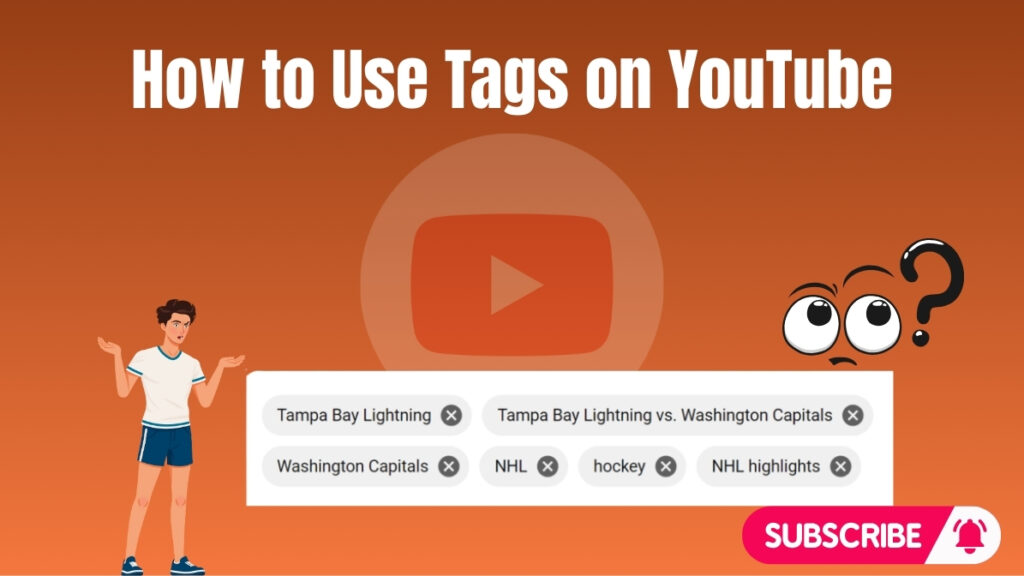
What Are YouTube Tags?
YouTube tags are keywords or short phrases added to a video’s metadata. They help YouTube understand the topic, category, and context of your content. Tags act as supporting signals that assist the platform in matching your video with relevant search queries and suggested videos.
Although tags are not the main ranking factor, they still provide additional clarity. They are especially useful when your title or description does not fully explain the topic. In such cases, tags help the algorithm better interpret your content.
Key functions of YouTube tags:
- Provide context about your video topic
- Help categorize your content correctly
- Support search and recommendation systems
- Reduce confusion for similar or unclear terms
Using accurate and relevant tags improves your chances of reaching the right audience.
Why YouTube Tags Still Matter in 2026
YouTube tags continue to play a supporting role in video optimization. While elements like titles, thumbnails, and watch time have a stronger impact, tags still help refine how YouTube understands your content. They act as an additional layer of information for the algorithm.
Tags are particularly helpful when dealing with similar keywords or multiple meanings. For example, a keyword like “Apple” can refer to a company or a fruit. Tags help clarify the correct context, ensuring your video reaches the intended audience.
Benefits of using tags in 2026:
- Improve content clarity for the algorithm
- Support ranking for long-tail keywords
- Help videos appear in related content sections
- Reduce keyword ambiguity
Even though their influence is limited, tags remain a useful part of a complete YouTube SEO strategy.
How YouTube Tags Work in Video SEO?
Tags work alongside titles, descriptions, and captions to give YouTube a complete understanding of your video. When you add tags, the algorithm uses them as supporting signals to decide where your content should appear. This includes search results, suggested videos, and category placements.
Tags also help avoid confusion between similar topics. For example, if your video is about programming, adding tags like coding tutorial, software development, and Java programming ensures that your content is not misclassified. This improves targeting accuracy.
How tags support SEO:
- Strengthen keyword relevance
- Improve topic understanding
- Support search indexing
- Help connect videos to related content
Tags alone will not rank your video, but they enhance your overall optimization strategy and improve discoverability.
Step-by-Step Guide to Adding Tags on YouTube
Adding tags correctly ensures your video is properly categorized and optimized. While the process is simple, following the correct steps helps improve results.
Step 1: Open YouTube Studio
Log in to your YouTube account and access YouTube Studio. This is the central dashboard where you manage your channel, upload content, and track performance.
Step 2: Go to Content and Select Your Video
From the left-side menu, click on Content to view all uploaded videos. Locate the video you want to optimize and click the Edit (pencil icon) to open its settings.
Step 3: Edit Video Details
Inside the video editing page, you can modify the title, description, and thumbnail. Scroll down and click on Show More to access advanced settings, including the tags section.
Step 4: Add Tags in the Tags Box
Enter keywords or short phrases that describe your video clearly. Focus on relevance and accuracy rather than quantity.
Example (for a yoga video):
- yoga for beginners
- easy yoga routine
- morning yoga workout
- simple stretching exercises
Best practices for adding tags:
- Use relevant and specific keywords
- Include variations of your main keyword
- Avoid misleading or unrelated tags
- Keep tags aligned with your content topic
Irrelevant tags can negatively impact your video performance, as YouTube may consider them misleading.
Step 5: Save Your Changes
After adding your tags, click Save to apply the changes. Your tags will now be part of your video’s metadata and used by YouTube to understand and categorize your content.
Adding tags may seem like a small step, but when combined with strong titles, descriptions, and engagement, it improves your video’s chances of reaching the right audience. Over time, consistent optimization leads to better visibility and channel growth.
What Are The Best Practices for Using YouTube Tags?
Using YouTube tags effectively requires a structured approach. Tags should support your overall SEO strategy by helping the algorithm understand your content clearly. Instead of adding random keywords, focus on relevance, accuracy, and intent-based optimization.
Use Relevant and Specific Keywords
Tags should always match the actual content of your video. Irrelevant keywords may confuse the algorithm and reduce your video’s visibility. Clear and specific tags improve targeting and help your video reach the right audience.
Examples of relevant tags (for cooking video):
- pasta recipe
- quick dinner recipes
- easy pasta cooking
- homemade pasta guide
Using precise keywords ensures that your video appears in the most relevant searches and suggested sections.
Mix Broad and Long-Tail Tags
Combining broad and long-tail keywords improves both reach and targeting. Broad tags help categorize your video, while long-tail tags focus on specific search queries with lower competition.
Balanced tag strategy:
- Broad tag: cooking
- Medium tag: pasta recipe
- Long-tail tag: how to make creamy pasta at home
This mix increases your chances of ranking in both competitive and niche searches.
Avoid Keyword Stuffing
Adding too many tags or repeating the same keyword reduces effectiveness. YouTube can detect keyword stuffing, which may negatively impact performance. A small set of high-quality tags works better than a large list of weak ones.
Best approach:
- Use 5–10 strong tags
- Avoid repetition of similar phrases
- Focus on meaning, not volume
Quality tags provide clearer signals to the algorithm.
Analyze Competitors for Tag Ideas
Studying competitors helps identify effective keyword strategies. High-performing videos in your niche often use well-researched tags that align with search intent.
How to analyze competitors:
- Review top-ranking videos in your niche
- Identify common keyword patterns
- Use tools like TubeBuddy or VidIQ
- Adapt ideas instead of copying directly
This method helps you discover new keyword opportunities and improve your tagging strategy.
What Are The Common Mistakes to Avoid with YouTube Tags?
Avoiding mistakes is just as important as following best practices. Incorrect use of tags can reduce visibility and negatively affect your channel performance.
Using Irrelevant Tags
Adding unrelated tags may seem like a quick way to gain views, but it often backfires. YouTube’s algorithm can detect mismatched keywords, which may reduce ranking and trust.
Avoid:
- Trending but unrelated keywords
- Misleading or clickbait tags
- Tags not connected to your content
Always ensure your tags accurately represent your video.
Adding Too Many Tags
Using excessive tags can confuse the algorithm about your video’s main topic. Instead of improving ranking, it weakens keyword focus and reduces clarity.
Better approach:
- Keep tags focused and relevant
- Limit the number of keywords
- Prioritize clarity over quantity
A clear tagging strategy improves categorization and discoverability.
Relying Only on Tags for SEO
Tags alone cannot rank your videos. Many creators make the mistake of focusing only on tags while ignoring more important ranking factors.
Stronger SEO factors include:
- Video title optimization
- Thumbnail quality
- Watch time and retention
- Audience engagement
Tags should support these elements, not replace them.
Repeating the Same Keywords
Repeating keywords in multiple variations adds no value. It creates redundancy and reduces the effectiveness of your tags.
Instead:
- Use keyword variations with different intent
- Cover multiple angles of your topic
- Focus on meaningful diversity
This improves how YouTube understands your content.
Do YouTube Tags Still Matter in 2026?
YouTube tags still have a role in 2026, but their importance has decreased compared to other ranking factors. They act as secondary signals that help clarify your video’s topic and improve categorization.
Tags are particularly useful in cases of keyword ambiguity. For example, a term like “bass” can refer to music or fish. Tags help define the correct context, ensuring your video reaches the intended audience.
Where tags still help:
- Clarifying similar or confusing keywords
- Supporting keyword variations
- Improving content categorization
- Assisting with search matching
However, creators should focus more on content quality and engagement. Watch time, click-through rate, and retention have a much stronger influence on ranking.
In summary, tags are not the primary SEO driver, but they still enhance your optimization strategy when used correctly.
Final Thoughts
YouTube tags remain a supportive element in video SEO. Their primary role is to provide additional context and improve keyword clarity. When used strategically, they help the algorithm better understand your content and connect it with relevant viewers.
However, successful YouTube growth depends on multiple factors working together. Titles, descriptions, thumbnails, and audience engagement play a much larger role in determining performance. Tags should complement these elements rather than act as the main strategy.
Key takeaways:
- Use relevant and specific tags
- Combine broad and long-tail keywords
- Avoid keyword stuffing and repetition
- Focus on overall SEO strategy, not just tags
Creators who balance proper tagging with high-quality content and strong engagement signals will achieve better long-term results.
Frequently Asked Questions (FAQs)
Do YouTube tags still matter in 2026?
Yes, tags still matter as a secondary ranking factor. They help YouTube understand your content and improve keyword clarity, especially for variations and misspellings.
How many tags should I use on YouTube?
There is no fixed number, but using 5–10 relevant tags is generally effective. Focus on quality rather than adding too many keywords.
Can I copy tags from other YouTube videos?
You can take inspiration from competitor tags, but copying them exactly is not recommended. Customize tags based on your specific content and audience.
Do tags affect YouTube recommendations?
Tags indirectly influence recommendations by helping YouTube categorize your video. However, engagement metrics have a stronger impact on recommendations.
What is more important than tags for YouTube SEO?
Titles, thumbnails, watch time, and audience engagement are more important. Tags should be used as a supporting element within a complete SEO strategy.
