
In the fast-moving world of Messenger marketing, knowing what’s working and what’s not can make or break your campaign. That’s why finding the Best Analytics Tools for Facebook Messenger is more than just a smart move — it’s essential for growth. These tools empower businesses to analyze Messenger campaign results with precision, revealing insights about user engagement, message performance, and overall conversion rates. Whether you’re tracking open rates or optimizing funnel flows, Messenger analytics give you the clarity needed to make data-driven decisions. With so many tools available, choosing the right one can feel overwhelming, but the right analytics platform can dramatically increase your return on investment. In this guide, we’ll explore the top tools that help you turn Messenger data into meaningful results — so your campaigns not only run, but thrive.
Why You Need Analytics for Facebook Messenger
Analyzing Messenger campaign results helps you:
- Identify what content resonates with users
- Track conversion rates and funnel drop-offs
- Optimize messaging sequences and broadcast timing
- Measure engagement and retention rates
- Understand audience behavior and preferences
Without data-driven insights, businesses run campaigns blindly. That’s why choosing the best analytics tools for Facebook Messenger is not optional—it’s essential.
What to Look for in Messenger Analytics Tools
When selecting tools to analyze Messenger campaign results, consider features such as:
- Real-time metrics and visual dashboards
- Conversation history and sentiment analysis
- Click-through rates (CTR) and response times
- User segmentation and retention reports
- Integration with Facebook Ads and CRMs
The best tools will offer comprehensive features to empower your team with actionable insights.
Best Analytics Tools for Facebook Messenger
To run successful Messenger marketing campaigns, it’s essential to measure performance using the right tools. Tracking user engagement, funnel progress, conversion rates, and campaign effectiveness allows you to optimize for better results. Let’s explore the best analytics tools for Facebook Messenger that can help businesses and marketers gain deep insights and take data-driven actions.
Here are the top 5 tools to analyze and optimize your Messenger marketing campaigns:
- ManyChat
- Chatfuel
- MobileMonkey
- Dashbot.io
- Botanalytics
1) ManyChat Analytics
ManyChat is one of the most widely-used platforms for Facebook Messenger marketing. Along with offering automation tools, it includes a full suite of built-in analytics designed to help users track campaign performance at every stage.
Key Features:
- Tracks open rates and click rates for each message or broadcast
- Provides funnel performance insights, helping you see where users drop off
- Allows you to set and monitor conversion goals and custom events
- Offers Google Analytics integration for deeper campaign tracking across platforms
Why It’s Great:
ManyChat makes it easy to get started with basic performance metrics, while also supporting more complex tracking needs. It’s a great fit for businesses that want an all-in-one solution for automation, analytics, and campaign optimization in Facebook Messenger.
2) Chatfuel Insights
Chatfuel is another top-tier Messenger bot platform that includes robust analytics tailored for chatbot flows and user behavior tracking.
Key Features:
- Visual user retention graphs to measure long-term engagement
- A flexible tagging system to track and analyze segmented user actions
- Detailed message flow analytics showing how users navigate your bots
- Visualization of funnel drop-off points to detect friction in conversations
Why It’s Great:
Chatfuel is especially valuable for teams focused on optimizing the user journey within Messenger. The tool’s visual reports and granular user-level analytics make it easier to refine chatbot flows for higher engagement and conversions.
3) MobileMonkey Analytics
MobileMonkey combines Facebook Messenger marketing with other platforms, offering a true omnichannel experience. Its analytics are built to support cross-channel campaigns and advanced behavioral insights.
Key Features:
- Tracks message engagement metrics, including read rate and response time
- Follows the user journey across multiple messaging platforms
- Offers built-in Facebook Ads integrations for holistic campaign analysis
- Enables A/B testing of different chatbot flows for Messenger
Why It’s Great:
For brands running multi-channel messaging strategies, MobileMonkey provides powerful analytics for comparing performance across platforms. Its A/B testing and user tracking features help improve messaging relevance and conversion efficiency.
4) Dashbot.io
Dashbot is a specialized analytics platform designed exclusively for conversational interfaces, including Messenger bots. It helps you analyze not just what users do, but how they feel.
Key Features:
- Provides sentiment analysis and tracks user intent
- Features funnel visualization tools to map out user progress
- Offers conversation logs and heat maps for message flow evaluation
- Real-time dashboards and alerts for campaign monitoring
Why It’s Great:
Dashbot’s focus on conversational intelligence makes it a standout tool for marketers who want to improve engagement quality and bot usability. The inclusion of emotional and intent-based analytics adds depth to performance tracking.
5) Botanalytics
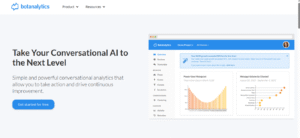
Botanalytics specializes in behavioral insights and flow performance analysis for Facebook Messenger bots. It gives marketers and developers detailed visibility into how users interact with every message.
Key Features:
- Tracks re-engagement metrics, including return users and session frequency
- Measures message completion rates and drop-off points within flows
- Offers time-based analytics to understand when users disengage
- Supports integration with third-party platforms like Slack or Zapier
Why It’s Great:
Botanalytics is best for businesses that want to improve the flow structure and user retention of their Messenger bots. It offers in-depth analysis of interaction patterns and helps pinpoint where improvements are needed in your conversation design.
How to Analyze Messenger Campaign Results
Here’s how to effectively analyze Messenger campaign results using the tools mentioned above.
Define Your Campaign Goals
Before selecting metrics or tools, define what success looks like. Do you want:
- More qualified leads?
- Higher conversion rates?
- Better engagement?
Having specific goals helps you choose the right KPIs and tools.
Track Key Metrics
Use your analytics tool to monitor:
- Open and click rates
- Response and resolution time
- Funnel drop-offs
- Audience retention
- Customer satisfaction (via surveys)
Use A/B Testing
Test different message formats, timing, and sequences. Platforms like MobileMonkey and ManyChat offer built-in A/B testing features.
Segment Your Audience
Break your Messenger audience into groups based on behavior, location, or response history. Analyzing each segment helps personalize future campaigns.
Visualize Funnels and Flows
Use tools like Chatfuel or Dashbot to map how users move through your bot flow. Identify where users drop off and what triggers conversions.
Comparison Table of Messenger Analytics Tools
| Tool Name | Best For | Key Feature Highlights | CRM/Ad Integration |
| ManyChat | SMBs and growth marketers | Conversion goals, broadcast reports | Yes |
| Chatfuel | Visual funnel tracking | Message flows, user segmentation | Yes |
| MobileMonkey | Omnichannel campaign analysis | A/B testing, Facebook Ads integration | Yes |
| Dashbot.io | Conversation quality tracking | Sentiment and intent analytics | No (but exportable) |
| Botanalytics | In-depth user behavior | Drop-off tracking, flow completion | Yes |
Best Practices When Using Analytics Tools
To get the most out of the best analytics tools for Facebook Messenger, follow these tips:
- Always set KPIs before launching campaigns
- Monitor metrics weekly and monthly
- Adjust campaigns based on behavior data
- Combine Messenger data with CRM and ads data
- Use automation to tag and track user activity
How Analytics Drive Better Results
Analyzing Messenger campaign results helps you make data-backed decisions. You’ll:
- Improve response rates by personalizing content
- Reduce drop-offs by optimizing flows
- Increase ROI by targeting high-converting segments
Businesses that actively monitor analytics can scale campaigns faster and with fewer mistakes.
So, What Are You Choosing?
With so many of the Best Analytics Tools for Facebook Messenger available, the final decision comes down to what suits your marketing workflow and goals best. Are you looking to analyze Messenger campaign results in-depth or just track basic engagement? Do you prefer a tool with built-in bot builders, or one that integrates with your existing tech stack?
Each tool brings something unique:
- ManyChat is great if you need analytics built into your chatbot flow.
- Dashbot stands out for AI-driven conversation metrics and user sentiment.
- MobileMonkey excels for omnichannel tracking and ad performance.
- Chatfuel simplifies funnel visualization and segmentation.
- Botanalytics gives detailed re-engagement and time-based message analysis.
Ask yourself:
- How deep do I need to go when I analyze Messenger campaign results?
- Will this tool scale with my business?
- Is it easy for my team to adopt and manage?
Ultimately, the right choice is the one that helps you understand what’s working, what’s not, and how to optimize your Messenger campaigns for better conversions and engagement. So—what are you choosing?
Conclusion
Using the Best Analytics Tools for Facebook Messenger helps you analyze Messenger campaign results with precision. These tools uncover key insights into user behavior, engagement, and message performance. Whether you prefer visual dashboards or in-depth metrics, there’s a tool for every level. Platforms like ManyChat, Chatfuel, MobileMonkey, and Dashbot support both real-time tracking and optimization. By aligning tools with your business goals, you improve conversions and enhance user experience. Messenger is a powerful channel — and smart analytics make it even stronger. Track, measure, and grow with confidence.
Frequently Asked Questions (FAQs)
What are the Best Analytics Tools for Facebook Messenger?
Some of the Best Analytics Tools for Facebook Messenger include ManyChat, Chatfuel, MobileMonkey, Dashbot, and Botanalytics. Each offers unique tracking features, automation metrics, and user journey insights. These platforms help marketers analyze Messenger campaign results effectively. Your choice depends on your campaign complexity and data needs.
How can I analyze Messenger campaign results effectively?
To analyze Messenger campaign results effectively, use tools with real-time dashboards, engagement metrics, and funnel tracking. Look for features like open rates, click-throughs, retention analysis, and sentiment tracking. Consistently review performance to refine future campaigns. Integrating with Google Analytics also boosts measurement accuracy.
Why is analytics important for Facebook Messenger marketing?
Analytics allow you to measure performance, understand user behavior, and optimize message flows. Without analytics, you’re making decisions based on guesswork, not data. The Best Analytics Tools for Facebook Messenger offer visibility into what works. This ensures better user engagement and higher ROI.
Can I use multiple analytics tools for Messenger?
Yes, you can use multiple analytics tools, especially if you want broader insights. For example, use ManyChat for broadcast stats and Dashbot for sentiment tracking. Combining tools helps you deeply analyze Messenger campaign results. Just ensure your tools don’t overlap or conflict in tracking.
Which tool is best for beginners in Messenger analytics?
ManyChat is often recommended for beginners due to its user-friendly interface and visual metrics. It simplifies how to analyze Messenger campaign results with clear dashboards. It also supports automation and reporting in one place. It’s a solid entry point for small teams or solo marketers.
