
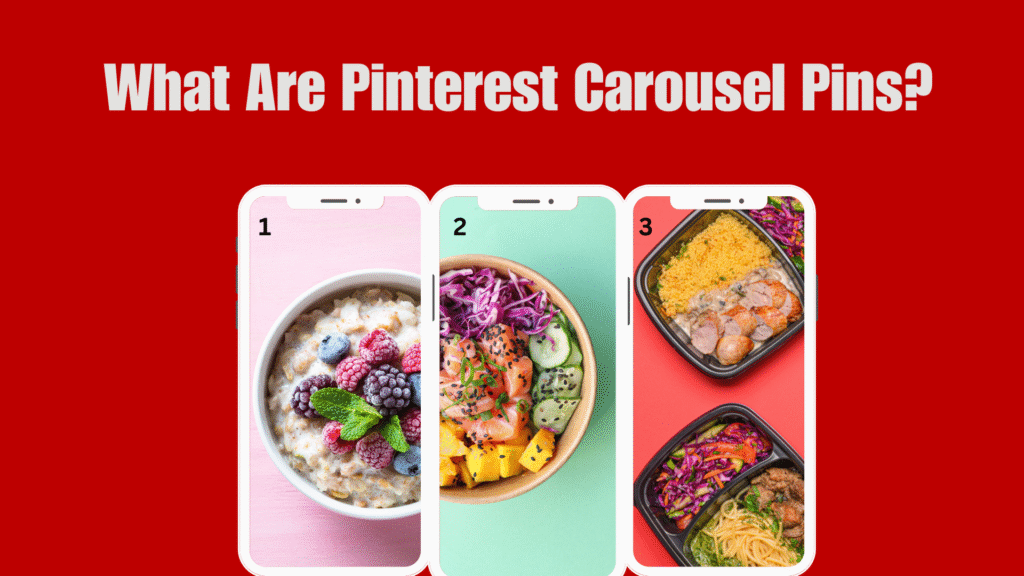
In 2026, Pinterest Carousel Pins have become a powerful format for brands, creators, and eCommerce sellers looking to engage users with richer storytelling and product showcasing. Unlike static Pins, Carousel Pins allow you to upload multiple images (2–5 slides) within a single Pin each image acting as a swipeable frame with its own title, description, and link.
This format opens the door to step-by-step tutorials, product comparisons, seasonal lookbooks, and collection-style promotions, all while staying native to Pinterest’s vertical visual feed. As user behavior leans more toward interactive, scrollable, and educational content, Carousel Pins offer the versatility to educate, inspire, and convert all in one experience.
Whether you want to show off multiple product angles, walk users through a recipe, or break down your blog post visually, this format enables more creative storytelling and longer engagement. This guide will walk you through how to create Carousel Pins effectively, with best practices, SEO tips, and mistakes to avoid so your content doesn’t just get saved it gets clicked.
What Is a Carousel Pin & How It Works
A Pinterest Carousel Pin is a multi-image format that allows users to swipe through 2 to 5 slides within a single Pin. Unlike Idea Pins (which are linkless), each slide in a Carousel Pin can have its own title, description, and outbound link, making it an ideal choice for storytelling, product showcasing, or educational content.
Carousel Pins appear just like regular Pins in the feed but once tapped or swiped, users can view additional frames. This makes them perfect for step-by-step guides, before-and-after transformations, or showcasing different product colors, styles, or use cases.
Key features of Carousel Pins:
- Multiple Images (2–5 cards) in a swipeable format
- Each card can include its own link (ideal for eCommerce)
- Native to Pinterest’s algorithm (engages longer user time on Pin)
- Shows up in standard feed, search results, and relevant boards
This swipeable structure keeps users engaged longer, and more engaged Pins = more signals to Pinterest’s algorithm = better visibility.
Benefits of Using Carousel Pins on Pinterest
Carousel Pins aren’t just visually engaging they’re strategically powerful. In 2026, as users seek more interactive and informative content, Carousel Pins offer multiple opportunities to hook interest, deliver value, and drive clicks. Here’s why they’re worth including in your content strategy:
1. Boost Engagement with Swipeable Stories
Carousel Pins create a swipeable experience, encouraging interaction beyond the first image. This increases time spent on your content, which Pinterest’s algorithm recognizes as positive engagement. Higher engagement boosts visibility across home feeds and search.
2. Highlight Multiple Products or Features
Carousel Pins let you display multiple products, angles, or features within one Pin ideal for product-based businesses. You can showcase variations, collections, or bundles, all while linking each card to a different product page to increase conversions.
3. Share Step-by-Step or Educational Content
These Pins are perfect for tutorials, DIYs, or how-tos, where each card breaks down a step. It makes complex information more digestible and encourages users to save for future reference. Educational Pins tend to have high save and share rates.
4. Stronger Storytelling & Value Delivery
Carousel Pins offer extended space to craft a compelling narrative or deliver layered insights. Instead of one static idea, each frame builds on the previous, keeping users engaged throughout. This storytelling approach fosters connection and curiosity.
5. Increased Click-Through Opportunities
With the ability to add unique links to each card, Carousel Pins become multi-directional traffic drivers. You can test different headlines or offers across slides to see which gets the most traction. This enhances performance tracking and user targeting.
When to Use Carousel Pins: Strategic Scenarios That Work
Carousel Pins aren’t just visually appealing they’re versatile tools that serve different marketing goals. Here are the most effective use cases where Carousel Pins perform best on Pinterest in 2026:
1. Product Launches or Collections
Launching a new product line or seasonal collection? Use Carousel Pins to showcase each item with its own slide. This lets potential buyers view multiple options in one Pin, increasing time-on-Pin and click-through rates.
2. Tutorials or Step-by-Step Guides
Break down a process, recipe, or routine into easy-to-follow visual steps. Each card can represent one stage in the journey, making it perfect for beauty routines, DIY crafts, or how-to guides that encourage saves and engagement.
3. Portfolio or Case Study Highlights
Carousel Pins are a powerful way for freelancers, coaches, and service-based brands to display their work in action. You can show project timelines, before-and-after transformations, or client testimonials slide by slide. This builds trust through visual proof and gives potential clients more reason to click and learn more.
4. Comparison Content (This vs That)
If your content compares products, styles, or strategies, Carousel Pins make it interactive. Each slide can focus on a specific feature, benefit, or outcome helping users make informed decisions. This swipeable format boosts engagement and positions you as a valuable guide, especially in saturated niches.
5. Content Repurposing
Breathe new life into your long-form content by turning blog lists, YouTube videos, or podcast episodes into Carousel Pins. Extract key points and deliver them across slides, each with a CTA to “Learn More” or “Read Full Post.” This increases content mileage while boosting Pinterest traffic to your owned platforms.
How to Create Carousel Pins on Pinterest (Step-by-Step)
Creating Carousel Pins on Pinterest is straightforward, but optimizing them for performance takes intention. Follow this step-by-step guide to ensure your Pins are visually appealing, swipe-worthy, and conversion-ready in 2026.
1. Switch to a Pinterest Business Account
To access Carousel Pin features and analytics, you’ll need a Pinterest Business account. It’s free and unlocks tools like Pinterest Analytics, scheduling, and ad targeting.
2. Prepare 2–5 High-Quality Images or Designs
Carousel Pins must include at least two and up to five slides, each formatted vertically (1000 x 1500 px). Ensure each slide:
- Delivers value on its own
- Uses consistent branding (fonts/colors/logo)
- Includes a hook or CTA if possible
3. Go to Create > Pin > Upload Multiple Images
Log in to Pinterest → click “Create” → choose “Create Pin” → then upload multiple images. These will automatically convert into a Carousel format.
4. Add Unique Titles and Descriptions (Optional but Recommended)
Though Carousel Pins share one overall title/description, you can embed slide-specific hooks directly into each image. For example:
Slide 1: “Step 1: Prep Your Workspace”
Slide 2: “Step 2: Mix Ingredients”
This structure guides the viewer and boosts retention.
5. Add a Destination URL (Same or Unique Per Slide)
If running an ad or creating a promoted Carousel, you can assign a different link to each card. This is helpful for:
- Product showcases (each image links to a product)
- Blog summaries (each image links to a specific section)
For organic Pins, one destination URL applies to all cards.
6. Choose a Relevant Board
Select a board aligned with the topic of your Carousel. Boards are key for Pinterest SEO so make sure the board name and description include relevant keywords.
7. Publish or Schedule Your Carousel Pin
Once everything is in place, hit “Publish” or use a scheduler like Tailwind to plan it for optimal times. Aim for when your audience is most active (typically evenings and weekends).
Design Tips for High-Converting Carousel Pins
Creating Carousel Pins that look good isn’t enough they need to be strategically designed to capture attention, tell a story, and encourage action. These tips ensure each slide not only fits visually but performs as a conversion tool on its own.
Use a Cohesive Theme Across All Slides
Maintain consistent fonts, colors, and layout throughout your carousel. A unified visual identity builds trust and makes your content more recognizable in the Pinterest feed. Each card should feel like part of a single branded narrative not a collection of random graphics.
Hook Viewers with Slide 1 – Use Bold Text + Image
Your first slide is your scroll-stopper. Use bold, benefit-driven text and a compelling visual that immediately communicates value (e.g., “5 Easy Ways to Style White Sneakers”). This sets the tone and motivates users to swipe for more.
Add Subtle CTAs Across the Carousel
Don’t wait until the last slide to ask for action. Sprinkle gentle CTAs like “Swipe for Step 2” or “Learn More” throughout the sequence. This keeps users engaged and nudges them toward the next step without feeling overly salesy.
Use Text Overlays and Numbered Steps for Guides
For step-by-step or list-style Carousels, number each slide (e.g., Step 1, Step 2) and pair it with concise text overlays. This format improves readability, skimmability, and encourages users to swipe through the full sequence to complete the guide.
Pinterest SEO for Carousel Pins
Optimizing Carousel Pins for Pinterest search is crucial to maximize visibility and long-term traffic. Unlike other social platforms, Pinterest functions more like a visual search engine so your Pin’s metadata plays a direct role in how and where it ranks. Here’s how to boost discoverability with SEO:
Use Keywords in Title, Board, and Descriptions
Incorporate primary and long-tail keywords naturally in your Pin title and description these help Pinterest understand the content and serve it in relevant searches. Make sure your board name and board description also include related keywords to reinforce the content theme.
Example:
For a Carousel Pin about “7 Vegan Dinner Ideas,” include keywords like “vegan recipes,” “plant-based meals,” and “quick vegan dinners” in the Pin description and save it to a board titled “Easy Vegan Recipes.”
Name Individual Image Files with Keywords
If you’re uploading Carousel images manually, use keyword-rich file names (e.g., vegan-dinner-step1.jpg) rather than default names like IMG1023.jpg. Pinterest’s backend can interpret image file names, which helps support content indexing and relevance in search.
Save to Relevant Boards with Keyword-Rich Descriptions
Always pin your Carousel to a board that matches the topic. Use a description that’s both keyword-optimized and helpful include who the content is for, what they’ll learn, and why it matters. This improves the Pin’s ranking in both Pinterest search and Google image results.
Pro Tip: Use Pinterest Trends or the search bar auto-suggestions to identify what keywords your audience is already looking for.
Best Use Cases for Carousel Pins by Industry
Pinterest Carousel Pins are incredibly versatile, but their effectiveness depends on how you align the format with your industry’s goals. Here’s how different industries can maximize engagement, education, and conversions using Carousels:
eCommerce: Product Features, Color Options, “Shop the Look”
Showcase multiple views, features, or variations of a product (like different colors, angles, or styles). Carousel Pins allow shoppers to explore more before clicking, making them ideal for fashion, home decor, or gadgets. Use one link per card to drive traffic to specific product pages.
Bloggers: Multi-Step Tutorials, Listicles
Turn blog content into mini carousels by breaking down tips, how-tos, or recipes into bite-sized slides. Each slide delivers one idea or step, encouraging users to swipe through and then click through to read the full post. It’s an excellent way to repurpose evergreen content.
Coaches/Experts: Mindset Frameworks, Carousel Storytelling
For educators, consultants, or coaches, Carousels help share frameworks, lessons, or client journeys in a story-driven way. You can break down a success path, illustrate mindset shifts, or share quotable tips to build authority and trust.
Beauty/Wellness: Before-After, Skincare Routines, Ingredients
Use slides to show transformations (e.g., before-and-after makeup or skin results), routines (“Morning Skincare in 4 Steps”), or ingredient spotlights. This format builds both education and product interest, especially when paired with product tags or links.
Mistakes to Avoid with Carousel Pins
Even the best Carousel Pins can fail if you overlook design consistency, mobile-friendliness, or strategic alignment. Avoiding these common mistakes can significantly improve your engagement and conversion rates on Pinterest.
Mixing Styles or Sizes Across Slides
Inconsistent design elements such as varying fonts, colors, or image dimensions break visual flow and reduce swipe-through rates. Use a cohesive layout to create a seamless experience across all slides. This builds brand recognition and keeps the user engaged.
Ignoring Mobile Optimization
Pinterest is a mobile-first platform, so your Carousel Pins must look clean and legible on small screens. Avoid tiny fonts, cluttered layouts, or edge-to-edge designs that may get cut off. Always preview your design on mobile before publishing.
Weak or Unclear CTA
If your call-to-action isn’t obvious or compelling, users won’t know what to do next. Use short, action-driven phrases like “Swipe for More,” “Shop the Look,” or “Read the Full Guide” on the last slide to guide users and drive clicks.
Not Aligning Carousel Story with Landing Page
If users swipe through your Carousel expecting one thing and land on an unrelated page, you’ll lose trust and conversions. Ensure each card (especially those with links) directly connects to the content, product, or offer it promotes.
How to Track Performance of Carousel Pins
Tracking your Carousel Pin performance is essential to improve engagement, increase traffic, and refine your content strategy. With Pinterest’s built-in tools and external methods, you can get granular insights into what’s working slide by slide.
Pinterest Analytics: Saves, Clicks, Impressions Per Slide
Pinterest Analytics shows how each Carousel Pin performs overall and slide-by-slide. Track impressions to gauge reach, saves to measure value, and outbound clicks to see which designs drive action. Use this data to identify your highest-performing frames.
Outbound Click Tracking via UTM Links
Use unique UTM parameters for each Carousel card (if they link to different pages) to track clicks in Google Analytics. This lets you see which slide drives the most traffic and how users behave after clicking through.
A/B Testing Different Topics and Formats
Experiment with different content themes, slide counts, CTA placements, or design styles. For example, test “5-step how-tos” versus “product showcases” to find which structure leads to more engagement, then scale what works.
Tips to Maximize Carousel Pin Success
Carousel Pins aren’t just visually attractive they’re powerful tools for education, storytelling, and conversion. To stand out and perform well in 2026’s Pinterest ecosystem, follow these strategic tips consistently.
Post Consistently (1–2 Carousels/Week)
Regular posting signals to Pinterest that you’re an active, reliable creator. Aim to share 1–2 Carousel Pins weekly to stay visible in feeds and search. Consistency helps build authority and follower trust over time.
Repurpose Blog Posts or Reels into Carousel Pins
Turn long-form blog posts, tutorials, or Instagram Reels into easy-to-swipe Carousel Pins. Break content into key takeaways, tips, or step-by-step visuals. This extends content lifespan and increases discoverability on Pinterest.
Use Canva or Tailwind for Batch Creation
Batch-create Carousel Pins to save time and maintain brand cohesion. Canva offers templates with multiple slide formats, while Tailwind allows scheduling and testing. Together, they streamline your workflow and boost consistency.
Learn from Top-Performing Carousels and Iterate
Use Pinterest Analytics to study which Carousels drive the most clicks, saves, or engagement. Identify what worked slide order, visuals, hooks and apply those insights to future Pins for better performance.
Conclusion:
Carousel Pins offer a powerful way to tell stories, share tips, showcase products, and educate your audience all in a format that encourages deeper interaction. In 2026’s visual-first, search-driven Pinterest ecosystem, static images alone aren’t enough. Carousel Pins give you the edge by combining swipeable storytelling with multiple traffic opportunities.
Whether you’re a blogger, coach, eCommerce brand, or content creator, integrating Carousel Pins into your Pinterest strategy can boost engagement, increase click-through rates, and drive long-term growth. Focus on clear design, keyword optimization, and strategic placement and let your content speak slide by slide.
Frequently Asked Questions (FAQs)
What is a Carousel Pin on Pinterest?
A Carousel Pin is a multi-image format that allows users to swipe through 2–5 slides in a single Pin. Each slide can contain a unique image, description, and URL. It’s ideal for showcasing products, tutorials, comparisons, or step-by-step guides in a visually engaging format.
How do Carousel Pins help increase Pinterest engagement?
Carousel Pins naturally encourage interaction through swiping, which boosts time-on-Pin, saves, and click-through rates all signals that Pinterest’s algorithm uses to rank your content higher. The swipeable format keeps users engaged longer than standard Pins.
Can I add different links to each slide in a Carousel Pin?
Yes. Pinterest allows you to assign a different destination URL to each slide in a Carousel Pin. This is particularly helpful for product showcases, blog roundups, or comparison content where each slide offers unique value or directs to a specific landing page.
Are Carousel Pins mobile-optimized by default?
While Carousel Pins display well on mobile, optimization still matters. Use vertical 2:3 aspect ratio images (1000×1500 px), keep fonts large and readable, and ensure slide designs are visually consistent and clear when viewed on smaller screens.
Do Carousel Pins show up in Pinterest search results?
Yes, Carousel Pins are indexed in Pinterest search just like standard Pins. To improve visibility, include keyword-rich titles, descriptions, and file names, and save them to relevant, SEO-optimized boards. Pinterest also considers engagement metrics when ranking Pins in search.
