
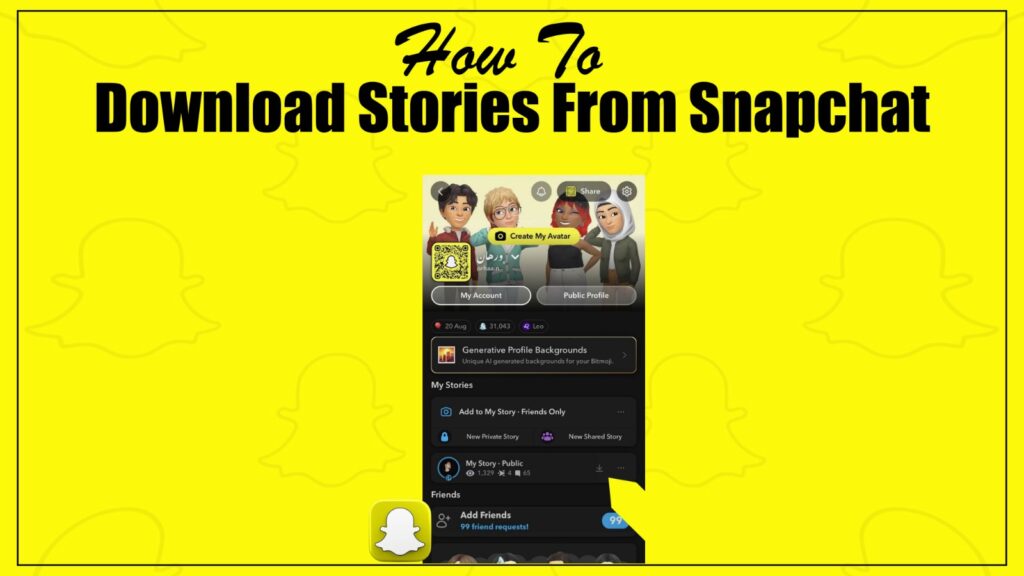
Ever seen a Snapchat Story so funny, aesthetic, or unforgettable that you wished you could save it before it disappeared forever?
You’re not alone. The fleeting nature of Snaps is its charm, but sometimes, a Story is just too good to let go.
The official app makes it notoriously difficult to save other people’s content. Screenshots are low-quality and send notifications, while the ‘Save to Gallery’ option is often disabled.
This is your complete guide for 2026. We’ll walk you through 6 simple methods—from saver apps and online downloaders to built-in screen recorders, cloud-based tools, browser extensions, third-party mods, friend-forward tricks, and even smart editing hacks. Each method helps you save Snapchat Stories discreetly, safely, and in high quality.
Why Save Snapchat Stories in 2026?
Snapchat Stories may be temporary by design, but saving them can bring long-term benefits. Here’s why downloading Stories is more useful than ever in 2026:
Preserve Memories
Stories often capture important life events, milestones, or fun daily highlights. Saving them ensures those moments aren’t lost after 24 hours.
Offline Access
Once downloaded, Stories can be viewed anytime—without needing the Snapchat app or even an internet connection.
Content Sharing
Saved Stories can be easily reshared on other social media platforms or shared privately with friends who don’t use Snapchat.
Creative Reuse
For creators, Stories serve as ready-made content. They can be repurposed for promotional campaigns, vlogs, or creative edits.
Data Backup
By downloading Stories, you secure a backup in case of accidental deletion, app glitches, or account issues.
Business Use
Brands and influencers can analyze their Stories’ performance, reuse highlights, and integrate them into broader marketing strategies.
Can You Really Download Stories?
Yes, it is technically possible to download Snapchat Stories posted by others, but it comes with serious considerations. Snapchat does not provide an official feature to save someone else’s Story, as the platform is built around privacy and the temporary nature of content.
Some users turn to alternatives such as:
- Third-party saver apps that claim to download Stories quietly.
- Screen recording tools that capture Stories in real time.
However, these methods often violate Snapchat’s terms of service and can put your account at risk of suspension or banning. They also raise ethical concerns, since downloading without consent goes against the spirit of privacy the app promotes.
Because of these risks, it’s important to act responsibly. Always seek permission from the original creator before saving their content. This not only protects you legally but also helps maintain trust within the Snapchat community.
If you want to explore safe ways of saving Stories—whether your own or with proper consent—the next section outlines methods you can rely on without compromising privacy.
Method 1: Saver Apps – The Quickest Option
Saver apps are the most convenient choice for users who frequently download Snapchat Stories. These apps provide a dedicated interface, making it easier and faster than relying on online tools. They are particularly useful for Android users who want a long-term solution.
Best For
- Frequent downloaders on Android who need a reliable, dedicated app.
How to Use Saver Apps
- Download a Trusted App – Install apps like Video Downloader for Snapchat or similar tools from the Play Store.
- Grant Permissions – Allow the app to access storage and overlay features if prompted.
- Follow the Interface – Most apps let you copy a Story link or use in-app browsing to download content directly
Advantages of Saver Apps
Saver apps stand out because of their simplicity. They provide a clean, dedicated interface that makes downloading straightforward. Many of these apps also allow batch downloads, letting you save multiple Stories at once. Beyond that, they often support different types of content, not just Stories, and generally work faster than most web-based tools.
Drawbacks to Consider
The main limitation is availability—these apps are mostly designed for Android, since iOS has stricter restrictions. There’s also the risk that they may violate app store policies, meaning some apps could be removed without notice. Finally, because Snapchat regularly updates its platform, saver apps can sometimes stop working until developers release fixes.
Security Warning
Only install saver apps from official sources like the Google Play Store. Avoid downloading APK files from unknown sites, as they may contain malware or put your Snapchat account at risk.
Method 2: Online Downloader Tools (No App Needed)
Online downloader tools are a simple choice if you only need to save a Snapchat Story once in a while. They work directly in your browser, so you don’t have to install extra apps or software. This makes them a quick, no-commitment option for saving public content like Spotlights or Stories.
Best For
- Quick, one-off downloads of public Stories or Spotlights
- Users who want a solution that works on any device (phone, tablet, or PC)
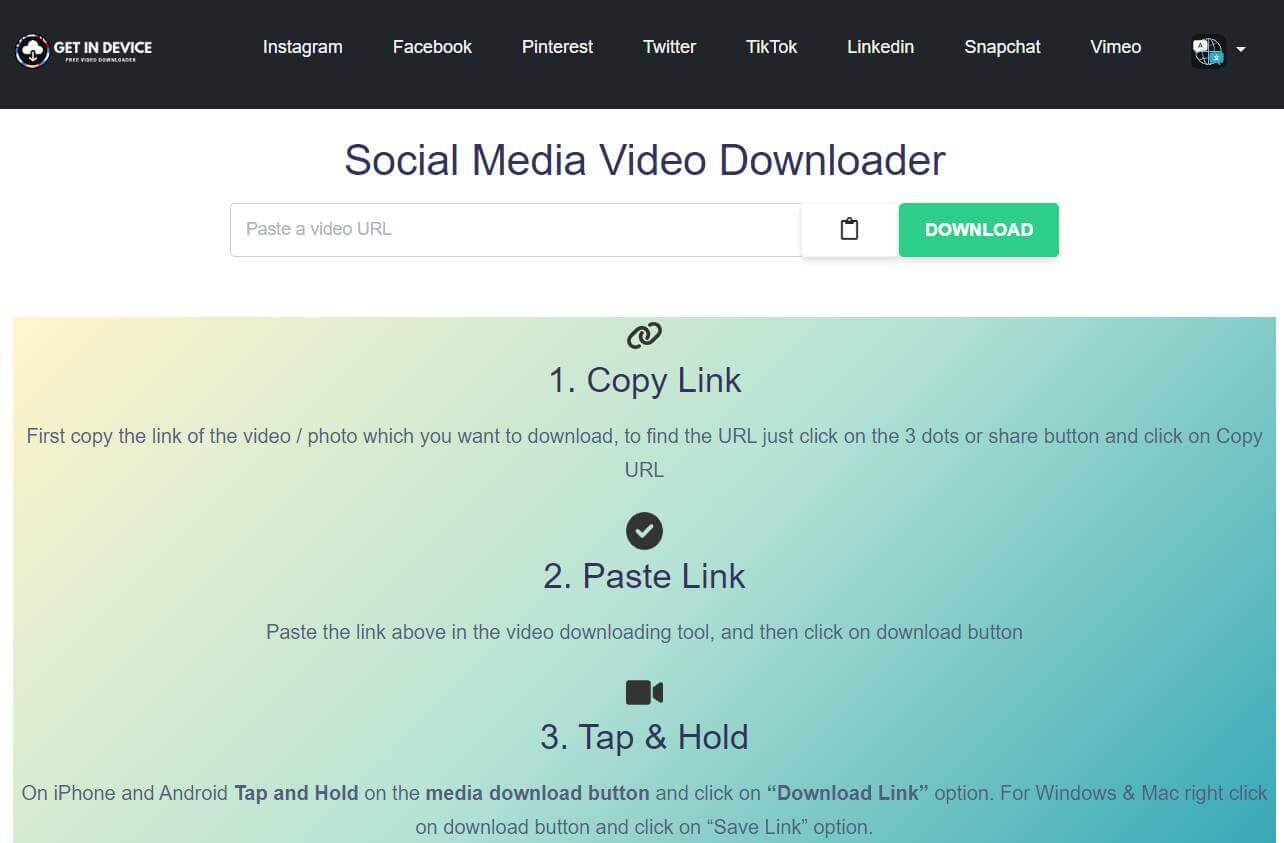
How to Use Online Downloaders
- Copy the Share Link – Open the Story you want to save, tap the share icon, and copy the link.
- Visit a Downloader Website – Go to a trusted online downloader such as SnapSaver.cc or ExpertPHP Snapchat Downloader.
- Paste and Download – Paste the link into the site, click download, and save the file to your device.
Advantages of Online Downloaders
One of the biggest strengths of online downloaders is convenience. You don’t need to install anything—just a web browser is enough. These tools also work across all devices, from smartphones to desktops, and most of them are completely free. In many cases, the downloads are saved in fairly good quality, making them a practical option for quick use.
Limitations to Keep in Mind
The downside is that online downloaders come with restrictions. They only work with public content, so private Stories are off-limits. Reliability can also vary, with some sites running smoothly while others may fail. Since many downloader websites rely on ads, you’ll often encounter pop-ups, and you must always have access to a shareable link to start the process.
Method 3: Built-In Screen Recorder Hacks
Built-in screen recorders are one of the most reliable ways to save Snapchat Stories. Since this feature comes pre-installed on most modern smartphones, it eliminates the need for third-party apps and works even for private Stories or restricted content.
Best For
- Capturing any type of content—whether public, private, or from restricted channels.
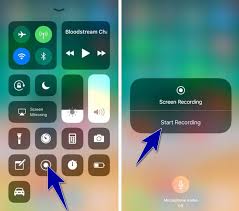
How to Use Screen Recorders
- Access Quick Settings – Swipe down twice from the top of your screen to open Quick Settings.
- Find the Recorder – Look for the “Screen Recorder” icon. If it’s not visible, use the edit (pencil) option to add it.
- Start Recording – Tap the icon, allow necessary permissions, and press Start when prompted.
- Play the Story – Open Snapchat, play the Story you want to capture, and let the recorder do its job.
- Stop Recording – Tap the stop button in your notification bar to save the file.
Advantages of Screen Recording
Screen recorders work across all types of Stories, whether public or private, making them highly versatile. They are built into most devices, safe to use, and don’t require downloading additional apps.
Limitations to Consider
The recording quality depends on your phone’s screen resolution. Video files can become large and take up storage space. Screen recorders capture everything on-screen, including notifications or interface elements. Manual trimming or editing is often required for a polished result.
Method 4: Browser Extensions & Third-Party Mods
If you’re using Snapchat for Web on your PC or Mac, browser extensions make it simple to save Stories directly while browsing. These tools integrate seamlessly into your browser, allowing quick and convenient downloads without extra apps.
Best For
Users who access Snapchat for Web on desktop and want a straightforward way to save Stories.
How to Use Browser Extensions
- Install Extension – Add a trusted “Video Downloader” extension from the Chrome Web Store or Firefox Add-ons.
- Log In to Snapchat Web – Visit web.snapchat.com and log in with your account.
- Download Stories – Use the extension’s added features, such as a download button or right-click option, to save Stories directly.
Advantages
Browser extensions integrate directly into your browser, making them simple to use without installing extra software. They work seamlessly with Snapchat for Web and often allow one-click downloads, which makes saving Stories quick and convenient.
Limitations
This method is limited to desktops or laptops and only works with content accessible on Snapchat Web. Extensions also require certain permissions to function properly, and in some cases, they may slightly slow down your browser’s performance.
Method 6: Smart Tricks to Save Stories Safely
Saving Snapchat Stories—especially when they aren’t your own—requires balancing privacy, ethics, and practicality. The goal is to keep your favorite content without violating trust or risking your account.
Use Built-In Screen Recording
Most modern smartphones come with a native screen recorder, which lets you capture Stories in real time without relying on risky third-party apps.
- Safe and reliable
- No external tools needed
- Always ask the creator’s permission before recording
Request the Story Directly
A more respectful approach is to ask the original poster to share their Story with you. They can forward it through Snapchat chat or send the file via another messaging app. This method avoids violations and builds trust with the creator.
Keep Saved Stories Secure
If you save Stories often, make sure they’re stored responsibly. Secure folders, password-protected cloud backups, or private storage options help protect your collection and prevent unauthorized access.
Final Words
Saving Snapchat Stories in 2026 has become easier than ever, but it still requires caution and respect for privacy. While there are multiple ways to download Stories—from saver apps and online tools to screen recording and browser extensions—it’s important to choose safe, ethical methods. Always prioritize your security, avoid unreliable third-party apps, and seek permission before saving someone else’s content.
With the right approach, you can preserve your favorite memories, reuse creative content, and enjoy Snapchat without compromising safety or trust.
Frequently Asked Questions (FAQs)
Can I download someone else’s Story?
Yes, it’s possible using screen recording or third-party tools, but Snapchat doesn’t allow this officially. Always ask the creator’s permission to stay safe and respectful.
Is it legal to save Snapchat Stories?
Saving your own Stories is fully legal and supported. Downloading other people’s Stories without consent, however, can lead to privacy issues or even account penalties.
What’s the safest method in 2026?
The safest option is Snapchat’s built-in “Save to Memories” or “Save to Camera Roll” for your own Stories. For others, your phone’s screen recorder is the most reliable and low-risk method.
Do third-party apps still work?
Yes, many Android apps still support Snapchat downloads, but they can be risky. Only use apps from trusted stores like Google Play, since APK files from unknown sites may contain malware.
Can I save Stories on PC or Mac?
Yes, Snapchat Web makes this possible. By installing trusted browser extensions, you can download Stories directly while using Snapchat on your desktop.
