
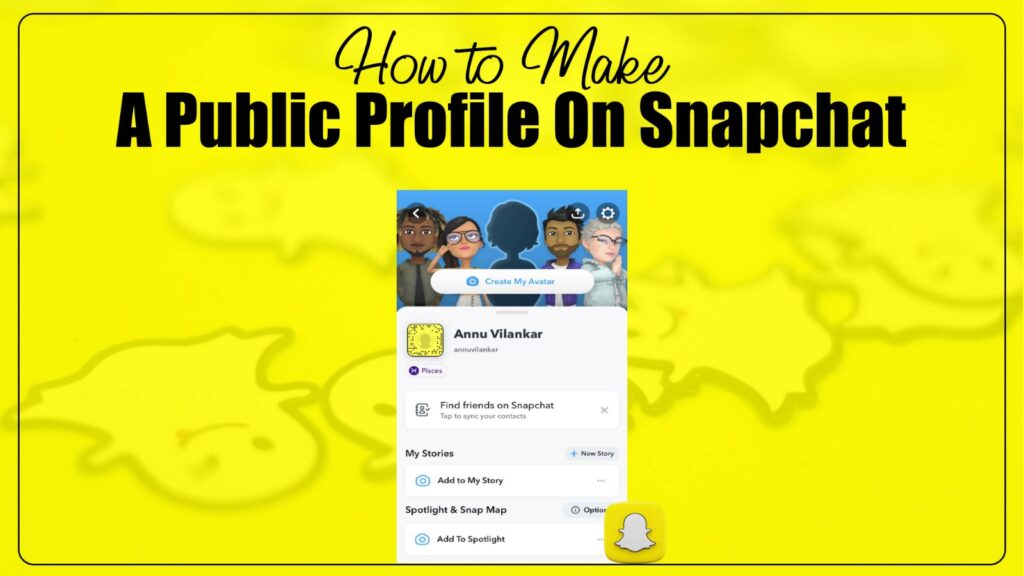
A public profile on Snapchat gives creators, influencers, and brands the ability to showcase content to a wider audience. Unlike regular profiles that are limited to friends, a public profile allows you to share stories, lenses, and highlights with anyone on the platform. This feature not only boosts visibility but also helps you grow a loyal fan base by making your content discoverable.
With more people using Snapchat for entertainment and marketing, learning how to make a public profile on Snapchat is essential. Whether you want to build a personal brand, promote your business, or simply share your creativity, setting up a public profile opens new opportunities to connect and engage.
Why Create a Public Profile on Snapchat?
Before diving into the step-by-step process, it’s important to understand why a public profile matters. Snapchat has evolved beyond private messaging and is now a powerful platform for creators. Here are some key reasons:
- Increased Visibility: Your stories and content are visible to a much larger audience.
- Brand Building: Businesses and influencers can showcase products, services, or personal content.
- Access to Insights: Snapchat provides analytics tools for public profiles.
- Engagement Opportunities: Fans can subscribe to your profile, making it easier to grow a community.
These benefits make public profiles a strategic choice for anyone serious about building influence on Snapchat.
Eligibility for a Public Profile
Not every account can immediately create a public profile. Snapchat has certain requirements, such as:
- Age Requirement: You must be at least 18 years old.
- Account History: Your account should be at least a few days old and not brand new.
- Adherence to Guidelines: You must follow Snapchat’s community guidelines.
If you meet these conditions, you’re ready to start creating your public profile.
Step 1: Open Snapchat and Access Your Profile
- Launch the Snapchat app on your smartphone.
- Tap on your Bitmoji avatar or profile icon in the top-left corner.
- This will open your profile dashboard, where you can see settings, friends, and other features.
At this stage, you’re still in your personal profile view. The next steps will guide you to unlock the public profile option.
Step 2: Navigate to “Public Profile” Settings
- Scroll down until you see the section titled Public Profile.
- If eligible, you’ll find an option labeled Create Public Profile.
- Tap on this option to begin the setup process.
Snapchat may show a short explanation about the benefits of a public profile before you proceed.
Step 3: Create Your Public Profile
- Tap on Continue and then Get Started.
- Snapchat will ask you to confirm by selecting Create.
- Once confirmed, your public profile will be created instantly.
You will now see a new section in your profile labeled Public Profile, which can be customized further.
Step 4: Customize Your Public Profile
Creating a public profile is just the beginning. Customization helps you stand out and attract more subscribers. Here’s what you can do:
- Profile Picture/Bitmoji: Add a recognizable image or use your Bitmoji.
- Bio Section: Write a short introduction about yourself or your brand.
- Add Highlights: Save your favorite stories to highlights for long-term viewing.
- Link Social Media: Add links to Instagram, YouTube, or websites.
These customization features transform your profile into a branded hub that represents you or your business.
Step 5: Share Content with Your Audience
Now that your public profile is live, the key is consistency. To grow your visibility, you should:
- Post Stories Regularly: Keep your audience engaged with daily or weekly updates.
- Use Lenses and Filters: Snapchat’s creative tools make content more interactive.
- Highlight Unique Content: Showcase exclusive updates that encourage subscriptions.
The more active you are, the more likely Snapchat’s algorithm will push your profile to new viewers.
Advanced Tips for Growing Your Public Profile
Once you have created and customized your public profile, the real journey begins. Building an audience on Snapchat requires more than simply having a profile visible to the public. The key lies in creating engaging content that encourages people to subscribe and return to your stories. To achieve this, consistency plays a crucial role. Posting content regularly allows your profile to remain active and signals to Snapchat’s algorithm that you are a committed creator. The more you post, the higher your chances of being featured on the Discover feed or in recommendations.
Storytelling is another powerful approach to growth. Snapchat is designed around stories, so users naturally prefer content that unfolds in a narrative format. Rather than uploading random snaps, you can craft stories that follow a sequence. For example, if you are sharing behind-the-scenes updates from your business, you might start with a teaser, follow with preparation clips, and end with the final product reveal. This keeps viewers watching from start to finish, and the completion rate of your stories directly impacts how often Snapchat promotes them.
Using Snapchat Insights to Measure Performance
One of the main advantages of having a public profile on Snapchat is access to insights. Insights allow you to monitor performance, track engagement, and refine your content strategy. Inside your public profile, Snapchat provides data on views, reach, story completions, and audience demographics. Understanding these numbers is essential if you want to grow strategically.
For instance, views indicate how many people are watching your stories, while completion rates show how many of them are staying until the end. If completion rates are low, it suggests that your stories may not be engaging enough or might be too long. Adjusting the pacing or making your stories more interactive can help improve these numbers. Reach data tells you how many unique users are discovering your content, and audience demographics provide insights about age, gender, and interests. This information is particularly valuable for businesses that want to target specific customer segments.
Best Practices for Creators and Brands
Creators and brands must approach Snapchat with a clear strategy. While it may be tempting to post anything that comes to mind, having a structured plan ensures sustainable growth. For personal creators, authenticity is one of the most important factors. Snapchat users value genuine and relatable content. Showing your daily life, sharing personal stories, or even documenting your creative process helps establish a deeper connection with followers.
Brands, on the other hand, need to balance entertainment with marketing. A public profile is not only a place to advertise products but also to build trust and brand loyalty. Instead of posting only promotional content, businesses should create entertaining or educational stories that also highlight their products naturally. For example, a restaurant could share recipe demonstrations or behind-the-scenes kitchen content while subtly showcasing its dishes. This approach keeps followers engaged without making the profile feel like an advertisement board.
Another best practice is making use of highlights. Snapchat stories usually disappear after twenty-four hours, but highlights allow you to keep important content available permanently. Organizing highlights into categories such as product launches, tutorials, or events ensures that new visitors can instantly access your best content. This feature transforms your profile into an interactive portfolio that continues to attract subscribers long after the stories were first posted.
Mistakes to Avoid on Public Profiles
- Inconsistency – Posting rarely or irregularly causes your audience to lose interest quickly.
- Ignoring Insights – Without tracking analytics, it’s hard to know what works and what doesn’t, leading to wasted effort.
- Overpromotion – Constantly pushing sales or products makes your profile feel like an ad, which can drive followers away.
- Lack of Customization – A profile without a bio, highlights, or a clear identity looks unprofessional and unappealing.
Final Thoughts
Making a public profile on Snapchat is one of the most effective ways to expand your presence on the platform. It gives you access to tools that private accounts cannot offer, such as analytics and highlights, and it allows you to connect with a much broader audience. However, success does not come from simply creating a profile. Growth requires consistent effort, engaging storytelling, careful use of insights, and a balance between creativity and promotion.
For individuals, this means being authentic, relatable, and creative with daily stories. For businesses, it involves blending entertainment with marketing while building a trustworthy brand identity. With the right strategy, a public profile can become a powerful asset for reaching new audiences, boosting visibility, and creating lasting impact on Snapchat.
Frequently Asked Questions (FAQs)
How do I know if I am eligible to create a public profile on Snapchat?
You need to be at least 18 years old, have a Snapchat account older than 24 hours, and must follow Snapchat’s community guidelines. Eligibility also requires having at least one friend on the platform.
Can I switch back to a private profile after creating a public one?
Yes, Snapchat allows you to delete or deactivate your public profile at any time. Once removed, your account will return to its original private status with limited visibility.
Do public profiles on Snapchat cost money to create?
No, creating a public profile on Snapchat is completely free. However, brands may choose to invest in ads or promotions to increase reach.
What kind of content works best for Snapchat public profiles?
Short, authentic, and engaging stories tend to perform best. Behind-the-scenes updates, tutorials, and entertaining content attract more subscribers.
Can businesses benefit from using Snapchat public profiles?
Yes, businesses can showcase products, interact with audiences, and build brand visibility. Public profiles provide analytics that help refine marketing strategies.
