
If you’ve ever wondered how those fun, interactive, and sometimes mind-blowing augmented reality (AR) effects appear on Snapchat, you’re in the right place. Snapchat’s AR world isn’t just for big brands or professional developers anyone can join in and create their own lenses. Sounds exciting, right? Whether you want to boost your brand presence, showcase your creativity, or simply have fun making filters for friends, Snapchat Lens Studio is the key to unlocking that potential.
In this guide, we’ll explore what Lens Studio is, how it works, and how you can use it to bring your AR vision to life. You’ll discover not just the technical steps, but also tips for making lenses that capture attention and encourage engagement. If you’re curious about how to create AR lenses for Snapchat, I got you.
What is Snapchat Lens Studio?
Snapchat Lens Studio is a free, powerful desktop application that lets you design, build, and publish AR effects for Snapchat. Think of it as your personal AR creation hub, where you can work with 2D and 3D assets, animations, and interactive triggers to produce lenses that people can use in the Snapchat app.
Since its launch in 2017, Lens Studio has evolved significantly, now offering advanced features like:
- Face Tracking: Detects facial movements for masks, accessories, or facial transformations.
- World Lenses: Adds 3D objects to environments through the rear camera.
- Marker Tracking: Activates AR effects when the camera sees a specific image or object.
- Hand and Body Tracking: Allows for effects triggered by gestures or body movement.
It’s not just a tool for tech-savvy developers it’s built to be beginner-friendly, with templates, drag-and-drop components, and clear tutorials.
Why Use Lens Studio?
Creating AR lenses isn’t just for fun it’s a strategic move for marketers, influencers, and businesses. Snapchat reports that AR engagement is at an all-time high, with millions of users interacting with lenses daily. By learning how to create AR lenses for Snapchat, you’re tapping into a highly engaged, visually driven audience.
Some benefits include:
- Brand Visibility: Lenses often get shared, spreading your brand organically.
- Engagement Boost: AR effects encourage interaction, making your content memorable.
- Creative Freedom: You can experiment with unique visuals that stand out from standard images or videos.
In short, AR lenses can be playful, informative, and persuasive all at once.
Getting Started: Downloading Lens Studio
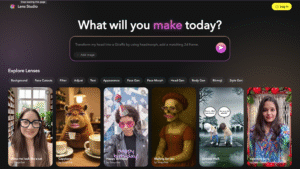
To begin, visit the official Lens Studio website and download the free software. It’s compatible with both Windows and Mac operating systems.
Before installation, make sure your computer meets the minimum requirements:
- Processor: Intel or AMD multi-core
- RAM: At least 4GB (8GB recommended)
- Graphics Card: NVIDIA GeForce 710 or equivalent for basic effects; higher for complex AR
- Operating System: Windows 10 or macOS 10.14 or later
Once installed, open the program and sign in with your Snapchat account to start creating.
Understanding the Lens Studio Interface
When you first open Lens Studio, you’ll see a clean workspace divided into several key sections:
- Objects Panel: Shows all elements in your scene.
- Resources Panel: Stores imported assets like images, sounds, and 3D models.
- Preview Window: Lets you test your lens in real time.
- Inspector Panel: Adjusts properties of selected items.
- Toolbar: Contains tools for navigation, transformation, and camera adjustments.
This layout makes it easy to manage multiple components and see how changes affect your lens instantly.
Using Templates to Speed Up Creation
If you’re a beginner, templates are your best friend. Lens Studio offers dozens of pre-built templates for different types of lenses from simple face masks to complex interactive games.
For example:
- Face Mask Template: Ideal for adding makeup effects or facial accessories.
- World Object Template: Perfect for placing 3D models in real-world environments.
- Interactive Game Template: Great for building simple AR games controlled by head or hand movements.
Templates come with default assets, but you can replace them with your own designs for a unique final product.
Importing and Creating Assets
Your AR lens will come to life with the right visual and audio elements. You can either import ready-made assets or create them directly in Lens Studio.
Supported asset types include:
- Images: PNG, JPEG (for 2D textures)
- 3D Models: FBX, OBJ (for objects and characters)
- Audio: MP3, WAV (for sound effects and music)
Pro tip: Keep file sizes small for faster lens loading times Snapchat recommends keeping the total project under 4MB for smooth performance.
Adding Interactivity
AR lenses become truly memorable when they respond naturally to user actions. In Lens Studio, you can add interactive triggers that make your lens feel alive and personalized. Common examples include:
- Facial Expressions – Smiling can trigger playful confetti, while raising eyebrows could launch an animation or reveal hidden effects.
- Hand Gestures – Opening your palm might display text or graphics, and a peace sign could switch lens modes.
- Screen Taps – A simple tap can change the background, swap colors, or activate special effects.
These elements invite users to explore and interact, increasing the likelihood they’ll share your lens with friends. The key is to choose interactions that enhance your theme without overwhelming the user.
Testing Your Lens
Before making your lens public, thorough testing is essential. Lens Studio provides two practical options:
- Preview in Lens Studio – The built-in simulator lets you check visuals, animations, and triggers in real time.
- Send to Snapchat – Generate a Snapcode in Lens Studio and scan it on your phone to experience your lens directly in the Snapchat app.
Testing across different devices ensures your lens displays correctly and runs smoothly. This step helps you catch performance issues, visual glitches, or unintended effects before publishing. Remember: the more seamless the experience, the more users will enjoy and share your creation.
Publishing Your Lens
Once you are satisfied with your lens, the next step is to make it available to the world. Snapchat Lens Studio provides a straightforward publishing process that ensures your lens reaches your target audience quickly.
To publish, click the “Submit Lens” button within Lens Studio. You will be prompted to add essential details such as the lens name, description, and category. Choose a category that best fits your lens, as it helps Snapchat recommend it to the right audience. You can also include relevant tags to increase discoverability.
An important part of publishing is setting up a Snapcode. This is a scannable code that users can scan with the Snapchat camera to instantly unlock and use your lens. You can download your Snapcode and share it across social media, websites, or even printed marketing materials.
Finally, Snapchat will review your submission for quality and policy compliance. Once approved, your lens will go live and be ready for use.
Promoting Your Lens
Creating a lens is only half the work promotion ensures it gets seen. If you want to maximize the impact of your lens, you should actively share it beyond the Snapchat platform.
You can promote your lens by:
- Posting the Snapcode on your brand’s social media accounts.
- Embedding the Snapcode on your website.
- Collaborating with influencers who can feature your lens in their snaps.
- Including it in email newsletters to your audience.
Additionally, you can use Snapchat’s advertising tools to run Lens Ads, which push your AR lens to a targeted audience. This can be highly effective if your goal is to reach a specific demographic or geographic area. Promoting your lens is essential because even a creative design can remain unnoticed without visibility.
Tracking Lens Performance
After your lens is live, you will want to measure its performance to understand how people are interacting with it. Snapchat provides analytics tools within Lens Studio that show valuable metrics.
Some important metrics include:
- Views: How many times your lens has been seen.
- Plays: How often users interacted with your lens.
- Shares: How many times it was shared with others.
- Completion Rate: The percentage of users who experienced the lens until the end.
By analyzing these insights, you can identify which features are most engaging and where improvements are needed. This data-driven approach ensures that your future AR lenses become more effective and appealing.
Common Mistakes to Avoid
- Overcomplicating the design – Adding too many effects, animations, and interactions can overwhelm users and slow performance. Keep your lens simple, visually appealing, and responsive.
- Skipping performance testing – A lens that runs smoothly on your computer may lag on older smartphones. Test on multiple devices to ensure consistent performance.
- Lacking a clear purpose – A lens should have a defined goal, whether for entertainment, brand promotion, or storytelling. Random effects without context may gain views but fail to drive engagement.
- Ignoring brand consistency – If your lens is for marketing, make sure it matches your brand’s colors, tone, and identity to strengthen recognition.
- Neglecting user interaction – A lens that doesn’t encourage tapping, swiping, or other interactions can feel passive. Add engaging elements to keep users involved.
- Forgetting accessibility considerations – Avoid overly bright flashes or rapid motion effects that may cause discomfort for sensitive users. Make your lens enjoyable for all audiences.
Advanced Features in Lens Studio
Once you master the basics, you can explore advanced features in Lens Studio to create more dynamic and customized experiences.
For example, the Visual Scripting feature lets you create interactive behaviors without deep coding knowledge. You can design actions like changing colors, spawning objects, or switching animations when users perform certain gestures.
If you are comfortable with programming, Lens Studio also supports JavaScript scripting, allowing you to build highly customized AR logic. This is ideal for interactive games, branded experiences, or lenses with complex animations.
You can also integrate 3D models into your lens. Importing your own 3D assets or using Lens Studio’s asset library can make your lens more immersive and visually rich.
Tips for Creating Successful AR Lenses
To consistently produce engaging and shareable AR lenses, consider these best practices:
- Focus on simplicity: A clean, well-executed idea often outperforms a cluttered design.
- Prioritize mobile performance: Optimize your assets so that your lens loads quickly and runs smoothly.
- Use brand elements wisely: If creating for marketing, integrate your logo or brand colors subtly rather than overpowering the design.
- Test with real users: Feedback from others can reveal issues you might overlook.
- Stay updated: Snapchat regularly adds new Lens Studio features, so explore updates to stay competitive.
Following these tips will help you produce lenses that are not only visually appealing but also widely shared.
Conclusion
Creating AR lenses for Snapchat is an exciting process that combines creativity, technical skills, and strategic thinking. With Snapchat Lens Studio, you have the tools to turn your concepts into interactive experiences that captivate users. From choosing a clear purpose to designing visually appealing elements, each decision you make contributes to how your lens will be perceived and enjoyed. The journey doesn’t stop at creation testing on various devices and refining based on feedback is just as important to ensure a smooth and engaging user experience.
Whether your goal is to entertain, tell a story, or promote a brand, the key is to strike a balance between innovation and usability. A lens that’s well-designed, purposeful, and easy to use will naturally stand out in Snapchat’s competitive AR space. By mastering both the creative and technical aspects of lens development, you can create experiences that not only grab attention but also leave a lasting impression on your audience.
Frequently Asked Questions (FAQs)
How do I start learning Lens Studio?
You can begin by downloading Lens Studio from the official Snapchat website and exploring the beginner tutorials provided in its documentation.
Do I need coding skills to create AR lenses?
No, Lens Studio offers visual scripting tools that allow you to build interactive experiences without programming knowledge. However, knowing JavaScript can help you create more complex lenses.
How long does Snapchat take to approve a lens?
Approval time can vary but generally takes from a few hours to a couple of days, depending on the complexity of your lens and whether it complies with guidelines.
Can I make money from my Snapchat lenses?
Yes, brands and creators often collaborate on sponsored lenses. You can also promote your own products or services through creative AR designs.
