
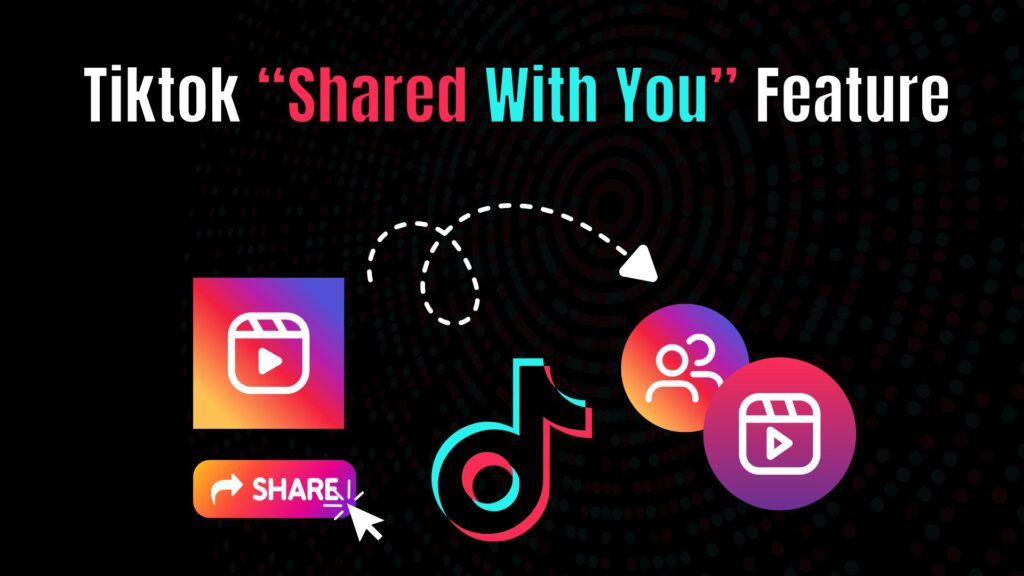
“Shared With You” on TikTok means that a video, profile, or link has been sent to you by another user through TikTok’s sharing features, such as direct messages or in-app sharing. It is not a viewer notification—it simply indicates content someone has personally shared with you.
Have you ever opened TikTok, seen the phrase “Shared with you” at the top of your For You page or inbox, and wondered what it actually means? You’re not alone. TikTok users across the world often get confused by this feature. Some think it’s a notification about who’s viewing their content, while others assume it’s TikTok recommending videos.
The reality is much simpler—but also more useful once you understand it properly.
TikTok, like most social platforms, is constantly evolving. With new updates and features rolling out regularly, it’s easy for something like “Shared with you” to raise questions. But don’t worry—this guide breaks it down in a clear, simple way so you fully understand how it works and what it means for your activity.
What is “Shared With You” Feature?
At its core, “Shared with you” is TikTok’s way of showing you videos that your friends, family, or mutuals have sent directly through TikTok’s built-in messaging system. When someone taps the share arrow on a video and sends it to you via TikTok DM (direct message), TikTok highlights those clips with the phrase “Shared with you” to make them stand out.
Think of it as a gentle reminder that a friend wanted you to check out that video. Instead of letting it get lost in your For You Page shuffle, TikTok nudges it into your attention by categorizing it.
This feature serves two main purposes:
- Improves engagement between users – TikTok wants to encourage conversations and keep people interacting on the app.
- Prioritizes social connection – By surfacing videos your friends send you, TikTok ensures you don’t miss out on shared experiences.
So, in short, “Shared with you” means someone you know (or follow) thought a video was worth your time and sent it directly to you through the platform.
How TikTok’s Sharing System Works
To fully understand this feature, let’s look at how sharing happens on TikTok. When a user enjoys a video, they have several options:
- Copy Link: They can copy the link and send it outside TikTok (e.g., WhatsApp, Messenger, or email).
- Share on Other Apps: With one tap, videos can be posted on Instagram, Twitter/X, Snapchat, or even SMS.
- Direct Share Within TikTok: This is where “Shared with you” comes in. By sending the video via TikTok’s in-app chat, the platform knows it was specifically intended for you.
The last method is the trigger for the “Shared with you” tag. TikTok identifies that video as socially significant and labels it accordingly in your feed or messages.
Why TikTok Introduced this Feature
Every feature on TikTok is designed with one goal in mind: maximizing user engagement. The “Shared with you” label may look small, but it plays a huge role in encouraging social interaction.
- Encourages conversations: When you know a video was sent by a friend, you’re more likely to respond, react, or comment back.
- Strengthens communities: Shared videos build connections, whether it’s laughing at a meme, discussing a trending topic, or bonding over relatable content.
- Boosts watch time: Videos sent by friends carry social credibility, which increases the chance you’ll actually watch them rather than skip.
TikTok’s algorithm thrives on these social signals, and the “Shared with you” feature amplifies them by keeping user-to-user engagement visible.
Practical Example of How it Appears
Let’s imagine a scenario:
- Your best friend finds a funny dog video on TikTok.
- They hit the share arrow and choose your username from their TikTok friends list.
- You later open TikTok, and at the top of your messages or within your notifications, you’ll see the phrase “Shared with you.”
That phrase tells you exactly why the video is there it’s not random, it’s not from TikTok, it’s directly tied to your friend’s action.
Why People Get Confused About it
The confusion mostly comes from the wording itself. TikTok didn’t release a big official announcement when this feature rolled out, so many users were left guessing. Combined with the fact that other apps like Instagram and Facebook use similar phrases differently, misunderstandings spread quickly.
For example: On Facebook, the phrase “shared with you” often means a post was specifically restricted to you as part of the audience settings. In Apple’s iMessage, it highlights links, photos, or content that friends have sent, keeping them organized for easy access.
On TikTok, however, the meaning is much simpler it purely refers to videos that someone has sent you through direct messages. This overlap in terminology across platforms sometimes causes confusion, making people assume TikTok’s version carries a deeper meaning than it actually does.
Can You Turn Off “Shared With You” on TikTok?
One of the biggest questions users ask is whether they can disable the “Shared with you” label altogether. After all, not everyone likes TikTok deciding what’s highlighted in their feed. Unfortunately, TikTok currently does not provide a built-in option to turn off this feature.
The videos marked with “Shared with you” are tied to TikTok’s messaging system. Since it is not a separate setting but a part of how TikTok surfaces shared videos, you cannot directly remove or hide it. Even if you restrict notifications, mute conversations, or change privacy settings, the tag will still appear whenever someone sends you a video through DMs.
That said, you can control the frequency by adjusting who can message you. For example, if you only allow friends or mutuals to DM you, then you will naturally reduce the number of “Shared with you” videos. This gives you a certain level of control without completely removing the feature.
Privacy Concerns Around the Feature
Whenever a platform introduces a feature that highlights user interactions, privacy questions follow. Many people worry that “Shared with you” exposes their activity to others. But the good news is, it doesn’t.
When you see “Shared with you,” it is strictly for your eyes only. The sender doesn’t receive a notification confirming that you watched the video, nor do they get an alert showing how many times you viewed it. Similarly, the creator of the video has no knowledge that their content was flagged as “Shared with you” on your account.
The only parties aware of this are you and TikTok’s system, which uses the label to enhance visibility. From a privacy standpoint, it’s not invasive it’s more of a reminder. Still, the lack of transparency around how TikTok introduces new features can make users feel unsettled, and that’s where the confusion arises.
Why Creators Should Pay Attention to this Feature
From a creator’s perspective, “Shared with you” can be extremely powerful even if they don’t directly see it happening. When followers share your videos with their friends, it increases organic reach. Each share multiplies exposure, introducing your content to audiences outside your immediate follower base.
This ripple effect means creators should focus on making shareable content—videos that people feel excited to send to others. Funny skits, relatable memes, emotional stories, or informative tips often fall into this category. While TikTok doesn’t show you exactly who shared your content or how it appeared as “Shared with you,” you can measure the effect by monitoring your video’s share count in analytics.
In essence, the label works silently in favor of creators by motivating users to watch and interact more deeply with shared content.
The Psychology Behind it
Another interesting angle is the psychology of why TikTok introduced this tag. Humans are naturally more inclined to pay attention to content when they believe it carries personal relevance. A random video from the algorithm might be entertaining, but a video marked “Shared with you” signals that someone thought of you specifically.
That added layer of personal connection triggers curiosity. You wonder why your friend wanted you to see it was it funny, was it meaningful, or does it relate to an inside joke? This anticipation increases the likelihood you’ll stop scrolling and engage with the content.
In short, TikTok taps into social psychology to boost both user satisfaction and platform engagement.
Comparisons with Other Platforms
To understand TikTok’s “Shared with you” better, it helps to compare it with how other platforms handle similar features. For example, Apple’s iMessage highlights links, images, or videos under a dedicated “Shared with You” section in apps like Photos or Safari. The purpose there is to make sure shared content doesn’t get buried in endless conversations.
On Facebook, the phrase often indicates the audience setting—when a post was restricted and shared specifically with you. On Instagram, shared reels or posts appear directly in DMs without an extra label.
TikTok’s approach falls somewhere in between. It’s not an audience restriction like Facebook, and it’s not a separate section like Apple’s version. Instead, it’s a subtle tag inside the app meant to strengthen user-to-user content flow.
Can this Feature Change in the Future?
Given how fast TikTok updates its features, it’s possible that the “Shared with you” label could evolve. TikTok might decide to give users more control, such as an option to disable the tag, or it could expand it into a dedicated section similar to iMessage’s Shared with You.
Another likely future change is integration with analytics. TikTok could one day allow creators to see how often their content is marked as “Shared with you,” providing deeper insights into shareability. While this is speculation for now, TikTok’s focus on growth and data-driven features makes it a possibility worth watching.
Benefits of “Shared With You” for Users
Acts as a reminder:
For regular users, the label makes sure that a friend’s shared video doesn’t get lost in the constant stream of TikTok content. It highlights that someone specifically wanted you to see it.
Strengthens social connections:
Seeing “Shared with you” often encourages users to watch, react, and reply to friends. This creates conversations and adds a personal, interactive layer beyond casual scrolling.
Boosts content discovery:
Shared videos often introduce you to content outside your usual feed. Since they come from people who know your interests, these recommendations feel more relevant and trustworthy than random algorithm suggestions.
Common Misunderstandings About “Shared With You”
Because TikTok’s wording can sometimes be vague, many users misunderstand what “Shared with you” actually means. Let’s clear up a few common myths:
It doesn’t mean the creator shared it with you personally
Some people assume that the person who made the TikTok video chose to share it directly with them. That’s not true. It only happens if your contact or friend forwarded it.
It’s not about profile viewers
Unlike LinkedIn or Facebook “seen by” features, TikTok does not notify you about who viewed your profile or videos. “Shared with you” isn’t tied to stalking or viewing—it’s only about sharing.
It doesn’t indicate algorithm bias
Some think TikTok is categorizing videos with “Shared with you” to promote them artificially. In reality, the label only shows that someone sent it to you, not that the algorithm is pushing it.
It’s not permanent
If you ignore or scroll past a “Shared with you” video, it doesn’t remain pinned forever. Over time, it blends into the rest of your feed.
By understanding what it doesn’t mean, you avoid unnecessary confusion and privacy worries.
Final Thoughts
At first glance, the “Shared with you” tag on TikTok may seem confusing, but it’s actually a simple feature with a clear purpose. It highlights videos that friends or contacts sent directly to you via TikTok’s messaging system. It does not reveal profile views, does not notify creators, and does not compromise your privacy.
For users, it means stronger connections and more relevant recommendations. For creators, it quietly expands reach through organic shares. And for TikTok, it’s yet another tool to keep people engaged and interacting on the platform.
So the next time you see “Shared with you” on TikTok, don’t overthink it. It’s simply TikTok reminding you that someone in your circle wanted you to see a video. Sounds good, right?
Frequently Asked Questions (FAQs)
Can I see who shared a video with me on TikTok?
No. TikTok does not reveal the identity of who shared a video beyond the fact that it was sent to you in DMs. The “Shared with you” tag only reminds you that the content was shared, but no extra details about the sender’s activity are provided.
Can I disable the ‘Shared with You’ feature on TikTok?
Currently, TikTok does not allow users to turn this feature off. The only workaround is limiting who can message you by adjusting your privacy settings, which reduces the number of videos that get tagged “Shared with you.”
Does the ‘Shared with You’ tag affect the TikTok algorithm?
Yes, indirectly. When people share your videos, TikTok interprets that as a strong engagement signal, which can help boost your video’s reach on the For You Page.
Is the ‘Shared with You’ feature similar to other apps like Instagram or iMessage?
It’s somewhat similar but not identical. On Instagram, shared videos appear only in DMs, while Apple’s iMessage organizes all shared links under “Shared with You.”
Does TikTok notify someone when you watch a video marked ‘Shared with You’?
No, TikTok does not notify the sender or the video creator when you view a video labeled “Shared with you.” Watching the video remains private and does not trigger alerts.
