
AI creativity has reached a defining moment in 2026. Art is no longer limited by technical skill, expensive software, or years of practice. With the rise of the Best AI Art Generators, anyone can transform ideas into stunning visuals within seconds. These tools have evolved far beyond basic image generation, offering photorealism, artistic depth, style precision, and commercial-ready outputs.
From marketers and designers to educators, NFT creators, and entrepreneurs, AI art generators are now essential creative partners. They help produce professional visuals at scale, reduce production costs, and unlock creative experimentation that was previously impossible.
In this guide, we explore the 10 Best AI Art Generators in 2026, carefully selected based on quality, usability, versatility, customization, speed, and real-world applications. Each tool is broken down using the same flow to help you compare and choose with confidence.
What Are AI Art Generators?
AI art generators are advanced software tools that use artificial intelligence and machine learning to create visual artwork from text prompts, images, or other inputs. These tools analyze patterns, colors, shapes, and styles to generate unique and high-quality digital art in seconds or minutes. Unlike traditional art creation, AI art generators do not require manual drawing skills, allowing anyone—from professional designers to hobbyists—to produce visually striking pieces. They can create realistic, abstract, cartoon, or stylized images, making them versatile for marketing, content creation, gaming, NFTs, education, and personal projects.
They work by interpreting input prompts, applying learned artistic styles, and producing images that can often be customized in terms of resolution, style, color palette, and composition, giving creators flexibility and control over the final output.
When to Use AI-Generated Art
AI art generators are powerful across nearly every creative and professional domain. Below are the most impactful use cases in 2026.
Marketing & Content Creation
AI art generators allow marketers to create scroll-stopping visuals for blogs, ads, landing pages, social media posts, and video thumbnails. Instead of relying on stock images, brands can now generate unique visuals that align perfectly with campaign messaging.
Art, Illustration & Graphic Design
Professional artists and illustrators use AI to accelerate concept creation, explore new styles, and refine compositions. NFT creators benefit from rapid generation of original, collectible artwork without sacrificing quality or ownership.
Gaming, Film & Music
Game studios and filmmakers use AI art to design environments, characters, props, and storyboards. Musicians leverage these tools to create album covers and promotional visuals that reflect their sound and identity.
Education
Educators use AI art generators to produce infographics, visual aids, historical reconstructions, and conceptual illustrations that make learning more immersive and engaging.
Entrepreneurship & Startups
Startups rely on AI-generated art for logos, mockups, product visuals, and branding assets—saving both time and money while maintaining a professional appearance.
Personal Creative Exploration
From hobbyists to creative explorers, AI art generators provide a low-barrier entry into digital creativity, allowing anyone to experiment, learn, and express ideas visually.
Why AI Art Generators Are Important in 2026
The rise of digital content and creative industries has made visual storytelling more critical than ever. AI art generators allow artists, designers, marketers, and hobbyists to produce professional-quality artwork quickly, without traditional skills or time-consuming manual work.
These tools save time, reduce costs, and open creative possibilities that were previously limited by talent, experience, or resources. AI art generators are especially useful for content creators, NFT artists, marketers, and educators who need consistent, high-quality visuals across platforms. In 2026, the demand for speed, flexibility, and accessibility has made AI art generators an essential creative tool rather than a luxury.
How Do AI Art Generators Work?
AI art generators follow a structured workflow designed to convert ideas, text, or images into polished digital artwork. The process typically involves several key steps:
Input Submission
Users provide prompts, sketches, or reference images that describe the desired artwork. Clear and detailed inputs often produce more accurate and visually appealing results.
Style and Theme Selection
Users choose artistic styles, color palettes, or moods. Some platforms offer genre-specific options such as photorealism, abstract, anime, or surrealism.
AI Image Generation
The AI analyzes the input and generates multiple artwork variations, often in high resolution. This step uses machine learning models trained on vast datasets of images and styles.
Optional Editing and Refinement
Many AI art generators allow users to make adjustments, tweak details, or apply filters to refine the final artwork. Some even offer human review for premium outputs.
Key Features to Look for in AI Art Generators
When selecting the Best AI Art Generators in 2026, consider the following features:
- High-resolution and realistic outputs
- Multiple art styles and customization options
- Fast processing time
- Support for commercial use
- User-friendly interface
- Privacy and secure storage of data
- Batch generation or multiple output options
- Integration with other design or content tools
These features ensure the tool meets professional creative standards and long-term project needs.
Why Use AI Art Generators?
AI art generators offer significant advantages for creators in 2026:
- Time Efficiency: Produce stunning visuals in minutes instead of hours or days.
- Cost Savings: Avoid expensive software, professional artists, or studio setups.
- Creative Flexibility: Experiment with different styles, themes, and compositions effortlessly.
- Accessibility: No advanced art skills are needed; beginners and professionals can generate high-quality results.
- Consistency: Maintain a uniform style for branding, marketing, or series-based projects.
These benefits make AI art generators indispensable for artists, content creators, marketers, and educators.
Common Mistakes to Avoid When Using AI Art Generators
Even with AI, users can make mistakes that affect quality:
- Vague Prompts: Inputting unclear or overly simple prompts may produce generic or irrelevant images.
- Ignoring Style Guidelines: Failing to select the right art style or theme may make the artwork unsuitable for your project.
- Over-editing Outputs: Excessive filters or edits can reduce the natural creativity and appeal of AI-generated art.
- Low-Quality Reference Images: Poor-quality references result in blurry or unrealistic final outputs.
- Relying on One Tool Alone: Using a single generator may limit style diversity or creative exploration.
Following best practices ensures consistent, professional, and visually compelling results.
10 Best AI Art Generators in 2026
Here are the 10 Best AI Art Generators in 2026 that help artists, designers, marketers, and creators generate high-quality artwork quickly and creatively using artificial intelligence.
- ImagineArt
- Artistly
- GetIMG
- ArtSmart
- Dzine
- PromeAI
- NightCafe
- MidJourney
- LimeWire AI Studio
- Shutterstock AI
1) ImagineArt
overview
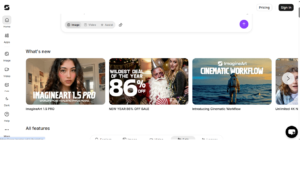
ImagineArt is a powerful and versatile AI image generator that lets users create high-quality visuals quickly and effortlessly. Whether you want to generate original AI images, enhance photos, upscale artwork, or produce stylized graphics, ImagineArt offers an intuitive set of creative tools for both beginners and professionals. Its focus on speed and simplicity makes it ideal for marketers, designers, and content creators who need reliable results without complexity.
The platform supports multiple workflows, including text-to-image, image-to-image, photo modification, and style-based prompts. Users can fine-tune details, adjust composition, modify lighting, and maintain visual consistency across multiple images. ImagineArt also provides upscaling tools, background editing, and artistic transformations for versatile creative output.
Fully web-based, ImagineArt requires no software installation, allowing projects to be generated and refined in just a few steps. The platform is continuously updated with new AI models, improved rendering quality, and advanced editing tools to enhance your creative experience.
Top Features of ImagineArt
- AI image generation from text prompts
- Image-to-image editing and transformations
- Photo enhancement and creative retouching
- Styles, filters, and artistic effects
- Fast rendering and easy in-browser workflows
- Tools for modifying, enhancing, and upscaling images
Pros
- Fast AI image generation
- Multiple creation workflows (text-to-image, image-to-image)
- Photo enhancement and upscaling tools
- Artistic styles and filters
- Beginner-friendly interface
Cons
- Requires stable internet
- Some advanced features behind subscription
- Limited offline functionality
- Occasional rendering delays for complex prompts
- Fewer pre-trained templates than competitors
Pricing
- Free tier available, paid plans start at $9.99/month
2) Artistly
overview
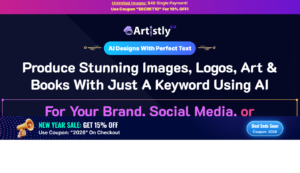
Artistly is an all-in-one AI art generator that empowers users to create unlimited high-quality images with a single one-time payment. The platform allows you to generate AI images, edit existing photos, upscale artwork, and even design custom characters or logos using its comprehensive set of creative tools.
Artistly supports multiple creation modes, including text-to-image, background removal, prompt-based edits, and character generation. Users can further enhance visuals with inpainting, outpainting, stylization, and smart upscaling. With a built-in commercial license, Artistly is perfect for freelancers, marketers, and artists looking to monetize their creations.
Continuously updated with new features like storybook creation and consistent character tools, Artistly keeps pace with the latest AI design trends. Fully web-based, it requires no downloads, monthly subscriptions, or software installation, making it accessible and easy to use.
Top Features of Artistly:
- Unlimited AI image generation
- One-time payment – no subscription required
- Text-to-image creation, logo maker, and photo editing
- Character and avatar design tools
- Upscale and modify existing images
- Built-in commercial use license
Pros
- Unlimited AI image generation
- One-time payment, no subscription
- Commercial license included
- Character and logo design tools
- Browser-based, no installation
Cons
- Lacks advanced community features
- Limited tutorial support for beginners
- Rendering can be slower for large images
- Fewer style presets than other platforms
- Limited AI customization options
Pricing
- One-time payment $79
3) GetIMG
overview
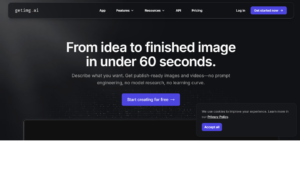
GetIMG is a powerful AI image generation platform offering a comprehensive suite of tools that sets it apart from typical image generators. Users can create original images at scale, modify existing photos, expand pictures beyond their original borders, and even build custom AI models tailored to their style or project needs.
The platform supports over 20 AI models, ranging from Stable Diffusion to custom community-created styles. Its advanced editor allows for precise inpainting, removing unwanted elements, or generating missing parts of any image. You can also create large, high-resolution art pieces on an infinitely scalable canvas, making it ideal for creators, marketers, and designers.
GetIMG also lets you personalize your own AI model by uploading just 10 pictures, enabling the generation of avatars, product visuals, or stylistically consistent images for any project. Every custom model is hosted and ready to use in seconds, providing unmatched speed and flexibility.
Top Features of GetIMG:
- Super fast – generate up to 10 images in seconds
- Access to over 20 AI models, including Stable Diffusion
- Create custom AI avatars and personalized models
- Easily modify images with text prompts
- Fully customizable outputs for any style or project
Pros
- Super fast generation (10 images in seconds)
- Custom AI models from 10 uploads
- Over 20 AI models available
- Text prompts to modify images
- Highly customizable visuals
Cons
- Free tier limited to few credits
- Steep learning curve for new users
- Advanced features behind subscription
- Interface can feel crowded
- Occasional AI artifacts on complex edits
Pricing
- Free tier, Pro plans from $19/month
4) ArtSmart
overview
ArtSmart is an intuitive AI image generator that is easier to use than most other platforms, including MidJourney, while giving users more control over their outputs. The platform provides a suite of tools to help users create precise and nuanced prompts, including options for camera setup, angles, time of day, weather, and painting styles.
With the Tune feature, ArtSmart allows users to train its AI model on any photo to generate unique variations. Additionally, the Explore and Community section offers a searchable library of user creations, inspiring new ideas and helping creators discover diverse styles.
ArtSmart also comes equipped with essential editing tools to refine and enhance images with ease, making it ideal for artists, designers, and marketers seeking flexible and high-quality visual content.
Top Features of ArtSmart:
- Background Remover for clean edits
- Inpainting & Outpainting for image expansion or correction
- Image-to-Image and Image-to-Prompt transformations
- Face Enhancer for realistic portraits
- Image Upscaler for high-resolution outputs
Pros
- Easy for beginners
- Advanced prompt control
- Explore community gallery for inspiration
- Multiple editing tools in-browser
- Realistic face enhancements
Cons
- Limited free usage
- Smaller model library than competitors
- Some features require learning curve
- No offline option
- Limited batch generation
Pricing
- Free tier, paid plans start at $15/month
5) Dzine

overview
Dzine is a powerful AI-driven image and design platform that transforms creative ideas into professional visuals quickly and effortlessly. By automating repetitive design tasks, Dzine allows creators to save significant time while generating high-quality artwork. Its AI art generation feature converts text prompts into stunning images, enabling users to bring concepts to life with minimal effort.
Beyond art generation, Dzine offers robust tools for image editing and enhancement. The AI Photo Filter can turn portraits into cartoon-style images while retaining detail and character. The Image-to-Image generator allows users to merge multiple elements seamlessly, ensuring stylistic consistency. Additionally, the Generative Fill & Modify tool lets users quickly add or alter image elements simply by typing instructions, streamlining editing compared to traditional methods.
Dzine also excels in photo cleanup with tools like Object Remover for deleting unwanted elements or watermarks, and Background Remover for precise cutouts, even around hair or fur. For text and branding, Dzine’s AI Text Effects and Logo Maker create visually striking designs. Users can also upscale images, enhance resolution, and use the AI Photo Enhancer to produce professional-quality visuals.
Top Features of Dzine:
- AI Art Generation from text prompts for professional visuals
- Generative Fill, Object Remover & Background Remover for quick edits
- Photo Enhancements with upscaling and AI filters
- AI Text Effects & Logo Maker for standout text and branding
- All-in-One Platform for generating, editing, and manipulating images efficiently
Pros
- Comprehensive AI art generation
- Generative fill and object remover
- Text and logo enhancement
- Image-to-image transformations
- Reduces repetitive design work
Cons
- Can be overwhelming for beginners
- Free features are limited
- Complex UI for casual users
- Advanced customization requires practice
- Some renderings may require adjustments
Pricing
- Free tier, Pro plans from $12/month
6) PromeAI
overview
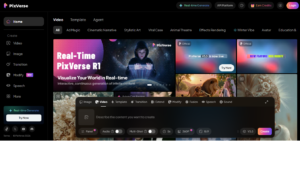
PromeAI is a cutting-edge, user-friendly AI tool designed to transform 3D models and sketches into realistic, high-quality visuals. Perfect for fields like architecture, interior design, and product visualization, PromeAI streamlines the creation of multiple design alternatives while operating entirely online—no downloads or installations required. Its web-based platform also works seamlessly on mobile devices, giving designers flexibility to work from anywhere.
PromeAI delivers exceptional fidelity, capturing precise material textures, realistic lighting, and spatial depth. Its real-time rendering lets users experiment with materials and environments instantly, while the Skylight Simulation adds subtle light and shadow effects for more lifelike results. For efficient design iteration, the Erase & Replace feature allows quick edits to sketches or models without restarting the project.
The platform supports unlimited image generation, with free account users able to download standard-quality images and premium members gaining access to higher-resolution outputs. PromeAI combines speed, accuracy, and creative flexibility, making it an ideal choice for professionals seeking fast, realistic design visuals.
Top Features of PromeAI:
- Transform 3D models and sketches into realistic visuals
- Realistic material textures and lighting effects
- Real-time rendering for instant design feedback
- Skylight simulation for enhanced depth and shadows
- Unlimited image generation with free and premium options
- Erase & Replace feature for easy corrections
- Fully web-based—no downloads, works on mobile and desktop
- Premium membership for high-resolution outputs
Pros
- Converts 3D sketches to realistic renders
- Real-time lighting and material simulation
- Works on mobile and desktop
- Unlimited free image generation
- Easy ‘erase and replace’ edits
Cons
- Premium required for high-resolution downloads
- Best for design professionals, not casual users
- Limited style presets
- May require learning rendering settings
- No offline mode
Pricing
- Free tier, Premium plans from $19/month
7) NightCafe
overview
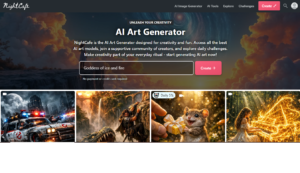
NightCafe is a leading AI art generator known for its wide range of algorithms and ease of use, making it perfect for both beginners and advanced creators. It operates on a flexible credit system, offering a generous free tier and multiple ways to earn credits through community participation. Paid credits are also available, with discounts like UNITEAI 15% off for first-time users. NightCafe combines powerful AI tools with a vibrant, social community that encourages collaboration, inspiration, and sharing.
The platform allows creators to generate unique AI artwork, organize collections, bulk-download images, create videos, and even order physical prints of their creations. With control over advanced settings, users can fine-tune their outputs while retaining full ownership of their work. NightCafe’s blend of versatility, accessibility, and community support makes it one of the most popular AI art platforms today.
Top Features of NightCafe:
- Full ownership of all creations
- Extensive range of AI algorithms for diverse styles
- Advanced controls for professional users
- Earn free credits by engaging with the community
- Social features and active, supportive community
- Organize creations into collections for easy management
- Bulk download images for convenience
- Create AI-generated videos
- Option to purchase physical prints of your artwork
Pros
- Multiple AI algorithms
- Free tier with generous credits
- Strong community support
- Create videos and prints
- Ownership of generated art
Cons
- Credit system can be confusing
- Free tier limited for heavy users
- Some tools require advanced knowledge
- Render time varies by algorithm
- Mobile experience limited
Pricing
- Free credits, paid credits from $9.99
8) MidJourney
overview
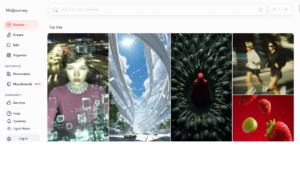
Midjourney is a powerful AI art generator renowned for creating stunning, photorealistic images from text prompts. The platform operates entirely through Discord, where users interact with the Midjourney bot via direct messages or by inviting it to a server. While this setup may be a barrier for some, it allows for seamless AI image generation and community collaboration.
Developed by the San Francisco-based independent lab Midjourney, Inc., the platform rivals other AI generators like OpenAI’s DALL-E and Stability AI’s Stable Diffusion. Midjourney excels at producing highly realistic visuals, but users need to understand prompt engineering to fully leverage its capabilities.
Top Features of Midjourney:
- Generates high-quality, photorealistic images from text prompts
- Operates via Discord, enabling easy community interaction
- Advanced customization through prompt engineering
- Access to AI art creation without installing software
- Supports collaborative work by inviting the bot to servers
- Wide variety of artistic styles and visual effects
- Perfect for professionals, designers, and AI art enthusiasts
Pros
- Highly realistic images
- Advanced prompt customization
- Supports creative and professional use
- Active Discord community
- Frequent AI updates
Cons
- Only available on Discord
- Learning curve for prompt engineering
- No standalone app
- Limited offline functionality
- Paid plans needed for extended use
Pricing
- Starter plan $10/month
9) LimeWire AI Studio
overview
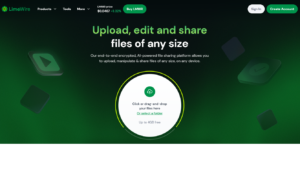
LimeWire has re-emerged as a cutting-edge AI content creation and community platform, transforming its legacy from file sharing to AI innovation. The LimeWire AI Studio currently supports multiple open-source image generation models, including SDXL, SD 2.1, and DALL-E2, with a proprietary model in development. the platform integrates its own crypto utility token, LMWR, which can be used to pay for AI prompts, earn ad revenue from content, and more. LMWR is tradable on major exchanges like Kraken, adding a financial ecosystem to its creative tools.
Looking ahead, LimeWire plans to expand into AI-generated music and video, aiming to become a full multi-content studio where users can produce music tracks and high-quality video content entirely through AI. Additionally, users can mint AI-generated creations as NFTs on the Polygon and Algorand blockchains, bridging digital art with blockchain technology.
Top Features of LimeWire:
- AI Studio supports SDXL, SD 2.1, DALL-E2, and proprietary models
- Integrated LMWR token for AI prompts, rewards, and trading
- NFT minting on Polygon and Algorand blockchains
- Future plans for AI-generated music and video content
- Community-driven platform for creators and AI enthusiasts
- Supports multi-format content creation: images, music, and video
Pros
- Multiple AI model support
- NFT minting on Polygon and Algorand
- Generates images, video, and music (upcoming)
- Community and token rewards
- Easy-to-use platform
Cons
- NFT functionality may not appeal to all
- Premium features for full AI models
- Can be complex for beginners
- Still expanding video/music features
- Some rendering limits per account
Pricing
- Free tier, paid credits from $15/month
10) Shutterstock AI
overview
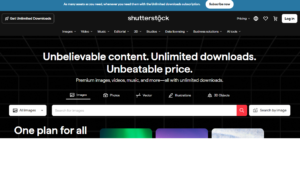
Shutterstock is a leading stock content provider and a publicly traded company on the New York Stock Exchange (NYSE). Alongside its vast library of stock photos, footage, and music, Shutterstock now offers powerful AI-driven image generation tools through the integration of OpenAI’s DALL-E 2.
DALL-E 2 allows users to generate highly realistic images at high resolution, combining multiple concepts, styles, and attributes in one seamless creation. What sets Shutterstock apart is the combination of cutting-edge AI with an intuitive, user-friendly platform, making it accessible to beginners and professionals alike.
Shutterstock also provides easy editing options, allowing users to fine-tune colors, lighting, and compositions directly in the platform. The platform supports licensing and downloads in just a few clicks, streamlining workflows for creatives and marketers. Its extensive library, combined with AI tools, makes it a one-stop solution for visual content needs.
Top Features of Shutterstock:
- AI-powered image generation using DALL-E 2
- Combines concepts, styles, and high-resolution details
- User-friendly interface suitable for beginners and pros
- Fast image creation in three simple steps
- Edit, customize, and license images directly from the platform
Pros
- High-quality AI image generation
- Easy licensing and download
- Edit images in Shutterstock Create
- Combines stock library and AI tools
- Free trial with 10 AI images
Cons
- Paid plans needed for full access
- Fewer AI customization options than specialized tools
- Slower rendering for complex prompts
- Requires Shutterstock account
- Limited free AI credits
Pricing
- Free trial 10 AI images, paid plans from $29/month
Conclusion
AI art generators in 2026 have transformed the way creators, marketers, educators, and entrepreneurs produce visuals. By combining speed, affordability, and flexibility, these tools make professional-quality art accessible to everyone, regardless of artistic skill. With the ability to customize styles, experiment with themes, and generate high-resolution outputs, AI art generators offer an unprecedented level of creative freedom. Whether for personal projects, marketing campaigns, or professional portfolios, choosing the right tool can save time, reduce costs, and enhance visual storytelling. As technology advances, the potential of AI-generated art will continue to expand, making it an essential part of the creative workflow.
Frequently Asked Questions (FAQs)
What exactly are AI art generators?
AI art generators are software tools that use artificial intelligence to create digital artwork from text prompts, sketches, or reference images. They can produce realistic, abstract, or stylized visuals without requiring advanced artistic skills. These tools make creating unique visuals fast, efficient, and accessible to everyone.
Are AI-generated artworks safe to use commercially?
Most AI art generators provide commercial usage rights, allowing you to use generated images in marketing, branding, or product designs. It’s important to check each tool’s licensing terms to ensure proper use. Using licensed AI art helps avoid copyright issues while supporting creative projects.
Can beginners use AI art generators effectively?
Yes. Many AI art generators are beginner-friendly with intuitive interfaces. Users can create high-quality art by inputting prompts and selecting styles, without prior experience in graphic design. This makes AI art accessible for personal, educational, or business purposes.
How can I make AI-generated art more unique?
To enhance uniqueness, use detailed prompts, experiment with different art styles, or combine outputs from multiple tools. Refining results manually and adjusting color palettes, layouts, or compositions helps create distinctive and personalized visuals.
What are common limitations of AI art generators?
AI tools may sometimes produce inconsistent details, struggle with complex prompts, or fail to perfectly replicate certain subjects. Over-reliance on a single tool may limit style diversity, so exploring multiple platforms is recommended for best results.
