

Are you looking for a way to create a professional business plan without spending countless hours on formatting and calculations?
Business planning tools are designed to help entrepreneurs, startups, and small business owners streamline the process of drafting, refining, and presenting their plans. These tools simplify financial forecasting, market research, and strategy development, while often leveraging AI to enhance content quality.
By using these tools, you can save time, reduce errors, and ensure that your business plan is investor-ready. Whether you are a first-time founder or an experienced entrepreneur, business planning tools provide the structure and support you need to create credible, actionable plans.
What Are Business Planning Tools?
Business planning tools provide structured platforms to help you create comprehensive business plans efficiently. Key features include:
- Templates: Pre-designed sections for executive summaries, marketing strategies, financial forecasts, and investor decks.
- AI Assistance: Helps refine language, improve tone, and check data accuracy.
- Automated Calculations: Streamlines revenue, expense, and financial projection calculations.
- Collaboration Tools: Allows multiple team members to contribute in real-time.
- Structured Guidance: Organizes content to ensure professional and consistent business plans.
Why Use Business Planning Tools?
These tools offer significant advantages for entrepreneurs and business owners. Benefits include:
- Time-Saving: Quick workflows and ready-made templates reduce hours of manual work.
- Improved Accuracy: AI assistance and automated calculations minimize errors.
- Professional Quality: Generates polished, investor-ready documents.
- Step-by-Step Guidance: Reduces guesswork and ensures nothing important is missed.
- Better Decision-Making: Insights and forecasts support smarter business planning.
Who Should Use Business Planning Tools?
Business planning tools are ideal for a wide range of users. Startups and small businesses can use them to create their first business plans efficiently, while consultants and freelancers benefit from structured guidance when preparing plans for clients.
Entrepreneurs who want AI assistance for drafting and refining content will find these tools particularly helpful. Investors and mentors appreciate them for reviewing standardized and professional plans, and teams can leverage the collaboration features to edit and contribute in real-time.
Overall, these tools support anyone who needs a structured, reliable, and professional approach to business planning.
10 Best AI Business Plan Generators in 2026
Here are the 10 top business planning tools to help entrepreneurs and startups create professional, structured, and investor-ready business plans. These tools combine AI, templates, and financial forecasting to simplify planning and strategy development.
- Upmetrics
- Plus AI
- Notion
- Storydoc
- 15MinutePlan
- Beautiful AI
- Wordkraft AI
- Bit AI
- Simplified
- ChatGPT
1) Upmetrics

Overview
Upmetrics is an AI-based business plan generator designed to help entrepreneurs and small businesses create high-quality business plans from start to finish. The platform provides clear, step-by-step guidance, making it suitable for users of all experience levels, including first-time founders.
Upmetrics includes a comprehensive set of tools such as an extensive library of business plan examples, AI-powered content generation, and detailed financial projections extending up to seven years. One of its standout features is the AI-driven pitch deck creator, which enables users to build an investor-ready presentation in under an hour. Thanks to its adaptable structure, Upmetrics works well for a wide range of industries, including technology startups, retail businesses, and service-based companies.
Key Features of Upmetrics
- 400+ ready-made business plan examples
- Fully AI-generated business plan creation
- Financial forecasting for up to 7 years
- AI-powered pitch deck generation in under an hour
- Free educational guides and learning resources
- Real-time cloud-based storage
- Simple collaboration and sharing capabilities
Strengths
- Simple to use
- Quick plan outlines
- Familiar structure
- Easy exports
- AI-assisted refinement
Limitations:
- Limited customization
- Lightweight financials
- Initial learning curve for new users
- AI is supportive, not fully automated
- Best for starting plans, not complex enterprise plans
What to Expect as a New User?
New users can quickly generate a structured plan using AI-assisted prompts. The tool guides through financial inputs and content refinement. Collaboration is simple, allowing teammates to comment directly. AI support ensures assumptions and calculations are accurate. Overall, it balances automation with control for reliable output.
Pricing
- Premium: $14/month (billed annually)
- Premium: $19/month (monthly)
- Professional: $37/month (billed annually)
- Professional: $49/month (monthly)
- 400+ sample plans and templates included
2) Plus AI

Overview
Plus AI is an AI-driven presentation tool designed to help users create polished, visually appealing business plans in presentation format. It works directly with Google Slides, enabling users to take advantage of familiar editing tools and real-time collaboration features without switching platforms.
Using Plus AI, users can generate a complete business plan framework by simply describing their business idea. The generated content can be rearranged, refined, and customized to match specific business goals. Plus AI allows users to build slides individually or produce a full presentation in one step, offering flexibility for startups, teams, and growing businesses. A free trial is also available, giving users the opportunity to test the platform before choosing a subscription.
Key Features of Plus AI
- Seamless integration with Google Slides for smooth editing and team collaboration
- Fully customizable slides with easy revisions and theme adjustments after generation
- Option to create slides individually or generate an entire presentation at once
- Free trial available to explore features before upgrading to a paid plan
Strengths
- Fast AI-powered content generation
- Seamless integration with presentation tools
- Clean and professional visual layouts
- Easy collaboration for teams
- Ideal for pitch decks and summaries
Limitations
- Limited advanced financial modeling
- Less customization for long-form written plans
- Not focused on detailed forecasting
- Better suited for presentations than deep analysis
- Requires internet connection
What to Expect as a New User?
New users can start by entering a simple business idea or prompt, after which Plus AI automatically generates structured slides covering key business sections. The onboarding experience is simple and intuitive, especially for users familiar with Google Slides or PowerPoint. Content can be edited manually, refined with AI suggestions, and shared instantly with team members or investors. The tool emphasizes speed, clarity, and visual storytelling over complex financial depth.
Pricing
- Free plan: Limited features
- Pro: $10–$20/month (varies by plan)
- Team plans: Custom pricing
- Free trial available
3) Notion AI
Overview
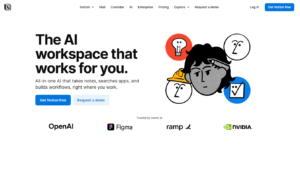
Notion is an AI-enhanced productivity and documentation platform that supports structured business planning through intelligent content generation and organization tools. Rather than acting as a traditional business plan generator, Notion AI focuses on helping users create clear, well-organized, and strategic business documentation.
Notion AI integrates seamlessly within the Notion workspace, enabling users to generate, rewrite, expand, and refine business plan content while managing databases, tasks, and collaboration in one place. The platform allows founders to tailor their plans to match their business voice and objectives, making it easier to present compelling narratives to investors, partners, and stakeholders.
Key Features of Notion
- AI-powered content generation, rewriting, expansion, and tone refinement
- Deep integration with Notion for databases, organization, and management
- Collaboration and sharing tools for teams and stakeholders
- Real-time cloud storage for secure access across devices
- Streamlined approach to structured business planning and documentation
Strengths
- Highly flexible and customizable structure
- Strong AI writing and editing support
- Excellent collaboration features
- Combines planning, documentation, and execution
- Suitable for startups and growing teams
Limitations
- No built-in financial forecasting tools
- Requires manual setup for structured plans
- Not investor-focused by default
- Limited automation for financial modeling
- Learning curve for advanced customization
What to Expect as a New User
New users can start with prebuilt business plan templates or create a plan from scratch using AI prompts. Notion AI helps generate and refine each section, from executive summaries to market analysis. Users can organize sections freely, link related content, and collaborate with team members in real time. While financial data must be added manually, the platform offers unmatched flexibility for structuring and evolving a business plan over time.
Pricing
- Free plan: Limited AI usage
- Plus: $10/month
- Business: $18/month
- Enterprise: Custom pricing
- AI add-on required for advanced features
4) Storydoc
Overview
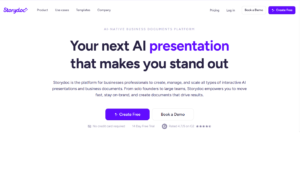
Storydoc is an AI-powered business plan and presentation platform designed to help users create engaging, interactive business plans without the need for design expertise. The platform features an intuitive interface and a rich library of interactive slide templates built specifically for startups and early-stage businesses. These templates can be easily customized to reflect the user’s brand, goals, and business narrative.
Storydoc’s AI Presentation Designer generates scroll-based, web-ready, and mobile-responsive presentations that are optimized for modern viewing experiences. The platform also includes built-in performance analytics, allowing users to track how investors and stakeholders interact with their presentations. In addition, Storydoc prioritizes data protection by following strict security standards and best practices. With its focus on interactivity and storytelling, Storydoc helps businesses deliver compelling presentations that stand out.
Key Features of Storydoc
- AI-powered business plan presentation builder for scroll-based, web-friendly, and mobile-responsive formats
- Secure platform with strong data privacy and protection measures
- Interactive slide templates that can be customized to match business goals and branding
- Mobile-optimized presentations that perform well across all devices
- Integrations with tools such as Calendly, Loom, YouTube, Typeform, and more for enhanced functionality
Strengths
- Highly engaging and interactive format
- Modern, visually appealing templates
- Built-in analytics to track viewer behavior
- Easy to share with investors and teams
- Strong focus on storytelling
Limitations
- Limited traditional financial modeling tools
- Less suitable for text-heavy plans
- Requires adjustment for users used to static documents
- Customization depends on templates
- Not ideal for highly complex financial plans
What to Expect as a New User
New users are guided through the creation process using ready-made templates and drag-and-drop sections. Content can be enhanced with visuals and interactive elements to improve engagement. Analytics provide insights into how viewers interact with the plan, helping users refine their pitch. Collaboration and sharing are simple, making it easy to gather feedback from team members or investors. Overall, Storydoc prioritizes clarity, engagement, and presentation impact.
Pricing
- Starter: $30/month
- Pro: $60/month
- Team: Custom pricing
- Annual billing discounts available
- Free trial included
5) 15minuteplan.ai

overview
15minuteplan.ai is an AI-powered business plan generator designed to simplify and accelerate the planning process, enabling entrepreneurs and small to medium-sized businesses to create complete business plans in as little as 15 minutes. Built with accessibility in mind, the platform is suitable for users regardless of their business background or writing experience.
Powered by advanced AI technology, 15minuteplan produces detailed and up-to-date business plans aligned with current market insights and proven business practices. A standout feature is its “Talk to Plan” capability, which allows users to verbally request edits or additions that the AI automatically incorporates into the document. The platform also supports multiple languages, making it a practical solution for users across different regions and markets.
Key Features of 15minuteplan
- AI-generated business plans based on current market trends and best practices
- “Talk to Plan” feature for voice-based edits and content additions
- Support for 10+ languages, with ongoing language expansion
- Simple and intuitive interface for entering key business details
- Downloadable Word documents for easy editing, sharing, and updates
Strengths
- Extremely fast plan creation
- Easy-to-use and beginner-friendly interface
- Clear and structured business plan output
- No advanced planning experience required
- Ideal for quick startup validation
Limitations
- Limited customization options
- No advanced financial modeling tools
- Less suitable for complex or large businesses
- Minimal collaboration features
- Focused more on speed than depth
What to Expect as a New User
New users begin by answering straightforward questions about their business idea, target market, and goals. The platform automatically generates a full business plan based on these inputs. Users can review, edit, and export the plan as needed. The onboarding process is simple and efficient, making it easy to create a complete plan in a very short amount of time.
Pricing
- One-time or subscription-based plans available
- Pricing varies by plan level
- Discounts available for annual access
- Free trial or demo available
6) Beautiful AI
Overview
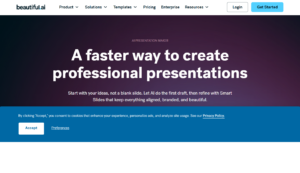
Beautiful AI is an AI-driven presentation platform that allows users to create professional business plans and presentations quickly, without any design expertise. Users simply input their content, and the platform automatically transforms it into polished slides, removing the need for manual formatting, resizing, or layout adjustments.
The business plan templates are easily accessible upon logging in, where users are guided to enter essential details about their company. Beautiful AI offers a variety of features, including over 65 smart slide templates, customizable presentation themes to maintain brand consistency, and hundreds of starter templates, ensuring that every presentation or business plan can begin quickly and look professional from the start.
Key Features of Beautiful AI
- 65+ smart slide templates with pre-designed layouts
- Custom presentation themes to maintain brand consistency
- Hundreds of fully customizable starter templates
- Designerbot for generating first drafts based on user input
- Automatic transformation of content into visually elegant slides
Strengths
- Rapid plan and presentation generation
- Intuitive interface requiring minimal design skills
- AI ensures professional-looking slides and layouts
- Prebuilt templates suitable for multiple industries
- Flexible export and sharing options
Limitations
- Limited in-depth financial modeling tools
- Customization options may feel constrained for advanced users
- Some AI recommendations require manual refinement
- Collaboration features are basic
- Best suited for visual presentations rather than text-heavy plans
What to Expect as a New User
New users can start by selecting a template and entering key business information. Beautiful AI automatically generates slides with consistent formatting and design. Users can adjust content, add visuals, and refine the layout as needed. The interface is intuitive, allowing founders to create polished presentations quickly. Overall, it balances design automation with user control for efficient business planning and pitching.
Pricing
- Starter: $12/month
- Pro: $29/month
- Team: $49/month
- Free trial included
- Multiple templates and sample plans available
7) Wordkraft AI
Overview
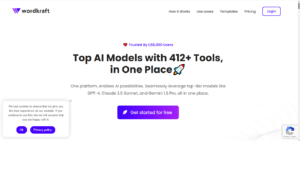
Wordkraft AI is an AI-powered web platform designed to generate high-quality, optimized, and authentic content for a wide range of business needs. Leveraging the GPT-3.5 language model, the tool excels at creating professional, well-structured business plans and strategic documents tailored to specific objectives. It enables users to efficiently produce content that aligns with their business goals and vision.
The platform provides ready-to-use templates where users can input essential business information to generate draft plans quickly. Wordkraft AI’s advanced AI features support content creation, rewriting, shortening, expansion, and tone adjustment, ensuring the final plan reflects the intended message and style. It also includes collaboration and sharing capabilities, as well as real-time cloud storage, making it easy to work with team members and stakeholders seamlessly.
Key Features of Wordkraft AI
- AI-powered content generation, rewriting, shortening, expansion, and tone adjustment
- Integration with Wordkraft for organizing, managing, and storing business data
- Collaboration and sharing tools for inviting team members and stakeholders
- Real-time cloud storage for secure, accessible data
- Ready-to-use templates for creating draft business plans from essential business details
Strengths
- AI-driven content creation and research support
- Fast generation of structured business plans
- User-friendly and intuitive templates
- Provides actionable, data-informed insights
- Collaboration and sharing features for team input
Limitations
- Customization options are moderate
- Financial tools may be basic for larger businesses
- Some AI-generated content may require manual refinement
- Collaboration features are limited
- Best suited for early-stage startups and SMEs
What to Expect as a New User
New users can input key business details and quickly generate structured plans with AI guidance. Market research and scenario-based financial projections are automatically incorporated. Users can refine content, rearrange sections, and share the plan with team members or advisors. Overall, Wordkraft AI saves time while producing credible, investor-ready business plans.
Pricing
- Starter: $15/month
- Growth: $30/month
- Pro: $50/month
- Annual discounts available
- Free trial offered
8. Bit AI
Overview
Bit AI is an AI-powered platform designed to streamline the creation of interactive and collaborative business documents. It combines robust wikis and intelligent AI writing tools to help users craft well-organized, engaging, and professional content. With Bit AI, teams can produce visually appealing documents that clearly communicate their business strategies and objectives.
The platform enables real-time collaboration, allowing team members to work together seamlessly and provide feedback instantly. All documents are fully responsive, ensuring they display correctly across devices for maximum accessibility and readability. Additionally, Bit AI offers private document options, giving users control over data privacy and secure sharing.
Key Features of Bit AI
- Interactive and collaborative business plans to enhance teamwork and creativity
- AI-powered writing tools for generating clear, coherent content
- Real-time collaboration for efficient feedback and updates
- Fully responsive documents optimized for desktop, tablet, and mobile
- Private document sharing to maintain security and confidentiality
Strengths
- Fast and efficient plan creation
- Intuitive and user-friendly interface
- AI-powered content refinement
- Easy collaboration and sharing
- Ideal for quick, professional drafts
Limitations
- Limited advanced customization
- Basic financial and forecasting tools
- Collaboration features may require setup
- Not suited for complex, large-scale business plans
- Templates are lightweight and simple
What to Expect as a New User
Users can quickly input business information and generate a professional draft in minutes. AI helps refine content, ensuring clarity and readability. Interactive features allow teams to collaborate and comment in real time. Overall, Bit AI delivers fast, structured, and polished business plans with minimal setup.
Pricing
- Starter: $15/month
- Growth: $29/month
- Pro: $49/month
- Free trial available
- Prebuilt templates included
9. Simplified

Overview
Simplified is an all-in-one AI-powered platform that combines content creation, marketing management, and business planning in a single workspace. Its AI Business Plan Generator helps entrepreneurs and small business owners quickly produce professional, detailed, and strategic business documents without requiring extensive expertise.
The platform leverages advanced AI to generate accurate growth forecasts, investment strategies, and actionable insights, enabling users to make well-informed decisions for their ventures. Simplified also offers customization options to ensure the final plan aligns with the user’s vision and objectives. Collaboration features allow team members to contribute seamlessly, while integrated marketing tools provide a unified approach to strategy and promotion, making Simplified a versatile solution for both planning and marketing needs.
Key Features of Simplified
- Rapid business plan creation with professional, comprehensive output
- AI-driven growth forecasts and investment strategy recommendations
- Customization options to align plans with the user’s goals and vision
- Collaboration features for teamwork and feedback integration
- Integrated marketing tools for a cohesive and effective strategy
Strengths
- Guided workflow simplifies planning for beginners
- Intuitive and easy-to-use interface
- Strong collaboration and team editing features
- Scenario-based financial analysis for informed decisions
- Investor-ready outputs with minimal effort
Limitations
- Advanced forecasting tools are limited
- Customization options are moderate
- Templates can feel rigid for some businesses
- Small learning curve for new users
- Best suited for small teams and early-stage startups
What to Expect as a New User
New users are guided through a step-by-step planning process, with AI refining content along the way. Financial scenario tools are simple but provide meaningful insights. Collaboration is seamless, allowing team members to comment and update plans in real time. Exporting plans for investors or internal use is straightforward, making the platform highly practical for small business planning.
Pricing
- Starter: $14/month – AI content refinement
- Pro: $29/month – Financial and scenario tools
- Premium: $49/month – Full team collaboration and sharing
- Export: Word, PDF
- Team collaboration included
10) ChatGPT
Overview
ChatGPT is a versatile AI tool capable of drafting business plans, analyzing financial assumptions, and providing market insights. Users can request outlines, forecasts, and content adjustments in real time. While not a dedicated planning platform, it offers flexibility for iterative drafting. Collaboration requires manual sharing of outputs. Its strength lies in adaptable guidance for entrepreneurs comfortable with AI interaction.
Key Features of ChatGPT
- AI drafting assistance
- Market research support
- Financial assumption guidance
- Flexible content adjustment
- Export via copy/paste or integrations
Strengths
- Highly flexible AI tool
- Instant drafting and adjustments
- Broad market and research support
- Customizable outputs
- Free or low-cost options
Limitations
- Not dedicated planning software
- Manual collaboration required
- Financial tools are basic
- Export requires external tools
- Requires user guidance for structure
What to Expect as a New User
ChatGPT provides instant AI guidance for drafting plans. Users need to guide the AI for structure and clarity. Financial advice is basic but can be customized. Collaboration requires manual sharing of outputs. Flexible iterative refinement is a key advantage.
Pricing
- Free tier – basic AI access
- Plus: $20/month – faster response, priority access
- Enterprise options – API use
- No built-in financial calculators
- Exports manually via text
Conclusion
Business planning tools have revolutionized the way entrepreneurs and small business owners create structured, professional, and actionable business plans. By combining AI assistance, templates, financial forecasting, and collaboration features, these tools save time, improve accuracy, and make plans investor-ready.
Whether you’re a first-time founder or managing multiple clients, the right tool can streamline planning, reduce errors, and give you confidence in presenting your strategy to stakeholders. Investing time in these tools can significantly enhance the quality and credibility of your business plan.
Frequently Asked Questions (FAQs)
What is a business planning tool?
A business planning tool is software designed to help entrepreneurs create structured business plans. It offers templates, AI-assisted drafting, and features for financial forecasting, market analysis, and investor presentations, making planning more efficient and professional.
How do AI-powered business planning tools work?
These tools use AI to help draft content, refine language, check financial assumptions, and suggest improvements. The AI acts as an assistant, guiding users without replacing their inputs, ensuring plans remain personalized and credible.
Can these tools help with financial forecasting?
Yes. Most tools include built-in financial calculators, automated projections, and scenario planning. Users can enter revenue streams, expenses, and assumptions, and the tool updates forecasts instantly, often without needing Excel.
Who benefits the most from using these tools?
Startups, small businesses, consultants, freelancers, entrepreneurs, investors, and mentors benefit the most. These tools are ideal for anyone needing structured guidance, accurate forecasts, and investor-ready plans with minimal manual effort.
Are business planning tools worth the investment?
Absolutely. They save time, reduce errors, improve professionalism, and provide collaboration options. For first-time founders or experienced business owners, these tools can be a valuable investment to create credible, actionable plans quickly.
