
Do you ever wish you could transform your ordinary photos into vibrant, playful cartoons in seconds? In 2026, AI cartoonizer tools have made this a reality, allowing anyone—from casual social media users to professional designers—to create unique, eye-catching illustrations without complex software or long editing hours. These platforms use advanced machine learning algorithms to analyze images and apply artistic styles, turning photos into cartoons, sketches, or comic-like visuals instantly.
The Best AI Cartoonizer Tools focus on creativity, speed, and ease of use. They enable users to experiment with different cartoon styles, color palettes, and effects, producing results that are both fun and professional. Whether you want to enhance your personal profile pictures, create content for social media, or design marketing materials, these AI-powered platforms provide a simple yet powerful way to bring your visual ideas to life.
Beyond saving time, AI cartoonizers unlock endless creative possibilities. Users can generate multiple versions of a single image, mix and match styles, and even customize details to fit their brand or personal aesthetic. By eliminating the need for expensive software, technical expertise, or manual illustration, these tools make cartoon creation accessible to everyone, transforming the way people approach digital art and online storytelling.
What Are AI Cartoonizer Tools?
AI cartoonizer tools are software platforms that leverage artificial intelligence, machine learning, and advanced image processing to convert ordinary photos into stunning cartoon-style artwork. Unlike traditional photo editors, these tools can automatically detect facial features, analyze image composition, and apply artistic effects instantly, eliminating the need for manual illustration or complex editing skills. The Best AI Cartoonizer Tools provide an intuitive way to create unique, high-quality cartoon images with just a few clicks.
These platforms go beyond basic effects by offering extensive customization options. Users can adjust styles, colors, shading, and levels of detail to suit their preferences or brand identity. Whether it’s for profile pictures, social media posts, marketing materials, or personal projects, AI cartoonizers make it easy to produce professional-looking results without expensive software or graphic design experience.
In addition to saving time, AI cartoonizer tools unlock new creative possibilities. Users can experiment with multiple artistic interpretations, generate variations of the same photo, or combine styles for distinctive results. By automating the technical aspects of digital illustration, these tools empower artists, content creators, and casual users alike to transform their photos into captivating cartoon visuals quickly and effortlessly.
Why AI Cartoonizer Tools Matter in 2026
The need for visually striking content has never been greater. In today’s digital world, social media, marketing campaigns, and personal branding all depend on eye-catching visuals to grab attention and leave a lasting impression. Static or generic images no longer suffice—audiences expect creativity, uniqueness, and professional-quality design.
AI cartoonizer tools have emerged as a game-changer for creators, allowing anyone to transform ordinary photos into vibrant, stylized cartoon artwork in just a few clicks. Using advanced AI, machine learning, and image-processing techniques, these platforms detect facial features, apply artistic effects, and let users customize styles, colors, and details. The result is a polished, creative output without the need for hours of manual editing.
Beyond creativity, the Best AI Cartoonizer Tools save time and streamline workflows. They offer high-resolution outputs, batch processing for multiple images, and consistent results across projects. Whether you’re a social media creator, marketer, or digital artist, these tools make it easy to produce standout visuals that capture attention in a crowded online space.
Key Features to Look for: Selecting the Best AI Cartoonizer Tools
When choosing an AI cartoonizer, it’s important to consider features such as:
-
Customizable Cartoon Styles – Adjust line thickness, shading, color palettes, and artistic moods to match your creative vision.
-
Facial Feature and Expression Editing – Fine-tune facial expressions, backgrounds, and details for personalized results.
-
High-Resolution Image Export – Ensure images are crisp and professional-quality, suitable for print, web, or large-format use.
-
Batch Processing – Convert multiple images at once, saving time for content creators and marketers.
-
User-Friendly Interface – Intuitive design that reduces the learning curve, making it accessible for beginners and professionals alike.
-
Workflow Integration – Connect with social media platforms or design tools to streamline sharing and project management.
-
Consistency Across Outputs – Maintain uniform style and quality for multiple images or campaigns.
-
Creative Flexibility – Offers multiple artistic effects like hand-drawn, comic, 3D, or stylized cartoon renditions.
-
Time Efficiency – Automates the creative process, reducing hours spent on manual editing.
-
Professional-Ready Results – Produces visually engaging content suitable for marketing, social media, personal branding, and professional projects.
Focusing on these elements ensures you pick from the Best AI Cartoonizer Tools that fit your creative needs perfectly.
10 Best AI Cartoonizer Tools in 2026
- LTX Studio
- Vidnoz AI
- BasedLabs – AI Anime Art Generator
- Photoleap by Lightricks – Cartoonizer
- Colorcinch
- Fotor’s Cartoon Photo Editor
- Picsart Cartoonizer
- FlexClip – Cartoonize Photos
- VanceAI Toongineer Cartoonizer
- ToonMe
1) LTX Studio
Overview
LTX Studio is an AI Cartoonizer that turns ideas into professional 2D and 3D animated videos quickly. Designed for both beginners and professionals, it removes the need for animation skills while delivering polished, studio-quality results for presentations, marketing, or social media.
The platform gives full creative control over every element. Users can customize characters, backgrounds, camera angles, artistic styles, and expressions. AI-assisted tools streamline animation workflows, enabling real-time collaboration and consistent styling. Users can create animations from scratch or convert existing videos into engaging cartoon-style content.
A standout feature is its AI Character Generator, allowing creation of unique characters using reference images or text prompts. Characters can be further personalized with gestures, facial expressions, and speaking styles. LTX Studio is browser-based, requiring no downloads, and offers flexible pricing for individual creators and teams.
Key Features of LTX Studio AI Cartoon Generator
- 2D & 3D Cartoon Videos: Produce professional animated videos without animation skills
- Instant Style Adaptation: Apply hand-drawn, cel-shaded, or custom AI-assisted styles
- AI Character Creation: Generate unique characters from text prompts or reference images
- Full Creative Control: Customize characters, backgrounds, camera angles, and expressions
- Browser-Based Collaboration: Edit and review animations in real-time with team members
Pros
- Easy for beginners to use
- Clean and professional stylized output
- Perfect for marketing and branding visuals
- No design experience required
- Quick processing and instant results
Cons
- Limited style options
- No animation capabilities
- Advanced features require paid plan
- Customization options are basic
- Free version has usage limits
Pricing
- Free trial available
- Monthly subscription plans
- Usage-based pricing for high-volume projects
- Business plans available
- Scales according to image volume
2) Vidnoz AI
Overview
Vidnoz AI shines with its AI Cartoon Generator, a standout tool that transforms ordinary photos into vibrant, eye-catching cartoon images. Popular for marketing, advertising, and creative projects like product packaging, it showcases the power of AI in digital art.
Designed for simplicity, the Cartoon Generator lets both beginners and AI enthusiasts convert photos into cartoons effortlessly. Its fast rendering and intelligent AI filters deliver high-quality results in seconds, whether for a fun selfie or a professional stylized image.
A key feature is its smart filter selection: after uploading an image, Vidnoz AI analyzes it and automatically applies the most suitable cartoon or anime-style filter, preserving the essence of the original photo.
Key Features of Vidnoz AI Cartoon Generator
- Free Online Conversion: Transform photos into cartoons directly online at no cost
- Fast Rendering: Quick processing for smooth, efficient results
- Powerful AI Filters: Wide range of cartoon styles for diverse outputs
- User-Friendly Experience: Easy to use and download results instantly
- Daily Free Tries: Offers daily free attempts without requiring credits
Pros
- Extremely easy for beginners
- Fast and efficient cartoonization
- Works with both photos and videos
- Ideal for social media and marketing content
- Fully web-based, accessible anywhere
Cons
- Limited advanced customization
- Some features require paid plan
- Not focused on detailed animation
- Export quality depends on subscription level
- Advanced controls are minimal
Pricing
- Free basic plan available
- Monthly and yearly subscription plans
- Business and team plans offered
- Additional features unlocked with Pro plan
3) BasedLabs – AI Anime
Overview
BasedLabs’ AI Anime is a state-of-the-art platform designed for both artists seeking inspiration and enthusiasts who want to create original anime characters or scenes. The tool enables users to generate stunning anime illustrations simply by inputting prompts and selecting their preferred art style. Using advanced AI algorithms, it produces unique, high-quality artwork tailored to each user’s specifications.
Users can choose from a variety of art styles, such as Cyberpunk or Ghibli, and guide the creation process by entering specific details and keywords. This ensures that the resulting illustration aligns perfectly with their vision.
The platform emphasizes professional-quality output, delivering detailed, color-harmonized, and well-composed anime art suitable for both personal projects and commercial use.
Key Features of BasedLabs
- Create original anime characters and scenes without any artistic skills
- Multiple anime modes, including Cyberpunk and Ghibli, for style customization
- Prompt-based input for precise control over design and details
- Professional-quality illustrations ideal for personal or commercial projects
- Fast, intuitive, and beginner-friendly interface
Pros
- Quick and straightforward workflow
- Beginner-friendly interface
- No prior design skills required
- Ideal for social media and personal use
- Free version available
Cons
- Limited advanced editing options
- Some styles reserved for paid plans
- No animation capabilities
- Customization options are basic
- Professional-level control is limited
Pricing
- Free basic version
- Monthly and annual subscription plans
- Paid tiers unlock additional anime styles and higher resolution outputs
- Affordable pricing for casual and professional users
4) Photoleap by Lightricks – Cartoonizer
Overview
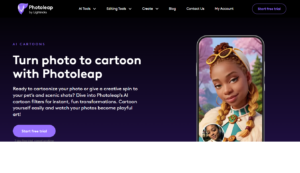
Photoleap’s AI cartoon filters, engineered with advanced algorithms, enable instant, enjoyable transformations. These filters offer a spectrum of options, from animated adventures to superhero sagas, allowing users to convert their photos into cartoons.
The platform is also equipped for customization, enabling users to craft unique cartoon styles through specialized prompts. Additionally, Photoleap incorporates AI technology for creating pet portraits, turning pets into central figures of their cartoon narratives. With this feature, users can envision their cats as cartoon characters or dogs in whimsical animated settings. The software extends its capabilities to landscapes, transforming them into captivating, animated worlds with a touch of technological magic.
Key Features of Photoleap’s AI
- AI Filters: Quick photo-to-cartoon transformations.
- Custom Styles: Personalize cartoons with unique prompts.
- Pet Cartoons: Turn pets into animated characters.
- Landscape Animation: Cartoonize landscapes effortlessly.
- Ease of Use: Intuitive platform for creative AI features.
Pros
- Professional-quality cartoon results
- Accurate facial feature preservation
- Easy to use for any skill level
- Great for branding and social media visuals
- Multiple creative editing tools
Cons
- Limited animation options
- Requires internet connection
- Style variety is moderate
- HD exports require paid plan
- Advanced features may take time to master
Pricing
- Free limited version
- Monthly subscription plans
- Pay-as-you-go and business options
- Scalable pricing depending on usage
5) Colorcinch
overview
Colorcinch is an AI-powered creative platform that allows users to transform photos into vibrant, stylized cartoon and artistic images effortlessly. Using advanced AI algorithms, Colorcinch can enhance, retouch, and cartoonize images while preserving important details and color balance.
The platform is designed for both beginners and experienced creators, offering an intuitive interface with drag-and-drop tools and prebuilt filters. Users can apply cartoon effects, artistic filters, and overlays to create visually engaging images for social media, branding, or personal projects. Colorcinch emphasizes simplicity and speed, making it accessible for quick edits as well as detailed creative work.
Key Features of Colorcinch
- AI-powered cartoon and artistic image generation
- Photo enhancement and retouching tools
- Multiple cartoon and art style filters
- Scene and background editing
- Easy-to-use interface for fast creative results
Pros
- Quick and user-friendly workflow
- Professional-looking cartoon effects
- Works for beginners and pros
- Good for social media and marketing visuals
- Multiple artistic styles and filters
Cons
- Advanced features require paid plans
- Limited animation options
- Some filters may feel basic for professionals
- High-resolution exports require subscription
- Creative depth less than fully manual tools
Pricing
- Free version with limited tools
- Monthly and annual subscription plans
- Business and premium tiers for advanced features
- Scalable pricing based on usage
6) Fotor’s Cartoon Photo Editor
overview
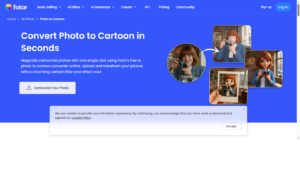
Fotor’s Cartoon Photo Editor is an AI-powered tool that allows users to quickly transform ordinary photos into vibrant, stylized cartoon images. The platform emphasizes speed and simplicity, making it easy for beginners and casual creators to achieve professional-looking cartoon visuals in just a few clicks.
Fotor is web-based and also available on mobile, allowing users to edit anywhere without complex installations. Its AI algorithms preserve facial features, colors, and essential image details while applying smooth cartoon effects. The tool is widely used for social media content, marketing visuals, personal branding, and fun creative projects, offering both efficiency and visual appeal.
Key Features of Fotor’s Cartoon Photo Editor
- AI-powered photo-to-cartoon conversion
- Multiple cartoon styles and filters
- Quick and easy editing workflow
- Web and mobile accessibility
- Image retouching and enhancement tools
Pros
- Extremely beginner-friendly
- Fast processing and output
- Professional-looking cartoon results
- Works on both web and mobile devices
- Ideal for social media and casual projects
Cons
- Limited advanced customization
- Some features require paid subscription
- Style variety is moderate
- No animation support
- High-resolution exports need premium plan
Pricing
- Free basic plan available
- Monthly and annual paid subscriptions
- Premium effects and HD exports in paid plans
- Scalable pricing for advanced features
7) Picsart Cartoonizer
Overview
Picsart is a well-known photo editing platform that offers AI-powered cartoon filters and creative tools. Users can easily transform their photos into stylized cartoon images using a variety of built-in effects and presets.
The platform is accessible on both mobile and web devices, providing flexibility for on-the-go edits or desktop workflows. Beyond cartoonization, Picsart includes a wide range of editing features such as text overlays, stickers, and advanced photo adjustments, making it a versatile tool for creative projects.Designed for casual users and social media enthusiasts, Picsart is widely used to create engaging, fun, and shareable content. Its intuitive interface and instant results make it ideal for individuals looking to add a playful or artistic touch to their photos.
Key Features of Picsart Cartoonizer
- AI cartoon filters
- Character generation tools
- Mobile and web access
- Editing and effects suite
- Prompt-based creation
Pros
- Mobile-friendly platform
- Fun and creative styles
- Easy to use
- Large creative community
- Multiple cartoon effects
Cons
- Watermarks on free plan
- Ads in free version
- Not ideal for professional branding
- Subscription needed for HD
- Interface can feel crowded
Pricing
- Free basic plan
- Monthly subscriptions
- Annual discounted plans
- Premium effects included
- Student discounts available
8) Flexclip – Cartoonize Photos
overview
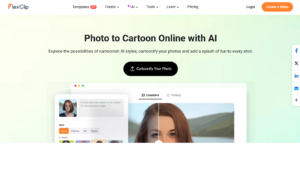
Flexclip – Cartoonize Photos is an AI-powered photo editing platform designed to quickly turn ordinary images into engaging cartoon-style visuals. Users can transform portraits, product photos, or casual images into stylized cartoons while keeping facial features and key details intact.
Flexclip provides multiple cartoon styles, giving users flexibility for social media posts, branding visuals, and marketing content. Its AI ensures images look polished and visually appealing without requiring advanced editing skills. The platform is fully browser-based with a clean, intuitive interface, making it accessible for both beginners and professional users.
Key Features of Flexclip – Cartoonize Photos
- AI-powered photo-to-cartoon conversion
- Multiple cartoon styles for different effects
- Fast and easy online processing
- Retains facial details and image clarity
- Browser-based, no installation required
Pros
- Quick and beginner-friendly
- Multiple style options for versatility
- Maintains facial accuracy and image quality
- Accessible on any device with a browser
- Suitable for personal and business use
Cons
- No advanced animation tools
- High-resolution exports require paid plan
- Style options are limited compared to professional software
- Internet connection required
- Advanced customization is minimal
Pricing
- Free basic plan available
- Monthly and annual paid subscriptions
- Business plans and premium features available
- Flexible pricing for different usage levels
9) VanceAI Toongineer Cartoonizer
overview
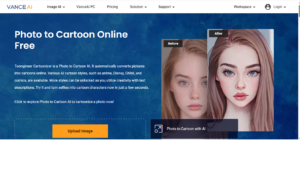
VanceAI Toongineer Cartoonizer is an AI-driven tool that quickly transforms ordinary photos into striking cartoon-style images. Using advanced machine learning algorithms, it applies vibrant cartoon effects while preserving facial features and visual details, making images look artistic and engaging. The tool is browser-based, so no installation is needed, and users can access it from any device with an internet connection.
Designed for simplicity and speed, VanceAI Toongineer Cartoonizer makes it easy for users of all skill levels to generate professionally styled cartoon visuals. It’s commonly used for social media profiles, creative projects, branding materials, and marketing graphics. The platform also supports batch processing, allowing users to convert multiple images simultaneously—a feature especially useful for content creators and businesses handling high volumes of visuals.
Key Features of VanceAI Toongineer Cartoonizer
- AI Photo-to-Cartoon Conversion: Turn photos into cartoon-style images with a single click.
- Detail Preservation: Maintains facial features and image clarity while applying cartoon effects.
- Batch Processing: Convert multiple images at once for faster workflows.
- Web-Based Access: No downloads or installations required—work directly in your browser.
- Multiple Cartoon Styles: Choose from a variety of stylistic options to suit different creative needs.
Pros
- High creative flexibility for diverse cartoon styles
- Custom style control to match your creative vision
- No design skills required; beginner-friendly
- Supports unique concepts for personal or professional projects
- Fast generation with quick AI processing
Cons
- Usage limits on free plan
- Internet connection required to use the tool
- Not all styles are fully customizable
- Limited advanced editing features
- Batch processing may require paid subscription
Pricing
- Free limited access for basic conversions
- Paid subscription plans for full features
- Usage-based limits depending on plan
- Monthly billing options available
- Premium model access for high-quality results
10) ToonMe
Overview
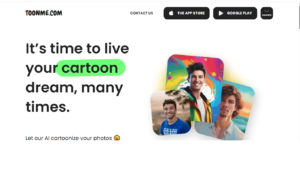
ToonMe is a user-friendly AI cartoonizer designed to transform selfies and photos into fun, stylized cartoon and vector portraits. The platform specializes in creating unique cartoon avatars, Disney-style illustrations, and creative caricatures with minimal effort, making it popular among social media users and casual creators.
The tool uses advanced AI algorithms to analyze facial features and expressions, then applies artistic filters to produce professional-looking cartoon images. ToonMe supports both automatic and customizable effects, allowing users to adjust styles, colors, and details to match their creative vision. Its accessibility via web and mobile apps makes it convenient for on-the-go cartoonization.
Key Features of ToonMe
- AI-Powered Cartoon Conversion: Transform selfies and photos into cartoon or vector-style images.
- Multiple Styles: Includes Disney-style, caricature, and vector art options.
- Customizable Filters: Adjust colors, backgrounds, and effects for personalized results.
- Fast Processing: Quickly generate cartoon images in seconds.
- Web & Mobile Support: Use ToonMe on desktop or smartphone easily.
Pros
- Quick and easy to use for any skill level
- Multiple cartoon styles for creative flexibility
- Mobile-friendly with app support
- Fun for social media and personal use
- High-quality output with minimal effort
Cons
- Free plan has limited features
- Some styles require in-app purchases
- Customization options are moderate
- Not designed for professional animation
- Internet connection required
Pricing
- Free limited access with basic styles
- Paid subscription for full feature set
- Monthly and yearly plans available
- In-app purchases for additional styles and effects
Conclusion
In 2026, AI cartoonizer tools have become essential for anyone looking to enhance visual content effortlessly. From social media creators to marketers and artists, the Best AI Cartoonizer Tools make it possible to turn ordinary photos into vibrant, eye-catching cartoons in minutes. By choosing the right tool, you can save time, boost creativity, and consistently produce professional-quality artwork that stands out.
Frequently Asked Questions (FAQs)
What are the Best AI Cartoonizer Tools?
The Best AI Cartoonizer Tools are AI-powered software platforms that transform photos into cartoon-style images automatically. They use advanced algorithms and machine learning to analyze features and apply artistic effects efficiently.
Are these tools suitable for beginners?
Yes! Most of the Best AI Cartoonizer Tools are designed with user-friendly interfaces, making them easy to use for beginners while offering advanced customization for professionals.
Can I use these tools for commercial purposes?
Many of the Best AI Cartoonizer Tools allow commercial usage, but it’s important to check each platform’s licensing policy before using the images for marketing, advertising, or product design.
Do these tools support high-resolution outputs?
Absolutely. The Best AI Cartoonizer Tools often provide high-resolution export options, ensuring your cartoon images are suitable for print, social media, and other professional uses.
Are there free versions of these tools available?
Yes, several of the Best AI Cartoonizer Tools offer free trials or limited-feature versions, allowing users to test the functionality before committing to a paid plan.
