
Are you tired of getting stuck in rigid coding structures and repetitive syntax? In 2026, Vibe Coding has emerged as the dominant development style, transforming how developers approach software creation. Instead of focusing solely on strict rules and boilerplate code, vibe coding emphasizes creativity, flow, and momentum, allowing developers to stay “in the zone” while building complex systems or rapid prototypes. Modern developers are increasingly seeking tools that can understand intent, adapt to context, and minimize cognitive load—essentially acting as collaborative partners rather than just coding assistants.
This shift has fueled the rise of the Best AI Code Generators for Vibe Coding, platforms designed to keep your workflow seamless, spark innovative solutions, and accelerate productivity. In this article, we dive deep into the top AI code generators that are redefining the future of vibe coding and helping developers achieve their creative peak.
Why Vibe Coding Tools Matter in 2026
Vibe coding tools matter because development speed alone is no longer the defining factor of effective software creation. Modern developers also need tools that reduce mental overhead, preserve creative momentum, and support rapid experimentation without compromising code quality or maintainability. Constant context switching, repetitive boilerplate, and debugging fatigue can break flow and slow progress. AI-powered vibe coding tools address these challenges by acting as collaborative partners that assist with thinking, structuring, and problem-solving—rather than functioning as passive autocomplete helpers.
These tools are designed to understand intent, adapt to coding style, and support exploration, allowing developers to stay “in the zone” while building. By handling routine tasks and offering intelligent suggestions, they free up cognitive space for architecture decisions, creative solutions, and higher-level reasoning.
Why Developers Are Adopting Vibe Coding
-
Faster transition from idea to working code
Developers can move quickly from concept to implementation with AI-generated scaffolding, examples, and logic suggestions, significantly reducing setup time. -
Reduced boilerplate and repetitive tasks
Vibe coding tools automatically generate repetitive code patterns, configurations, and documentation, minimizing manual effort and errors. -
Improved focus and creative flow
By eliminating interruptions and mental friction, these tools help developers maintain deep focus and sustain productive coding sessions. -
Better prototyping and experimentation
Rapid iteration becomes easier, enabling developers to test ideas, refactor approaches, and explore alternatives without heavy time investment. -
Increased productivity when paired with human judgment
When combined with developer expertise and decision-making, vibe coding tools enhance productivity without replacing critical thinking, ensuring higher-quality and more intentional outcomes.
Risks, Challenges, and Honest Limitations of Vibe Coding
While vibe coding tools significantly accelerate development and improve creative flow, they also introduce new risks that teams must actively recognize and manage. Relying on AI-generated code without proper oversight can result in fragile systems, hidden vulnerabilities, and long-term maintenance challenges. To use vibe coding tools effectively, developers must balance speed with review, testing, and sound engineering practices.
Ignoring these challenges can lead to compounding problems that surface later in production, where fixes become more costly and disruptive. Understanding these risks early helps teams use AI as a productivity enhancer rather than a source of technical liability.
Common Challenges to Watch Out For
-
Technical debt accumulation
Rapid code generation can prioritize speed over sound architecture, leading to messy structures, inconsistent patterns, and shortcuts that require refactoring later if not carefully reviewed. -
Security vulnerabilities
AI-generated code may overlook common security threats such as SQL injection, cross-site scripting (XSS), authentication flaws, or improper data handling unless security best practices are enforced. -
Scalability issues
Code created for quick prototypes may not perform reliably under real-world traffic, data volume, or concurrent usage without proper optimization and load testing. -
Maintainability problems
Automatically generated logic can lack clear documentation or rationale, turning parts of the codebase into a “black box” that is difficult for teams to understand, debug, or extend. -
Skill gaps in beginners
Overreliance on AI tools can prevent newer developers from building strong foundational knowledge, making it harder for them to reason through problems independently. -
Legal and compliance risks
Intellectual property ownership, licensing ambiguity, and regulatory compliance concerns are becoming increasingly important in 2026, especially for enterprise and regulated industries.
How to Choose the Right AI Tool for Vibe Coding Your Project
Choosing the right vibe coding tool is less about finding the “most powerful AI” and more about selecting a tool that seamlessly fits your existing workflow. The best results come when the assistant complements how you think, build, and iterate, rather than forcing you to adapt your process. The ideal tool should feel like a natural extension of your development environment, enabling faster experimentation while maintaining quality and control.
Key Factors to Consider
-
Pick the interaction style first
Decide whether you prefer IDE-based extensions, browser-based platforms, or design-first environments. The tool should integrate with your daily coding habits and workflow, reducing friction instead of adding complexity. -
Check context awareness
Look for AI tools that understand multi-file projects, dependencies, and overall code structure. Strong context awareness ensures safe refactoring, minimizes broken logic, and maintains project stability. -
Prioritize verification tools
Built-in testing, linting, and code review support are essential. These features help validate AI-generated code, catch potential errors early, and maintain coding standards without slowing down development. -
Assess security and compliance
For production projects, tools should enforce secure defaults, provide vulnerability scanning, and support compliance requirements. This protects applications from introducing hidden risks while scaling. -
Review integrations
Seamless connections with GitHub, CI/CD pipelines, issue trackers, and documentation tools reduce repetitive tasks, ensuring that AI-generated code fits naturally into your existing ecosystem. -
Understand pricing and limits
Evaluate subscription models, usage caps, and cost predictability. As projects grow, predictable pricing ensures that the tool remains sustainable and doesn’t unexpectedly hinder your team.
Best AI Code Generators for Vibe Coding in 2026
Here are 10 Best AI Code Generators for Vibe Coding in 2026:
- Replit
- Windsurf
- Cursor
- Bolt
- GitHub Copilot
- Lovable
- Continue
- Amazon CodeWhisperer
- Cody by Sourcegraph
- Tabnine
1) Replit
Overview
Replit is a cloud-based development environment that lets you write, run, and deploy code directly from your browser, with no setup or installations required. Built for accessibility and collaboration, Replit supports dozens of programming languages and provides an all-in-one workspace for projects ranging from simple scripts to complex full-stack applications.
Whether you’re a beginner learning to code or an experienced developer building production-ready software, Replit simplifies the development process by removing configuration hurdles and offering real-time collaboration features.
Best Features
- Agent v2: An AI-powered assistant that helps build applications from natural language descriptions, accelerating development for users of all skill levels.
- Scheduled Deployments: Automate tasks by scheduling applications to run at specified times using natural language commands, making cron jobs effortless.
- Object Storage: Integrated storage for unstructured data such as media files and documents, backed by Google Cloud Storage for scalability and reliability.
- Replit Teams: Collaboration tools for organizations, including shared deployments, role-based access, and centralized billing to boost team productivity.
- Advanced Port Configuration: Fine-grained control over port mappings and improved visibility for applications running multiple services.
Pros
- Excellent for large, complex projects
- Deep contextual code understanding
- High debugging and suggestion accuracy
- Enterprise-ready workflow support
- Boosts developer productivity
Cons
- Advanced features are behind paid plans
- Can be overkill for small projects
- Steep learning curve for beginners
- Resource-intensive for large codebases
- Some features require a subscription
Pricing
- Free plan: Hobby access
- Pro: $20/month
- Pro+: $60/month
- Teams/Enterprise: Custom pricing
2) Windsurf

overview
Windsurf is a next-gen local code editor that blends the power of AI with the speed and stability of a native IDE. Built by the team behind Codeium, Windsurf is designed to give developers a streamlined, intelligent workspace that works fully offline — no cloud dependencies or latency. It combines powerful autocompletion, inline commands, and project-wide context awareness into one fast, lightweight package for macOS, Windows, and Linux.
Created for developers who want AI assistance without giving up control or performance, Windsurf offers a truly local development experience with full access to AI features — including autocompletion and intelligent agents — without sending your code to the cloud. It supports multiple languages, integrates with Git, and allows for fast iteration with modern workflows built-in.
Best Features
- Cascade Agent: A local AI agent with memory and awareness across your entire codebase, offering suggestions, edits, and insights with minimal context-switching.
- Supercomplete Autocomplete: More than basic suggestions — this context-aware completion engine predicts entire functions, config files, and even test cases.
- Inline AI Commands: Use natural language directly in your editor to generate, edit, or refactor code instantly without leaving your workflow.
- One-Click Deployment: With built-in Netlify support, deploy your apps directly from Windsurf in seconds.
Pros
- Extremely fast development workflow
- No environment setup required
- Beginner-friendly interface
- All-in-one platform for full-stack creation
- Ideal for rapid MVP development
Cons
- Limited backend customization
- Pricing details can be unclear
- Not ideal for highly complex logic
- Smaller ecosystem compared to larger platforms
- Enterprise-level plans require custom pricing
Pricing
- Free tier available
- Pro: Paid plans
- Enterprise: Custom pricing
3) Cursor
Overview
Cursor focuses on transforming ideas into visually appealing applications with minimal technical effort. It allows users to build full-stack apps using simple prompts while maintaining clean, production-ready code. As one of the Best AI Code Generators for Vibe Coding, Cursor emphasizes creativity, design flow, and developer productivity. It is especially useful for designers, startups, and small teams who want rapid prototypes without getting bogged down in configuration or boilerplate code. Development feels intuitive, making it ideal for fast idea validation and iteration.
Best Features
- Natural Language App Creation: Build apps by describing functionality in plain language.
- Design-First Workflows: Prioritizes visual layout, interface, and user experience.
- Full-Stack Automation: Handles backend, frontend, and deployment automatically.
- Cloud Deployment: Seamless hosting without manual server setup.
- Credit-Based Usage: Flexible consumption model for different user needs.
Pros
- Extremely easy to use
- High-quality UI and UX output
- Fast prototyping and iteration
- Startup-friendly pricing options
- Minimal coding required
Cons
- Limited backend customization
- Credit limits on free plans
- Not focused on large enterprise workflows
- Less architectural control for complex apps
- Cloud-dependent environment
Pricing
- Free: Limited credits
- Plus: Monthly credits
- Pro/Enterprise: Custom pricing
4) Bolt

Overview
Bolt.new is an AI-powered, browser-based development platform by StackBlitz that enables users to build, run, and deploy full-stack web and mobile applications using natural language prompts. By integrating Anthropic’s Claude model and leveraging StackBlitz’s WebContainers technology, Bolt.new provides a seamless development experience without requiring local installations or environment setup.
Ideal for developers prototyping new ideas, designers testing concepts, or teams streamlining workflows, Bolt.new transforms plain English instructions into fully functional codebases across a variety of frameworks. This approach accelerates development while keeping the process intuitive and accessible for both beginners and professionals.
Best Features
- In-Browser Development Environment: Full-featured IDE accessible directly in the browser, eliminating setup hassles.
- Framework and Library Support: Compatible with popular frameworks like Astro, Vite, Next.js, Svelte, Vue, Remix, and more.
- Package Management & Backend Integration: Install npm packages and configure backend services, including databases like Supabase, without leaving the platform.
- Integrated Deployment: Deploy apps quickly with built-in support for platforms such as Netlify, enabling fast go-live.
- AI-Powered Error Detection & Suggestions: The assistant monitors your code, offering real-time fixes and recommendations to improve quality and efficiency.
Pros
- Extremely fast development
- No environment setup required
- Beginner-friendly interface
- All-in-one development solution
- Ideal for MVPs and rapid prototyping
Cons
- Limited backend control for complex logic
- Pricing transparency can be unclear
- Smaller ecosystem compared to enterprise tools
- Less suited for large-scale applications
- Enterprise plans require custom arrangements
Pricing
- Free tier available
- Pro: Paid plans
- Enterprise: Custom pricing
5) GitHub Copilot
Overview
Developed by GitHub in collaboration with OpenAI, GitHub Copilot represents the next level in AI-powered programming assistance. This tool functions like a virtual pair programmer that aids developers in writing better code at an expedited pace. It achieves this by suggesting whole lines or blocks of code as you type. The tool utilizes a system trained on public code repositories and is thus able to understand a multitude of programming languages and coding styles.
However, GitHub Copilot doesn’t just parrot back the code it has been trained on; instead, it adapts and learns from each developer’s unique coding style. This way, its suggestions become more personalized and accurate over time, making it a truly powerful companion in the programming process.
Best Features
- Predictive code generation: GitHub Copilot goes beyond simple auto-completion. By suggesting entire lines or blocks of code, it significantly expedites the coding process.
- Multilingual capability: This tool is trained on a myriad of public code repositories, allowing it to understand and assist with a vast range of programming languages.
- Continuous learning: GitHub Copilot learns from your coding style and habits, delivering personalized suggestions that improve over time.
Pros
- Easy to adopt
- Reliable performance
- Broad language support
- Familiar workflows
- Strong documentation
Cons
- Ecosystem lock-in
- Limited free tier
- Less autonomous behavior
- Closed-source platform
-
Advanced features cost extra
Pricing
- Free: Limited usage
- Pro: $10/month
- Pro+: $39/month
- Enterprise: Custom pricing
Final Verdict
GitHub Copilot is ideal for developers deeply integrated into the GitHub ecosystem. It excels at providing context-aware code suggestions, automating repetitive tasks, and accelerating development directly within popular IDEs. With its seamless integration, real-time AI assistance, and support for a wide range of programming languages, GitHub Copilot continues to rank among the Best AI Code Generators for Vibe Coding in 2026, especially for teams and individuals focused on IDE-based workflows.
6) Lovable
Overview
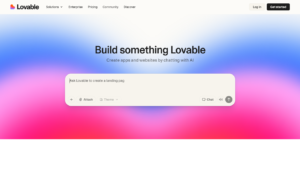
Lovable is an AI-driven platform that transforms ideas into visually appealing applications with minimal technical effort. Designed for design-first vibe coding, it enables users to build full-stack apps using simple natural language prompts. Lovable is perfect for designers, startups, and developers who prioritize rapid visual iteration over deep backend configuration, making it ideal for fast prototyping and concept validation.
With Lovable, creating polished, user-ready applications feels intuitive rather than technical. Its AI-powered tools handle layout, styling, and interface generation, allowing teams to focus on creativity and user experience while the platform manages the coding behind the scenes.
Best Features
- Natural Language App Creation: Build full-stack apps by describing features in plain English.
- Design-First Workflows: Prioritizes UI/UX, generating visually appealing interfaces quickly.
- Full-Stack Automation: Handles backend setup, cloud deployment, and basic logic automatically.
- Cloud Deployment: Publish apps instantly with integrated cloud hosting.
- Credit-Based Usage: Flexible plan system suitable for startups and individual developers.
Pros
- Extremely easy to use
- High-quality UI output
- Rapid prototyping capabilities
- Startup-friendly pricing
- Minimal coding required
Cons
- Limited backend customization
- Credit limits on free plans
- Not enterprise-focused
- Less control over architecture
- Cloud-dependent
7) Continue
Overview
Continue is a cloud-based development platform designed to streamline collaboration, learning, and rapid prototyping. It provides an all-in-browser coding environment, removing the friction of local setup while supporting real-time teamwork. As one of the Best AI Code Generators for Vibe Coding, Continue leverages AI agents to automate repetitive coding tasks and accelerate development, making it ideal for MVP creation, experimentation, and learning projects.
With Continue, teams and individuals can focus on building and iterating without worrying about infrastructure. Its AI-assisted workflows enhance productivity and creativity, while the platform’s integrated databases and execution environment ensure seamless deployment and testing.
Best Features
- Real-Time Collaboration: Work simultaneously with teammates on the same project with live updates.
- Built-In Databases: Integrated storage solutions simplify backend setup and data management.
- Autonomous AI Agents: Automate repetitive coding and suggest improvements to accelerate development.
- Cloud Execution: Run and deploy applications directly in the browser without local setup.
- Learning Tools: Includes resources and features tailored for education and skill development.
Pros
- No local setup required
- Excellent for team collaboration
- Beginner-friendly interface
- Fast deployment of prototypes
- Scalable for larger projects
Cons
- Cloud performance limitations
- Limited offline functionality
- Paid plans required for advanced features
- Interface can feel crowded
- Less control over infrastructure
8) Amazon CodeWhisperer
Overview
Amazon CodeWhisperer is an AI-powered coding assistant designed to accelerate development within AWS environments. It provides real-time code suggestions, context-aware completions, and security insights, helping developers write high-quality, production-ready code faster. As one of the Best AI Code Generators for Vibe Coding, it excels at supporting developers working on cloud-native and enterprise projects. CodeWhisperer is particularly useful for teams leveraging AWS services, ensuring code integrates seamlessly with infrastructure and follows best practices.
Best Features
- Context-Aware AI Suggestions: Generates code snippets based on your project context and patterns.
- Security Scanning: Alerts for potential security issues and recommends fixes.
- AWS Service Integration: Seamless support for services like Lambda, S3, and DynamoDB.
- Multi-Language Support: Works with Java, Python, JavaScript, and more.
- IDE Plugins: Available for VS Code, JetBrains, and AWS Cloud9.
Pros
- Improves coding speed and productivity
- Integrates deeply with AWS services
- Provides security and best-practice guidance
- Supports multiple programming languages
- Ideal for cloud-native and enterprise projects
Cons
- Primarily optimized for AWS environments
- Less suited for non-cloud projects
- Free tier has limited capabilities
- Some advanced features require paid AWS account
- Not beginner-focused
Pricing
- Free tier available
- Paid subscription plans integrated with AWS usage
9) Cody by Sourcegraph
Overview
Cody by Sourcegraph is an AI-powered code assistant built to help developers navigate, understand, and refactor large codebases efficiently. It combines context-aware AI suggestions with powerful code search, making it ideal for monorepos and complex projects. As one of the Best AI Code Generators for Vibe Coding, Cody emphasizes productivity, accuracy, and maintainability, especially for teams working on enterprise-grade systems. Privacy and flexibility are built-in, allowing developers to integrate Cody into their existing workflows.
Best Features
- Universal Code Search: Quickly find references, definitions, and usages across massive codebases.
- Context-Aware AI Suggestions: Generates relevant code snippets based on the surrounding code.
- Batch Refactoring: Automate multi-file edits with natural language instructions.
- Multi-Repository Support: Works seamlessly with large monorepos and multiple projects.
- Code Intelligence: Enhances comprehension and helps maintain consistent coding standards.
Pros
- Excellent for large, complex codebases
- Enterprise-ready and scalable
- Improves code comprehension and maintainability
- Accurate search results with AI guidance
- Supports multi-repo workflows
Cons
- Pricing not fully transparent
- Less beginner-friendly
- Requires setup and onboarding
- Limited creative coding features
- Best suited for teams, not solo developers
Pricing
- Free trial available
- Enterprise: Custom pricing
10) Tabnine

Tabnine stands out as a powerful AI code assistant developed by Codota. The tool uses machine learning algorithms to predict and suggest code completions, aiming to make coding faster, more efficient, and less prone to errors.
One of Tabnine’s impressive features is its compatibility with over 20 programming languages. This, along with its integration capabilities with various code editors, makes TabNine a versatile tool for developers across different platforms. Furthermore, its deep learning capabilities allow it to provide highly relevant code suggestions, making it a beneficial tool in any developer’s toolkit.
Best Features
- Wide Language Compatibility: Supports over 20 programming languages, from Python and JavaScript to Go and Rust.
- Cross-Platform Support: Integrates seamlessly with popular editors like VS Code, Sublime Text, and Atom.
- Deep Learning Suggestions: Provides highly relevant, context-aware code completions for single lines or entire blocks of code.
- Team Sync: Share and standardize AI-assisted coding suggestions across your team for consistent code quality.
- Learning Mode: Learns your coding habits to offer increasingly accurate recommendations.
Pros
- Supports multiple languages and editors
- Context-aware code completions
- Speeds up development and reduces errors
- Adapts to individual coding style
- Team collaboration features
Cons
- Full features require paid subscription
- Some suggestions may be less accurate for niche languages
- AI suggestions not a replacement for design decisions
Pricing
- Free plan available with basic features
- Paid subscription plans for advanced AI completions and team features
Conclusion
Vibe coding is most powerful when AI is treated as a speed multiplier—not a replacement for engineering discipline. The Best AI Code Generators for Vibe Coding help developers move faster, but long-term success depends on small iterations, clear prompts, readable changes, testing, and security checks. When creativity and control are balanced, vibe coding becomes a sustainable way to build modern software in 2026.
Frequently Asked Questions (FAQs)
Can I use vibe coding for production applications?
Yes, but with caution. Vibe coding is perfect for prototyping and rapid feature development. For production-critical systems, refactor AI-generated code using traditional methods. Non-critical features like dashboards or reports can safely use vibe coding with proper testing.
Will vibe coding replace developers?
No. Vibe coding boosts developer productivity but cannot replace human expertise. It handles repetitive or boilerplate tasks but not architecture, complex integrations, or security decisions. Developers using vibe coding become more efficient and valuable.
What’s the best vibe coding tool for beginners?
Start with Lovable or Replit for simplicity and intuitive interfaces. Once comfortable, progress to Cursor or GitHub Copilot for more control. Devin or Zencoder are better for intermediate or advanced users. Learning in stages ensures smoother adoption.
Can AI-generated code have security vulnerabilities?
Yes, AI-generated code may contain SQL injection risks, XSS issues, hardcoded secrets, or outdated dependencies. Always perform security audits and testing before deploying to production. Vigilance is key to safe implementation.
Is vibe coding just hype?
Partially. AI tools have proven efficiency, like Copilot making coding up to 67% faster. However, vibe coding as a full development philosophy is still evolving. Combining human oversight with AI delivers practical and reliable results.
