

Struggling to write high-quality emails that actually get opened and replied to? Email remains one of the most powerful communication channels in 2026, yet crafting engaging messages consistently can be time-consuming. From cold outreach and sales follow-ups to onboarding sequences and marketing campaigns, professionals are increasingly turning to AI to boost productivity.
But which AI email generator is the best for your needs? Modern tools don’t just write text—they understand intent, adapt tone, personalize messages, and help you send emails that drive results. Whether you’re a marketer, founder, freelancer, or sales professional, picking the right AI tool can save you hours every week.
In this guide, we review the 10 Best AI Email Generators in 2026, highlighting their key features, pros, cons, and pricing to help you choose the perfect solution for your workflow.
What Are AI Email Generators?
AI email generators are intelligent tools powered by artificial intelligence that help users create professional, well-structured email drafts in seconds. Instead of writing emails from scratch, users simply provide key inputs such as the purpose of the email, desired tone, target audience, and context. The AI then generates a complete, clear, and ready-to-send message that saves time and reduces writing effort.
The best AI email generators go beyond basic text creation by offering advanced features such as tone adjustment, personalization tokens, reusable templates, and smart suggestions. Many tools also integrate directly with platforms like Gmail, Outlook, and CRM systems, making them especially valuable for professionals, marketers, sales teams, and customer support workflows. These capabilities ensure emails are not only faster to write but also more effective, consistent, and engaging.
Why Use AI Email Generators in 2026
AI email generators have become essential tools for businesses and professionals who want to communicate faster, smarter, and more effectively. In 2026, email workloads continue to grow across sales, marketing, customer support, and internal communications, making it increasingly difficult to manually write and edit every message without impacting productivity. AI-powered email tools streamline this process by instantly generating clear, well-structured drafts that reduce writing time while maintaining accuracy and professionalism.
Beyond speed, these tools help ensure a consistent brand voice across all communications, which is especially important for growing teams and organizations managing high volumes of email. Advanced AI email generators also support personalization at scale by adapting tone, messaging, and content based on the recipient, purpose, and context of each email. This results in more relevant, engaging messages that improve open rates, response rates, and overall communication effectiveness. By automating repetitive writing tasks, AI email generators allow teams to focus on higher-value activities such as strategy, relationship building, and decision-making, ultimately driving better business outcomes.
Key Reasons to Use AI Email Generators
- Save significant time on daily email writing
- Maintain a consistent and professional tone
- Create personalized emails at scale
- Improve open and response rates
- Reduce manual effort and writer fatigue
How to Choose the Best AI Email Generators in 2026
Before choosing an AI email generator, it’s essential to understand what truly separates average tools from the best-performing ones. Not all AI email tools deliver the same level of control, personalization, or consistency, and selecting the right features can significantly impact communication quality and results.
Email-Focused Prompt Control
Top-tier AI email generators allow users to define key elements such as the target audience, email purpose, and preferred format before generating content. This level of control ensures the email is aligned with a specific goal—whether it’s sales outreach, customer support, follow-ups, or internal communication—rather than producing a generic or unfocused message.
Tone and Structure Flexibility
Different email scenarios demand different tones and structures. Sales outreach emails should sound confident and persuasive, follow-ups should be polite and professional, while onboarding or customer emails should feel friendly and welcoming. The best AI email tools offer flexible tone controls, adjustable email length, and customizable calls-to-action, allowing users to tailor messages precisely to each situation.
Reusable Templates and Prompts
High-quality AI email generators support reusable templates and saved prompts, making it easy to maintain consistency across teams, campaigns, and departments. This feature is especially valuable for businesses that send recurring emails, as it ensures brand voice consistency, reduces repetitive work, and improves overall efficiency while scaling communication efforts.
Best AI Email Generators in 2026
1) Jasper AI
Overview
Pros
- Very fast content creation
- High-quality, natural tone
- Large template library
- Easy to use interface
- Great for marketing teams
Cons
- Expensive pricing
- Limited control on long content
- Requires editing for accuracy
- Credit-based limitations
- No advanced analytics
Pricing
- Creator: Starts around $39/month
- Teams & Business: Custom pricing
2) Writesonic

overview
Pros
- Easy to use
- Good for cold emails
- Multi-language support
- Affordable starting plans
- Free word credits
Cons
- Limited email templates
- Generic outputs at times
- Needs manual refinement
- Higher plans unlock best features
- Less brand customization
Pricing
- Free: 2,500 words
- Paid plans: From $19/month
3) HubSpot – AI Email Writer
overview
Pros
- Seamless CRM integration
- Strong automation features
- Scalable for teams
- Consistent brand voice
- Ideal for sales outreach
Cons
- Expensive subscriptions
- Requires HubSpot ecosystem
- Learning curve
- Not beginner-friendly
- Limited standalone usage
Pricing
- Included in HubSpot plans
- Paid plans start around $20/month
4) GetResponse AI
overview
The GetResponse AI Email Generator is an advanced AI-powered tool designed to simplify and enhance email marketing for businesses and marketers. Built on GPT-3.5 technology, it helps users overcome common email marketing challenges such as writing engaging subject lines and creating content that connects with the right audience.
This tool is an essential part of GetResponse’s email marketing platform, enabling faster and more effective email creation. Instead of writing emails from scratch, users can rely on AI to generate relevant, high-quality email copy tailored to their goals and industry. By automating content creation, GetResponse significantly improves productivity and campaign performance.
Key Features:
- AI-Optimized Subject Lines: Generates attention-grabbing subject lines designed to improve email open rates.
- Industry-Specific Email Content: Creates relevant email copy based on industry trends and targeted keywords.
- Guided Email Creation Process: Allows users to set goals, choose tone and industry, and generate complete emails easily.
- Time-Saving Automation: Eliminates manual writing by producing ready-to-send AI-generated email content.
Pros
- Beginner-friendly interface
- Strong subject line generation
- Industry-based personalization
- Saves time
- Good deliverability tools
Cons
- Limited design freedom
- Advanced features cost extra
- Fewer templates
- AI content needs editing
- Not ideal for long emails
Pricing
- Free trial available
- Paid plans start around $19/month
5) Copy AI
overview
Pros
- Fast email creation
- Easy tone customization
- Multiple templates
- Clean interface
- Beginner-friendly
Cons
- Limited free plan
- Repetitive outputs
- No analytics
- Needs editing
- Paid plans required
Pricing
- Free plan available
- Paid plans start around $36/month
6) LongShot AI

overview
LongShot AI stands out in the world of AI email generators thanks to its intelligent integration with SemRush and a wide array of advanced features. It is an essential tool for marketers and content creators who want to elevate their email campaigns with smarter, more persuasive content. By combining AI technology with actionable insights, LongShot AI helps users craft emails that are not only engaging but also highly effective in driving results.
This platform offers a comprehensive set of functionalities that go beyond email generation. Users can generate creative blog ideas, produce detailed summaries, and create content that is both high-quality and accurate. Its focus on user-friendliness, factual precision, and versatile content production ensures that every piece of output is credible, informative, and impactful.
Key Features:
- SemRush Integration: Leverages data-driven insights to improve writing quality.
- Diverse Writing Tools: Provides multiple features for various content creation needs.
- Factual Accuracy: Ensures the reliability and trustworthiness of generated content.
- Email Generator with Machine Learning: Uses AI to analyze emails and suggest improvements.
- Natural Language Processing: Automatically generates personalized and relevant emails.
With LongShot AI, users can streamline their content creation process while significantly enhancing the quality and effectiveness of their email marketing. Its combination of intelligent technology and ease of use makes it a top choice for producing impactful and professional email communications.
Pros
- High factual accuracy
- Data-driven insights
- Strong personalization
- Good for B2B emails
- Reliable outputs
Cons
- Complex interface
- Slower generation
- Limited templates
- Higher plans required
- Not beginner-focused
Pricing
- Free trial available
- Paid plans start around $19/month
7) Peppertype AI
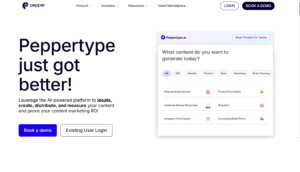
overview
Pros
- Fast content generation
- Multiple content formats
- Easy to use
- Good for teams
- Scalable output
Cons
- Limited personalization
- No deep analytics
- Subscription required
- Email not main focus
- Repetitive phrasing
Pricing
-
Paid plans start around $35/month
8) SmartWriter
overview
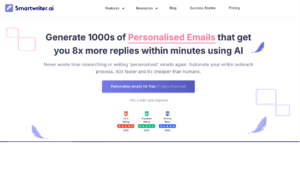
SmartWriter specializes in creating unique and personalized sales emails by leveraging a variety of publicly available data sources. It focuses on making each communication distinct and relevant, complete with personalized icebreakers and targeted content.
Primarily concentrating on email copy for cold outreach, SmartWriter offers a range of templates specifically designed for this purpose. These templates are crafted to help users make a lasting impression and establish a meaningful connection with their target audience.
Key Features:
- Personalized Email Generation: Creates customized emails for each prospect.
- Focused on Cold Outreach: Specializes in cold email content and LinkedIn outreach messages.
- Data-Driven Personalization: Uses public data to tailor emails to individual recipients.
- Integration with Outreach Platforms: Compatible with platforms like Lemlist, Reply, Mailshake, and Woodpecker.
- Automated SEO Backlink Outreach: Assists in generating outreach content for SEO purposes.
SmartWriter’s ability to generate personalized emails and integrate with popular outreach platforms makes it a powerful tool for those aiming to enhance their email marketing and outreach strategies with a personal touch.
Pros
- Highly personalized emails
- Great for cold outreach
- Strong sales focus
- Useful integrations
- Saves outreach time
Cons
- Limited creative use
- Narrow use cases
- Requires setup
- Paid plans needed
- Not for newsletters
Pricing
-
Paid plans start around $59/month
9) Rytr
overview
Pros
- Budget-friendly
- Multi-language support
- Easy to use
- Good template variety
- Plagiarism detection
Cons
- Limited integrations
- Basic UI
- No analytics
- Needs editing
- Not enterprise-ready
Pricing
- Free plan available
- Paid plans start around $9/month
10) Anyword
overview
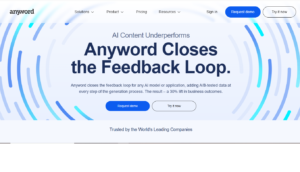
Anyword is distinguished as the first AI-powered copywriting tool to introduce a Predictive Performance Score, a feature that evaluates the potential of AI-generated content to engage with audiences. This innovative approach adds a strategic layer to content creation, helping users gauge the effectiveness of their communications.
Alongside its unique performance scoring feature, Anyword also provides a variety of generators, including cold email, sales email, and content marketing tools. These facilities enable users to generate email copy that is not only compelling but also optimized for audience engagement.
Key Features:
- Predictive Performance Score: Evaluates and predicts content engagement potential.
- Diverse Email Generators: Includes tools for cold emails, sales emails, and more.
- Content Marketing Tool: Assists in creating effective marketing content.
- Multi-Language Generation: Capable of producing content in multiple languages.
- AI-Powered Flexibility: Utilizes GPT-3 and other AI technologies for versatile content creation.
Anyword’s capacity to predict the engagement level of AI-generated content sets it apart, offering users valuable insights into the potential impact of their email campaigns.
Pros
- Data-backed content insights
- Strong conversion focus
- High-quality outputs
- Marketing-friendly
- Scalable for teams
Cons
- Expensive pricing
- Limited free access
- Learning curve
- Overkill for beginners
- Requires strategy knowledge
Pricing
-
Paid plans start around $39/month
Conclusion
AI email generators have transformed the way individuals and businesses communicate in 2026. With growing demands for speed, personalization, and consistency, these tools help users write high-quality emails without starting from scratch. The Best AI Email Generators not only save time but also improve tone, clarity, and engagement across different email types. Whether you need quick replies, marketing campaigns, or professional outreach, there is an AI tool suited to every workflow. Choosing the right solution depends on your goals, email volume, and level of customization required.
Frequently Asked Questions (FAQs)
Can AI email generators be used for professional and business emails?
Yes, AI email generators are widely used for professional communication, including sales outreach, customer support, and internal emails. They help maintain a formal and consistent tone while reducing writing time. Most tools allow tone customization to match business needs. Human review is still recommended before sending.
Are AI email generators suitable for marketing campaigns?
AI email generators work very well for marketing campaigns, including newsletters, promotions, and follow-ups. They help structure emails clearly and include effective calls to action. Many tools are designed specifically for campaign-focused writing. This makes them valuable for marketers and growth teams.
Do AI email generators improve email response rates?
AI-generated emails can improve response rates by using clear language, proper structure, and personalization. These tools help avoid common mistakes like overly long or unclear messages. When combined with good subject lines, they often increase engagement. Results improve further with manual fine-tuning.
Can beginners use AI email generators easily?
Yes, most AI email generators are beginner-friendly and require little to no technical knowledge. Users simply enter basic details such as purpose and tone. The AI handles the writing process automatically. This makes them ideal for students, freelancers, and small businesses.
Are free AI email generators reliable?
Free AI email generators can produce good-quality drafts for basic needs. They are suitable for short emails, replies, and simple communication. However, paid tools usually offer better customization, templates, and collaboration features. The choice depends on how frequently you write emails and your level of complexity.
