
Looking to create a professional headshot without spending hundreds on a photographer or studio? In 2026, AI headshot generators make it easier than ever to get polished, realistic portraits in just minutes. Whether it’s for LinkedIn, resumes, company websites, or personal branding, these AI tools can turn a few selfies into professional-grade images instantly.
Why spend hours editing photos when AI can handle retouching, lighting adjustments, background changes, and more automatically? These tools save time, reduce costs, and deliver consistent, high-quality results—perfect for professionals, freelancers, entrepreneurs, and teams.
With customizable options for backgrounds, expressions, clothing, and lighting, you can create a look that matches your personal or corporate brand effortlessly. From formal corporate styles to creative casual shots or unified team photos, AI headshot generators make maintaining a professional visual identity simple.
Here’s a curated list of the 10 Best AI Headshot Generators in 2026, selected for realism, quality, and ease of use.
What Are AI Headshot Generators?
AI headshot generators are advanced platforms that leverage artificial intelligence to create professional-quality portraits from selfies or uploaded images. By analyzing facial features, expressions, lighting, and angles, these tools generate realistic and polished headshots that can be customized with different outfits, backgrounds, and styles. Unlike traditional photography, AI headshot generators remove the need for studios, cameras, or professional photographers, offering a fast, cost-effective, and convenient solution. Users can produce multiple versions of their headshots, ensuring the images are perfect for resumes, LinkedIn profiles, company websites, social media, or team branding. With a focus on realism, consistency, and efficiency, AI headshot generators have become an essential tool for modern professionals looking to maintain a polished online presence.
Why AI Headshot Generators Are Important in 2026
The digital-first professional environment has made personal branding more important than ever. Recruiters, clients, and employers often form first impressions based on online profiles. AI headshot generators help individuals present themselves professionally without logistical barriers.
These tools save time, reduce costs, and provide consistent visual branding. They are particularly useful for remote teams, startups, and freelancers who need uniform headshots across multiple platforms. AI headshot generators also allow easy updates, making it simple to refresh profiles when roles or branding change.
In 2026, the demand for speed, flexibility, and affordability has made AI headshot generators an essential professional tool rather than a luxury.
How Do AI Headshot Generators Work?
AI headshot generators follow a structured process designed to ensure realism and quality. The workflow typically includes image analysis, enhancement, and generation using trained AI models.
Image Upload and Data Collection
Users upload selfies or existing photos taken from different angles. These images help the AI understand facial structure, proportions, and expressions. Most platforms recommend clear lighting and neutral expressions for optimal results.
Facial Feature Analysis
The AI detects key facial elements such as eyes, nose, jawline, skin tone, and hair texture. Advanced models ensure accuracy while preserving the natural look of the user.
Style and Outfit Selection
Users select professional styles, backgrounds, and outfits. Some tools offer industry-specific looks, such as corporate, executive, or creative styles.
AI Image Generation
The system generates multiple headshots in high resolution. These images are designed to look like professionally photographed portraits.
Optional Editing and Refinement
Some platforms provide manual edits, retouching, or human review to further enhance the final output.
Key Features to Look for in AI Headshot Generators
When choosing among the Best AI Headshot Generators in 2026, users should consider several important features.
- Realistic facial rendering
- High-resolution image output
- Multiple outfit and background options
- Fast processing time
- Commercial usage rights
- Data privacy and automatic image deletion
- Team and enterprise support
- Easy-to-use interface
These features ensure the tool meets professional standards and long-term branding needs.
Why Use AI Headshot Generators?
AI headshot generators offer numerous benefits for professionals in 2026:
- Time Efficiency: Create polished headshots in minutes instead of scheduling photoshoots.
- Cost Savings: Avoid paying for professional photographers, studios, or equipment.
- Consistency: Generate multiple images with uniform lighting, background, and style for teams or personal branding.
- Customization: Adjust outfits, backgrounds, and expressions according to your brand or role.
- Accessibility: No prior photography skills are needed, making it easy for anyone to get professional-quality results.
These advantages make AI headshot generators an essential tool for job seekers, freelancers, and businesses seeking high-quality visuals without logistical hassle.
Common Mistakes to Avoid When Using AI Headshot Generators
While AI headshot generators are powerful and easy to use, many users make simple mistakes that affect final results. One common mistake is uploading low-quality or poorly lit selfies. Blurry images, harsh shadows, or extreme angles reduce facial accuracy and realism. For best results, users should upload clear photos taken in natural lighting with a neutral background and relaxed facial expressions.
Another mistake is overusing filters or unrealistic styles. Choosing outfits or backgrounds that do not match your professional role can make the headshot look artificial. Corporate professionals should stick to clean, formal styles, while creatives may choose modern but still professional options. Selecting styles that align with your industry ensures the headshot feels authentic and trustworthy.
Ignoring platform guidelines is another issue. LinkedIn, company websites, and resumes all require slightly different image styles and crops. Users should generate multiple variations to ensure the headshot fits each platform properly. Relying on a single image for all use cases may limit flexibility and effectiveness.
10 Best AI Headshot Generators in 2026
Here are the 10 Best AI Headshot Generators in 2026 that help professionals, freelancers, and teams create realistic, studio-quality headshots quickly and easily. These platforms combine speed, customization, and high-quality results, making them ideal for LinkedIn, resumes, company websites, and personal branding.
- Aragon
- BetterPic
- The Multiverse AI
- Headpix
- HeadshotPro
- Profile Bakery
- Vidnoz Headshot Generator
- Insta Headshots
- Secta Labs
- Portrait Pal
1) Aragon
overview
In today’s visually-driven digital world, Aragon shines as the go-to solution for anyone looking to create a flawless professional image. Using advanced artificial intelligence, this tool transforms ordinary snapshots into studio-quality headshots in just 30 minutes. By analyzing 14 uploaded images, Aragon’s AI learns your unique facial features and generates headshots that not only resemble you but highlight your best traits.
A strong, professional profile picture is crucial in competitive spaces like LinkedIn, where first impressions matter. Aragon ensures you always present your best self online, reducing the risk of missed opportunities due to subpar photos. Security and privacy are also top priorities—Aragon uses AES256 encryption and complies with high-standard certifications to keep your personal data fully protected.
Key Features:
- Rapid retouching and headshot creation in 30 minutes
- Recommended 14 images for accurate AI training
- AES256 encryption for secure data protection
- Strict no-sell privacy policy to safeguard personal information
Pros
- Fast turnaround time
- High-quality, realistic output
- Easy-to-use interface
- Secure and privacy-focused
- Great for professional branding
Cons
- Requires 14 photos for best results
- Limited style options
- Only headshots (no full-body options)
- Subscription may be pricey for casual users
- No in-app editing tools
Pricing
- Starts at $29/month
2) BetterPic
overview
BetterPic offers a cutting-edge AI solution for creating 4K professional headshots without needing a photographer or studio. With more than 150 styles available, users can generate high-quality images in under an hour, perfect for LinkedIn profiles, business cards, and other professional uses.
The platform guarantees realistic, studio-quality results while prioritizing user privacy. Fully compliant with GDPR and CCPA standards, BetterPic ensures data protection while saving both time and money. Users can further refine their images with manual edits and redos, and even opt for expert photo adjustments through the Human Edit feature for flawless results.
With pricing that is more affordable than traditional photoshoots, BetterPic provides flexible packages to suit individual or business needs, making professional-grade headshots fast, easy, and accessible.
Key Features:
- AI-generated 4K professional headshots without a studio or photographer
- Choose from 150+ styles with images ready in under an hour
- Strict adherence to GDPR and CCPA data protection standards
- Options for manual edits, redos, and high-quality adjustments
- Human Edit feature for expert-level photo refinement
Pros
- Quick 4K output
- Extensive style variety
- GDPR-compliant and secure
- Human editing option
- Ideal for corporate and individual use
Cons
- Subscription required for full access
- Human edit adds extra cost
- May require trial to find best style
- Limited free options
- No batch processing
Pricing
- $19–$99 per package
3) The Multiverse AI
overview
The Multiverse AI platform excels as a premium AI-powered headshot generator, celebrated for its ability to produce highly realistic portraits with meticulous attention to detail. The system refines every aspect of an image, from ambient lighting and skin textures to facial features like hair, eyes, and teeth, ensuring professional-quality results.
Trusted by industry leaders, Multiverse AI has become the go-to tool for high-ranking professionals, including Senior Directors, AI department heads, and innovative entrepreneurs. Prestigious organizations such as Google, McKinsey, and Forbes have also relied on its advanced technology.
The platform includes an Upscale feature that sharpens images for superior resolution, smoothing out subtle imperfections while maintaining a lifelike appearance. Its user-friendly approach eliminates the need for account creation or software downloads. Users can simply upload photos, make quick edits in-app, and receive polished headshots—usually set against a clean, white backdrop suitable for professional use.
Key Features:
- One-Time Fee for comprehensive service
- Generate 100 custom headshots per package
- Produces realistic, high-quality portraits
- Trusted and used by professionals at top enterprises
Pros
- Produces lifelike results
- High-resolution output
- Professional-grade without studio
- Easy, no-install workflow
- Trusted by top professionals
Cons
- One-time fee may be high
- Limited free previews
- Style variety not extensive
- No batch editing
- No video or animated options
Pricing
- One-time fee: $199 for 100 headshots
4) Headpix
overview
Headpix is a top-tier AI headshot generator, renowned for its ability to deliver high-resolution, professional-quality digital portraits. Leveraging advanced neural networks and machine learning algorithms, the platform creates a wide variety of realistic and visually appealing headshots tailored to individual preferences.
With the Starter package, users can upload their photos and select from an extensive range of styles, generating up to 100 unique high-resolution headshots. For those seeking a more extensive collection, the Premium package offers up to 300 headshots, accommodating diverse professional and personal requirements.
Key Features:
- Generate up to 300 high-res AI headshots with varied styles
- Wide range of aesthetic options powered by neural networks
- Flexible indoor and outdoor background settings
- Enhanced, vibrant image quality for professional use
- Perfect for building a top-tier digital presence
Pros
- High quantity of headshots
- Diverse style options
- Professional-quality output
- Easy to use
- Versatile backgrounds
Cons
- Premium plan required for max headshots
- Limited editing tools
- May take time to select best shots
- No human touch for final adjustments
- Subscription-based
Pricing
- $49/month (Starter), $99/month (Premium)
5) HeadshotPro
overview
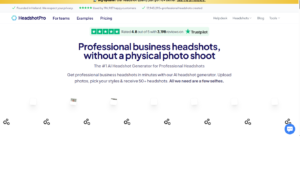
HeadshotPro redefines professional photography by offering an AI-powered solution that delivers studio-quality headshots for everyone. By analyzing user-provided photos, the AI generates images that are remarkably realistic, eliminating the need for physical photoshoots or dealing with inconsistent lighting. With HeadshotPro, users can achieve precision and perfection in every shot.
A standout feature of HeadshotPro is its team capabilities, allowing organizations to onboard colleagues and create a consistent visual brand identity across all profiles. The platform can produce over 120 headshots per individual, each meticulously optimized for color, focus, and lighting. Coupled with extensive customization options for backgrounds, clothing, and poses, HeadshotPro offers unparalleled flexibility and control.
Key Features:
- Supports team headshots for cohesive branding
- Generates 120+ optimized headshots per person
- Advanced photo enhancement for color, focus, and lighting
- Extensive customization with backgrounds, outfits, and poses
- Full user ownership with instant delete options
Pros
- Perfect for team branding
- High number of headshots
- Professional-quality images
- Fully customizable
- Secure and user-friendly
Cons
- Costly for individual users
- Subscription required
- Limited free trial options
- No 3D or animated portraits
- Complex for casual users
Pricing
- $79/month (Individual), $199/month (Team)
6) Secta Labs
overview
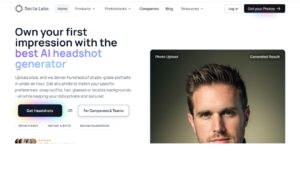
Secta Labs offers takes up to 25 of your favorite regular photos and generates 100s of professional looking headshots in less than an hour. You’ll get headshots with professional and casual with many styles from indoor, outdoor, color splash and all images will have a professional feel. Expect to get around 20-150 usable images.
They also offer an option to remix headshots, these remix offerings help you take your generated images to the next level. It gives you the ability to create a variety of new photos with many different clothing styles, backgrounds or expressions.
Features:
- Remix mode enables easy customization
- Try out different poses, clothe, and backgrounds
- Recolor images functionality
- Offers realistic portraits
Pros
- High-volume headshots quickly
- Extensive customization options
- Easy variations and edits
- Professional-quality output
- Suitable for both casual and corporate use
Cons
- May require many initial photos
- Learning curve for advanced features
- No mobile app
- Premium features cost extra
- Limited free tier
Pricing
- $49–$149 per package
7) Profile Bakery
overview
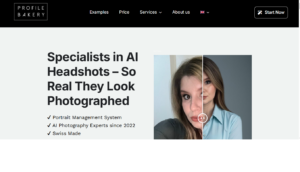
Profile Bakery excels in AI-driven headshot generation, offering a smooth and intuitive experience for individuals and corporate teams alike. The platform provides an extensive selection of styles, backdrops, and nuanced shots to meet diverse professional needs. To get started, users simply upload 6 to 15 photos, which the AI then processes to generate a wide variety of high-quality headshot options.
What sets Profile Bakery apart is its blend of cutting-edge AI technology with professional photography expertise. This combination ensures each image is both realistic and visually striking. With a variety of hairstyles, outfits, and customizable tools, users can create not just a standard headshot, but a perfectly polished professional portrait that reflects their unique identity.
Key Features:
- Seamless interface requiring only 6-15 photos
- Combines AI innovation with professional photography insights
- Wide range of styles, backdrops, and shot options
- Direct export to Google Drive for easy access
- Tools to enhance photo quality for maximum impact
- Ideal for organizations updating member profiles
Pros
- Authentic, lifelike results
- Diverse options for styles and shots
- Easy to use
- Quick processing
- Ideal for teams and individuals
Cons
- Limited to 15 input photos
- Some advanced editing features lacking
- No batch editing for large teams
- Free version limited
- Background removal requires upgrade
Pricing
- $29–$99 per package
8) Vidnoz Headshot Generator
overview
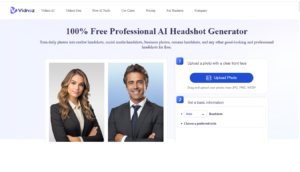
Vidnoz Headshot Generator is a premium AI tool designed to deliver professional-grade headshots with flexibility and precision. The platform provides a variety of options, allowing users to select 5 to 22 styles and generate anywhere from 40 to 220 headshots in total. This ensures every user can create the perfect portrait tailored to their professional needs.
With Vidnoz, users can easily customize clothing, poses, expressions, and backdrops, producing lifelike and highly polished images. The platform generates all selected headshots simultaneously, and users can preview and save their preferred images instantly.
By using Vidnoz, individuals and organizations benefit not only from advanced AI technology but also from years of expertise in high-quality digital imaging. The result is a set of headshots that are realistic, detailed, and ready for professional use.
Key Features:
- 40+ styles: Customize clothes, poses, expressions, and backdrops
- Flexible packages: Choose from Starter, Normal, or Premium options
- Realistic portraits: High-quality, lifelike AI-generated images
Pros
- High variety of styles
- Flexible pricing options
- Realistic portraits
- Fast AI generation
- Easy-to-use platform
Cons
- Advanced features in premium plans
- Limited free version
- May require multiple attempts for perfection
- Editing tools are basic
- No team collaboration features
Pricing
- $29–$199 per package
9) Insta Headshots
overview
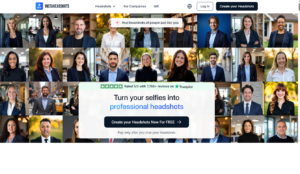
Insta Headshots is a cutting-edge AI tool that allows users to generate up to 200+ professional-quality headshots across 100+ different styles. Designed for efficiency and precision, it is ideal for professionals looking to enhance their digital presence quickly and effectively.
The platform leverages advanced AI technology to craft lifelike portraits with meticulous attention to detail, including ambient lighting, skin textures, and facial features such as hair, eyes, and teeth. Users can create a wide variety of images with different clothing styles, backgrounds, and expressions, all within a rapid turnaround time of under 90 minutes.
Key Features:
- Up to 200+ headshots in a single session
- 100+ styles including clothing, backgrounds, and poses
- Realistic, high-quality portraits with AI-driven precision
Pros
- Large number of headshots
- Quick delivery
- Professional and realistic
- Multiple style options
- Easy to use
Cons
- Free tier limited
- Premium features cost extra
- Not ideal for small casual users
- No batch editing
- Some minor customization limitations
Pricing
- $39–$149 per package
10) Portrait Pal
Overview
This platform is counted among the Best AI Headshot Generators in 2026 for creating professional, studio-quality portraits without a physical photoshoot. It uses advanced AI models to analyze facial features, lighting, and expressions from uploaded selfies. The system then generates polished headshots with realistic outfits and backgrounds. These images are suitable for LinkedIn, resumes, company websites, and personal branding. The tool focuses on speed, realism, and ease of use. It is designed for individuals as well as teams.
Key Features:
- Free test generator
- Budget-friendly plans
- Realistic facial output
- Automatic data deletion
- Simple process
Pros
- Affordable pricing
- Easy to use
- Natural-looking images
- No long commitments
- Good for LinkedIn
Cons
- Fixed resolution
- Limited customization
- Slower lower-tier plans
- Small style library
- Not ideal for teams
Pricing
Low-cost one-time packages with free testing option.
Conclusion
In 2026, AI headshot generators have revolutionized professional branding by making studio-quality portraits accessible to everyone. These tools combine speed, realism, and ease of use, allowing individuals, freelancers, and teams to generate polished headshots without expensive equipment or in-person photoshoots.
Whether you need a LinkedIn profile picture, a resume photo, or corporate branding images, the Best AI Headshot Generators ensure consistent, high-quality results with minimal effort. With a variety of pricing options, styles, and customization features, these AI platforms cater to both beginners and professionals looking for efficiency and quality. Investing in one of these tools can save time, reduce costs, and enhance personal or company branding in today’s digital-first professional world.
Frequently Asked Questions (FAQs)
Can I Use AI Headshot Generators for LinkedIn Profiles?
Yes, AI headshot generators are perfect for LinkedIn and other professional platforms. They create realistic, high-quality images that match professional standards. Users can customize outfits, backgrounds, and expressions for a polished look. Many tools offer quick generation, making it easy to update your profile regularly. These headshots help enhance personal branding and first impressions online.
Are AI Headshot Generators Safe and Private?
Most AI headshot platforms prioritize user privacy and data security. Uploaded photos are often encrypted, and some tools automatically delete images after processing. Certain platforms also provide privacy-focused settings to prevent unauthorized use. Always check the platform’s privacy policy before uploading. This ensures your photos remain secure and confidential.
Do I Need Professional Photography Skills?
No photography skills are required to use AI headshot generators. The AI handles lighting, facial analysis, and background selection automatically. Users simply upload selfies or images and select styles or preferences. The process is designed to be beginner-friendly and efficient. Even novices can achieve polished, professional-quality results without experience.
Can Teams or Companies Use These Tools?
Yes, many AI headshot generators offer team or enterprise plans. These ensure consistent styles and backgrounds across multiple employees. Corporate branding can be maintained, and bulk image generation is supported. Some platforms also provide team management features and batch processing. This makes it ideal for companies, agencies, or startups needing uniform headshots.
Are AI Headshots Expensive?
AI headshot pricing varies by platform, image count, and features. Some offer free basic versions with limited edits, while others have one-time or tiered plans. Premium features like express delivery, multiple styles, or team packages may cost more. Overall, AI-generated headshots are far more affordable than professional studio photography. They provide a cost-effective solution for high-quality professional images.
