
Ever found the perfect photo—only to realize it’s too blurry or pixelated to use? I’ve been there too, and honestly, it’s frustrating. When an image looks great but lacks quality, it can ruin your entire project. We all face this problem at some point.
The good news? You don’t have to give up on those images anymore. Today, I’ve rounded up some of the most searched AI image upscaler tools, including Pixelbin, Upscale.media, Fotor, and several others that can instantly enhance image quality using artificial intelligence.
Unlike traditional resizing that simply stretches pixels, these AI-powered tools rebuild missing details, sharpen edges, and reduce noise—giving your photos a clean, high-resolution look in just a few clicks.
Dive into this blog to discover the best AI image enhancer & upscaler tools and learn how to upscale images effortlessly—no technical skills, no complicated steps, just stunning results.
What are AI image enhancers and upscalers?
AI image enhancers and upscalers are tools that use artificial intelligence to improve the quality of images automatically.
In simple words, they help make blurry, low-resolution, or pixelated images look clear, sharp, and high-quality. Instead of just enlarging an image and stretching the pixels, these tools analyze the photo and intelligently add missing details.
AI image enhancers can:
- Increase image resolution without losing quality
- Sharpen edges and textures
- Reduce noise and blur
- Improve colors and overall clarity
These tools learn from millions of high-quality images, so they can predict what details should look like and recreate them accurately. That’s why the final image looks more natural and professional.
AI image enhancers and upscalers are helpful for photographers, designers, marketers, e-commerce sellers, and content creators who want better image quality without complex editing or technical skills.
How Do AI Image Enhancers and Upscalers Work?
AI image enhancers and upscalers use artificial intelligence and deep learning models to improve image quality automatically. They are trained on millions of high-resolution images to understand how details, textures, colors, and edges should look.
When you upload a low-quality or small image, the AI:
- Analyzes the image pixels to identify objects, faces, text, and backgrounds
- Predicts missing details based on patterns it learned during training
- Adds sharpness and clarity without making the image look artificial
- Reduces noise, blur, and compression artifacts
- Increases resolution (upscaling) by generating new pixels instead of stretching existing ones
Unlike traditional upscaling, which simply enlarges images and causes blur, AI upscalers intelligently recreate details, making images look cleaner and more natural—even at higher resolutions.
In short, AI image enhancers don’t just resize images; they understand and rebuild visual details to deliver sharper, clearer, and more realistic results.
How We Choose the Best AI Image Enhancer and Upscaler Tools?
To make sure this list is reliable and useful for all types of users, I followed a clear and fair selection process. Each tool was carefully tested and compared using real-world images and practical use cases.
Criteria Used for Ranking
While evaluating each tool, I focused on the following key factors:
- Output Quality: How sharp, clear, and natural the image looks after upscaling
- Speed & Performance: How fast the tool processes images without errors or delays
- AI Sophistication: How well the AI restores details instead of just enlarging pixels
- Ease of Use: How simple and beginner-friendly the interface is
- Pricing: Whether the tool offers good value through free, freemium, or paid plans
- Platform Support: Availability on web, desktop, and mobile devices
What I Looked for When Selecting These Tools
To keep the list balanced and accessible, I included a mix of free, freemium, and paid tools so both casual users and professionals can find a suitable option.
Each tool was tested on different image types, including:
- Portrait photos
- Product images
- Illustrations and graphics
I evaluated every tool based on:
- Image quality after upscaling
- User interface and ease of navigation
- Processing speed
- Extra features (like noise reduction or batch processing)
- Overall value for money
To ensure a fair comparison, the same image was used across all tools.
Testing Methodology
For consistent results, I followed a simple and practical testing method:
- Uploaded a low-resolution image
- Upscaled it at 2× and 4×, and 8× where supported
- Compared before-and-after results based on:
- Sharpness
- Clarity
- Edge handling
- Overall visual improvement
- Noted processing time, export quality, and supported download formats
- Tested both browser and mobile app versions (when available) to evaluate cross-platform performance
This approach helped ensure that every tool on this list delivers real value, reliable results, and a smooth user experience.
Top 10 AI Image Enhancer and Upscaler Tools in 2026
Below is a carefully selected list of the best AI image enhancer and upscaler tools based on image quality, performance, ease of use, pricing, and platform support.
- Pixelbin
- Upscale.media
- Pixelcut
- Picsart
- Fotor
- DeepImage
- Clipdrop by Jasper
- Cutout.pro
- Let’s Enhance
- VanceAI Image Upscaler
1. Pixelbin
Best for: Low-resolution images, e-commerce product photos, website visuals, and social media graphics.

Overview:
Pixelbin is a powerful yet easy-to-use AI image enhancer and upscaler that focuses on delivering high-quality results without complexity. In 2026, it stands out for its clean interface, fast processing, and reliable upscaling performance. Whether you’re improving a single image or handling bulk uploads, Pixelbin delivers sharp, professional results in seconds.
Key Features:
- AI-powered upscaling up to 2×, 4×, and 8×
- Texture-preserving enhancement for natural-looking results
- Batch processing for multiple images
- Photo restoration to reduce blur, noise, and compression
- API and SDK access for automation and large workflows
- Supports common formats like JPG, PNG, WEBP, and HEIC
Pros:
- Produces clear and sharp images without visible quality loss
- Very fast processing, even for high upscales
- Simple interface that requires no technical skills
- Excellent batch processing for heavy workloads
- Useful for both casual and professional use
Cons:
- Free credits are limited for frequent use
- Advanced features require a paid plan
Pricing:
- Free plan: Limited monthly credits after signup
- Pay-as-you-go: Credits starting from $9 (one-time billing)
- Lite plan: $6/month (billed yearly) with higher credit limits
- Pro plan: $21/month (billed yearly) with large credit volume and API access
- Enterprise plan: Custom pricing for high-volume and business needs
Ideal User:
Pixelbin is ideal for e-commerce sellers, marketers, bloggers, designers, and teams who need fast, reliable image upscaling without spending time on manual edits.
Why It Made the List:
Pixelbin earns its place for consistently delivering high-quality upscaled images, offering flexible pricing, and supporting both single-image edits and large-scale workflows—all while keeping the user experience simple and efficient.
2. Upscale.media
Best for: Quickly enhancing low-resolution images for social media, client previews, digital artwork, and online content.
Overview:
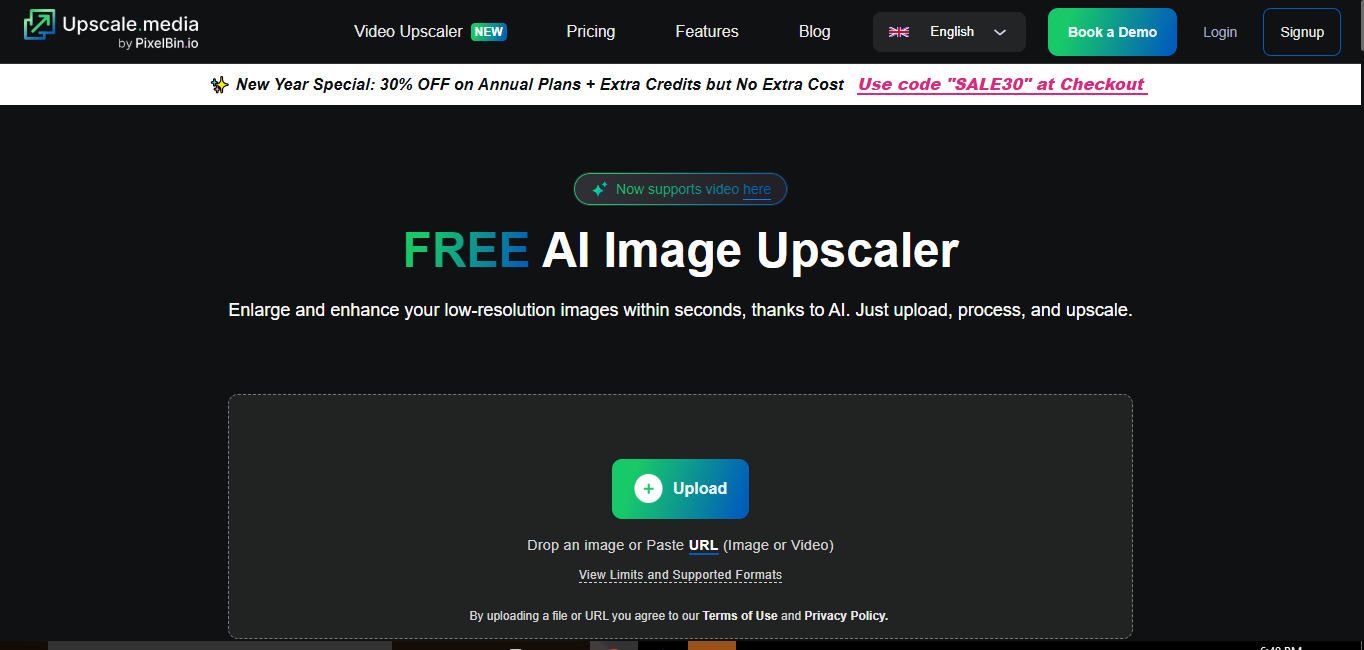
Upscale.media is a fast and intuitive AI image upscaler that delivers high-quality results in seconds. Its clean, beginner-friendly interface makes it easy to use on both desktop and mobile, requiring no sign-up for basic upscaling. In 2026, it stands out for speed, simplicity, and impressive AI-powered enhancements.
Key Features:
- Upscale images up to 8× without losing clarity
- Automatic noise reduction and color enhancement
- Drag-and-drop interface for effortless processing
- Supports JPG, PNG, HEIC, and BMP formats
- Mobile-friendly for iOS and Android
- API and bulk transformation options for business users
Pros:
- Extremely fast processing, delivering results in seconds
- Beginner-friendly with no clutter or complicated menus
- Free upscaling options without sign-up
- AI automatically improves sharpness, colors, and background noise
- Works well for digital art, illustrations, and photography
Cons:
- Free plan comes with limited monthly credits
- Advanced features require a paid subscription for larger workloads
Pricing:
- Free plan: 3 free credits and downloads per month
- Subscription plan: $0.03–$0.02 per credit, billed yearly
- One-time payment: $0.12–$0.08 per credit depending on credit volume
- Enterprise plan: Custom pricing for large-scale or commercial use
Ideal User:
Upscale.media is ideal for artists, photographers, e-commerce sellers, marketers, and freelancers who need high-resolution images quickly, without complex editing.
Why It Made the List:
Upscale.media is included for its combination of speed, simplicity, and AI precision. It allows users to upscale images up to 8× effortlessly, automatically enhancing details and reducing noise, making it perfect for both casual users and professionals who need publication-ready results fast.
3. Pixelcut
Best for: Product photos, digital artwork, website visuals, social media graphics, and creators needing quick, high-resolution results.
Overview:
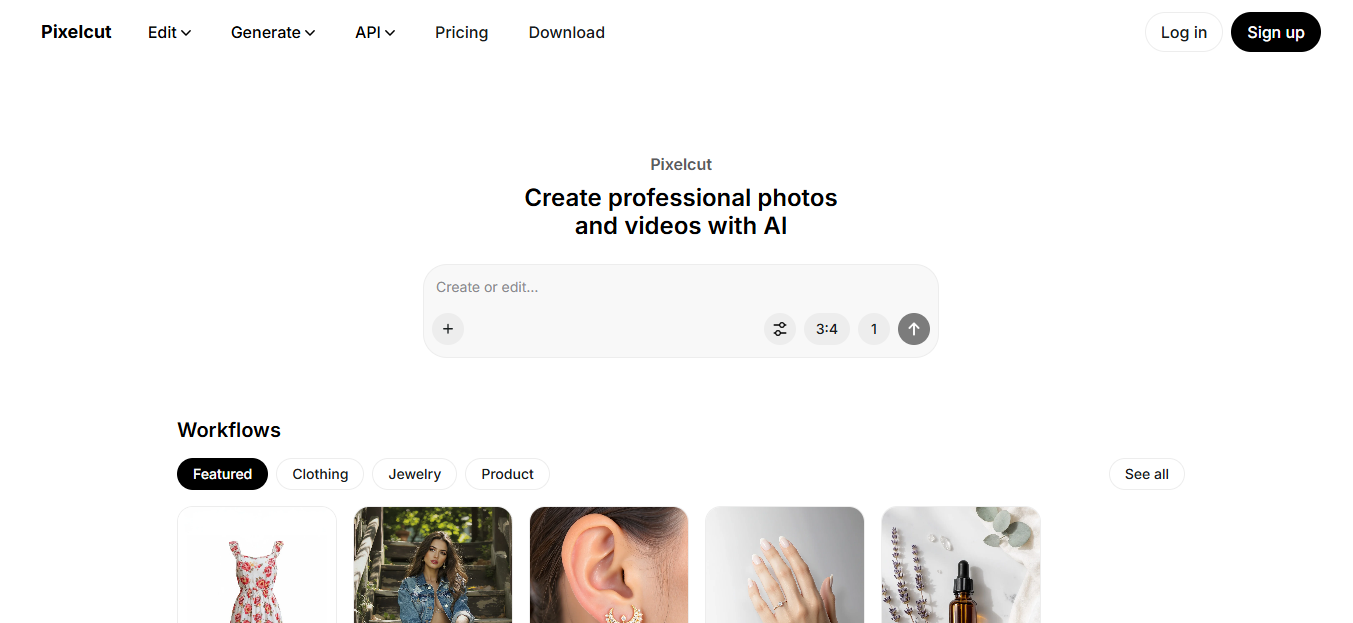
Pixelcut is a beginner-friendly AI image upscaler designed to enhance images instantly. With a fast, clean interface, it lets users upscale images up to 16K, restore textures, and maintain natural details. In 2026, it stands out for its simplicity, mobile compatibility, and creative enhancement options, making it ideal for both casual users and professionals.
Key Features:
- AI upscaling up to 16K for ultra-high-resolution images
- Creative Upscale option for artistic adjustments
- Batch upscaling for multiple images at once
- Automatic enhancement of colors, textures, and edges
- Mobile-friendly on iOS and Android
- API integration for developers and businesses
- Additional AI tools for background removal, retouching, and expansion
Pros:
- Produces sharp, natural-looking images without over-processing
- Extremely easy-to-use interface with one-click upscaling
- Supports large-scale batch processing
- Flexible creative controls for artistic or realistic results
- Works directly in browser—no downloads or sign-ups required for basic features
Cons:
- Free plan has limited access to advanced AI features
- Higher-resolution or large batch processing requires a paid plan
Pricing:
- Free plan: Free background removal, free upscaling, and export without watermark
- Pro plan: $10/month; unlimited AI edits, 600 credits monthly, 1 concurrent generation
- Pro+ plan: $30/month; unlimited AI edits, 3,600 credits monthly, 4 concurrent generations
- Max plan: $60/month; unlimited AI edits, 9,000 credits monthly, 8 concurrent generations, commercial license
Ideal User:
Pixelcut is ideal for creators, e-commerce sellers, marketers, photographers, and designers who need fast, high-quality image upscaling and additional AI editing tools in one platform.
Why It Made the List:
Pixelcut earned a spot for its speed, versatility, and creative AI enhancements. It allows users to upscale images up to 16K while preserving realistic details and textures, offers batch processing, and combines multiple editing tools in a single platform—perfect for anyone looking for studio-quality results with minimal effort.
4. Picsart
Best for: Content creators, marketers, designers, and social media visuals needing quick, high-quality AI upscaling and image enhancement.
Overview:
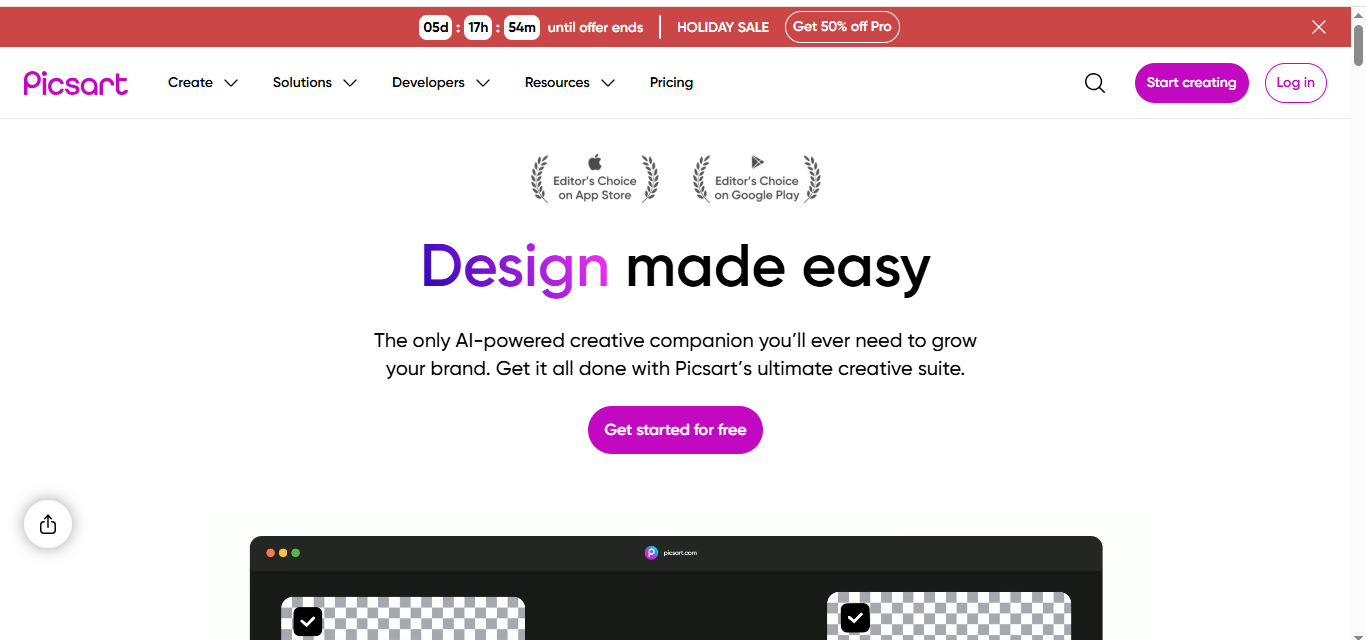
Picsart’s AI Upscaler is part of its complete creative suite, allowing users to enhance images instantly while leveraging other AI editing tools. It supports upscaling up to 4× on free plans, providing crisp edges, sharper textures, and vibrant colors without over-processing. Web-based and mobile-friendly, Picsart is suitable for both beginners and professionals who want to quickly transform low-resolution images into high-quality visuals.
Key Features:
- AI upscaling up to 4× (higher with paid plans)
- Sharpening, noise reduction, and color enhancement
- Supports JPG and PNG image formats
- Web-based with no software installation required
- Access to a full suite of AI editing tools: background remover, object remover, image enhancer, and collage maker
- Cloud storage for images (5–20 GB depending on plan)
- Batch editing for multiple images at once
Pros:
- Intuitive and easy-to-use interface for beginners
- Integrates editing and upscaling in a single platform
- Mobile and web access, no downloads necessary
- Free plan available for basic upscaling and editing
- Access to millions of stock images, templates, and generative AI tools
Cons:
- Free plan limits advanced upscaling and AI tools
- Higher-tier plans required for larger batch processing and additional AI features
Pricing:
- Free plan: $0/month; includes basic upscaling, free exports, and limited AI editing tools
- Picsart Plus: $5/month or $60/year; premium templates, 200 AI credits/month, 5 GB cloud storage
- Picsart Pro: $7/month or $84/year; access to 15+ AI tools, bulk editing up to 50 images, 20 GB cloud storage per seat
Ideal User:
Picsart is perfect for freelancers, marketers, designers, and social media managers who want to upscale and enhance images quickly while using a full creative suite for editing, collages, and content generation.
Why It Made the List:
Picsart earned a spot for its combination of AI-powered upscaling and comprehensive creative tools. It provides clean, sharp results quickly while also offering advanced AI editing, batch processing, and cloud storage—making it a versatile choice for personal, professional, and e-commerce projects.
5. Fotor
Best for: Photographers, bloggers, marketers, and content creators looking to quickly enhance pixelated or slightly blurry images.
Overview:
Fotor is an AI-powered online photo editor and image upscaler that improves image sharpness, reduces blur, and enhances textures instantly. It supports upscaling up to 8×, with the free plan offering 2× upscaling. With a single click, users can transform low-resolution photos into high-quality images suitable for social media, blogs, e-commerce, or professional projects. Its intuitive interface and built-in AI tools make it accessible for both beginners and professionals.
Key Features:
- AI upscaling up to 8× (2× free)
- Noise reduction and automatic image enhancement
- Before-and-after preview to compare results
- Fast processing even at higher scales
- Batch editing for multiple images
- AI tools: Background remover, Object remover, Photo enhancer, AI Image Generator, AI avatar, AI expand
- Customizable design templates, filters, and effects
- Cloud storage for projects (2–10 GB depending on plan)
Pros:
- One-click upscaling and enhancement
- Quick and efficient processing
- Web-based and mobile-friendly
- Includes advanced AI editing features
- Free version available for basic edits and upscaling
Cons:
- Free plan limited to 2× upscaling and may include watermarks
- Higher-tier features require Pro or Pro+ subscription
Pricing:
- Fotor Free: $0/month; basic photo editing, 2× AI upscaling, limited AI tools, watermark included
- Fotor Pro: $3.33/month or $39.99/year; access to 4× upscaling, advanced AI tools, 100 AI credits/month, 2 GB cloud storage, watermark-free
- Fotor Pro+: $7.49/month or $89.99/year; 8× upscaling, AI batch editing, 300 AI credits/month, 10 GB cloud storage, brand kits, additional advanced AI features
Ideal User:
Fotor is ideal for bloggers, small business owners, designers, and social media managers who want to quickly improve image quality, remove objects or backgrounds, and apply creative enhancements without complex software.
Why It Made the List:
Fotor stands out for its ease of use, versatile AI tools, and ability to enhance images up to 8×. Whether you’re editing a single photo or managing multiple images in bulk, Fotor provides fast, high-quality results and a full suite of AI-driven creative tools for free or with affordable subscription plans.
6. DeepImage
Best for: Photographers, content creators, marketers, and businesses looking to upscale images, reduce noise, enhance faces, and correct lighting with AI.
Overview:
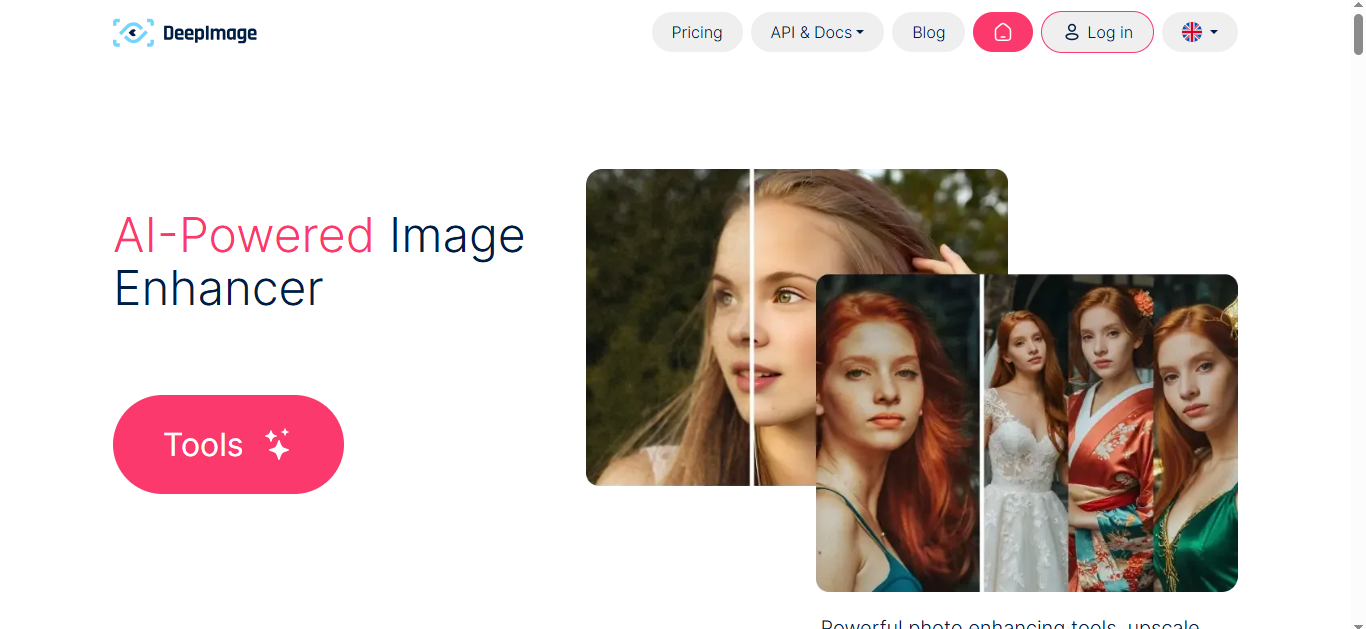
DeepImage is an AI-powered image enhancer and upscaler that improves sharpness, reduces blur, and restores textures while preserving natural details. It supports 2× and 4× upscaling, along with advanced features like face enhancement, batch processing, and lighting correction. With an intuitive interface and API access for developers, DeepImage is suitable for professional and creative projects, e-commerce, print, and social media visuals.
Key Features:
- AI upscaling up to 4× (2× and 4× available depending on plan)
- Noise reduction and blur removal
- Face enhancement for portraits
- Color and lighting correction in one click
- Batch processing for multiple images
- API access for automated workflows
- Background removal and swapping
- Support for JPG, JPEG, PNG formats
Pros:
- High-quality upscaling with natural results
- Fast processing, even in batch mode
- Advanced AI tools for editing and enhancement
- API integration for automated workflows
- Perfect for print-ready and professional images
Cons:
- Pay-as-you-go or subscription required for full features
- Free trials or limited credits only for testing
Pricing (1 image = 1 credit):
Pay-As-You-Go:
- Starts at $0.53/image (15 credits = $7.99)
- 1000 credits = $0.17/image ($169.99)
Subscription Plans (per month):
- 100 credits – $9.00 ($0.09/image)
- 500 credits – $39.00 ($0.08/image)
- 5000+ credits – $270+ ($0.05–$0.04/image)
Ideal User:
DeepImage is ideal for e-commerce sellers, real estate photographers, social media managers, designers, and businesses needing professional-quality image enhancement and batch processing. Its AI tools make it easy to upscale images, remove backgrounds, and refine details efficiently.
Why It Made the List:
DeepImage stands out for its versatile AI-powered tools, batch processing capabilities, and professional-grade results. Whether you need to upscale a single photo, enhance portraits, or process large sets of images for print or online use, DeepImage delivers fast, high-quality results with an easy-to-use interface.
7. Clipdrop by Jasper
Best for: Content creators, designers, marketers, and anyone needing high-quality image upscaling and restoration.
Overview:
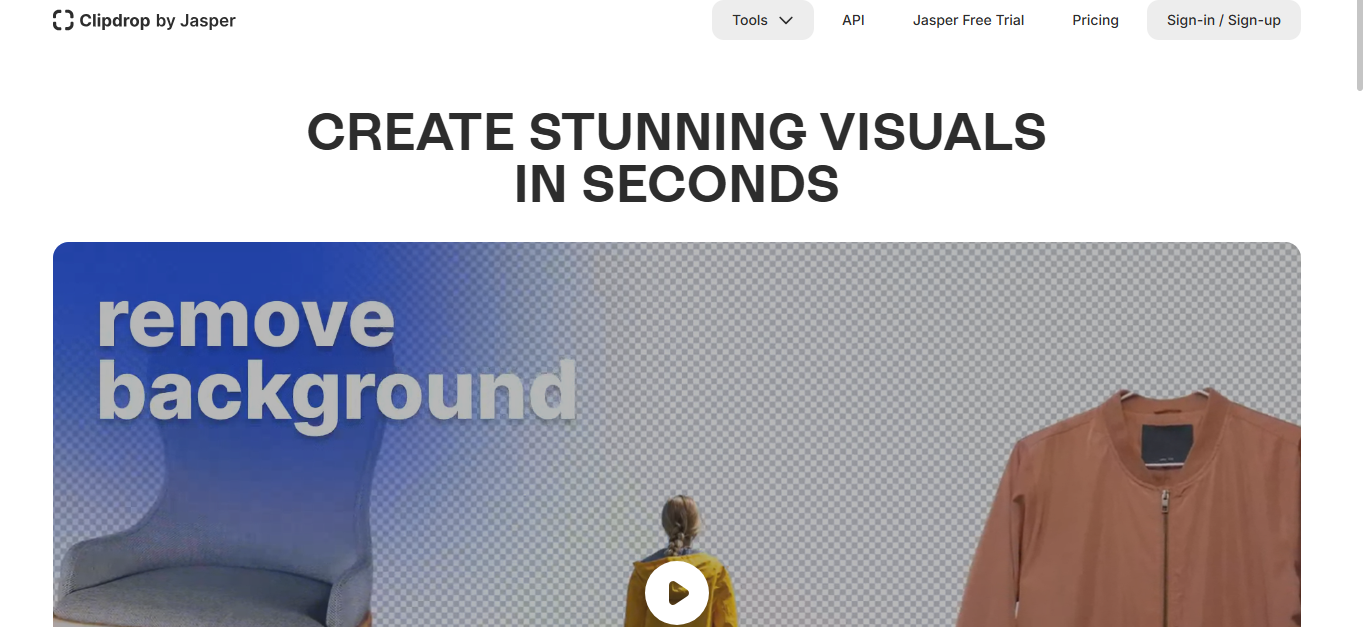
Clipdrop by Jasper is an AI-powered image upscaler that enlarges images while preserving details, reducing noise, and enhancing textures. It handles faded or compressed images exceptionally well, restoring clarity without over-sharpening. The tool supports JPG and PNG formats, offers a beginner-friendly interface, and works seamlessly on both desktop and mobile. Free users can upscale images up to 2× with a watermark, while paid plans unlock higher resolutions and additional AI tools.
Key Features:
- AI-powered upscaling (up to 2× free, higher resolutions with Pro)
- Noise reduction and detail restoration
- Supports JPG and PNG formats
- Beginner-friendly and mobile-compatible interface
- Free tier available with watermark
- Advanced Pro features: Background remover, Cleanup, Relight, Text remover, Reimagine, Replace background, Uncrop
- API access for integrating AI features into apps
Pros:
- Restores faded or low-quality images naturally
- Enhances textures and text readability without over-sharpening
- Quick and efficient processing
- Web-based and mobile-friendly
- Free version available for basic upscaling
Cons:
- Free version limited to 2× upscaling and includes watermark
- Pro plan required for high-resolution upscaling and full suite of AI tools
Pricing:
-
Pro: $15/month; unlocks high-resolution upscaling, background removal, cleanup, and other AI editing tools
Ideal User:
Clipdrop is ideal for creators, marketers, and designers who want to upscale, restore, or enhance images quickly while maintaining natural quality. It’s perfect for improving old artwork, compressed images, social media visuals, and marketing assets.
Why It Made the List:
Clipdrop by Jasper stands out for its natural and precise AI enhancements. It not only enlarges images but restores textures, removes noise, and preserves clarity, offering a reliable, beginner-friendly solution for both casual users and professionals.
8. Cutout.pro
Best for: Photographers, content creators, e-commerce sellers, and designers looking for versatile AI-powered image enhancement, upscaling, and face enhancement tools.
Overview:
Cutout.pro is a comprehensive AI visual design platform that goes beyond simple image upscaling. It offers face enhancement, background diffusion, anime and cartoon enhancement, colorization, and batch processing. The tool restores low-light or compressed images with natural results while supporting both beginners and professionals with a simple drag-and-drop interface. Free users can test basic features, while subscription plans unlock high-resolution outputs and advanced AI tools.
Key Features:
- AI image upscaler and enhancer for portraits, artwork, and low-resolution images
- Batch processing for multiple files
- Face and hair segmentation for humans and pets
- Background removal and diffusion, AI object removal
- AI cartoon/selfie generator, passport photo maker, photo colorizer
- Photo/video enhancers: sharpen, unblur, colorize, and upscale
- Virtual staging, AI interior design, and old photo restoration
- API integration for developers to automate workflows
Pros:
- Restores image details naturally without over-sharpening
- Supports bulk processing for large workloads
- Wide range of AI tools beyond standard upscaling
- Beginner-friendly interface with drag-and-drop support
- Free tier available for testing and small edits
Cons:
- Free plan limits downloads and maximum resolution
- Advanced tools require subscription or pay-as-you-go credits
Pricing:
- Subscription Plans: $5–$69/month depending on credits; credits roll over up to 5× monthly allocation
- Pay-as-You-Go: $0.099–$0.195 per credit; flexible and unlimited use
Ideal User:
Cutout.pro is perfect for designers, photographers, and e-commerce businesses who need a versatile AI platform to enhance images, restore quality, and create professional visuals quickly. It’s especially useful for bulk projects and high-resolution outputs.
Why It Made the List:
Cutout.pro stands out for its wide variety of AI tools, batch support, and natural enhancements. It goes beyond simple upscaling, offering creative and practical solutions for both personal and business use. Whether it’s restoring old photos, creating cartoons, or generating e-commerce-ready images, Cutout.pro provides an all-in-one AI platform with flexible pricing options.
9. Let’s Enhance
Best for: Photographers, designers, marketers, and content creators who want to upscale images up to 16× while preserving quality and details.
Overview:
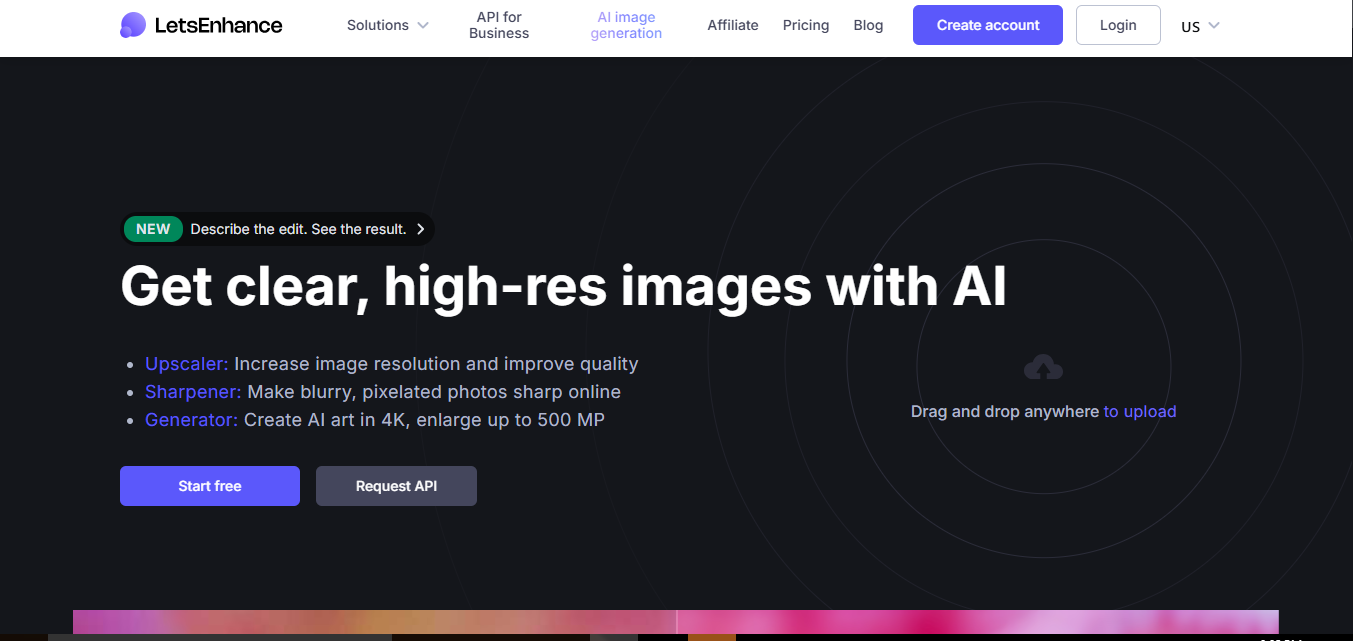
Let’s Enhance is an AI-powered online photo upscaler that improves image resolution, restores lost textures, enhances colors, and removes compression artifacts. It supports upscaling up to 16×, including 4K, 8K, and even larger images. The tool is beginner-friendly and works with a simple drag-and-drop interface. Let’s Enhance is ideal for creative professionals, e-commerce, social media content, and print projects, delivering crisp, detailed, and professional results quickly.
Key Features:
- AI upscaling up to 16×, including 4K and 8K
- Noise reduction and artifact removal for clean results
- Color enhancement and texture recovery
- Batch editing for multiple images at once
- Automatic presets for e-commerce and real estate photos
- Background removal and AI-generated art creation
- Resize images for web, print, or large-format displays
- API access for print-on-demand workflows
Pros:
- High-resolution outputs suitable for print and digital use
- Quick and easy to use with drag-and-drop interface
- Preserves textures and colors naturally
- Supports batch processing and large files
- Free version available for testing and small images
Cons:
- Free tier limited to smaller images and lower resolutions
- Higher-resolution and advanced AI features require subscription
Pricing:
- Free: 10 credits, input up to 24 MP, upscale up to 8 MP, unlimited storage for 6 months
- Starter: $9/month billed annually ($12/month monthly); 100 credits, upscale up to 256 MP, AI art, background removal, priority support
- Pro (Most Popular): $24/month billed annually ($32/month monthly); 300 credits, upscale up to 350 MP, AI art, background removal, unlimited storage for 6 months, priority support
- Max: $34/month billed annually ($45/month monthly); 500 credits, full access to features and high-resolution processing
Ideal User:
Let’s Enhance is perfect for creative professionals, e-commerce managers, and social media creators who need high-resolution, print-ready images quickly. It’s also ideal for restoring old photos, enhancing AI-generated art, and processing bulk image content efficiently.
Why It Made the List:
Let’s Enhance stands out for its powerful AI upscaling, batch support, and ability to produce high-quality images for print and digital use. It’s easy to use for beginners but robust enough for professionals, making it a reliable solution for anyone who needs detailed, high-resolution results fast.
10. VanceAI Image Upscaler
Best for: Photographers, digital artists, e-commerce sellers, and content creators who need high-quality image upscaling, including anime, artwork, and product photos.
Overview:
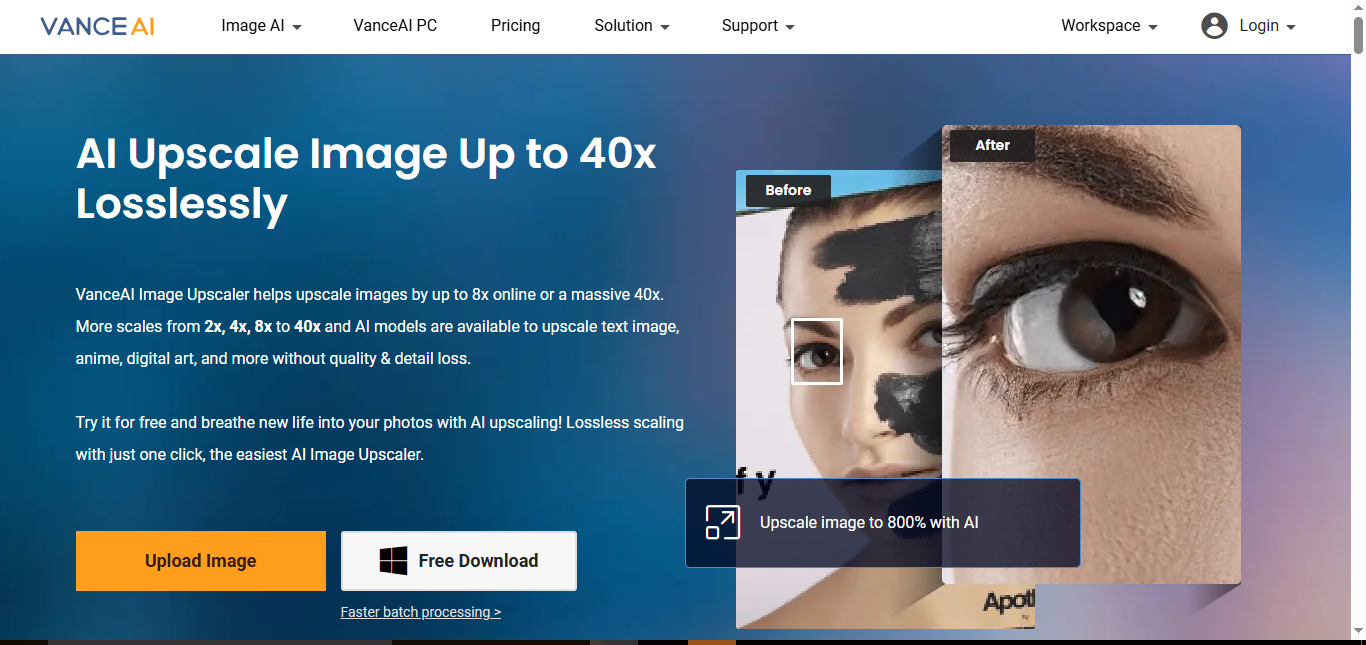
VanceAI Image Upscaler is an AI-powered online image enlarger that can upscale images up to 8× without losing quality. For anime and digital art, it supports up to 16× with specialized AI models. The tool reduces noise, removes blur, restores textures, and preserves details for professional results. Processed images are deleted after 24 hours, ensuring privacy and security. VanceAI is beginner-friendly, offers batch processing, and supports multiple AI models for diverse use cases, from e-commerce to print and art enhancement.
Key Features:
- AI upscaling up to 8× for photos, up to 16× for anime, and up to 40× for large projects
- Noise suppression and blur removal
- Specialized models for anime, text, and digital art
- Batch processing for multiple images
- Fast processing and easy one-click interface
- Data safety: processed images deleted after 24 hours
- Supports upscaling for e-commerce, print, and social media
- Desktop software and online platform available
Pros:
- Maintains sharpness, textures, and colors
- Supports multiple image types including anime and illustrations
- Quick and easy to use with minimal setup
- Batch processing saves time for multiple images
- Ideal for printing, online listings, and high-resolution art
Cons:
- Free tier limited in scale and features
- Advanced upscaling and bulk processing require credits/subscription
Pricing:
- 100 Credits: $4.95 ($0.049 per image)
- 200 Credits: $7.95 ($0.04 per image)
- 500 Credits: $12.95 ($0.026 per image)
- 1000 Credits: $17.95 ($0.018 per image)
- Pay-as-you-go model with unused credits rolling over up to 5× monthly budget
- 7-day money-back guarantee if less than 10% of credits are used
Ideal User:
VanceAI Image Upscaler is perfect for professional photographers, digital artists, e-commerce sellers, and anyone needing high-resolution, print-ready, or enhanced images. Its AI models are especially useful for restoring old photos, enhancing digital artwork, and producing sharp, market-ready visuals.
Why It Made the List:
VanceAI stands out for its versatile AI models, high upscaling capacity, and ability to restore fine details without over-sharpening. It works across multiple types of images, from portraits to anime, and supports batch processing, making it ideal for both beginners and professionals.
Conclusion
AI image upscalers have completely transformed the way we enhance, restore, and enlarge images. Whether you’re a photographer, digital artist, e-commerce seller, or content creator, these tools make it easy to turn low-resolution or blurred images into crisp, professional-quality visuals. From upscaling portraits and landscapes to enhancing digital art or product photos, AI technology now handles the heavy lifting—saving time and effort while preserving details, colors, and textures.
The best AI upscalers, like DeepImage, Fotor, Clipdrop, Cutout.pro, Let’s Enhance, and VanceAI, offer unique strengths—some excel in batch processing, others in anime or artwork upscaling, and many provide additional features like background removal, face enhancement, and text/image restoration. Choosing the right tool depends on your needs, workflow, and desired output quality.
In 2026, these AI-powered solutions are no longer optional—they’re essential for anyone who wants high-quality images, faster workflows, and stunning results without complicated software. Whether for social media, e-commerce, print, or creative projects, leveraging an AI image upscaler ensures your visuals always look their best.
Frequently Asked Questions (FAQs)
What is an AI image upscaler?
An AI image upscaler enlarges images while enhancing details, reducing blur, and restoring textures automatically using artificial intelligence.
Can AI upscalers improve old or low-quality photos?
Yes. They can restore blurry, compressed, or low-resolution images, making them clearer and suitable for printing, social media, or professional use.
Which image formats are supported?
Most tools support JPG, JPEG, PNG, and sometimes TIFF. Some also retain transparency and metadata.
Do I need a paid plan to use AI image upscalers?
Free versions exist but usually have limitations like 2× upscaling or watermarks. Paid plans unlock higher resolution, batch processing, and advanced AI features.
Can AI upscalers help with printing?
Yes. They can boost image resolution to 4K or higher with 300+ DPI, ensuring professional-quality prints for posters, banners, and exhibitions.
