
Ever tried to expand an image only to end up with awkward crops, stretched backgrounds, or missing details? It’s frustrating—especially when you need more space for ads, social media, or creative projects, but your image just won’t cooperate. Almost everyone working with visuals has faced this problem at some point.
The good news is that you no longer need manual editing or guesswork. AI image extenders powered by outpainting can intelligently expand images beyond their original borders, generating realistic backgrounds, objects, and textures that blend naturally with the original photo—without ruining quality or composition.
In this article, you’ll discover the best AI image extenders powered by outpainting in 2026. I’ll walk you through tools that can extend photos for marketing, design, photography, and content creation, helping you add more space, improve framing, and unlock creative freedom—quickly, easily, and without advanced editing skills.
What is AI Image Extenders Powered by Outpainting?
AI Image Extenders Powered by Outpainting are advanced AI tools that expand images beyond their original edges by generating new, realistic content that matches the existing image’s style, colors, lighting, and context.
Instead of stretching or resizing pixels, these tools use outpainting, a form of generative AI, to create missing parts of an image. The AI analyzes what’s already visible and intelligently predicts what should exist outside the frame—then fills that space seamlessly.
In simple terms
AI Image Extenders:
- Make images wider, taller, or larger
- Add new background or surroundings
- Keep the image natural and visually consistent
- Avoid distortion, blur, or pixelation
How AI Image Extender Works?
AI Image Extender tools use advanced artificial intelligence to analyze your image and generate new content that blends seamlessly with the original.
First, the AI studies the existing image to understand its structure, colors, textures, lighting, and overall style. This helps the system recognize what objects, patterns, or backgrounds should logically continue beyond the original edges.
Next, the tool predicts and creates new pixels around the image using trained AI models. Instead of copying or stretching existing pixels, it generates fresh visual content that matches the original image’s context—this process is known as outpainting.
Finally, the extended areas are blended smoothly with the original image, ensuring consistent lighting, sharpness, and detail. The result is a larger, natural-looking image that feels complete rather than artificially edited.
This entire process happens automatically within seconds, allowing users to extend images for social media, design, marketing, or creative projects without manual editing or technical expertise.
Why You Need an AI-Powered Image Extender Tool?
An AI-powered image extender tool solves a problem many creators face: great images that don’t fit the required size or layout. Instead of cropping important details or stretching images unnaturally, these tools expand images intelligently using outpainting.
Here’s why they’re worth using:
Create images for any format
Different platforms require different image sizes. AI image extenders let you turn square photos into wide banners, social media covers, or hero images without redesigning from scratch.
Preserve image quality and realism
Unlike traditional resizing, AI-powered outpainting generates new content that blends naturally with the original image—matching colors, lighting, textures, and perspective.
Save time and effort
Manual background extension in tools like Photoshop can take hours. AI image extenders do it in seconds, with no advanced editing skills required.
Avoid cropping important details
Instead of cutting out key elements, you can extend the background and keep the subject fully intact.
Improve creative flexibility
Designers, marketers, and content creators can reuse a single image across multiple projects, layouts, and campaigns.
Perfect for modern use cases
AI image extenders are ideal for:
- Social media and ad creatives
- Website headers and landing pages
- E-commerce product images
- Digital art and concept designs
In short, an AI-powered image extender tool gives you freedom—freedom to resize, redesign, and reuse images while keeping them natural, professional, and visually appealing.
Why AI Image Expansion Tools Are Becoming So Popular?
AI Image Expansion tools have seen rapid adoption in recent years—and for good reason. Visual content now plays a central role in social media, digital marketing, websites, and creative projects. A single image often needs to work across multiple layouts, and fixed-size visuals simply don’t offer that flexibility. AI Image Expansion solves this by allowing images to adapt smoothly to different formats and dimensions.
Traditional image extension methods were slow and frustrating. Designers had to manually recreate backgrounds, artists spent hours filling empty space, and standard resizing techniques often produced unnatural or blurry results. AI-powered expansion changes this completely by generating consistent, realistic extensions in seconds.
Another major reason for their popularity is accessibility. Many AI Image Expansion tools are now free or budget-friendly and designed for non-technical users. You don’t need advanced editing skills—just upload an image, choose how much to extend it, and let the AI do the work.
As a result, creators of all levels can transform simple images into wide, immersive visuals quickly, making AI Image Expansion an essential tool in modern design and content creation.
Key Benefits of Using AI Image Extender Tools
AI Image Extender tools make it easy to grow images naturally, save time, and unlock creative possibilities without advanced editing skills.
Instant Image Extension Without Losing Quality
One of the biggest advantages of AI Image Extender tools is that images can be extended without becoming blurry or pixelated. Unlike traditional resizing methods that stretch existing pixels, AI intelligently generates new visual content that blends seamlessly with the original image, keeping edges sharp and textures natural.
Greater Creative Freedom for Artists and Designers
AI Image Extenders give creators much more flexibility. Artists can turn small sketches into full illustrations, while designers can extend images to create custom backgrounds for ads, banners, websites, or videos. This makes experimenting with new layouts and compositions faster and easier.
Time and Cost Efficiency
Manually extending an image can take hours and often requires advanced editing skills. AI Image Extender tools can achieve the same results in minutes, often with just one click. Many tools are free or budget-friendly, helping creators save both time and money while maintaining high-quality results.
Top 10 AI Image Extenders Powered by Outpainting (2026)
Here is the carefully selected list of the top 10 AI Image Extenders powered by outpainting in 2026, chosen for their quality, ease of use, and unique features:
- Adobe Firefly (Outpainting)
- Canva AI Image Extender
- PicsArt AI Image Extender
- Fotor AI Image Expander
- Photoleap AI Uncrop
- Getimg.AI (Outpainting)
- Photoroom AI Image Expander
- PromeAI – Outpainting
- Diffuser Image Outpaint (Hugging Face – Free)
- Raphael App (Expand & Uncrop)
1. Adobe Firefly
Overview:
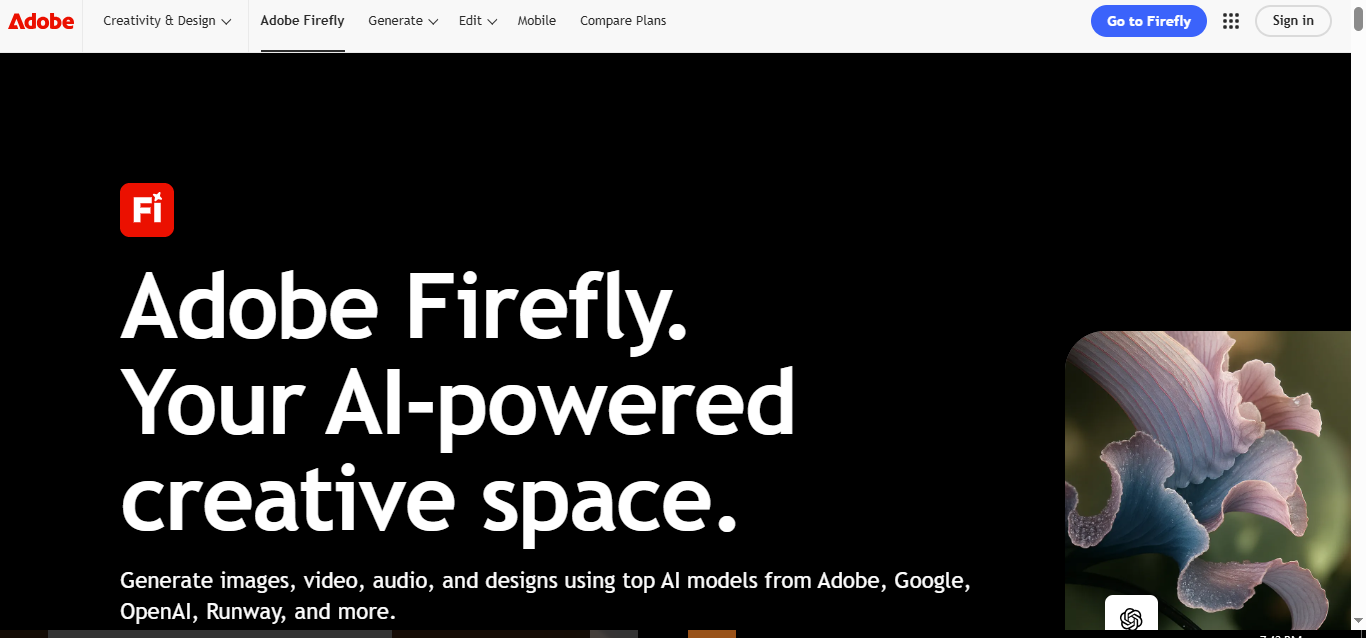
Adobe Firefly has quickly emerged as a top-tier AI-powered image extender, blending sophisticated generative AI with an intuitive interface. It allows creators to expand images seamlessly, maintaining style, color, and context while adding new elements to enhance visuals. Whether you’re a professional designer or a hobbyist, Firefly transforms ordinary photos into imaginative, high-quality visuals that were previously time-consuming to produce.
Firefly’s strength lies in its integration with Adobe Creative Cloud, letting users import and export AI-enhanced images into Photoshop, Illustrator, Premiere Pro, and other Adobe apps. Additionally, it provides access to the Adobe Stock Library, enabling rich creative experimentation while promoting ethical AI use that respects artists’ rights.
Key Features:
- Generative AI Outpainting: Expands images intelligently, preserving coherence, textures, and style.
- Creative Cloud Integration: Seamless workflow with Photoshop, Illustrator, and Premiere Pro.
- Adobe Stock Access: Offers a vast library of images for experimentation and inspiration.
- Ethical AI Practices: Prioritizes responsible AI use and artist rights protection.
- Multi-Modal Content Creation: Supports image, video, audio, and vector generation.
Pros:
- Produces high-quality, realistic image extensions.
- User-friendly interface suitable for beginners and professionals.
- Supports multiple content types beyond images, including videos and audio.
- Robust creative control with flexible AI-generated suggestions.
Cons:
- Requires an Adobe account to access advanced features.
- Some premium features need paid subscriptions.
- May consume credits quickly when generating multiple outputs.
Pricing:
- Firefly Free: Limited generative credits, basic image and mood board features, $0/mo.
- Firefly Standard: 2,000 monthly credits, access to premium video and audio features, $9.99/mo.
- Firefly Pro: 4,000 credits, full Photoshop integration, advanced editing and video generation, $19.99/mo.
- Firefly Premium: 50,000 credits, unlimited access to video generation and AI models, $199.99/mo.
Final Verdict:
Adobe Firefly is a powerhouse for creators seeking professional-quality AI image expansion with seamless workflow integration. Its combination of generative AI, creative freedom, and multi-format capabilities makes it ideal for designers, marketers, and content creators who want to save time while producing stunning visuals. Whether for personal projects or large-scale campaigns, Firefly delivers both innovation and reliability.
2. Canva AI Image Extender
Overview:
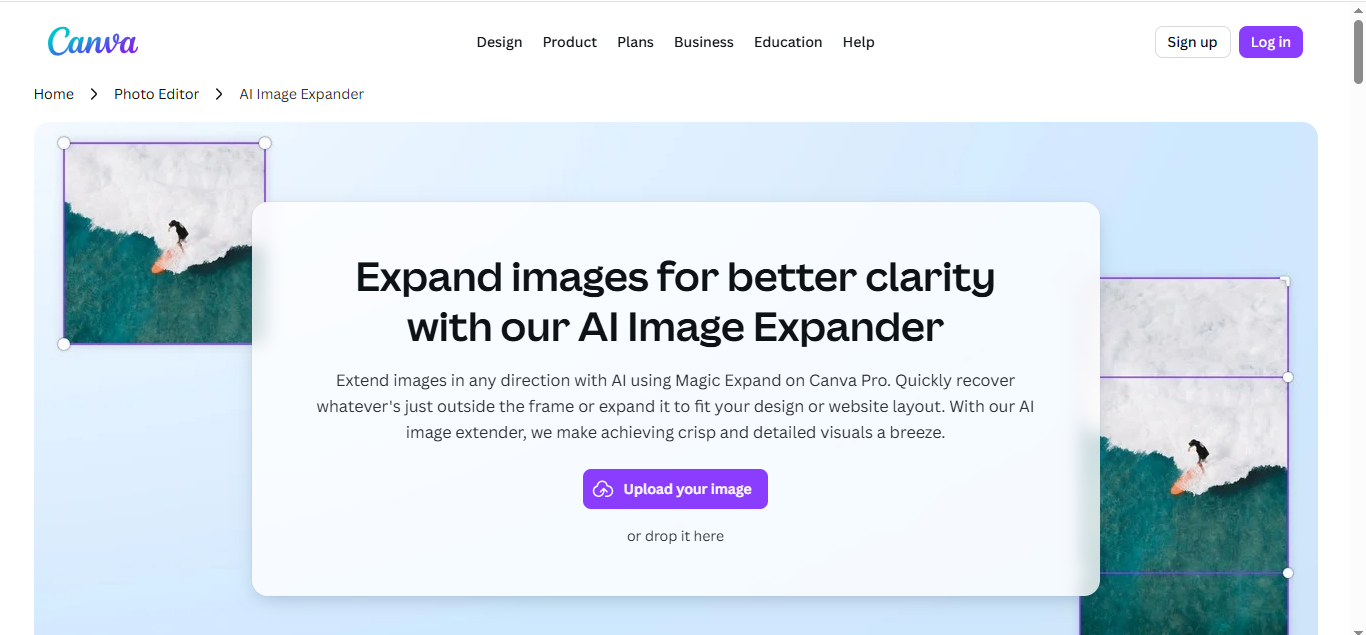
Canva’s AI Image Extender — powered by its Magic Expand feature — brings outpainting and intelligent image expansion into one of the most popular design platforms available today. Rather than just stretching pixels, Canva’s AI generates new image content beyond the original edges, filling in backgrounds and scenes naturally while preserving color, texture, and style. This makes it especially useful for social media graphics, marketing visuals, and design projects where image framing or layout needs adjusting to different formats.
What sets Canva apart is its integration into a comprehensive design ecosystem with drag‑and‑drop simplicity and support for multiple image formats — including JPEG, PNG, HEIC/HEIF, WEBP, and SVG. You can choose from preset aspect ratios or select a custom area for expansion, giving you both flexibility and control over how your visuals grow.
Key Features:
- Magic Expand AI: Extend images seamlessly in any direction.
- Aspect Ratio Options: Supports resizing to common design formats (e.g., square, widescreen).
- Multi‑Format Support: Works with a wide range of image file types.
- Smart Crop Integration: Choose specific areas for targeted expansion.
- Design Ecosystem: Built into Canva’s broader toolset including templates, AI image generators, and photo editors.
Pros:
- Excellent for social media and marketing visuals thanks to flexible expansion options.
- Preserves style, color, and texture when extending beyond borders.
- Seamless design workflow with Canva’s familiar drag‑and‑drop editor.
- Supports multiple image formats for versatile design needs.
Cons:
- Best results often require a Canva Pro subscription.
- Limited advanced outpainting creativity compared to standalone AI art tools.
- Some users report inconsistent extensions on detailed or complex backgrounds.
Pricing:
- Canva Free: Limited access to basic AI and design tools with restrictions.
- Canva Pro: Approximately $15/month or $120/year, unlocking Magic Expand and other premium AI features.
- 30‑Day Free Trial: Available so you can test the AI Image Extender and other premium tools before committing.
Final Verdict:
Canva AI Image Extender is an ideal choice if you already use Canva or want an all‑in‑one design platform with built‑in AI image expansion capabilities. Its Magic Expand tool works well for designing banners, social posts, and polished visuals without switching between apps. While it may not be as advanced as dedicated outpainting tools in very detailed scenarios, its ease of use, multi‑format support, and integration with Canva’s broader suite make it an excellent pick for designers and marketers alike.
3. PicsArt AI Image Extender
Overview:
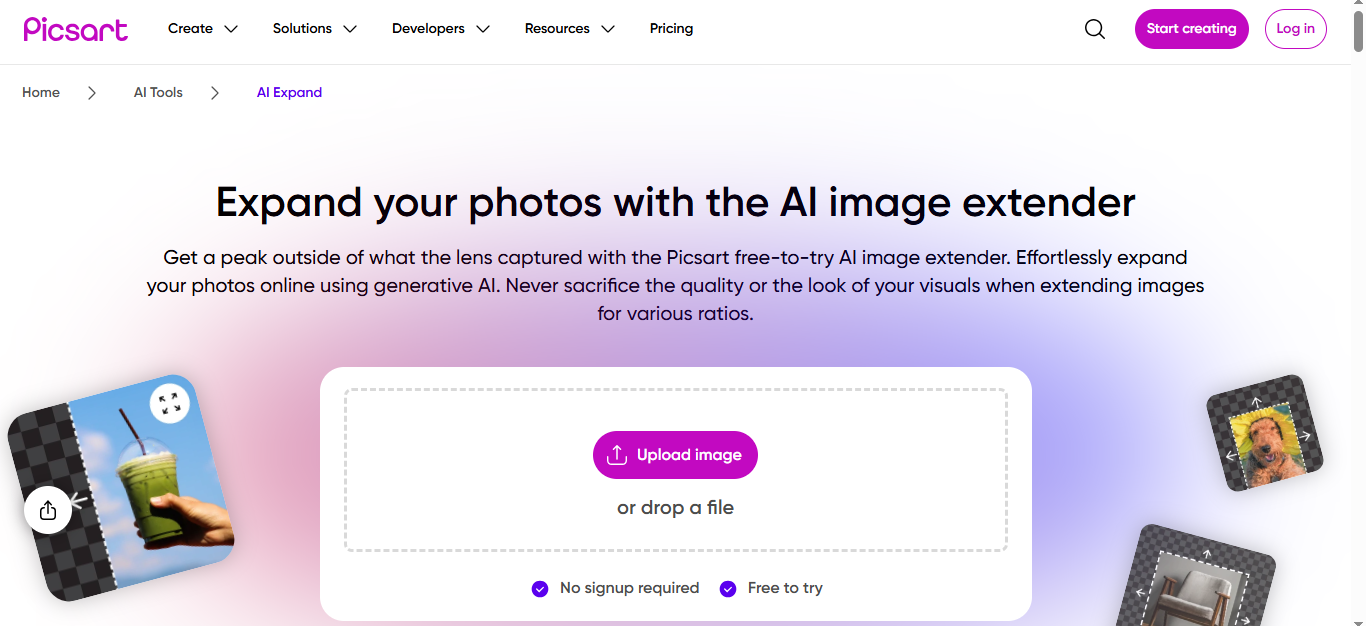
PicsArt AI Image Extender is a standout tool for effortlessly expanding images while maintaining style, color, and context. Unlike traditional upscaling tools, PicsArt uses context-aware AI to intelligently generate new content that blends seamlessly with the original image. This makes it perfect for social media graphics, marketing visuals, product photos, and personal projects where quick and natural image expansion is required.
What sets PicsArt apart is its dual functionality: AI outpainting to extend image edges and AI inpainting to fill missing details. This combination ensures images look complete and realistic, whether you’re adjusting aspect ratios or recovering cropped sections. Its user-friendly interface allows anyone — from beginners to professionals — to create polished visuals without steep learning curves.
Key Features:
- Context-Aware AI: Understands image content to generate seamless expansions.
- Dual Outpainting & Inpainting: Extend boundaries or fill missing pixels with ease.
- Preset Aspect Ratios: Quickly resize images for social media, banners, or web use.
- User-Friendly Interface: Simplifies the image expansion process for all skill levels.
- Integration with AI Editing Tools: Combine with other PicsArt features like background replacement, filters, and batch editing for complete image refinement.
Pros:
- Produces highly consistent and realistic expansions.
- Supports preset social media ratios for convenience.
- Offers free access with optional premium upgrades.
- Excellent blend of AI outpainting and inpainting, covering multiple editing needs.
Cons:
- Limited manual control for advanced or highly creative adjustments.
- Some complex backgrounds may yield inconsistent results.
- Free version restricts the number of AI tasks per account.
Pricing:
- Picsart Free: $0/month — basic photo and video editing, 5 AI credits per week, 100 MB cloud storage.
- Picsart Plus: $5/month or $60/year — more AI credits, premium templates, stock photos, 5 GB cloud storage.
- Picsart Pro: $7/month or $42/year — unlimited access to advanced AI tools, bulk edits, Brand kit, 100 GB cloud storage per seat.
- Free trial: 2 free tasks per account to test the AI extender.
Final Verdict:
PicsArt AI Image Extender is ideal for creators looking for quick, realistic image expansion with minimal effort. Its context-aware AI and dual outpainting/inpainting features make it versatile for both professional and personal projects. While advanced users may find limited manual control, the ease of use, preset ratios, and integration with PicsArt’s broader suite make it one of the top AI image extenders for 2026.
4. Fotor AI Image Expander
Overview:
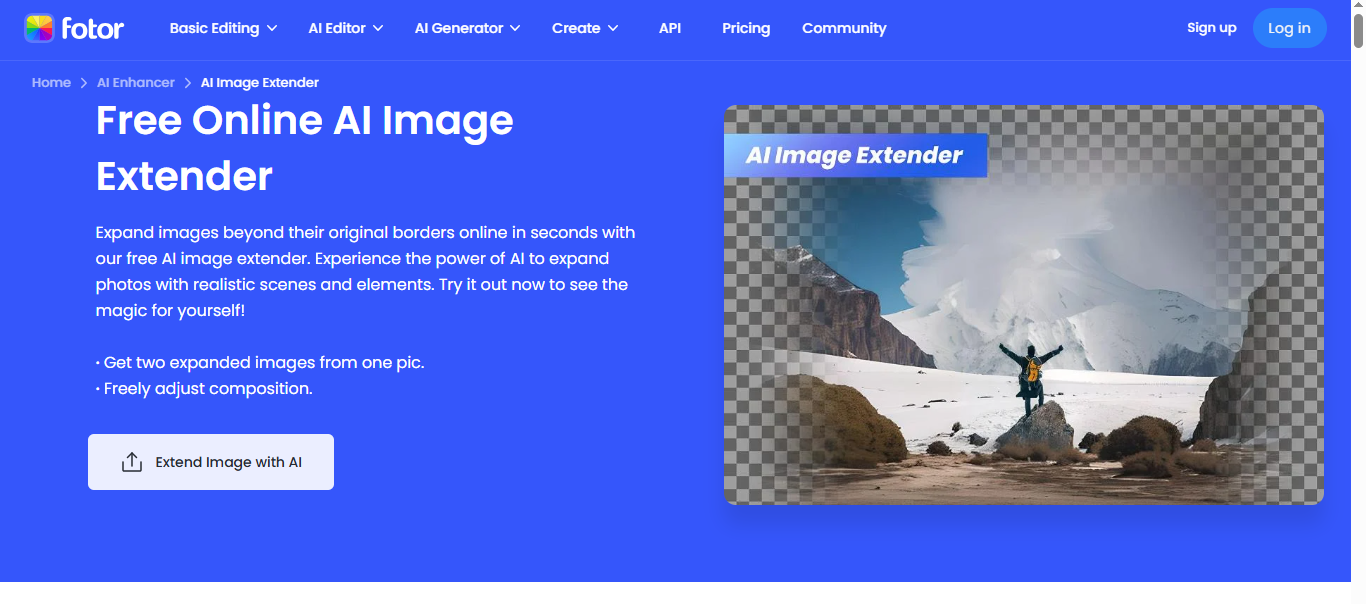
Fotor AI Image Expander is a versatile tool that combines speed, quality, and creativity for expanding images beyond their original boundaries. Using AI outpainting and inpainting technology, Fotor automatically fills in missing areas while preserving details, textures, and overall aesthetic. It provides dual expansion outputs per image, giving users flexibility to choose the best result, making it ideal for social media posts, product photography, marketing visuals, and personal projects.
The platform stands out for its intuitive interface and powerful editing suite, which allows users to refine and adjust expanded images without a steep learning curve. Whether converting portraits to landscape formats, uncropping tightly framed photos, or enhancing backgrounds, Fotor ensures realistic and high-quality results.
Key Features:
- Creative AI Expansion: Autofills and extends images with realistic new elements.
- Dual Outpainting Results: Generates two expansion options per image for better choice.
- Customizable Dimensions: Adjust image size and aspect ratio for social media or print.
- Background Regeneration: Recreates backgrounds to match the photo’s theme.
- One-Click AI Expansion: Quickly transform half images into full visuals with minimal effort.
- Integration with AI Editing Tools: Includes AI background remover, object remover, and generative fill for further editing.
Pros:
- Easy and fast to use with drag-and-drop functionality.
- Generates dual results per task, offering creative flexibility.
- Supports multiple aspect ratios for social media and design projects.
- High-quality outputs maintain detail and realism.
- Integrates seamlessly with other Fotor AI tools for comprehensive editing.
Cons:
- Certain complex backgrounds may appear slightly flat or blurry compared to PicsArt.
- Free version adds watermarks to outputs.
- Advanced creative control is limited compared to professional-grade editors.
Pricing:
- Fotor Basic: Free forever — basic editing, limited AI credits, download with watermark, 512 MB cloud storage.
- Fotor Pro: $7.19/month (billed annually $39.99) — advanced AI tools, premium templates, HD download, 100 AI credits/month, 2 GB cloud storage.
- Fotor Pro+: $13.99/month (billed annually $89.99) — AI batch editing, AI slides, brand kits, 300 AI credits/month, 100 GB cloud storage.
- Free trial available with watermark on outputs.
Final Verdict:
Fotor AI Image Expander is a powerful yet accessible tool for creators looking to expand and enhance images quickly. Its dual-output system and realistic AI expansions make it a solid choice for social media, e-commerce, and personal projects. While some images may need slight adjustments for depth, the combination of speed, quality, and integrated AI tools makes Fotor an excellent AI image extender for 2026.
5. Photoleap AI Uncrop
Overview:
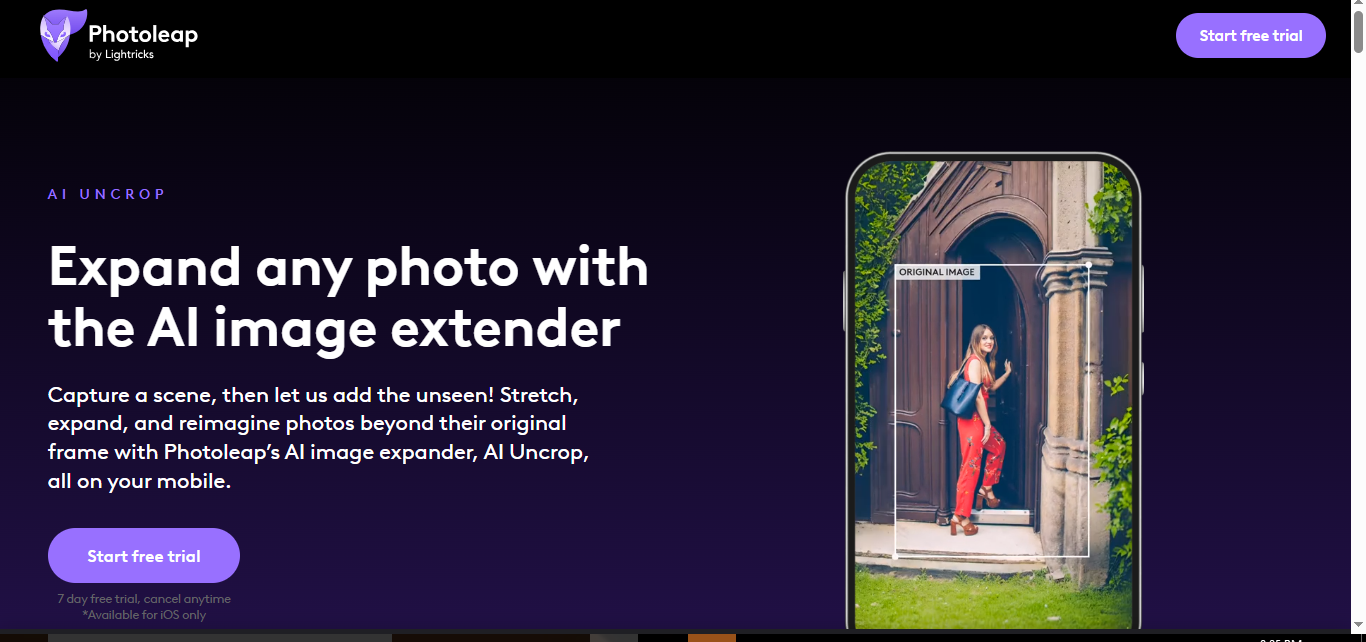
Photoleap’s AI Uncrop is a powerful AI image extender designed to expand and enhance photos while maintaining detail, quality, and the essence of the original shot. Unlike traditional image editing tools, AI Uncrop doesn’t just enlarge backgrounds—it intelligently adds new visual elements that complement the existing image, creating a harmonious, enriched composition.
This mobile-first tool is perfect for turning tightly framed shots into wide, detailed scenes, making it ideal for album covers, social media posts, reimagined memes, or even exploring new perspectives in famous artworks. Its intuitive interface ensures accessibility for both professional designers and casual creators, democratizing advanced image editing for all skill levels.
Key Features:
- Seamless Image Expansion: Extends photos naturally without losing quality or detail.
- Creative Enhancement: Adds complementary visual elements to enrich the original image.
- User-Friendly Interface: Easy for beginners, casual users, and professionals alike.
- Versatile Applications: Perfect for album covers, memes, artworks, social media posts, and more.
- Mobile Accessibility: First AI image extender available on mobile, enabling editing on-the-go.
- Preset Sizes & Ratios: Choose dimensions optimized for social media platforms or standard print sizes.
Pros:
- Intuitive mobile interface, easy to use for any skill level.
- Creative AI generates realistic and contextually accurate extensions.
- Maintains high-quality outputs with no loss of detail.
- Ideal for both personal and professional creative projects.
- Quick and convenient, perfect for on-the-go editing.
Cons:
- Available only on iOS, limiting access for Android users.
- Free trial is limited to 7 days.
- Advanced customization options are less extensive than desktop-based AI tools.
Pricing:
- 7-day Free Trial: Test all features with the ability to cancel anytime.
- Full subscription details are available within the Photoleap app.
Final Verdict:
Photoleap AI Uncrop is a cutting-edge mobile tool for anyone wanting to expand images creatively without sacrificing quality. Its intelligent AI seamlessly blends added content with the original photo, making it ideal for social media content creators, designers, and casual users. While limited to iOS, its mobile-first approach and ease of use set it apart as one of the best AI image extenders in 2026.
6. Getimg.AI
Overview:
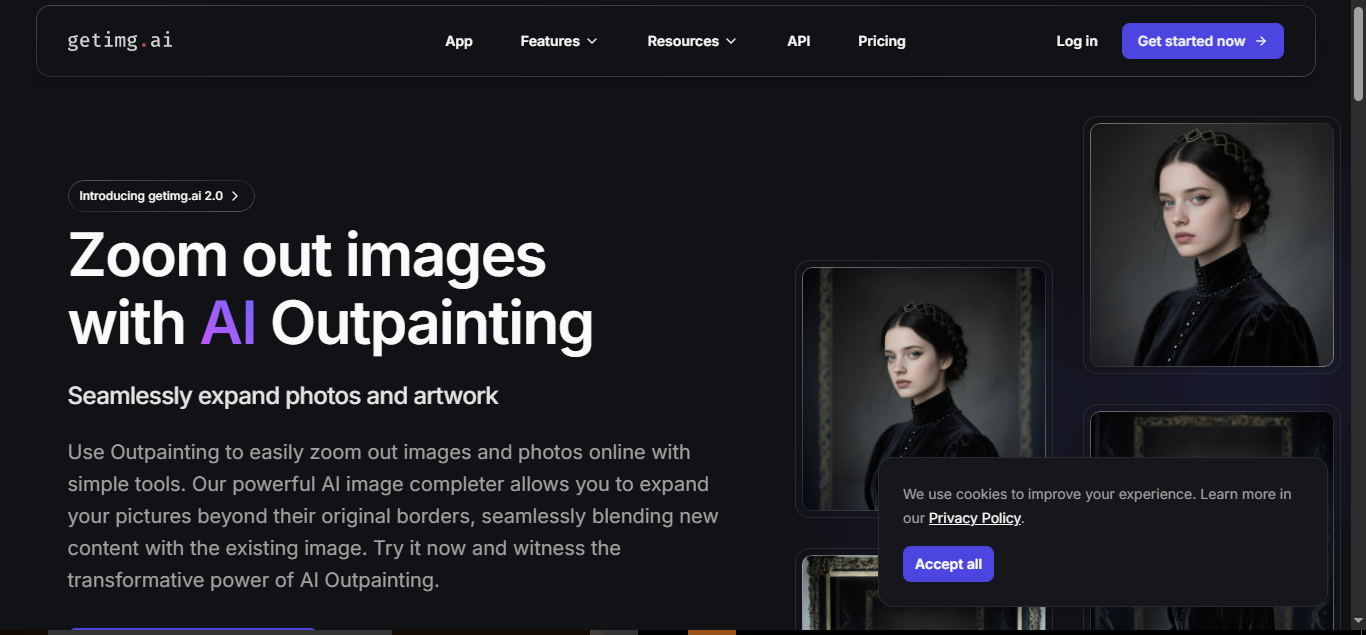
Getimg.AI offers a next-level AI image expansion experience, leveraging stable diffusion outpainting technology to extend images beyond their original boundaries. This tool is designed for creatives who want to enhance composition, add depth, and create immersive visuals. Its intuitive workflow and advanced customization options make it suitable for both professionals and hobbyists seeking precise control over their AI-generated images.
A standout feature of Getimg.AI is its custom model training, which allows users to personalize AI outputs based on their own artistic style. Combined with detailed AI prompts and negative prompts, the platform ensures that expanded images match the user’s creative vision while maintaining natural blending with the original content.
Key Features:
- Stable Diffusion Outpainting: Seamlessly expand images in any direction, preserving style, texture, and realism.
- Custom Model Training: Personalize AI output by training models based on your own art or style.
- Flexible Image Adjustment: Control parameters such as steps, frame size, and number of generated images for precise results.
- Detailed AI Prompts: Specify exactly what to include or exclude, ensuring output aligns with your creative intent.
- Community-Trained Models: Access over 20 pre-trained models offering diverse styles and effects.
- Aspect Ratio & Zoom Control: Easily adjust image size, framing, or zoom out scenes to fit various needs.
Pros:
- High customization with prompt-based guidance and model training.
- Advanced outpainting technology ensures natural, immersive expansions.
- Supports both image and video AI models for versatile creative applications.
- Multiple tiers accommodate beginners to professional creators.
- Quick and intuitive interface, easy to start for new users.
Cons:
- Some advanced features are only available in higher-tier plans.
- May require a learning curve for users unfamiliar with AI prompt guidance.
Pricing:
- Entry: $8/month (billed $96/year), 3k credits/month, 2 generations at a time.
- Core: $25/month per seat (billed $300/year), 15k credits/month, 4 generations at a time, up to 2 teams.
- Plus (Most Popular): $55/month per seat (billed $660/year), 35k credits/month, 8 generations at a time, up to 5 teams.
- Ultra: $150/month per seat (billed $1,800/year), 100k credits/month, 10 generations at a time, up to 10 teams.
Final Verdict:
Getimg.AI is a powerful and versatile AI image extender ideal for creators who want full control over image expansion. Its combination of stable diffusion outpainting, custom model training, and prompt-based guidance makes it suitable for both artistic and professional projects. With flexible plans catering to hobbyists and teams alike, Getimg.AI stands out as a top choice for high-quality, immersive AI image expansion in 2026.
7. Photoroom AI Image Expander
Overview:
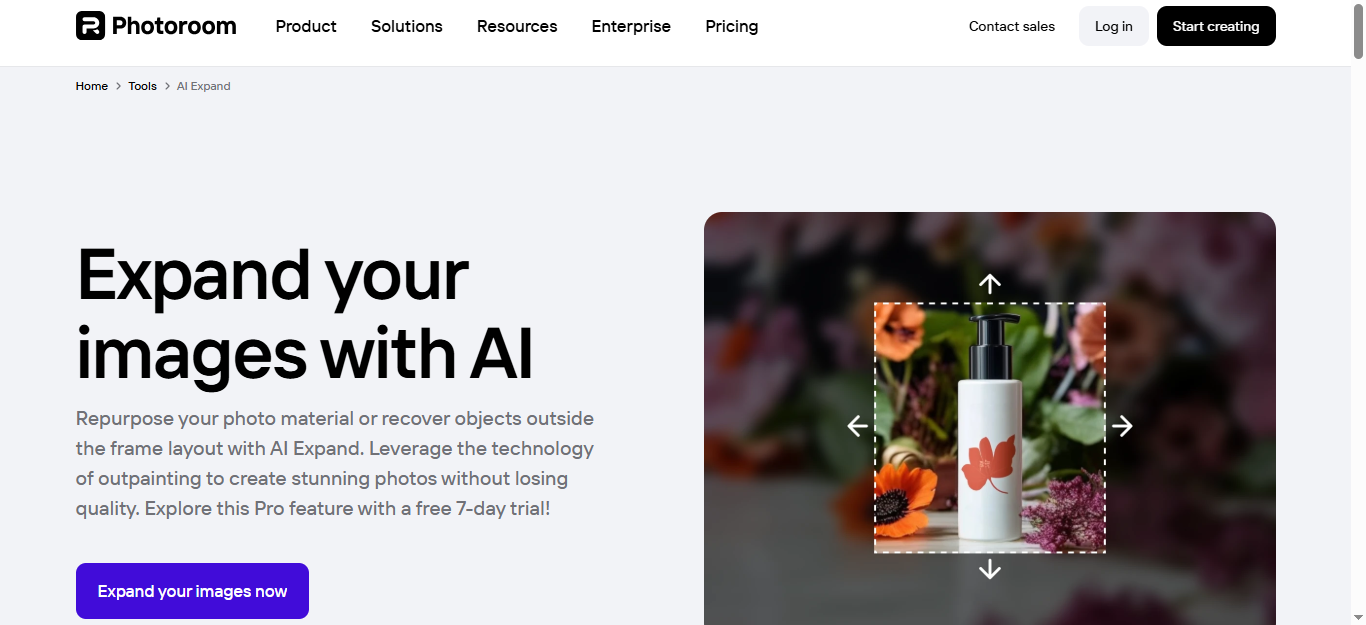
Photoroom AI Image Expander is built for speed, efficiency, and quality, making it an excellent choice for creators who need quick and reliable AI image expansion. Designed with e-commerce, social media, and marketing visuals in mind, this tool preserves the quality of images while extending their boundaries seamlessly. Its minimalistic interface keeps the focus on the content, allowing users to expand images without distractions.
Photoroom is ideal for users who want a straightforward workflow for image expansion and editing. The AI-powered outpainting tool ensures that extended areas blend naturally with the original content. While it may lack some advanced editing features found in other platforms, its consistency and speed make it a practical solution for fast-paced projects.
Key Features:
- Seamless AI Expansion: Extend image backgrounds naturally without losing detail or resolution.
- Quick & Efficient Workflow: Process images rapidly, ideal for e-commerce and social media content.
- Creative Flexibility: Resize, add layers, stickers, text, or generate AI shadows for enhanced visuals.
- Versatile Applications: Perfect for product photos, marketing visuals, social media posts, and more.
- Additional AI Tools: Access complementary features like AI Enhance, AI Image Generator, Background Remover, and AI Upscale.
- Brand Management: Store logos, fonts, and colors in a brand kit to maintain consistent visual identity.
Pros:
- Minimalistic, user-friendly interface focused on the image.
- Fast processing and reliable outpainting results.
- Integrated AI tools support complete image enhancement workflows.
- Excellent for e-commerce product visuals and social media content.
Cons:
- Fewer advanced editing options compared to some competitors.
- Occasional artifacts with highly complex images.
Pricing:
- Pro: $12.99/month or $89.99/year – Includes 10× AI image credit allowance, 500 batch exports per month, HD quality, and 1,000+ templates.
- Max: $25–$30/month billed annually – Adds access to enhanced AI models, 1,500 batch exports, faster processing, and priority support.
- Ultra: $82.50/month billed annually – Automates high-volume image production, up to 5,000 batch exports, and advanced AI workflows.
- Enterprise: Custom pricing – Designed for businesses needing scalable, tailored image workflows.
Final Verdict:
Photoroom AI Image Expander is a fast, practical, and user-friendly AI image expansion tool. Its focus on efficiency, combined with complementary AI tools, makes it ideal for social media creators, e-commerce sellers, and marketers looking to uncrop, resize, or enhance images effortlessly. While it may not offer all the advanced editing options of competitors, its speed, minimalistic design, and batch editing capabilities make it a reliable choice for professional results in 2026.
8. PromeAI – Outpainting
Overview:
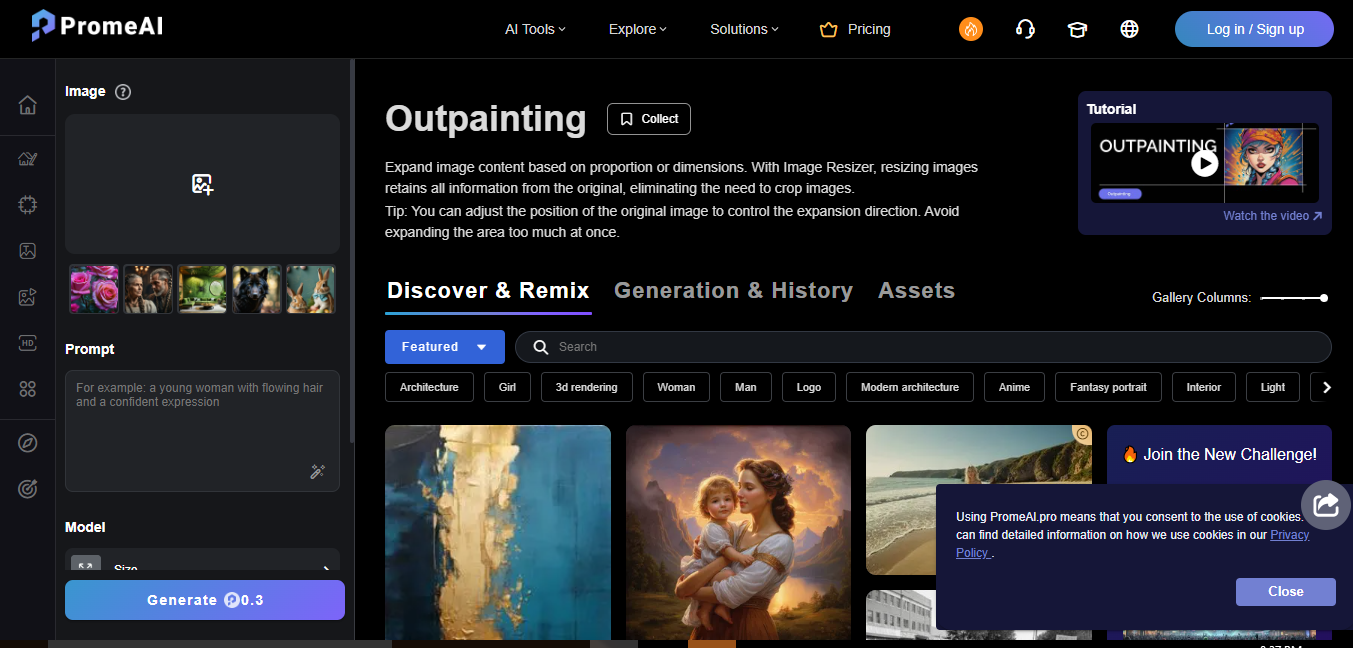
PromeAI Outpainting is a powerful AI tool that lets users expand and enhance images beyond their original borders, providing new creative possibilities for professional and personal projects. By extending image content while maintaining the original style and quality, PromeAI ensures that every extension looks natural and cohesive. The platform also features an Image Resizer, allowing users to adjust image dimensions without cropping or losing detail, preserving the integrity of the original composition.
Whether you are a designer, content creator, or casual user, PromeAI offers advanced controls that make it easy to create expanded visuals for marketing materials, social media, artwork, or any creative project.
Key Features:
- Proportional Expansion: Extend image content logically while keeping the original style and essence intact.
- Dimension Control: Set specific dimensions for the expanded areas to match your project requirements.
- Directional Control: Adjust the placement of the original image within the frame to control where expansion occurs.
- Seamless Integration: Blend new content with existing areas naturally using advanced AI algorithms.
- Customizable Settings: Fine-tune texture, color matching, and edge blending to achieve a perfect, professional-quality extension.
Pros:
- Maintain style and quality while extending images.
- Advanced settings for precise control over expansion direction and composition.
- Ideal for designers, marketers, and content creators.
- Supports proportional and dimension-based image extension for professional output.
Cons:
- Free plan offers limited coins and generation options.
- Advanced features require paid subscription for high-volume or commercial use.
Pricing:
- Free: $0/month – 10 coins per month, relaxed generations, 3 concurrent image generations.
- Base: $16/month (billed yearly at $192) – 500 coins per month, video generation access, 4 concurrent image generations, private assets, HD downloads.
- Standard: $29/month (billed yearly at $348) – 2,000 coins per month, full commercial rights, 5 concurrent image generations, priority customer support, HD downloads.
- Pro (Most Popular): $59/month (billed yearly at $708) – 6,000 coins per month, full ownership and commercial rights, 6 concurrent image generations, advanced coin discounts, 24-hour support, HD downloads.
Final Verdict:
PromeAI Outpainting is a versatile and professional-grade AI image expander, offering precise control over image extension and dimension adjustments. Its combination of proportional expansion, directional control, and seamless integration makes it ideal for designers, marketers, and creators seeking high-quality, creative outputs. With multiple subscription tiers, PromeAI caters to casual users as well as professionals requiring high-volume generation and commercial rights.
9. Diffuser Image Outpaint on Hugging Face (Free)
Overview:
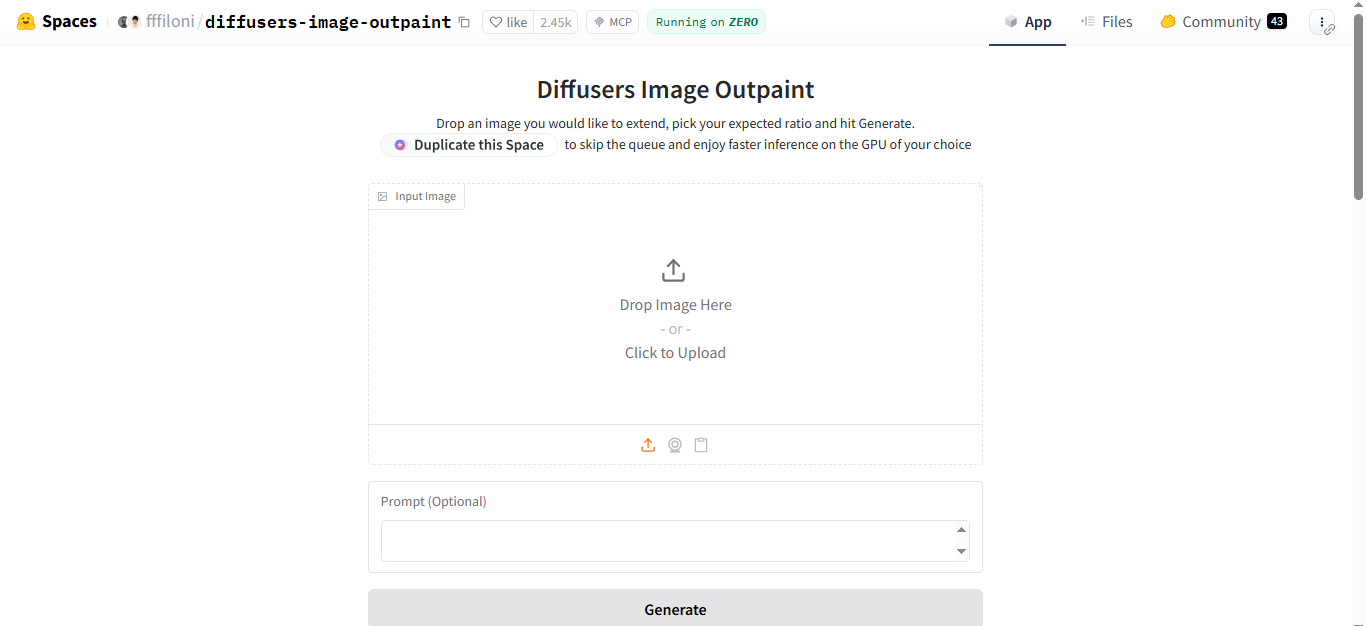
Diffuser Image Outpaint on Hugging Face is a free, open‑source AI image extender that brings high‑quality outpainting capabilities to anyone without subscription fees. Built on the popular diffusion framework, this tool uses advanced generative techniques to extend images beyond their original borders while preserving style, texture, and context. Although it lacks premium support and some advanced features, its performance rivals many paid alternatives — making it an excellent option for hobbyists, students, developers, and anyone curious about AI‑powered image expansion.
Unlike traditional resizing methods, Diffuser Image Outpaint generates new visual content in previously blank areas, blending it naturally with the original. Users can also enter text prompts to guide the AI or leave it blank for automatic results. The tool offers alignment controls that allow placing the source image left, center, or right when changing aspect ratios — giving some creative flexibility in how visuals are extended.
Key Features:
- Free & Open‑Source: No subscriptions, no fees — available for anyone to use.
- Stable Diffusion Outpainting: Uses diffusion models to generate realistic extended imagery that blends seamlessly with the original.
- Prompt Control: Optionally type instructions to guide what the AI should include or avoid in the expanded areas.
- Alignment Settings: Position the original image anchor (left, center, or right) while extending the image.
- Automatic Handling: Works with AI‑generated and real photos without complex setup or tools.
Pros:
- Completely free and open‑source with no paywalls.
- Produces realistic and natural‑looking expansions rivaling some paid tools.
- Allows prompt guidance and alignment customization for more control.
- Great choice for experimentation, learning, and casual use.
Cons:
- Output resolution is limited (max ~1536×1536), which is lower than many paid services.
- No dedicated customer support or professional help due to free/open‑source nature.
- Lacks some advanced parameter controls found in professional tools.
Pricing:
-
Free: $0/month — use the Diffuser Image Outpaint tool on Hugging Face with no subscription required.
Final Verdict:
Diffuser Image Outpaint on Hugging Face is an exceptionally capable free tool for AI image expansion. While it doesn’t offer the resolution or professional support of paid services, its open‑source nature, prompt control, and diffusion‑based outpainting make it a standout choice for experimentation, learning, and creative projects on a budget. For users who want to expand images without cost and still get realistic, AI‑generated extensions, this tool is one of the best free options available in 2026.
10. Raphael App (Expand and Uncrop)
Overview:
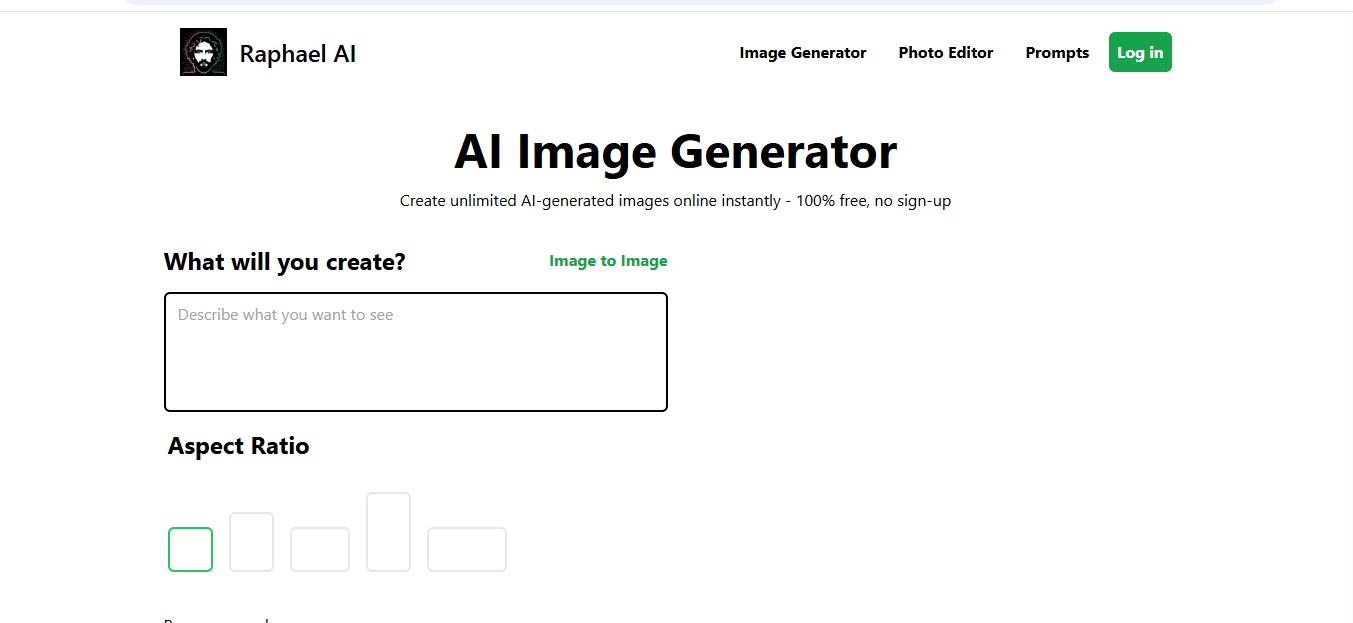
Raphael App is a simple yet effective AI image extender that lets you uncrop and expand images beyond their original borders with just a few clicks. Its AI‑powered outpainting technology seamlessly fills in missing areas, allowing you to adjust image dimensions for social media, design projects, or product visuals without losing quality.
Raphael supports common image formats like JPG, PNG, and WEBP, and its intuitive process makes it accessible for beginners and casual creators alike.
Key Features:
- AI Image Expansion: Extend images in any direction using AI outpainting.
- Aspect Ratio Selection: Choose your desired output aspect ratio before expanding.
- Position Control: Adjust where the original image sits within the new frame.
- Supports Common Formats: Works with JPG, PNG, WEBP, and other standard photo formats.
- Fast Processing: Generates extended images in seconds, with paid users enjoying instant results.
Pros:
- Easy and intuitive — no complex steps required.
- Produces natural extensions that blend with the original image.
- Allows basic alignment and aspect ratio control.
- Free tier available for casual use.
Cons:
- Free users are limited to a maximum resolution of about 720p.
- There’s no batch processing for multiple images.
- Some results (especially complex scenes) may not be perfect without manual editing.
Pricing:
Raphael offers both free and paid options:
- Free: $0 — basic image expansion up to ~720p resolution and standard queue processing.
- Paid (subscription): Around $10/month for 1K resolution or $20/month for 2K resolution — faster processing and higher‑definition outputs.
Final Verdict:
Raphael App is a great free and beginner‑friendly AI image extender that gets the job done with minimal effort. Its simplicity and ability to quickly uncrop and expand images make it ideal for content creators, bloggers, and social media visuals. While it may not offer the same advanced control or batch processing as some premium tools, its performance and quality — especially at higher paid resolutions — make it a solid choice for anyone looking to expand their images with AI.
Conclusion
AI image extenders have revolutionized the way we enhance, expand, and reimagine photos and designs. Tools like Canva, PicsArt, Fotor, Photoleap, Getimg.AI, Photoroom, PromeAI, Diffuser Image Outpaint, and Raphael App make it easier than ever to transform tight shots into wide, professional-quality visuals without losing detail or style. Whether you’re a social media creator, designer, marketer, or hobbyist, these tools offer a mix of speed, precision, creativity, and flexibility to suit every need.
From free open-source options like Diffuser Image Outpaint on Hugging Face to feature-rich platforms like PromeAI and Getimg.AI, there’s an AI image extender for everyone. By leveraging AI outpainting and inpainting technologies, you can extend backgrounds, correct framing issues, adapt to different aspect ratios, and even add creative elements that enhance your original image.
In 2026, AI image expansion is no longer just a novelty—it’s a powerful creative tool that saves time, improves content quality, and unlocks new possibilities for visual storytelling. No matter your skill level, these AI extenders empower you to push the boundaries of your images and bring your creative vision to life.
Frequently Asked Questions (FAQs)
How can I expand an image using AI?
AI image extenders use outpainting and inpainting technology to generate new pixels beyond the original photo. Simply upload your image to a tool, select the desired expansion size or direction, and let the AI fill in the background seamlessly.
Can AI image extenders maintain the original quality?
Yes. Most modern AI image extenders, like Fotor, Photoleap, and PromeAI, preserve the details, colors, and textures of the original image while adding realistic extensions. Some tools also offer upscaling to enhance resolution further.
Are there free AI image extenders available?
Absolutely. Options like Diffuser Image Outpaint on Hugging Face are completely free and open-source. While free tools may have limitations in output resolution or advanced features, they still deliver reliable results for casual or experimental use.
Which AI image extenders are best for professionals?
For designers, marketers, and professional creators, tools like Getimg.AI, PromeAI, and Raphael App are ideal. They offer advanced settings, high-resolution output, commercial rights, and custom model options for precise and professional-grade results.
Can AI image extenders adjust aspect ratios?
Yes. Most AI extenders allow you to change image dimensions, converting portraits to landscapes or vice versa, without stretching or cropping. This is perfect for social media posts, marketing visuals, or print materials.
Do I need technical skills to use these tools?
Not at all. Platforms like Fotor, Photoroom, and Photoleap are designed for beginners and casual users, with intuitive interfaces and one-click expansion features. Professionals can also leverage advanced controls if needed.
