

Creating presentations is one of the most effective ways to communicate ideas, pitch products, or explain complex concepts. But have you ever stared at a blank slide wondering where to start? Choosing layouts, aligning visuals, formatting text, and keeping a consistent style can quickly become overwhelming. Why spend hours struggling with design when your real focus should be on refining ideas and delivering them with confidence?
Beyond speed, what makes AI presentation tools truly powerful is how they enhance creativity and collaboration. How do you maintain brand consistency across every slide? How do teams work faster without endless revisions? Many platforms solve this by offering branded templates, smart customization, and seamless integration with Google Slides, PowerPoint, and Canva.
Whether you are preparing a business pitch, academic lecture, or marketing proposal, these tools make creating compelling presentations easier, faster, and far more effective.
What is an AI Presentation Generator?
An AI presentation generator is an intelligent tool that leverages artificial intelligence to automatically create presentation outlines, slide content, and visually appealing layouts. Instead of manually designing every slide, users simply provide a topic, prompt, or document, and the AI generates a complete presentation ready for customization. This significantly reduces the time and effort required to produce professional-quality slides, allowing users to focus on refining their message and delivery.
These tools go beyond basic slide creation. They can generate headings, bullet points, speaker notes, images, charts, graphs, and even animation suggestions, ensuring a cohesive and engaging presentation. Advanced AI platforms analyze your content and adapt the tone, structure, and design elements according to the intended audience, purpose, or industry standards. This makes them ideal for a wide range of use cases from corporate reports and marketing pitches to academic lectures and creative storytelling.
AI presentation generators also enhance creativity and consistency. Many platforms offer pre-designed templates, brand alignment features, and integrations with tools like PowerPoint, Google Slides, and Canva. Users can customize colors, fonts, and layouts while maintaining a polished, professional look. By automating repetitive design tasks and providing intelligent content suggestions, these tools help speakers create impactful presentations faster, improve audience engagement, and present information more clearly and effectively.
Why Use AI Presentation Generators?
AI presentation generators save significant time and reduce creative stress by automating slide creation. Users no longer need advanced design skills, experience with layout tools, or hours of manual formatting to produce professional-looking presentations. This makes AI-powered tools ideal for fast-paced work environments, business meetings, marketing pitches, classroom lectures, or startup demos, where speed, clarity, and visual appeal are crucial.
Another key advantage is consistency. AI tools apply structured layouts, standardized fonts, and harmonious color schemes across all slides, ensuring a polished and professional look from start to finish. This consistency enhances audience perception, making presentations easier to follow and more visually appealing, while eliminating common formatting mistakes that can distract viewers or undermine credibility.
Additionally, AI presentation generators allow users to focus on storytelling and content quality rather than design decisions. Many platforms offer intelligent content suggestions, pre-built templates, and automatic chart or image integration, helping creators craft engaging narratives that resonate with their audience. By combining automation with creative control, these tools make it possible to deliver presentations that are not only visually impressive but also highly effective in communicating key messages.
How Do AI Presentation Tools Work?
Most AI presentation tools begin with a simple prompt or topic. Users provide a short description of their presentation’s subject, and the AI automatically generates a structured outline with relevant sections, key points, and logical flow. From this foundation, the platform produces individual slides, complete with text, images, icons, charts, and pre-designed layouts, creating a ready-to-use presentation in minutes.
Advanced AI platforms go beyond basic slide creation by offering full customization options. Users can adjust colors, fonts, and styles to match brand guidelines, add multimedia elements, or modify content to suit their audience. Many tools also include collaborative features, allowing teams to co-edit slides, leave comments, and maintain version control, which is particularly valuable for business, marketing, and educational projects.
Finally, AI presentation tools support multiple export options, including PowerPoint, Google Slides, and web-based formats, making it easy to share or present anywhere. This combination of automation, flexibility, and collaboration transforms the presentation workflow, saving time while ensuring professional, visually appealing, and highly engaging slides for any occasion.
10 Best AI Presentation Generators in 2026
Here is the List of Best AI Presentation Generators:
- Plus AI
- Microsoft Copilot
- Google Gemini
- MagicSlides
- SlidesAI
- Gamma
- Slidebean
- Canva Magic Design
- Beautiful.ai
- Pitch
#1. Plus AI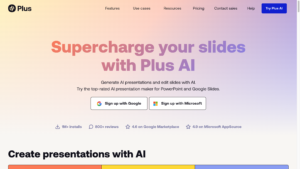
Review
Plus AI is a powerful AI presentation generator designed to transform ideas into complete slide decks in minutes. By entering a simple prompt, users can automatically generate structured outlines, visual layouts, and speaker notes.
The platform focuses on speed and simplicity, making it ideal for marketers, business professionals, and students. Its AI ensures consistency in design and helps reduce the time spent on formatting and content arrangement.
Features
- AI-powered outline and slide creation
- Automatic design and layout suggestions
- Speaker notes generation
- Export to PowerPoint, Google Slides, and PDF
- Collaboration tools for teams
Pros
- Fast and user-friendly
- Great for professional and educational presentations
- Consistent, polished slide designs
- Supports multiple export formats
Cons
- Limited advanced animation and transition control
- Requires Google Slides or PowerPoint integration to function fully
- Custom design flexibility is restricted compared to manual tools
- Output quality depends heavily on input prompt clarity
- Not suitable for highly visual or creative storytelling presentations
Final Verdict
Plus AI is an excellent choice for users who want to create professional presentations quickly without spending hours on design. Its AI-powered workflow automatically generates well-structured slides with consistent layouts, visuals, and formatting, saving valuable time. Ideal for both students and professionals, Plus AI balances simplicity with functionality, making it perfect for fast-paced projects, last-minute presentations, and team collaborations.
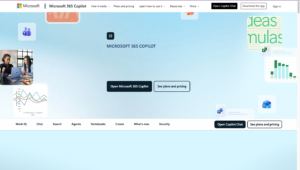
#2. Microsoft Copilot
Review
Microsoft Copilot integrates advanced AI directly into the Microsoft Office suite, allowing users to create professional presentations within PowerPoint using simple natural language prompts. By interpreting plain instructions, it automatically generates structured slides, complete with suggested layouts, visuals, charts, and speaker notes.
Copilot also adapts content style and tone based on your audience, ensuring your presentation is engaging and effective. Leveraging the Microsoft 365 ecosystem, it supports real-time collaboration, version tracking, and seamless integration with Word, Excel, and Teams, making it ideal for both individual users and teams working on high-impact business presentations.
Features
- AI-powered slide generation from text prompts
- Smart design and layout suggestions
- Integration with Microsoft 365 tools
- Real-time collaboration and editing
- Automatic speaker notes
Pros
- Direct integration with PowerPoint and Office 365
- Seamless collaboration with team members
- Leverages familiar Microsoft interface
- Reliable AI content generation
Cons
- Works best only within the Microsoft 365 ecosystem
- Limited slide-level creative customization
- AI suggestions can feel generic for complex topics
- Requires an active Microsoft subscription
- Less control over layout precision and visual hierarchy
Final Verdict
Microsoft Copilot is ideal for users already embedded in the Microsoft ecosystem who want AI-powered assistance for creating presentations. Its seamless integration with PowerPoint and other Microsoft 365 apps streamlines workflows, automates slide generation, and ensures brand consistency across content.
Copilot enhances productivity by providing AI-generated layouts, visuals, speaker notes, and charts while supporting real-time collaboration for teams. This makes it perfect for professionals, educators, and business users who rely on Microsoft Office for daily tasks and want to save time while producing polished, high-quality presentations.
#3. Google Gemini
Review
Google Gemini is Google’s advanced AI tool for content creation, including professional presentations. By analyzing prompts and understanding context, Gemini automatically generates structured slides with relevant text, visuals, charts, and layouts tailored to your topic, audience, and purpose. Its AI not only suggests design elements but also ensures consistency and clarity across slides, saving time and effort in the creation process.
Being cloud-based, Gemini allows seamless access, editing, and collaboration from anywhere, making it ideal for remote teams, educators, marketers, and content creators who need efficient, polished presentations.
Features
- AI-driven slide generation from prompts
- Smart content and layout suggestions
- Cloud-based collaboration and sharing
- Customizable visuals and charts
- Integration with Google Workspace
Pros
- Cloud-based for easy access
- Seamless collaboration with Google Workspace
- Context-aware AI content generation
- Interactive and editable slides
Cons
- Presentation generation features are still evolving
- Limited native design templates for advanced use cases
- Strong dependence on Google Workspace tools
- Less control over branding elements and custom visuals
- Not optimized for complex data visualization
Final Verdict
Google Gemini is a solid AI presentation generator for users who want cloud-based access, collaboration, and contextually smart content. It suits teams and creators looking to streamline presentation creation without leaving Google Workspace. Its AI ensures relevant content with minimal effort.
#4. MagicSlides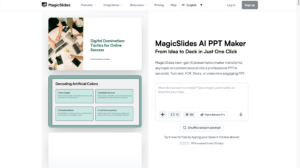
Review
MagicSlides is a powerful AI presentation platform designed to help users quickly generate visually appealing and professional slide decks. By entering a brief topic, idea, or prompt, the AI automatically creates a complete presentation with well-structured content, cohesive design, and polished layouts.
MagicSlides emphasizes both creativity and simplicity, offering customizable visuals, fonts, and themes while maintaining a consistent style throughout the deck. This makes it ideal for professionals, students, marketers, and entrepreneurs who want engaging presentations without spending hours on manual design work. Its intuitive interface ensures a smooth workflow, allowing users to focus on content quality and storytelling rather than formatting.
Features
- AI-generated slides from short prompts
- Multiple design themes and layouts
- Visual content suggestions and charts
- Export options for PowerPoint and PDF
- Easy editing and customization
Pros
- Quick and efficient slide generation
- Attractive pre-designed layouts
- Supports data visualization
- User-friendly interface
Cons
- Design quality varies based on prompt structure
- Limited customization after slide generation
- Fewer advanced chart and visualization options
- Not ideal for large or enterprise-level presentations
- Dependency on Google Slides environment
Final Verdict
MagicSlides is ideal for users who need to create engaging, professional presentations quickly. Its AI helps maintain consistent design while generating clear content. Perfect for marketers, educators, and business professionals who want polished slides without complex design work.
#5. SlidesAI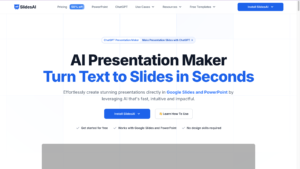
Review
SlidesAI is a cutting-edge AI presentation tool designed to transform text, prompts, or simple ideas directly into well-structured, professional slide decks. The platform automates slide creation, layout design, and content formatting, significantly reducing the time and effort required to produce polished presentations.
SlidesAI also provides intelligent suggestions to improve slide flow, readability, and visual consistency, ensuring that every deck is engaging and easy to follow. This makes it an ideal solution for professionals, marketers, educators, and creators who need fast, high-quality presentations without compromising on design or clarity. Its intuitive interface and AI-driven workflow allow users to focus on storytelling and messaging rather than manual formatting.
Features
- AI-powered slide generation from text or prompts
- Automatic layout and design optimization
- Smart content structuring and flow suggestions
- Export to PowerPoint and PDF
- Custom branding and style options
Pros
- Saves significant time on slide creation
- Generates professional-looking presentations
- Easy to use with intuitive interface
- Offers basic customization and branding
Cons
- Slide designs can appear repetitive across presentations
- Limited animation and visual effect options
- Requires manual refinement for professional polish
- Weak support for complex diagrams and data-heavy slides
- Advanced features are locked behind paid plans
Final Verdict
SlidesAI is perfect for users seeking fast, AI-assisted presentation creation. It combines efficiency with professional design, making it suitable for business, education, and creative projects. For anyone wanting to reduce manual work without sacrificing slide quality, SlidesAI provides an excellent solution.
#6. Gamma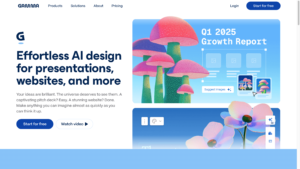
Review
Gamma is an AI-powered presentation tool that focuses on visual storytelling and interactive content. By simply providing a topic or brief prompt, it generates a full slide deck with consistent design, graphics, and structured content.
Gamma’s AI emphasizes clarity and engagement, making it ideal for business presentations, pitches, and educational content. Its interactive elements allow audiences to explore information dynamically, creating a more immersive experience.
Features
- AI-generated slide content from prompts
- Interactive and dynamic presentation options
- Visual content suggestions and templates
- Export to PowerPoint, PDF, and web formats
- Collaboration tools for teams
Pros
- Engaging and interactive slides
- Professional design consistency
- Suitable for business and educational use
- Team collaboration supported
Cons
- Limited fine-grain control over slide layouts
- Restricted export flexibility for traditional presentation formats
- Advanced branding options require paid plans
- Not ideal for highly technical or data-heavy presentations
- AI-generated structure may require manual refinement
Final Verdict
Gamma is perfect for users who want visually engaging and interactive presentations without spending hours designing. Its AI ensures clarity and professional layout while adding a dynamic edge. Ideal for creators, educators, and professionals who want their presentations to stand out.
#7. Slidebean
Review
Slidebean is a popular AI‑powered presentation tool designed to help users turn ideas into professional slide decks with minimal effort. By entering a topic or a short prompt, Slidebean’s AI automatically generates structured slides, layouts, and visual elements that match industry standards.
Slidebean also includes intuitive editing tools, analytics tracking, and pitch‑ready templates that adjust content flow based on your goals. Whether you are preparing investor decks, business reports, or educational slides, Slidebean offers automation that significantly reduces the time from concept to delivery.
Features
- AI‑generated slide creation from text prompts
- Smart layout and design optimization
- Template library for business, pitch, and educational use
- Export to PowerPoint, PDF, and web formats
- Analytics and engagement tracking
- Collaboration tools
Pros
- Fast and polished slide generation
- Great for business and investor presentations
- Intuitive user interface
- Built‑in analytics for audience insights
Cons
- Learning curve for first-time users
- Limited creative freedom outside predefined layouts
- Higher pricing compared to basic AI slide tools
- Less flexibility for custom animations and transitions
- Not optimized for quick, informal presentations
Final Verdict
Slidebean is a strong choice for users who want high‑quality, AI‑assisted presentations without spending hours on design. Its smart templates, pitch‑focused tools, and analytics features make it ideal for startups, marketers, and educators. While manual customizations may still be needed for very specific branding, Slidebean consistently delivers professional presentations that save time and elevate content quality.
#8. Canva Magic Design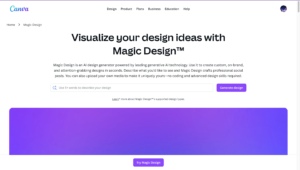
Review
Canva Magic Design integrates advanced AI capabilities into Canva’s popular design platform, allowing users to generate complete presentations effortlessly from simple prompts. The AI automatically creates structured slides with professionally designed templates, visuals, and layouts, saving hours of manual design work.
Users can customize every element, including colors, fonts, images, and branding, to ensure the presentation aligns with company or personal style guidelines. Ideal for professionals, students, marketers, and creators, Canva Magic Design combines simplicity with flexibility, making it easy to produce polished, engaging, and visually consistent slide decks in minutes. Its intuitive interface and AI-powered suggestions also enhance creativity while maintaining efficiency.
Features
- AI-generated slides and layouts from prompts
- Pre-designed templates and graphics
- Customizable visual elements and branding
- Export to PowerPoint, PDF, and Google Slides
- Collaboration and sharing options
Pros
- Easy-to-use interface
- High design flexibility
- Extensive template library
- Collaborative features
Cons
- Design consistency can vary across auto-generated slides
- Limited control over AI layout logic
- Advanced features depend on Canva Pro subscription
- Not suited for complex analytical presentations
- Heavy reliance on templates for structure
Final Verdict
Canva Magic Design is perfect for users seeking a balance of speed, creativity, and customization. Its AI-assisted workflow simplifies slide creation while allowing professional polish. Ideal for teams, marketers, and educators who want flexibility and efficiency.
#9. Beautiful.ai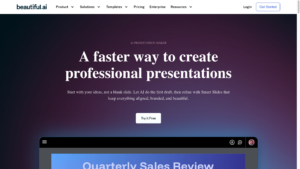
Review
Beautiful.ai is an AI-powered presentation platform designed to simplify slide creation while maintaining professional quality. The tool focuses on design automation, automatically generating visually appealing and well-structured presentations from user prompts.
Its AI intelligently manages layouts, charts, typography, and spacing to ensure consistency across all slides, reducing the need for manual formatting. Ideal for business professionals, educators, marketers, and creative teams, Beautiful.ai helps users produce polished slide decks quickly while saving time and effort. With its intuitive interface and smart design suggestions, even beginners can create professional presentations that look cohesive and engaging.
Features
- AI-driven layout and slide generation
- Smart charts and data visualization
- Consistent design and typography
- Export to PowerPoint, PDF, and web formats
- Team collaboration and sharing
Pros
- Automated professional design
- Time-saving and efficient
- Easy-to-use for beginners
- Consistent and polished slides
Cons
- Restricted customization beyond smart layout rules
- Limited animation and transition options
- Requires ongoing subscription for full access
- Less control over custom slide positioning
- Not suitable for highly creative or experimental designs
Final Verdict
Beautiful.ai is ideal for users who want professional, polished presentations quickly. Its AI ensures consistent design and layout without the need for manual formatting. Perfect for business professionals, educators, and teams seeking efficiency without sacrificing visual quality.
#10. Pitch
Review
Pitch is a collaborative AI-powered presentation platform designed to help teams create professional slide decks quickly and efficiently. The AI assists users in structuring content, designing visually appealing slides, and suggesting relevant visuals, ensuring presentations are both polished and engaging.
Tailored for startups, marketing teams, creative agencies, and remote teams, Pitch emphasizes speed, collaboration, and seamless workflow integration. Its co-editing and sharing features allow multiple team members to work on presentations simultaneously, making updates and revisions effortless. With Pitch, teams can streamline the entire presentation process while maintaining consistent branding and professional-quality slides.
Features
- AI-generated content and slides from prompts
- Team collaboration and co-editing
- Visual suggestions and pre-designed templates
- Export to PowerPoint, PDF, and web formats
- Version control and cloud-based storage
Pros
- Great for team collaboration
- Efficient AI-assisted content generation
- Professional design consistency
- Cloud-based and accessible anywhere
Cons
- AI features are limited compared to design-first tools
- Requires manual adjustments for polished output
- Advanced collaboration tools require paid plans
- Limited automation for complex content structures
- Less flexibility for visual-heavy presentations
Final Verdict
Pitch is perfect for teams who want fast, AI-assisted presentation creation with collaborative features. Its AI ensures structured, professional slides while maintaining design consistency. Ideal for startups, marketing teams, and creative agencies looking to streamline presentation workflows.
Conclusion
AI presentation generators are transforming how professionals, students, and creators build presentations. They remove the time-consuming burden of design and structure, allowing users to focus on content and storytelling. From visually interactive decks to streamlined business presentations, these tools provide efficiency, consistency, and professional polish.
Whether you need speed, creativity, or collaboration, the AI platforms reviewed here offer reliable solutions for every purpose. By leveraging these tools, you can produce high-quality presentations that engage your audience and convey ideas effectively.
Frequently Asked Questions(FAQs)
Can AI presentation generators replace traditional design software?
AI tools simplify slide creation, but they complement rather than completely replace traditional design software. For highly customized or complex designs, manual adjustments may still be necessary.
Are AI presentation generators suitable for business use?
Yes, they are ideal for professionals who need polished presentations quickly. They ensure consistent design, structure, and professional visuals, making them suitable for client pitches, reports, and meetings.
Do AI presentation generators require technical skills?
No, most AI presentation tools are user-friendly and require minimal technical skills. Users only need to provide a topic or prompt, and the AI generates the slides automatically.
Can I collaborate with my team using AI presentation platforms?
Yes, many AI presentation tools include collaboration features, allowing multiple team members to edit, comment, and co-create slides in real-time, ensuring efficient teamwork.
