
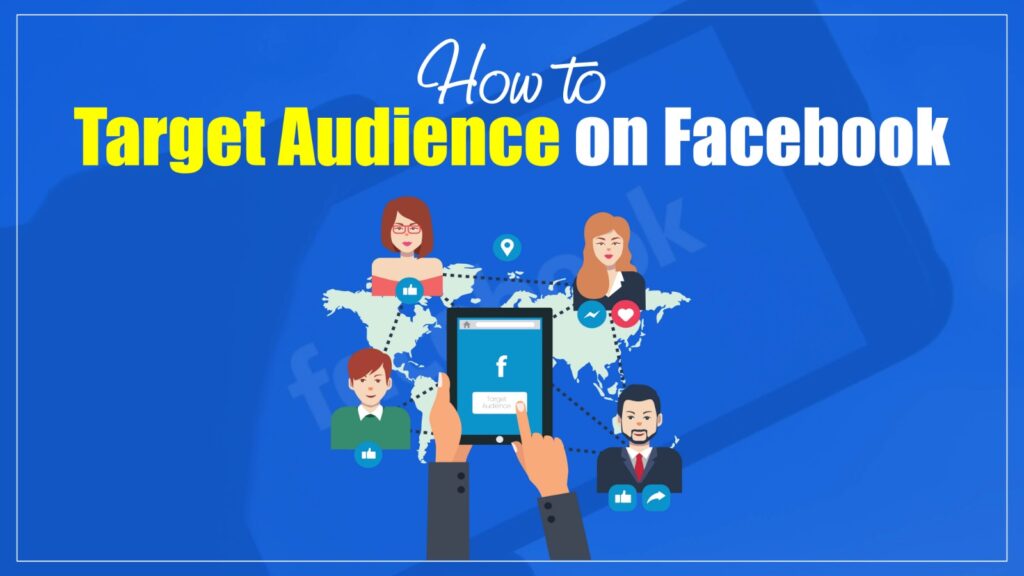
What Is Facebook Audience Targeting
Facebook audience targeting is the process of showing your ads to people who are most likely to become customers based on demographics, location, interests, behaviors, and previous interactions with your business. Effective audience targeting helps reduce wasted ad spend, improve conversions, and maximize return on ad spend (ROAS).
With Facebook’s powerful targeting options, you can:
- Reach your ideal customers
- Save money by avoiding irrelevant clicks
- Improve your ad performance
- Get better results from your marketing
Why Audience Targeting Matters in Facebook Ads
Getting your ads in front of the right people is what makes Facebook advertising powerful. Audience targeting helps you avoid wasting money and boosts your results. Here’s why it’s so important:
Better Use of Your Budget
When you target a specific audience, your money goes toward people who are more likely to care about your offer. This increases clicks, leads, and conversions without overspending.
Higher Engagement Rates
People are more likely to interact with ads that match their interests, needs, or location. Smart targeting brings you more likes, comments, shares, and clicks.
Improved Sales and Leads
If you’re targeting users already interested in what you offer (like a warm Custom Audience), your chances of getting leads and sales improve drastically.
Smarter Ad Delivery
Facebook’s system works better when it knows who to show your ads to. With good targeting, Facebook can optimize delivery to those who are most likely to take action.
Deeper Audience Insights
By testing different audience segments, you can learn more about who responds best to your product or service—helping you improve future campaigns.
Types of Facebook Audiences
To understand how to target audience on Facebook, you first need to learn the types of audiences you can choose from. Facebook gives you powerful options to help you reach the right people at the right time.
Core Audiences
Core Audiences are built using basic filters such as location, age, gender, interests, and behaviors. You can target people based on where they live, what they like, how they shop, and more. This is helpful if you’re new to Facebook Ads and want to reach a broader group of people who match the general profile of your ideal customer.
Custom Audiences
Custom Audiences allow you to reach people who have already interacted with your business. These could be visitors to your website, people who have engaged with your content on Facebook or Instagram, or contacts from your email list or CRM. Custom Audiences are great for retargeting warm leads—people who already know about your brand and may be more likely to convert.
Lookalike Audiences
Lookalike Audiences are used to find new people who are similar to your existing customers. Facebook takes data from your Custom Audience and uses it to find users with similar interests, behaviors, or demographics. This option is best when you want to expand your reach to fresh audiences who are more likely to be interested in what you offer. It combines the benefits of broad targeting with the accuracy of real customer data.
Which Facebook Audience Type Should You Choose
Choosing the right audience depends on your campaign goal. While all three audience types are useful, each serves a different purpose. The table below can help you decide which option fits your advertising strategy.
| If Your Goal Is | Best Audience Type |
|---|---|
| Reach new people | Core Audience |
| Drive local awareness | Core Audience |
| Retarget website visitors | Custom Audience |
| Re-engage existing customers | Custom Audience |
| Recover abandoned carts | Custom Audience |
| Find customers similar to your buyers | Lookalike Audience |
| Scale a successful campaign | Lookalike Audience |
| Launch a new product | Core Audience |
If you’re running your first Facebook campaign, start with a Core Audience. Once you collect enough customer data, use Custom Audiences for retargeting and Lookalike Audiences to expand your reach.
Facebook Audience Targeting Options
Before creating your audience, it’s important to understand the targeting options available in Meta Ads Manager. These settings allow you to narrow or expand your audience based on who is most likely to engage with your business. Combining multiple targeting options can improve ad relevance and help you reach the right people more efficiently.
Location Targeting
Location targeting lets you show ads to people in specific countries, states, cities, or ZIP codes. You can also target users within a selected radius around a physical location, making this option ideal for local businesses and regional campaigns.
Age and Gender Targeting
You can choose the age range and gender that best match your ideal customer. For example, a retirement planning service may target users aged 50 and above, while a beauty brand may focus on women within a specific age group.
Language Targeting
Language targeting allows you to reach users who speak a particular language. This is especially useful for businesses running multilingual campaigns or targeting audiences in countries where multiple languages are commonly spoken.
Interest Targeting
Interest targeting helps you reach people based on topics, hobbies, brands, and activities they have shown interest in. For example, a travel company can target users interested in vacations, airlines, or adventure travel.
Behavioral Targeting
Behavioral targeting focuses on user actions rather than interests. You can target people based on purchasing behavior, device usage, travel habits, online shopping activity, and other behaviors collected by Meta.
Demographic Targeting
Demographic targeting includes factors such as education level, job title, relationship status, parental status, and household information. Combining demographic filters with interests often produces more qualified audiences.
Connections Targeting
Connections targeting allows you to reach people who already follow your Facebook Page or exclude existing followers if your goal is customer acquisition. This helps you create campaigns for both new and existing audiences.
| Targeting Option | Best Used For |
|---|---|
| Location | Local businesses and regional campaigns |
| Age & Gender | Products aimed at specific demographics |
| Interests | Reaching new potential customers |
| Behaviors | Targeting users based on actions and purchase intent |
| Custom Audiences | Retargeting existing users |
| Lookalike Audiences | Finding new customers similar to existing ones |
How to Target Audience on Facebook (Step-by-Step Guide)
Targeting the right audience is key to a successful Facebook ad campaign. Here’s a simple guide to help you set up your targeting inside Facebook Ads Manager:
Step 1: Open Facebook Ads Manager
Start by logging into Facebook Ads Manager. Click on Create to start a new campaign or edit an existing one.
Step 2: Choose Your Campaign Objective
Pick an objective like Traffic, Engagement, Leads, or Sales. Your choice will affect how your ads are delivered and who sees them.
Step 3: Set Up Your Audience
After selecting your campaign objective, move to the Ad Set level in Meta Ads Manager. Under the Audience section, choose who should see your ads by defining their location, age, gender, and language. Depending on your campaign, you can also choose between a manually created audience or Meta’s Advantage+ Audience, which uses AI to optimize audience selection. These settings create the foundation for your targeting before you refine it further with detailed targeting options.
Step 4: Use Detailed Targeting
In this step, you can refine your audience further by using the “Detailed Targeting” section. This lets you target people based on their interests, behaviors, and demographics. For example, you can reach users who are interested in fitness, frequently shop online, or have a certain education level. You also have the option to include specific traits you want or exclude people who don’t match your target profile. This helps make your audience more focused and effective.
Step 5: Use Custom Audiences (Optional)
Upload your own list (email or phone numbers), retarget people who visited your website, or engage with your Facebook/Instagram page. This is great for warm leads.
Step 6: Try Lookalike Audiences
Lookalike Audiences help you find new people similar to your existing customers. Choose a source (like a Custom Audience), and Facebook will find similar users.
Step 7: Save Your Audience
You can save the audience to use in future campaigns. Just click Save This Audience at the bottom.
How Big Should Your Facebook Audience Be
One of the most common questions advertisers ask is how large their Facebook audience should be. The answer depends on your campaign objective, budget, and business type. A local service business usually benefits from a smaller, highly relevant audience, while national brands and ecommerce stores often need much broader targeting.
| Business Type | Recommended Audience Size |
|---|---|
| Local Business | 20,000–100,000 |
| Lead Generation | 100,000–1 Million |
| SaaS | 200,000–1 Million |
| Ecommerce | 500,000–3 Million |
| National Brand | 1 Million+ |
Rather than chasing a specific audience size, focus on relevance. An audience that is too narrow may increase your costs, while one that is too broad can reduce ad relevance. Test different audience sizes and monitor your performance metrics to find the right balance.
Example: A local dental clinic targeting patients within a 15-mile radius can perform better with a highly relevant audience of 30,000–80,000 people than with a broad audience of several million. In contrast, an ecommerce store selling nationwide may benefit from a much larger audience combined with Lookalike Audiences and retargeting.
Advanced Facebook Audience Targeting Strategies
Creating the right audience is only the first step. To consistently improve your Facebook ad performance, you need to refine your targeting based on real campaign data. The strategies below help you reach more qualified users, reduce wasted ad spend, and increase conversions.
Use Custom Audiences for Retargeting
Custom Audiences allow you to reconnect with people who have already interacted with your business. This includes website visitors, email subscribers, app users, video viewers, and people who engaged with your Facebook or Instagram content. Since these users are already familiar with your brand, they are generally more likely to convert than cold audiences.
Create High-Quality Lookalike Audiences
Lookalike Audiences help you reach new people who share similar characteristics with your existing customers. For the best results, build your Lookalike Audience from high-value sources such as recent purchasers, qualified leads, or loyal customers rather than general website visitors. Start with a 1% Lookalike Audience for the closest match, then test larger percentages as you scale your campaigns.
Layer Demographics with Interests
Instead of relying on a single targeting option, combine demographics with interests and behaviors to create a more relevant audience. For example, a fitness brand could target adults aged 25–45 who are interested in strength training, healthy eating, and gym memberships. Layering targeting options improves ad relevance without making your audience overly restrictive.
Exclude Existing Customers
Not every campaign should target everyone. If your goal is acquiring new customers, exclude people who have already purchased from your business or are part of your customer list. This prevents unnecessary ad spend and allows your budget to focus on finding new prospects.
Retarget High-Intent Users
People who added products to their cart, visited pricing pages, watched most of your videos, or submitted a lead form are much closer to making a purchase than first-time visitors. Retargeting these high-intent users often produces higher conversion rates and a better return on ad spend.
Test Different Audience Sizes
Avoid assuming that smaller audiences always perform better. Test different audience sizes to find the right balance between reach and relevance. Highly targeted audiences work well for niche offers, while broader audiences often perform better once Facebook has enough conversion data to optimize delivery.
Refresh Your Audiences Regularly
Audience behavior changes over time. Review your Custom and Lookalike Audiences regularly, remove outdated customer lists, and create new audiences based on recent website visitors, purchasers, or engaged users. Refreshing your audiences helps reduce ad fatigue and maintain campaign performance.
Use Advantage+ Audience When Appropriate
For conversion-focused campaigns, consider using Advantage+ Audience. Instead of limiting Facebook to strict targeting rules, Advantage+ allows Meta’s AI to find additional people who are likely to convert based on your campaign objective. Manual targeting remains useful for local businesses and niche markets, while Advantage+ often performs well when scaling campaigns.
Building a High-Performing Lookalike Audience
Creating a Lookalike Audience is only effective if your source audience contains high-quality data. Instead of using a random customer list, build your Lookalike Audience from users who have already completed valuable actions such as making a purchase, submitting a lead form, or becoming repeat customers.
For most campaigns, a 1% Lookalike Audience provides the closest match to your existing customers and usually delivers the highest-quality traffic. As you scale, you can experiment with 2% to 5% Lookalike Audiences to reach a larger pool of potential customers.
Regularly refresh your source audience with new customer data to keep your Lookalike Audiences accurate and effective over time.
Common Mistakes to Avoid in Facebook Targeting
Getting your audience targeting wrong can waste your budget and hurt ad performance. Here are the most common mistakes you should avoid:
Targeting Too Broad or Too Narrow
If your audience is too broad, your ads may reach people who aren’t interested. If it’s too narrow, you may miss out on potential customers and drive up costs. Find a balance that fits your campaign goals.
Ignoring Audience Overlap
When ad sets target similar users, your ads compete with each other. This can increase your cost per result. Use Facebook’s Audience Overlap tool to check and fix this issue.
Not Using Exclusion Filters
If you don’t exclude past buyers or uninterested users, you waste money showing ads to the wrong people. Always use exclusion filters to keep your audience focused and relevant.
Skipping Lookalike Audiences
If you rely only on interests, you miss the chance to reach people similar to your best customers. Lookalike audiences help you scale by finding new users who behave like your existing ones.
Forgetting to Test Audiences
Testing helps you learn what works. If you stick to just one audience, you limit your growth. A/B test different interests, age groups, and lookalike ranges to find the best performers.
Setting Wrong Location Filters
Running ads in the wrong places can waste your budget. Always check that your locations match where your product or service is available.
Not Refreshing or Updating Audiences
Using the same audience for too long can lead to ad fatigue. Refresh your custom and lookalike audiences regularly to keep performance strong.
Signs It’s Time to Update Your Facebook Audience
Audience performance naturally changes over time. If your campaigns begin to lose efficiency, it may be time to refresh your targeting.
Common warning signs include:
- Rising Cost Per Click (CPC)
- Declining Click-Through Rate (CTR)
- Lower Return on Ad Spend (ROAS)
- Increasing ad frequency
- Fewer conversions
- Audience fatigue
- Higher Cost Per Acquisition (CPA)
Review your audience performance regularly and refresh Custom Audiences or test new Lookalike Audiences whenever these metrics begin to decline.
How to Analyze Audience Performance in Meta Ads Manager
Creating the right audience is only the beginning. To improve your campaigns over time, you should regularly review audience performance in Meta Ads Manager. Performance data helps you understand which audience segments are generating clicks, conversions, and sales.
Pay close attention to:
- Click-Through Rate (CTR)
- Cost Per Click (CPC)
- Cost Per Mille (CPM)
- Return on Ad Spend (ROAS)
- Frequency
- Conversion Rate
You can also use breakdown reports to compare results by age, gender, location, placement, and device. These insights help you identify high-performing audience segments and remove those that are wasting your advertising budget.
How to Test and Optimize Your Targeting Over Time
Effective audience targeting on Facebook isn’t a one-time setup. To get the best results, you need to test, measure, and adjust regularly. Here’s how to improve your targeting step by step over time:
Start with A/B Testing
Run A/B tests (also called split tests) to compare different targeting options — such as age ranges, interests, or locations. This helps you find what works best without wasting your budget.
Monitor Key Metrics Regularly
Regularly checking key metrics like CTR, CPM, CPC, and ROAS helps you understand how your audience is responding. These numbers show what’s working and where you might need to adjust your targeting for better results.
Refine Your Audience Based on Data
Use insights from your campaign results to fine-tune your audience. If certain age groups or interests aren’t performing, remove or adjust them. Exclude users who already converted to avoid wasting budget and keep your ads focused.
Use Custom Audiences for Retargeting
Retarget website visitors, video viewers, or people who engaged with your page. These warm audiences often convert better and cost less to reach.
Update Your Audiences Over Time
People’s behavior and interests change. Refresh your Custom and Lookalike Audiences regularly to avoid ad fatigue and keep performance strong.
Keep Experimenting
Try new audience combinations, layers, and ad creatives. Even small changes can lead to better results over time.
How to Measure Facebook Audience Targeting Performance
Key KPIs:
| KPI | Why It Matters | Good Benchmark |
|---|---|---|
| CTR | Measures engagement | 2–5% |
| CPC | Shows click cost | Lower is better |
| CPM | Cost to reach 1,000 people | Industry dependent |
| ROAS | Measures profitability | 3× or higher |
| Frequency | Indicates ad fatigue | Below 3–4 |
| Conversion Rate | Measures landing page performance | Industry dependent |
Expert Insight
The real power of Facebook audience targeting lies in precision and iteration. Advertisers who continuously test, refine, and scale their audiences based on performance data gain a significant competitive advantage. Instead of guessing, successful campaigns rely on structured targeting systems that evolve with user behavior and platform intelligence.
