Close Menu
    Facebook X (Twitter) Instagram
    Advertiser Review
    • Reviews
    • Advertising
      • Advertising Networks
    • Affiliate
      • Affiliate Programs
    • Software
    • Services
    • VPN
    • Tools
      • Downloaders
      • Converters
    • Social
      • Facebook
      • Instagram
      • Snapchat
      • TikTok
      • LinkedIn
      • Messenger
      • Whatsapp
      • Pinterest
      • Reddit
      • Spotify
      • Telegram
      • Twitter
      • YouTube
    • News
    • More
      • Interviews
      • URL
    Advertiser Review
    Home»Social Media»Facebook»Managing Multiple Facebook Pages Without Getting Banned

    Managing Multiple Facebook Pages Without Getting Banned

    Staff WriterBy Staff WriterMarch 12, 2026
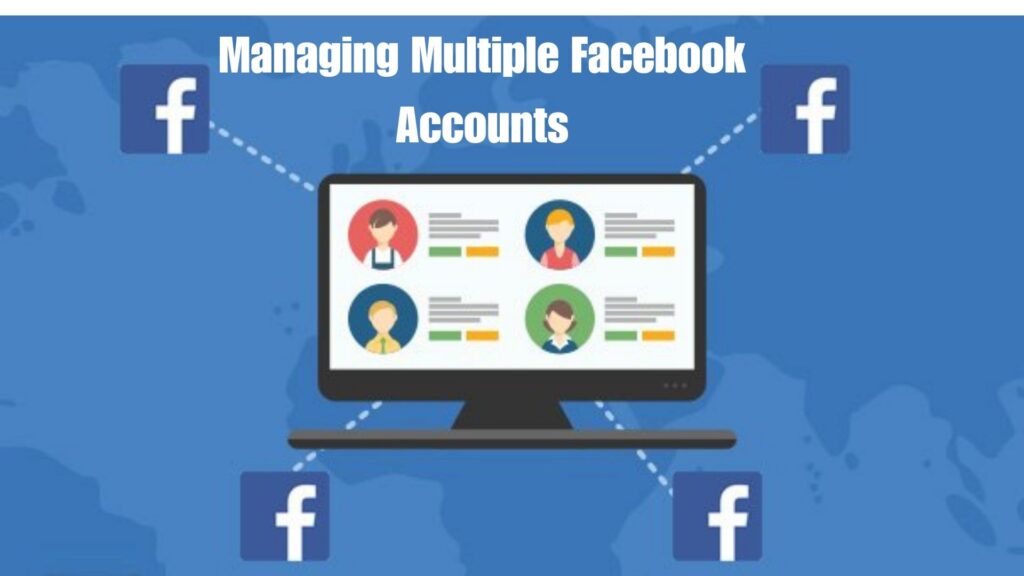
    Graphic showing a computer dashboard with user profiles connected to multiple Facebook icons across a global network
    Illustration of managing multiple Facebook accounts through a central dashboard without violating Facebook’s policies.


    Featured Social Media Software:


    Introduction

    Managing multiple Facebook Pages is a common practice among digital marketers, agencies, and businesses with diverse brand portfolios. However, improper handling can lead to bans, restrictions, or reduced Page visibility. Facebook’s systems closely monitor behavior patterns to prevent misuse, automation, or identity fraud. This makes strategic compliance essential. Understanding the right tools, policies, and content strategies allows safe and scalable Page management. This guide outlines tested methods to help users operate multiple Pages without triggering Facebook’s security or community violation protocol.

    Why Manage Multiple Facebook Pages?

    Business segmentation and branding

    Managing multiple Facebook Pages supports business segmentation, agency workflows, or multilingual branding. Entities like marketing agencies, e-commerce brands, and international corporations handle client-specific or category-specific Pages. Segmenting pages improves audience targeting and builds localized engagement. It also streamlines content strategies for regional or product-specific outreach.

    Verified Facebook Profile Is Essential

    Avoid unverified and fake accounts

    Use a single, verified Facebook account to control all Pages. Avoid fake profiles, shared logins, or newly created personal accounts. Verified identities reduce account risk. Facebook flags unverified or inconsistent activity as spam or automation. Linking your account with real identity data builds trust and ensures platform compliance.

    Role-Based Page Management

    Assign Page roles strategically

    Assign Page roles using Meta Business Suite or the Page Roles tab. Facebook provides roles such as Admin, Editor, Moderator, Advertiser, and Analyst. Each role has distinct access permissions, which helps divide responsibilities and improves workflow clarity. Proper access management prevents abuse and ensures traceability of all actions.

    Centralized Control with Meta Business Suite

    Use Facebook’s official tools

    Meta Business Suite is Facebook’s official tool for managing multiple Pages. It allows centralized control of content scheduling, message responses, advertising, and performance tracking. Using Business Suite authenticates your usage patterns and boosts Facebook’s trust in your management behavior. It’s designed for marketers, brands, and agencies.

    Avoid Platform Red Flags

    Prevent automation and bot behavior

    Avoid repeated logins, identical posts, auto-posting tools, and over-automation. These behaviors mimic bots and increase the likelihood of platform bans. Facebook’s machine learning monitors for these patterns to detect suspicious accounts. Post scheduling should occur through official tools like Meta Business Suite to avoid penalties.

    Maintain unique content across Pages

    Create distinct content for each Page. Even if the message is similar, vary the image, caption, or post time. Avoid mass-posting identical content across Pages. This raises red flags in Facebook’s spam detection algorithm. Tailoring content to specific audiences improves engagement and credibility.

    Avoid excessive IP changes

    Avoid switching between IP addresses or using VPNs while managing Pages. Facebook tracks geo-location inconsistencies and unusual login patterns. Logging in from different countries in short intervals leads to account verification prompts or restrictions. Use consistent network environments for trusted access.

    Security Practices for Page Managers

    Use separate browser profiles

    Maintain distinct browser profiles for business and personal activity. For example, Chrome allows creating separate user profiles with isolated cookies. Separate sessions help avoid login conflicts and reduce the chance of security flags. Consistency in browser use also helps stabilize session data.

    Monitor Facebook notifications

    Check Facebook’s Support Inbox frequently. The platform sends warnings or alerts before taking actions like disabling accounts. Immediate responses to these notices can resolve minor violations before escalation. Facebook typically provides options for appeal or clarification, which helps prevent permanent restrictions.

    Track device and session history

    Use Facebook’s Security and Login section to monitor active sessions. Log out from unfamiliar devices. Too many device changes trigger account verification checks. Use fixed devices and networks for regular management. Device trust scores help maintain long-term access.

    Manage Advertising with Caution

    Follow Facebook’s advertising policies

    Ad accounts must follow Facebook’s ad policies strictly. Ads that violate guidelines lead to ad rejection, account warnings, or disabled access. Common violations include misleading claims, inappropriate content, and low-quality creatives. Maintaining high-quality, compliant ad content keeps your account in good standing.

    Avoid ad account restrictions

    Regularly check ad performance and rejection history. One rejected ad won’t trigger a ban, but a pattern of violations will. Review ad copy, images, and landing pages to ensure they align with Facebook’s ad policies.

    Business Manager for Multiple Pages

    Centralize business asset management

    Business Manager offers a professional environment for handling multiple assets, including Pages, ad accounts, and Pixels. You can add employees, assign role-based permissions, and monitor user actions. Separating assets through Business Manager increases transparency and operational efficiency.

    Know safe limits for Page control

    Typically, managing 5 to 20 Pages is safe using a single verified account. For more than 20 Pages, distribute roles through Business Manager to reduce the risk of central control issues. Avoid mass login behaviors across Pages. Assign teams or individuals to smaller Page clusters.

    Maintain Page Health and Branding

    Use the Page Quality dashboard

    Review the Page Quality section regularly. It highlights removed content, reported violations, and penalties. Monitoring this dashboard provides early signs of non-compliance. Correcting issues promptly protects your reputation and maintains full functionality of the Pages.

    Create consistent brand identity

    Use consistent profile photos, color themes, and post styles across Pages within the same brand. Uniform branding helps users recognize official Pages. It also reinforces Facebook’s trust in your network of assets.

    Minimize disruptive Page changes

    Limit frequent changes to Page names, usernames, or admin roles. Sudden, high-volume updates indicate instability. Facebook’s systems trust consistency over abrupt alterations. Maintain a steady pace of edits and verify changes through official processes.

    Restore Access to Restricted Pages

    Recover restricted or banned Pages

    To restore access:

    • Visit the Support Inbox and review violation details
    • Submit identity or business verification documents
    • Follow instructions for reinstatement
    • Avoid repeating the triggering behavior

    Quick response and documentation improve chances of regaining access. Rebuilding trust may require several days.

    How should Page roles be structured for safety and efficiency?

    Role assignment prevents centralized misuse and improves accountability.

    Direct answer:
    Assigning structured roles like Admin, Editor, and Analyst ensures no single account performs all actions, reducing risk of suspicious activity detection.

    Advanced role distribution model

    Role Responsibility Risk Level
    Admin Full control High (limit users)
    Content Manager Posting & scheduling Medium
    Community Manager Comments & messages Low
    Ads Specialist Paid campaigns Medium
    Data Analyst Insights only Very low

    Strategic insight

    Distributing roles mimics real organizational behavior, which improves platform trust signals.

    Why is Meta Business Suite essential for Page management?

    Meta Business Suite is the safest centralized system for handling multiple Pages.

    Direct answer:
    It provides a single dashboard to manage content, ads, messaging, and analytics without triggering suspicious login behavior.

    Expanded features

    • Cross-page scheduling system
    • Unified inbox for all messages
    • Audience insights per Page
    • Ad performance tracking
    • Permission-based collaboration

    Operational advantage

    Using Business Suite reduces the need to manually switch accounts, lowering security risk significantly.

    How can you avoid Facebook security flags?

    Facebook uses AI-based detection systems that analyze behavior patterns.

    Direct answer:
    Avoid automation, repetitive posting, and inconsistent login behavior to prevent triggering security systems.

    High-risk behaviors

    • Posting identical content across multiple Pages
    • Logging in from multiple countries in short time
    • Using automation bots for posting or messaging
    • Rapid Page switching within minutes

    Safe behavior model

    • Maintain consistent posting rhythm
    • Use human-like scheduling gaps
    • Vary captions and creatives

    Why is unique content critical for multiple Pages?

    Duplicate content is one of the strongest spam indicators.

    Direct answer:
    Unique content ensures each Page is treated as an independent entity rather than a duplicated network.

    Content diversification strategy

    • Change headlines and tone per Page
    • Use different images or thumbnails
    • Adjust posting times based on audience timezone
    • Modify CTA wording for each audience segment

    How do login patterns affect Page safety?

    Facebook tracks behavioral fingerprints including device, IP, and session history.

    Direct answer:
    Frequent device switching or VPN usage can signal unauthorized access behavior and trigger verification steps.

    Safe login practices

    • Use one primary device for management
    • Avoid switching between VPN locations
    • Keep browser sessions consistent
    • Do not share login credentials widely

    What security practices protect multiple Pages?

    Security ensures uninterrupted Page access and prevents account compromise.

    Advanced protection checklist

    • Enable two-factor authentication
    • Use separate browser profiles for work and personal use
    • Regularly check active sessions
    • Remove unknown devices immediately
    • Monitor Facebook Support Inbox

    Pro-level practice

    Many agencies create dedicated “management environments” using isolated browser profiles per client.

    How should advertising be managed safely?

    Ads are one of the highest-risk areas in Page management.

    Direct answer:
    Strict compliance with Facebook ad policies is necessary to prevent account-level restrictions.

    Common violations

    • Misleading claims
    • Before/after exaggerations
    • Restricted product promotion
    • Landing page mismatch

    Safe ad strategy

    • Use clear and honest messaging
    • Maintain landing page consistency
    • Review ads before publishing
    • Track rejection patterns

    What is Business Manager and why is it important?

    Meta Business Manager is designed for scalable Page ownership and enterprise-level control.

    Direct answer:
    It allows secure separation of assets like Pages, ad accounts, and Pixels while maintaining centralized control.

    Key advantages

    • Prevents ownership conflicts
    • Supports multiple team access
    • Tracks all user activity
    • Reduces dependency on single accounts

    What is a safe limit for managing Pages?

    There is no official limit, but behavior matters more than numbers.

    Direct answer:
    5–20 Pages per verified account is generally safe if managed through structured tools like Business Manager.

    Scaling strategy

    • 1–10 Pages → individual management
    • 10–50 Pages → Business Suite + roles
    • 50+ Pages → multi-team delegation system

    How do you maintain long-term Page health?

    Page health determines visibility and trust score.

    Maintenance framework

    • Regularly check Page Quality dashboard
    • Remove policy-violating content
    • Respond quickly to warnings
    • Maintain consistent branding identity
    • Avoid sudden name or category changes

    Why it matters

    Healthy Pages are less likely to be restricted during algorithm updates.

    What are common mistakes in managing multiple Pages?

    Critical mistakes

    • Using fake or duplicate accounts
    • Copy-pasting identical content everywhere
    • Ignoring policy updates
    • Excessive automation tools
    • Frequent admin switching

    What is an advanced scaling strategy?

    Growth framework

    • Centralize operations in Business Suite
    • Assign specialized roles per Page cluster
    • Automate only within Meta-approved tools
    • Track KPIs per Page individually
    • Continuously test content variations

    How do you measure Page performance?

    Key metrics

    • Engagement Rate
    • Reach growth
    • CTR (Click-Through Rate)
    • Conversion rate
    • Audience retention

    Formula

    Engagement Rate = (Likes + Comments + Shares) ÷ Reach × 100

    What are future trends in Facebook Page management?

    Industry evolution

    • AI-assisted content moderation
    • Automated scheduling intelligence
    • Stronger identity verification systems
    • Cross-platform integration dashboards
    • Predictive audience targeting

    Implementation Checklist 

    • Use a verified Facebook profile only
    • Manage Pages through Meta Business Suite
    • Assign clear role hierarchy
    • Keep content unique per Page
    • Avoid automation tools outside Meta
    • Maintain consistent device and IP usage
    • Monitor Page Quality regularly
    • Respond immediately to warnings

    Final Expert Framework

    1. Identity verification first
    2. Centralized tool usage
    3. Role-based access control
    4. Content diversification strategy
    5. Security monitoring system
    6. Performance tracking loop
    7. Continuous optimization cycle

    Expert Insight

    Sustaining control over multiple Facebook Pages requires a balance of verified identity, platform-compliant actions, and proper use of Meta tools. Avoiding suspicious login patterns, managing roles responsibly, and maintaining Page health ensures long-term operational stability. Using official resources like Meta Business Suite and Business Manager creates transparency and system-level trust. By adhering to Facebook’s guidelines and avoiding spam-like behavior, users can manage numerous Pages efficiently—without risking account bans or penalties. Every action must align with Facebook’s policy framework to protect business continuity and reputation.

    Share. Facebook Twitter Pinterest LinkedIn Tumblr Reddit Telegram WhatsApp
    Staff Writer
    • Website

    Related Posts

    Best Times to Post on Facebook for Engagement in 2025

    April 22, 2026

    Proven Facebook Lead Generation Strategies (2026 Guide)

    March 12, 2026

    How to Leave a Facebook Group – Step-by-Step Guide

    March 12, 2026
    Add A Comment

    Leave A Reply Cancel Reply

    Reviews
    • Best EOR Software 2025
    • Accounts Payable Software UK
    • Best CRM Software
    • Best CRM Software UK
    • Best CRM Software Dubai
    • Best Expense Management Software
    • Expense Management Software UK
    • Best HR Software UK
    • Best Business Software
    • Best Business Software UK
    • Best Task Management Software UK
    • Social Media Management Software
    • Best Collaboration Software
    • Best Medical Billing Software
    • Best Document Management Software
    • Best Accounting Software
    • Best Accounting Software UK
    Advertising Networks
    • Ad Networks For Publishers
    • Ad Networks For Advertisers
    • Ad Networks For Bloggers
    • Best Bitcoin Ad Networks
    • Best Forex Ad Networks
    • Best In-Image Ad Networks
    • Best Pop Under Ad Networks
    • Best Display Ad Networks
    • Best CPC Ad Networks
    • Best PPC Ad Networks
    • Best CPM Ad Networks
    • Best Video Ad Networks
    • Best Native AD Networks
    • Google AdSense Alternatives
    • Best Ad Fraud Tools
    • Best Paywall Services
    • Best Traffic Sources
    • Best Push Notification Ad Networks
    Affiliate Networks
    • Best CPA Networks
    • Best CPL Networks
    • Best CPS Networks
    • Best CPI Networks
    • Best PPD Networks
    • Best PPI Networks
    • Best CPA Networks for Beginners
    • Best European CPA Networks
    • Best Pay Per Call Networks
    • Best Nutra Affiliate Networks
    • Best Finance Affiliate Networks
    • Best Insurance Affiliate Networks
    • Best Coupons Affiliate Networks
    • Best Mobile Affiliate Networks
    • Best Affiliate Networks For Beginners
    Trending Articles
    • TikTok Creative Center
    • Instagram Not Sending SMS Code
    • Make Your Twitter Account Private
    • Why Can’t I Follow People on Instagram
    • How Does Snap Score Work
    • Instagram Couldn’t Load Activity
    • Download gif from twitter
    • How To Clear Tiktok Cache
    • Snapchat Keep Crashing
    • Highest Paying URL Shorteners
    • Best Pinterest Growth Services
    • Best Instagram Growth Services
    • Best Twitter Growth Services
    • Best Tiktok Growth Services
    • Dark Mode on Snapchat
    • Get 1K Followers On Instagram
    • Easy to Get Back on Instagram
    • View Instagram Reels Without Account
    © 2024 Advertiser Review. All Rights Reserved.
    • About
    • Contact
    • Advertise
    • Write For us
    • Terms of Use
    • Affiliate Disclosure
    • Privacy Policy

    Type above and press Enter to search. Press Esc to cancel.