
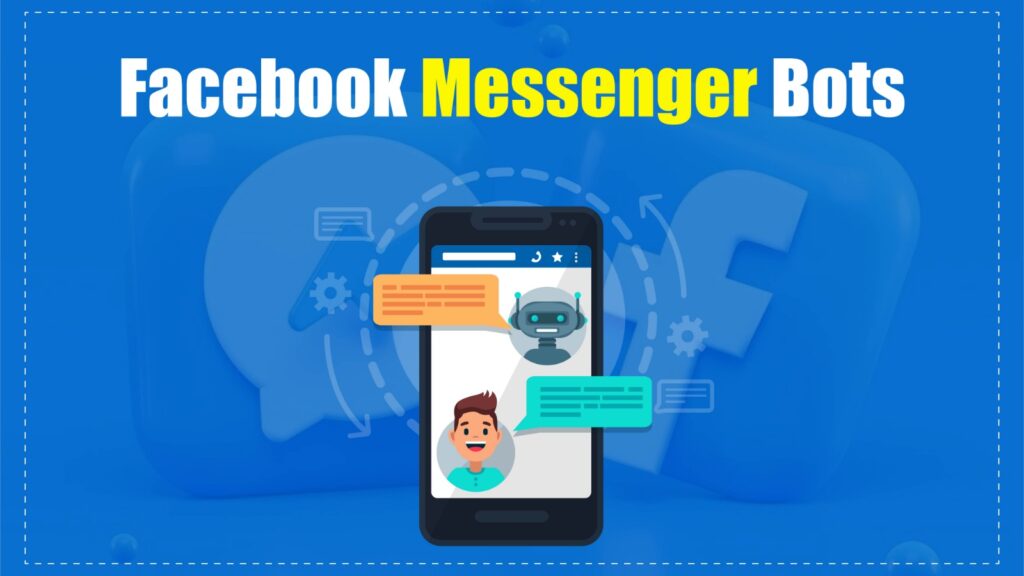
What Is a Facebook Messenger Chatbot?
A Facebook Messenger chatbot is an automated tool that interacts with users through Messenger.
It simulates human conversations, answers queries instantly, and guides users through actions.
- Responds in real-time without human intervention
- Uses AI and predefined flows for smart replies
- Works 24/7 to handle unlimited conversations
These bots help businesses automate support, sales, and engagement at scale.
They reduce manual effort while improving response speed and user experience.
How Do Facebook Messenger Bots Work?
Facebook Messenger Bots follow a structured conversational flow.
They combine automation, AI, and user input to create interactive experiences.
1. User Starts the Conversation
A user triggers the bot through different entry points.
This begins the automated interaction process.
- Clicking “Send Message” on a page
- Interacting with Messenger ads
- Using website chat widgets or QR codes
Once triggered, the bot immediately activates the conversation flow.
2. Bot Understands the Message
The bot analyzes what the user is trying to say.
It uses logic or AI to detect intent and keywords.
- Identifies user queries or commands
- Matches input with predefined responses
- Advanced bots learn from past interactions
This step ensures responses are relevant and personalized.
3. Bot Sends a Response
After processing input, the bot replies automatically.
Responses follow structured paths designed in advance.
- Text messages, images, or videos
- Buttons and quick reply options
- Step-by-step guided questions
These flows help users move smoothly toward a goal.
4. Conversation Continues Dynamically
The bot adapts based on user actions.
Each response leads to the next logical step.
- Suggests products or solutions
- Asks follow-up questions
- Escalates to human support if needed
This creates a natural, interactive experience.
5. Bot Completes the Action
The final goal is to perform a task efficiently.
Everything happens automatically within the chat.
- Captures leads (email, phone, preferences)
- Books appointments or schedules
- Processes orders or redirects to checkout
This automation allows businesses to serve users instantly at scale.
Why Are Facebook Messenger Bots So Important?
Messenger bots have become essential for modern businesses.
They meet user expectations for speed, personalization, and availability.
- Provide instant responses anytime (24/7)
- Improve lead capture and qualification
- Increase conversion through real-time interaction
- Collect valuable customer data for targeting
As competition grows, automation is no longer optional.
Messenger bots help businesses stay responsive, scalable, and efficient.
Benefits of Using Facebook Messenger Bots
Messenger bots offer multiple advantages across support, marketing, and sales.
They improve efficiency while enhancing the overall customer experience.
1. 24/7 Customer Support
Bots provide instant replies at any time.
Customers don’t need to wait for human agents.
- Handles FAQs instantly
- Reduces response delays
- Improves customer satisfaction
2. Lead Generation
Bots collect important user data automatically.
This helps businesses build strong marketing funnels.
- Capture emails and phone numbers
- Understand user preferences
- Sync data with CRM tools
3. Sales Automation
Bots guide users through buying decisions.
They simplify the purchase journey inside chat.
- Recommend products based on input
- Show product catalogs or offers
- Direct users to checkout
4. Improved User Engagement
Interactive features keep users engaged longer.
This increases chances of conversion.
- Polls, quizzes, and surveys
- Personalized suggestions
- Follow-ups and reminders
5. Cost-Effective Solution
Automation reduces dependency on large teams.
Businesses save time and operational costs.
- Fewer support agents needed
- Faster handling of multiple queries
- Higher ROI from automation
Popular Use Cases for Messenger Bots
Messenger bots are used across multiple industries.
They simplify communication and automate repetitive tasks.
E-commerce
- Product recommendations based on user behavior
- Order tracking and delivery updates
- Cart reminders to recover lost sales
- Quick answers to FAQs
Healthcare
- Appointment booking and reminders
- Medication alerts and follow-ups
- Basic health queries and guidance
- Wellness tips and checklists
Education
- Course enrollment and updates
- Answering student queries
- Sharing study materials
- Conducting quizzes and feedback
Real Estate
- Property listings with filters
- Virtual tours and media sharing
- Booking visits and consultations
- Providing detailed property info
Events and Ticketing
- Sending event reminders
- Ticket booking within chat
- RSVP management
- Real-time event updates
How to Create a Facebook Messenger Bot (Step-by-Step Guide)
Creating a Facebook Messenger bot is easier than you might think and it can drastically improve customer support, automate conversations, and drive engagement. Here’s a simple step-by-step guide to help you build your own Messenger chatbot from scratch.
Step 1: Set Up Your Facebook Page
To get started, you’ll need a Facebook Business Page since Messenger bots are linked to pages, not personal profiles.
Tip: Add a profile photo, cover image, and fill out all key details (about section, contact info, etc.) to make your page look professional and trustworthy.
Step 2: Create a Facebook Developer Account
Next, go to Facebook for Developers and create a Facebook Developer Account. This gives you access to Messenger APIs and development tools needed to build your bot.
Step 3: Create a New Messenger App
In your Developer Dashboard, navigate to “My Apps” and click on “Create App”.
- Choose the Messenger platform.
- Fill in the required details like app name, contact email, and business account.
This step links your app to your page and prepares it to connect with users via Messenger.
Step 4: Configure Your App Settings
Inside the App Dashboard, you’ll find important details such as:
- App ID
- App Secret
These will be used to securely authenticate your bot with the Messenger API. Also, enable the Messenger product and link it to your Facebook Page under “Settings > Basic”.
Step 5: Set Up Webhooks
Webhooks allow your bot to receive real-time updates when users send messages or perform actions.
To set up:
- Provide a callback URL (your bot’s server endpoint).
- Set a verify token (for Facebook to verify your webhook).
- Choose the right subscription fields (like messages, messaging_postbacks, etc.).
Tools like ngrok are helpful to tunnel your local development environment securely online for testing webhooks.
Step 6: Build Your Bot Logic
Now, create the actual bot! There are multiple ways to do this:
- Use the Facebook Messenger API (for developers).
- No-code platforms like ManyChat, Chatfuel, or MobileMonkey for easier setup.
- AI platforms like Dialogflow to add natural language processing (NLP).
These tools help you build conversational flows, auto-replies, menus, and integrate with services like Zapier to automate workflows.
Step 7: Test Your Bot
Before going live, thoroughly test your Messenger bot. Use:
- The Messenger Test Console inside the Facebook Developer portal.
- Your connected Facebook Page’s Messenger window.
- A variety of test users and devices.
Ensure your bot responds accurately, handles errors, and delivers a smooth user experience.
Step 8: Submit Your Bot for Facebook Review
To make your bot available to the public, you must submit it for Facebook’s approval. This involves:
- Ensuring your bot complies with Facebook’s Messenger Platform Policies.
- Providing testing instructions.
- Clearly explaining the bot’s functionality.
Once approved, your Messenger bot will go live and can begin interacting with your audience.
Best Practices for Facebook Messenger Bots
To maximize performance, Messenger bots should follow clear and user-friendly communication strategies.
Well-optimized bots improve engagement, reduce drop-offs, and ensure compliance.
Keep It Simple
Short messages improve readability and user interaction.
Avoid complex flows that confuse users.
- Use buttons, quick replies, and simple options
- Break long information into small steps
Provide Human Escalation
Bots should not replace humans completely.
Users must have an option to connect with a real agent.
- Add fallback responses for unclear queries
- Enable smooth handover to support teams
Use Personalization
Personalized conversations feel more natural and engaging.
They improve trust and response rates.
- Use user names and past interactions
- Recommend content based on behavior
Stay Compliant
Messenger policies must be followed strictly.
Non-compliance can reduce reach or block messaging.
- Follow the 24-hour messaging rule
- Use tags and OTN for extended communication
Track and Optimize
Performance tracking helps improve bot efficiency.
Continuous testing increases conversions over time.
- Monitor clicks, replies, and drop-offs
- Use A/B testing for better results
Integrating Messenger Bots with Your Marketing Strategy
Messenger bots perform best when combined with other marketing channels.
Integration ensures better lead nurturing and customer journey tracking.
Combine with Email Marketing
Bots can capture leads and send them to email tools.
This supports long-term engagement beyond Messenger.
- Collect emails through chat prompts
- Sync with tools like Mailchimp or HubSpot
Pair with Facebook Ads
Click-to-Messenger ads increase direct engagement.
They reduce friction compared to landing pages.
- Start conversations instantly from ads
- Guide users through quick qualification flows
Use for Retargeting
Bots help re-engage users who didn’t convert.
Timely follow-ups improve conversion chances.
- Send reminders or discounts
- Highlight limited-time offers
CRM Integration
Connecting bots with CRM systems improves data management.
It enables better segmentation and automation.
- Sync user data and interactions
- Trigger personalized follow-ups
Advanced Features of Messenger Bots
Messenger bots in 2027 are more intelligent and interactive.
Advanced features enhance user experience and automation power.
AI-Generated Replies
Bots now generate dynamic and natural responses.
They adapt based on user intent and conversation context.
- More human-like interactions
- Better understanding of complex queries
Voice-to-Text Input
Users can interact using voice commands.
This improves accessibility and ease of use.
- Faster communication on mobile
- Supports hands-free interaction
Direct Payment Integration
Bots can process payments
This reduces friction in the buying process.
- Integrates with Stripe, PayPal, Meta Pay
- Enables in-chat checkout
Rich Media Content
Bots support interactive visual formats.
This improves engagement and product presentation.
- Image carousels and videos
- Clickable product catalogs
Multi-Language Support
Bots can communicate in multiple languages automatically.
This expands global reach and accessibility.
- Detects user language
- Switches responses instantly
Omnichannel Support
Bots now work across multiple platforms.
This ensures consistent communication everywhere.
- Messenger, Instagram, WhatsApp integration
- Unified customer experience
Conclusion
Facebook Messenger Bots are a powerful tool for automation, engagement, and growth.They allow businesses to communicate instantly while reducing manual effort. By combining AI, personalization, and integration, bots improve customer experience and conversions. As user expectations continue to rise, adopting Messenger bots becomes a strategic necessity. Start simple, optimize continuously, and scale your automation. Messenger is where your customers already are use it effectively.
Frequently Asked Questions (FAQs)
What is a Messenger chatbot and how does it differ from live chat?
A Messenger chatbot is an automated system that responds instantly using predefined flows or AI.
Unlike live chat, it doesn’t require human presence for every interaction. It is ideal for handling repetitive tasks and scaling communication efficiently.
Is it free to use Facebook Messenger Bots?
Yes, many platforms offer free plans with basic features. These are suitable for beginners and small businesses. Advanced features like analytics and integrations may require paid upgrades.
Can Messenger bots increase sales?
Yes, bots improve conversions through real-time engagement. They guide users through product discovery and decision-making. Features like recommendations and reminders help recover lost sales.
Do Messenger bots work for small businesses?
Yes, they are highly effective for small teams. Bots reduce workload while maintaining fast response times. They allow businesses to operate 24/7 without extra staff.
What kind of messages can I send with Messenger Bots?
Bots can send updates, recommendations, reminders, and follow-ups. They can also collect feedback and run surveys. Following Messenger policies ensures smooth and compliant communication.
Are Facebook Messenger Bots only for Facebook?
No, modern bots support multiple platforms. They can work on Messenger, Instagram, and WhatsApp.
