
Featured Social Media Software:
What Is a Snapchat Streak?
A Snapchat streak, or Snapstreak, is an indicator of consistent interaction between two Snapchat users. A fire emoji (🔥) appears next to the username of a friend once you’ve maintained a streak for three consecutive days. For every day you exchange snaps with that friend, the streak continues, and the number next to the fire emoji increases. Other indicators in Snapstreaks include:
- Hourglass Emoji (⏳): Appears as a warning when the streak is about to expire, reminding both users to exchange snaps.
- 100 Emoji (💯): Appears when a Snapstreak reaches 100 days, a significant milestone in streak maintenance.
Snapstreaks are popular because they add an element of fun and challenge to Snapchat interactions, encouraging users to stay engaged with friends.
Reasons Why Snapstreaks End
- Lapse in Activity (24-hour rule missed): One of the most common reasons Snapstreaks end is when either you or your friend fails to send a Snap within a 24-hour window. Even a small delay can reset the streak. Many users lose streaks simply due to forgetting or assuming they still have time left in the timer.
- Internet Connectivity Issues: Weak or unstable internet can stop Snaps from being delivered properly. You may think the Snap was sent, but it may not reach the other person on time. This delay can silently break the streak without you realizing it.
- App Glitches or Sync Errors on Snapchat: Sometimes the app itself may not update Snap delivery status correctly due to bugs or syncing issues. In rare cases, even sent Snaps don’t register in time, which can accidentally end an active streak.
- Device Problems or App Crashes: Storage issues, outdated versions, or sudden crashes can interrupt Snap sending or receiving. If the Snap doesn’t fully go through, it won’t count toward maintaining the streak.
- Incorrect Snap Type Used: Only photo and video Snaps count for maintaining streaks. Text chats, voice notes, group chats, and story replies do not contribute. Many users lose streaks because they rely on chats instead of actual Snaps.
Steps to Restore a Lost Snapchat Streak
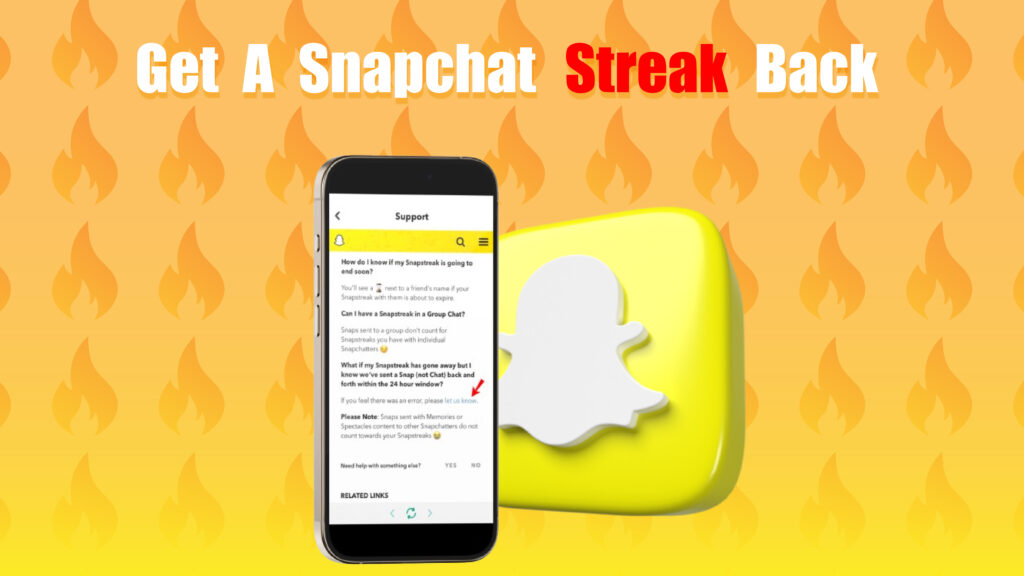
If your Snapstreak disappears on Snapchat, it does not always mean it is permanently lost. In many cases, streaks end due to technical delays, message delivery issues, or temporary app glitches rather than actual user inactivity. Because of this, Snapchat provides an official recovery process to help users request a review of their lost streak.
However, it is important to understand that not every streak is restored. Snapchat only approves recovery requests when the issue is confirmed to be caused by a system error or unavoidable technical problem. If the streak ended because one user failed to send a Snap within the required time, it is usually not eligible for restoration.
Open Snapchat and Access Settings
To begin the recovery process, open the Snapchat application on your mobile device. Make sure you are logged into the correct account where the Snapstreak was active. Once inside the app, tap on your Bitmoji or profile icon located in the top-left corner of the screen.
This will take you to your profile page where account-related settings are available. From there, tap the gear icon in the top-right corner to open the Settings menu. This section contains all important controls such as privacy settings, account tools, and support options required for streak recovery.
Go to the Support Section
Scroll down within the Settings menu until you find the “Support” section. This area is designed specifically to help users resolve technical issues and account-related problems, including lost Snapstreaks.
Tap on “I Need Help” to open the Snapchat Help Center. Inside this section, you will find categorized help topics and search options that allow you to quickly locate streak-related support pages without manually browsing everything.
Navigate to “My Snapstreaks Disappeared”
In the Help Center, select the option labeled “My Snapstreaks Disappeared.” This is the official recovery category created specifically for users who have lost their streak unexpectedly.
Once selected, you will be redirected to a dedicated recovery form. This form ensures your request is sent to the correct internal team at Snapchat for review and verification.
Fill Out the Recovery Form
In this step, you must carefully enter your account details, including your username, registered email address, phone number, and device type. You will also need to include the username of the friend with whom the Snapstreak was active.
You should also provide a clear explanation of what happened. Strong explanations improve the chances of approval. For example:
- Snap was sent on time but did not register
- Possible network or connectivity issue
- App delay or syncing error occurred
Accurate information is very important because Snapchat uses these details to verify your activity history before making a decision.
Submit and Wait for Response
After filling out all required details, submit the form for review. The support team at Snapchat typically responds within 24 to 72 hours depending on request volume and verification time.
If they confirm that the streak was lost due to a technical issue, it may be restored and added back to your account. However, if the system shows that the streak ended due to missed activity, the request is usually declined without recovery.
Tips to Maintain Snapchat Streaks and Avoid Losing Them
Maintaining Snapstreaks on Snapchat requires consistency, timing, and awareness of how the streak system actually works. Since streaks depend on a strict 24-hour exchange cycle, even small delays or missed actions can reset progress. That is why users need to build simple daily habits to avoid losing their streaks unexpectedly.
The good news is that Snapstreaks are easy to maintain once you understand the pattern. With a few smart practices such as reminders, quick replies, and stable connectivity, you can keep multiple streaks active for long periods without interruption.
1. Send Snaps Daily
The most important rule for maintaining a Snapstreak is sending at least one Snap every 24 hours. Both users must exchange photo or video Snaps for the streak to continue, meaning one-sided activity is not enough to maintain progress.
To make this easier, turn it into a daily habit rather than something you remember randomly. Even a simple photo or quick update is enough as long as it is sent within the time window. Consistency matters more than quality for streak maintenance.
2. Set Reminders
Using reminders is one of the simplest ways to avoid breaking a Snapstreak accidentally. Since daily routines can be busy, it is easy to forget sending a Snap unless you have a system in place.
You can set a daily alarm or reminder on your phone labeled something like “Send Snapstreak Snap.” Many users prefer setting it for a fixed time, such as morning or before bed, to ensure it becomes part of their routine.
3. Watch for the Hourglass Emoji
The hourglass emoji is a warning sign that your Snapstreak is about to expire. It appears when the 24-hour window is almost over and no Snap has been exchanged recently. This is your final reminder before the streak resets.
When you see the hourglass, you should send a Snap immediately and remind your friend to respond quickly. Acting fast during this stage is critical because waiting too long will permanently end the streak.
4. Use Snap Drafts
Sometimes you may be in a situation where you cannot send a Snap immediately due to poor internet or being busy. In such cases, using drafts can help you stay prepared.
You can take a Snap and save it as a draft, then send it later when your connection improves. This ensures that you always have content ready to send, reducing the risk of missing the 24-hour deadline.
5. Establish a Backup Streak Partner
Having multiple Snapstreak partners can reduce the risk of losing all your streaks at once. If one friend forgets or becomes inactive, you still have other streaks running to maintain your consistency.
This approach also helps you stay active on Snapchat daily, which naturally improves your engagement habits. However, it is still important to prioritize real and active friends rather than focusing only on numbers.
6. Resolve Connectivity Issues
A stable internet connection is essential for maintaining Snapstreaks because failed message delivery can break streaks without warning. Always ensure that your Snap is fully sent and delivered before assuming it has counted.
To avoid issues, make sure your connection is stable and your app is updated. If you face repeated problems, switching between Wi-Fi and mobile data or restarting your device can often resolve hidden connectivity errors.
Common Reasons Snapchat May Not Restore a Snapstreak
Although Snapchat is generally accommodating in restoring Snapstreaks, there are situations where they may decline the request:
- User Negligence: If the streak was lost because both users simply forgot to send a snap, Snapchat may not restore it.
- Repeated Requests: Frequently submitting requests for Snapstreak restoration may lower the chances of getting it restored in the future.
- Unclear Reasoning: Vague or inaccurate information on the restoration form may result in rejection. It’s essential to be specific about the reason for the lost streak.
- Violation of Community Guidelines: Snapchat may not restore a streak if one or both users were found violating community guidelines during the streak.
If Snapchat rejects the request, maintaining a consistent Snapstreak routine going forward can prevent future losses.
Conclusion
Losing a Snapstreak on Snapchat can be disappointing, especially if the streak was long-standing. However, Snapchat provides a restoration process that users can follow to get their streak back. By filling out the Snapstreak restoration form accurately and mentioning any technical issues, users can increase the likelihood of a successful restoration.
In addition, by adopting preventive measures such as setting reminders, checking the hourglass emoji, and ensuring connectivity users can avoid losing their streaks in the first place. With these strategies, maintaining and restoring Snapstreaks becomes a manageable task, allowing users to enjoy continuous engagement on Snapchat.
Frequently Asked Questions (FAQs)
Can I restore a Snapstreak if it ended due to poor internet connection?
Yes, if poor internet connectivity was the reason for the Snapstreak loss, you can explain this on the Snapstreak restoration form. Snapchat Support may restore the streak if they verify the issue was not your fault.
How long does it take for Snapchat Support to respond to a Snapstreak restoration request?
Snapchat Support typically responds within 24 to 72 hours. However, during high-traffic times, it may take longer.
Can I restore a Snapstreak more than once?
Snapchat Support may accommodate multiple restoration requests, but frequent requests might reduce the likelihood of restoration. It’s best to take preventive measures to maintain your streaks.
Does the hourglass emoji mean the streak will end immediately?
No, the hourglass emoji indicates that the Snapstreak is close to ending, usually within a few hours. Both users must exchange snaps promptly to keep the streak alive.
Can I use text chats to maintain a Snapstreak?
No, only photo and video snaps contribute to maintaining a Snapstreak. Text chats, video calls, and stories do not count toward Snapstreak continuity.
