
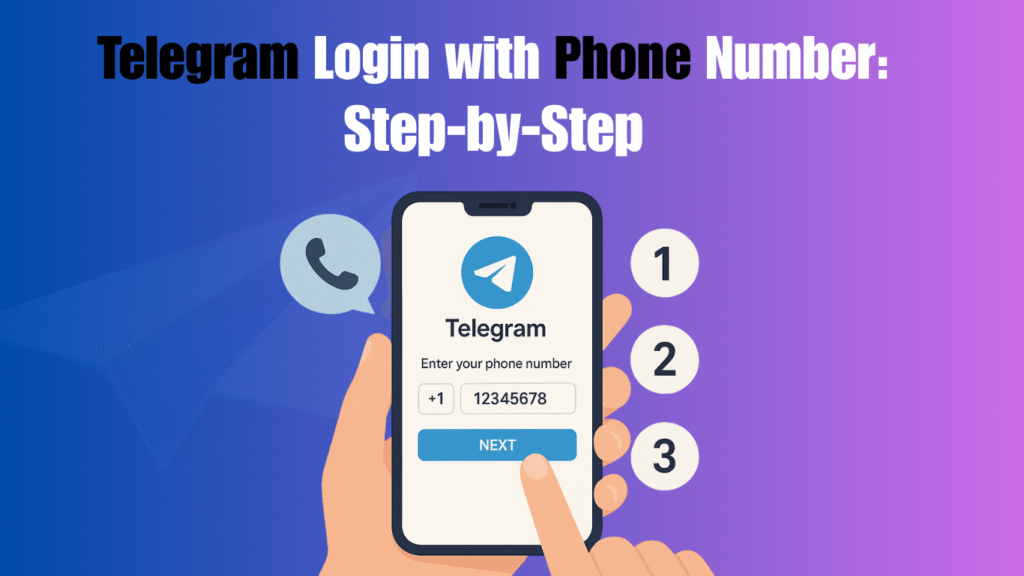
What Are the Requirements Before Logging In?
Before proceeding with Telegram Login with Phone Number, make sure you meet the basic requirements to avoid login interruptions. Telegram requires a stable internet connection and an active number capable of receiving messages.
| Requirement | Description |
|---|---|
| Active phone number | Must be able to receive SMS or Telegram call verification. |
| Internet connection | Required for sending and receiving verification codes. |
| Updated app | Use the latest version of Telegram for smooth login. |
| Device access | The phone linked to the number should be nearby. |
How to Log In to Telegram with a Phone Number Step-by-Step?
The process of logging in is simple and consistent across devices. Below is a detailed, step-by-step breakdown for both mobile and desktop users.
Step 1: Download and Open Telegram
- Go to your device’s app store (Google Play for Android or App Store for iPhone).
- Search for “Telegram” and install the official app developed by Telegram FZ-LLC.
- Once installed, tap the Telegram icon to open the app.
- On desktop, visit desktop.telegram.org and install Telegram Desktop or Web Telegram.
Step 2: Tap “Start Messaging”
- On the welcome screen, you’ll see the Start Messaging button.
- Tap it to begin the Telegram Login with Phone Number process.
- This will lead you to a screen asking for your phone number.
Step 3: Enter Your Phone Number
- Choose your country code from the dropdown list.
- Enter your active phone number in the field provided.
- Double-check for accuracy — even one wrong digit can prevent verification.
- Tap Next to continue.
Step 4: Receive and Enter the Verification Code
- Telegram will send a five-digit code via SMS or Telegram message (if you’re already logged in on another device).
- Check your messages or the Telegram app on your linked devices.
- Enter the code exactly as it appears.
- Once verified, Telegram automatically logs you in and syncs your data.
Step 5: Set Up Your Profile (If You’re New)
- New users will be asked to set up a basic profile.
- Add your name and an optional profile picture.
- Telegram automatically imports your contacts, showing which friends are already on the platform.
- You’re now ready to chat, join groups, or use Telegram channels.
How Does Telegram Multi-Device Login Work?
The Telegram Login with Phone Number feature is designed to offer flexibility across all your devices. You can seamlessly access your account on your phone, tablet, or computer without losing any data or conversations. Telegram’s cloud-based system ensures that every message, file, or media update reflects instantly across all platforms. This means you can start a conversation on your phone and continue it effortlessly on your desktop.
To log in on Telegram Desktop or Telegram Web, follow these detailed steps:
- Open Telegram Desktop or Web: Visit the official Telegram website or open the desktop app.
- Enter Your Phone Number: Make sure you include the correct country code.
- Receive and Enter the Verification Code: Telegram will send a code through SMS or your active Telegram session on another device.
- Access Your Account Instantly: Once verified, all your chats, contacts, and shared media load automatically from the cloud.
With Telegram’s cross-device login feature, you never have to worry about transferring data manually or losing your chat history. Everything remains synchronized, private, and accessible anytime.
What Problems Can Occur During Login and How to Fix Them?
If you encounter any issues while performing Telegram Login with Phone Number, don’t worry — most problems can be resolved with a few quick checks. Below are common issues and practical fixes to get you logged in smoothly:
- Didn’t Receive Code: Ensure you have a stable internet connection or sufficient mobile signal. You can also select “Resend Code” or opt for call verification if available.
- Wrong Country Code: Double-check that you’ve entered the correct country prefix before your phone number. Even a single-digit mistake can block verification.
- Outdated App Version: Sometimes, login errors occur because of outdated software. Go to your app store and update Telegram to the latest version.
- Inactive SIM or Number: Make sure your SIM card is active and able to receive messages or calls, as Telegram’s verification depends on it.
If none of these solutions work, you can always visit the Telegram Help Center or contact support through the app for personalized assistance. Telegram’s support team responds quickly and can help verify your account safely.
How Secure Is Telegram Login with Phone Number?
Telegram uses multiple security layers to protect accounts.
Security layers:
- OTP-based authentication
- Cloud encryption (standard chats)
- Optional two-step verification
- Active session monitoring
Security Formula
Account Security Level = OTP Verification + Two-Step Password + Session Control
What Tools and Systems Support Telegram Login?
Telegram login operates within a broader ecosystem of tools and systems.
Core systems:
- Telegram Cloud Infrastructure → data storage and sync
- OTP Authentication System → identity verification
- Session Management System → device tracking
Related tools:
- Telegram Desktop / Web
- Security settings dashboard
- Privacy control panel
How to Keep Your Telegram Account Secure?
After logging in successfully, maintaining account security is crucial. Telegram offers strong privacy tools to protect your data and identity.
Security recommendations:
- Enable Two-Step Verification from Settings > Privacy and Security.
- Avoid sharing your verification codes with anyone.
- Log out of devices you no longer use.
- Use Cloud Password Lock for added safety.
- Regularly review active sessions to ensure no unauthorized devices are connected.
What Are the Advantages of Telegram Login with Phone Number?
| Feature | Benefit |
|---|---|
| Instant Access | Quick login without entering passwords. |
| Cross-Device Sync | Access chats on mobile, web, or desktop simultaneously. |
| Privacy Protection | Codes sent securely to your device only. |
| Ease of Use | User-friendly, fast, and reliable login method. |
| Multi-Platform Support | Works across Android, iOS, and PC seamlessly. |
This makes the Telegram Login with Phone Number feature one of the most user-focused login methods among messaging apps today.
What Are Advanced Security Strategies?
Enhance account protection using:
- Two-step verification password
- Login alerts monitoring
- Session auto-termination
- Privacy restrictions (hide phone number)
Risk management approach:
- Identify vulnerabilities
- Apply layered security
- Monitor activity continuously
How Does Telegram Login Compare to Traditional Password Systems?
| Factor | Telegram Login | Traditional Login |
|---|---|---|
| Authentication | OTP-based | Password-based |
| Security Risk | Lower phishing risk | High password leaks |
| User Experience | Fast and simple | Complex |
| Recovery | Phone-based | Email/password reset |
Telegram reduces password fatigue and improves usability.
What Are Key Metrics to Evaluate Login Efficiency?
KPIs:
- Login Success Rate (%)
- OTP Delivery Time (seconds)
- Failed Login Attempts
- Session Retention Rate
Example:
If 95 out of 100 users log in successfully →
Login Success Rate = 95%
What Are Future Trends in Telegram Authentication?
Emerging trends:
- Biometric authentication integration
- Passwordless identity systems expansion
- AI-based fraud detection
- Device-based trust scoring
Telegram is likely to evolve toward zero-password ecosystems.
Final Framework: Telegram Login System (Step-by-Step Model)
- Identity Input → Enter phone number
- Verification → Receive OTP
- Authentication → Code validation
- Synchronization → Cloud data loading
- Security Layer → Optional password activation
- Session Management → Multi-device access
Implementation Checklist
- Use active phone number
- Ensure stable internet connection
- Enter correct country code
- Enable two-step verification
- Monitor active sessions
- Keep app updated
Expert Insights
The Telegram Login with Phone Number process is simple, fast, and built for user convenience. Whether you’re using Telegram for personal communication or professional networking, logging in through your phone number keeps your account secure and instantly accessible. With synchronization across devices and end-to-end encryption, Telegram continues to set the standard for privacy-driven messaging in 2026.
By following this tutorial, you’ll be able to log in confidently, recover your account if needed, and enjoy a smooth messaging experience without worrying about complicated passwords or login steps.
Frequently Asked Questions (FAQs)
What is the easiest way to log in to Telegram with my phone number?
The easiest method is by using the official Telegram app. Simply open the app, tap “Start Messaging”, enter your phone number, and verify it with the code sent to your SMS or Telegram chat. Once verified, your account will log in automatically on that device.
Can I log in to Telegram on multiple devices with the same phone number?
Yes, Telegram allows you to log in on multiple devices using the same phone number. Each session syncs instantly, meaning your messages, contacts, and media remain consistent across mobile, desktop, and web versions.
What should I do if I don’t receive the login code?
If you don’t get the code, check your internet connection and ensure your SMS inbox isn’t full. Sometimes, the code may also appear in your Telegram app on another device. If not, wait a few minutes and tap “Resend Code.”
Is it safe to log in to Telegram with my phone number?
Yes, it’s safe because Telegram uses two-step verification and encryption to protect your account. However, avoid entering your code on unofficial websites or sharing it with others to prevent unauthorized access.
Can I use Telegram without a phone number?
Not directly. You need a phone number to create your first account, but you can use a virtual number or secondary SIM if you don’t want to share your primary number. After setup, you can hide your number in the privacy settings.
