Close Menu
    Facebook X (Twitter) Instagram
    Advertiser Review
    • Reviews
    • Advertising
      • Advertising Networks
    • Affiliate
      • Affiliate Programs
    • Software
    • Services
    • VPN
    • Tools
      • Downloaders
      • Converters
    • Social
      • Facebook
      • Instagram
      • Snapchat
      • TikTok
      • LinkedIn
      • Messenger
      • Whatsapp
      • Pinterest
      • Reddit
      • Spotify
      • Telegram
      • Twitter
      • YouTube
    • News
    • More
      • Interviews
      • URL
    Advertiser Review
    Home»Social Media»Whatsapp»WhatsApp Rolls Out Chat Export Blocking

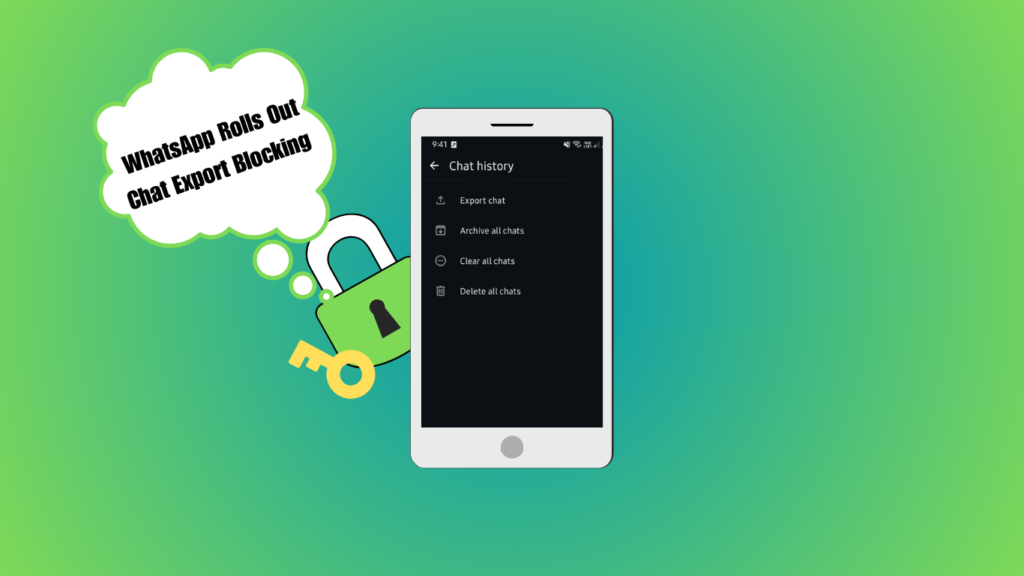
    WhatsApp Rolls Out Chat Export Blocking

    Maha NiaziBy Maha NiaziApril 13, 2026
    WhatsApp Rolls Out Chat Export Blocking


    Featured Social Media Software:


    What Is WhatsApp Chat Export Blocking in 2026 and Why Is It Being Introduced?

    WhatsApp Chat Export Blocking is a privacy-focused feature that prevents users from exporting or sharing chat conversations outside the app. Introduced in iOS beta versions, it restricts downloading chats as files like .txt or .zip to reduce data leaks and improve security control within the WhatsApp ecosystem.

    What Does WhatsApp Chat Export Blocking Actually Do?

    Chat export blocking limits the ability to move conversations outside WhatsApp. Users can still chat normally, but they cannot extract full conversation history in a portable file format.

    Restricts External Chat Sharing

    Users cannot export chats to email or file storage apps. This reduces the risk of private conversations being shared without permission.

    Keeps Conversations Inside WhatsApp Ecosystem

    Messages remain accessible only inside the app or official backup systems. This ensures tighter control over data movement.

    Protects Sensitive Information

    The feature reduces accidental leaks of personal or business conversations by limiting manual data extraction.

    Why Is WhatsApp Introducing Chat Export Blocking?

    WhatsApp is focusing on stronger data protection and controlled information flow. The feature aligns with global privacy expectations and platform security upgrades.

    Enhanced Privacy Protection

    Blocking exports helps prevent unauthorized sharing of sensitive chats. This reduces misuse of private conversations in personal and professional contexts.

    Compliance With Data Protection Standards

    Regulations like GDPR encourage stricter data handling. Limiting export options helps WhatsApp align with legal requirements for user data control.

    Reducing Unsecured Data Storage

    Exported chats can be stored without encryption outside WhatsApp. Blocking exports ensures users rely on encrypted backup systems instead.

    Who Is Affected by WhatsApp Chat Export Blocking?

    WhatsApp Chat Export Blocking does not impact all users equally. The feature is currently in a limited testing phase, but it already has important implications for specific groups of users depending on how they use chat exports for communication, records, or device migration.

    iOS Beta Testers First

    At the initial stage, the restriction is being tested only with selected iOS beta users through TestFlight. This means the majority of WhatsApp users are not affected yet. Beta testers experience the feature as part of experimental updates, helping WhatsApp evaluate performance and user response before any wider rollout.

    Business Professionals

    Professionals who rely on chat exports for documentation, client communication records, or legal evidence may be directly affected. Exported chats are often used for reporting or compliance, and removing this option forces businesses to depend on internal backup systems instead of flexible external files.

    Regular Users With Archive Habits

    Many users save WhatsApp chats for personal reasons such as memories, important conversations, or offline reading. Chat export blocking removes the ability to store conversations as readable files like .txt or .zip, which may disrupt personal archiving habits and long-term access preferences.

    Cross-Platform Switchers

    Users who frequently change devices or switch between operating systems may also be impacted. Without export options, they must rely entirely on cloud backups to transfer data. This reduces flexibility, especially for users who prefer manual control over chat migration and storage formats.

    What Alternatives Exist to Chat Exporting?

    Even with chat export restrictions, WhatsApp still provides reliable and secure alternatives for saving, restoring, and transferring conversation data. These methods are designed to keep user information protected while ensuring easy access across devices when needed.

    iCloud Backup for iOS Users

    iPhone users can rely on iCloud backups to securely store their WhatsApp chats. These backups save messages, media, and settings in Apple’s cloud system. When users switch or reset devices, they can restore their full chat history directly through WhatsApp without needing exported files.

    Google Drive Backup for Android Users

    Android users can use Google Drive to back up their WhatsApp data. This method stores chats in encrypted cloud storage, allowing full restoration during device changes or reinstallation. It ensures continuity of conversations while keeping data protected and linked to the user’s Google account.

    End-to-End Encrypted Storage

    WhatsApp also supports end-to-end encrypted backups, adding an extra layer of security to cloud storage. This means only the user can access and restore their chat data, even if it is stored on external servers. It prevents unauthorized access and strengthens overall data privacy.

    How Do WhatsApp Backups Replace Chat Exporting?

    WhatsApp backups act as the official alternative to chat exports by securely storing complete conversation histories in encrypted cloud storage. Instead of saving chats as external files, users can restore their data directly within WhatsApp when switching or resetting devices.

    Full Chat Restoration

    WhatsApp backups allow users to recover entire chat histories, including messages, media, and documents, during device change or reinstallation. Unlike exports, which create static files, backups ensure a complete and structured restoration inside the app, maintaining conversation continuity without manual transfer steps.

    Secure Data Storage

    Backups are stored in encrypted form on cloud services like iCloud or Google Drive. This reduces the risk of data exposure compared to exported files, which can be easily shared or accessed outside WhatsApp. Encryption ensures only the account owner can restore and view the stored chats.

    Automated Syncing

    WhatsApp allows automatic backup scheduling based on user preferences such as daily, weekly, or monthly intervals. This ensures that conversations are continuously updated without manual effort. Automated syncing reduces the chances of data loss and keeps chat history consistently protected.

    Is WhatsApp Chat Export Blocking Permanent?

    WhatsApp Chat Export Blocking is currently not a permanent feature. It is still in the testing phase, meaning WhatsApp is actively evaluating user feedback, performance impact, and privacy outcomes before deciding whether to fully roll it out or modify it in future updates.

    Beta Testing Phase

    At present, chat export blocking is only available to a limited group of iOS beta users. It is not part of the global WhatsApp release. This testing stage allows WhatsApp to study how users interact with the feature and whether it improves privacy without causing major usability issues.

    Possible Future Adjustments

    WhatsApp may refine or even reverse the feature depending on feedback and performance results. The company could adjust restrictions, introduce partial export options, or add extra security layers instead of a full block. Like many beta features, changes are expected before final rollout decisions are made.

    Potential Business Exceptions

    WhatsApp may introduce exceptions for business or enterprise users who rely on chat exports for documentation, customer records, or compliance needs. These users could receive controlled export permissions or alternative tools designed for professional data handling while still maintaining privacy standards.

    How Does Chat Export Blocking Fit Into WhatsApp’s Future?

    Chat export blocking reflects WhatsApp’s long-term shift toward a more controlled and secure messaging ecosystem. The platform is gradually prioritizing privacy, encryption, and internal data protection over open data portability, ensuring user conversations remain within trusted systems.

    Stronger Platform Control

    WhatsApp is moving toward tighter control over how user data is accessed, shared, and transferred. By limiting chat exports, the platform reduces uncontrolled movement of sensitive conversations outside its ecosystem. This helps maintain consistency in privacy standards and ensures users rely more on built-in features for managing communication and storage.

    Increased Encryption Reliance

    With export limitations, WhatsApp is pushing users toward official encrypted backup systems like iCloud and Google Drive. These backups are designed to protect data during storage and transfer. As a result, encryption becomes the central layer of security, ensuring chats remain protected even when moved across devices or restored later.

    Reduced External Data Usage

    Restricting chat exports minimizes the risk of conversations being saved, edited, or shared outside WhatsApp in unsecured formats. This reduces exposure to data leaks and unauthorized distribution. It also ensures that sensitive personal and business information stays within a controlled environment rather than being scattered across external platforms.

    What Are Common Mistakes Users Should Avoid With WhatsApp Chat Export Blocking?

    Many users misunderstand how chat export restrictions work and continue relying on outdated habits. These mistakes can lead to data loss, access issues, or poor backup management. Understanding these errors helps users adapt to WhatsApp’s newer privacy-focused system more effectively.

    Relying Only on Export Feature

    Many users treat chat export as their main backup method, assuming it is the safest way to store conversations. However, with export restrictions being introduced, this approach becomes unreliable. Exported files are also not encrypted like official backups, making them less secure. Users should shift toward cloud-based backup systems instead of depending on exports alone.

    Ignoring Backup Settings

    A major mistake is not enabling or regularly updating cloud backups in iCloud or Google Drive. Without backups, users risk losing entire chat histories when changing devices or reinstalling WhatsApp. Many people forget that WhatsApp does not automatically protect data unless backup settings are properly configured. Keeping backups active ensures recovery even if export options are limited.

    Assuming Feature Is Universal

    Another common misunderstanding is believing that chat export blocking applies to all users. In reality, it is currently limited to iOS beta versions and is not globally active. This creates confusion among users who think the feature is already permanent. WhatsApp often tests features in phases, so behavior may differ depending on device, version, or region.

    Future Trends in Messaging Privacy Control

    Messaging platforms are moving toward stricter data governance models.

    • Controlled Data Portability
      • Apps may increasingly restrict exporting conversations.
    • Cloud-First Storage Systems
      • Backups will replace manual file-based storage.
    • AI-Based Privacy Monitoring
      • Future systems may automatically detect and restrict sensitive data sharing.

    Final Expert Summary Framework

    • Core System Flow
      • Chat Creation → Encrypted Storage → Restricted Export → Cloud Backup Access
    • Privacy Control Model
      • User Messaging → Platform Encryption → Controlled Backup → Limited External Sharing
    • Impact Structure
      • Beta Testing → Policy Expansion → Global Rollout → Feature Optimization
    • Data Handling Shift
      • Manual Export → Cloud Backup → Encrypted Ecosystem → Platform Retention

    Implementation Checklist

    • Enable iCloud or Google Drive backup
    • Update WhatsApp to latest version
    • Monitor beta feature updates
    • Avoid relying on manual chat exports
    • Secure important conversations via official backup system
    • Check business communication requirements

    Expert Insight

    The removal of chat export functionality highlights a major shift in messaging platforms toward closed, secure ecosystems. While user flexibility decreases, data protection and controlled storage become significantly stronger, reducing risks of leaks and unauthorized sharing.

    Frequently Ask Questions (FAQs)

    Does chat export blocking affect Android users?

    No. Chat export blocking applies only to iOS beta testers. Android users retain full access to the export chat feature. The restriction is not implemented on Android beta or stable builds. WhatsApp has not announced changes for Android

    Are business accounts affected by this change?

    Yes. The restriction applies to all iOS beta accounts, including business profiles. WhatsApp iOS beta version 24.x blocks chat export for both personal and business users. The feature removal impacts data handling across account types. No exceptions are defined for business accounts in current builds.

    Can I still back up my WhatsApp chats if export is blocked?

    Yes, WhatsApp users can still back up their chats via encrypted cloud services like iCloud for iOS users and Google Drive for Android users. These backups offer a secure, encrypted method of preserving chat histories.

    Is this feature permanent for iOS users?

    The chat export blocking feature is currently in beta testing for iOS users. WhatsApp is gathering user feedback to refine it. The feature may not be permanent and could change in future updates. Its final implementation depends on further development.

    Share. Facebook Twitter Pinterest LinkedIn Tumblr Reddit Telegram WhatsApp
    Maha Niazi

    Related Posts

    How to Use WhatsApp on Web and Desktop [2026 Guide]

    April 13, 2026

    How to Export and Backup WhatsApp Chats in 2026

    April 13, 2026

    WhatsApp Security Tips: Stay Safe from Social Hacking

    April 13, 2026
    Add A Comment

    Leave A Reply Cancel Reply

    Reviews
    • Best EOR Software 2025
    • Accounts Payable Software UK
    • Best CRM Software
    • Best CRM Software UK
    • Best CRM Software Dubai
    • Best Expense Management Software
    • Expense Management Software UK
    • Best HR Software UK
    • Best Business Software
    • Best Business Software UK
    • Best Task Management Software UK
    • Social Media Management Software
    • Best Collaboration Software
    • Best Medical Billing Software
    • Best Document Management Software
    • Best Accounting Software
    • Best Accounting Software UK
    Advertising Networks
    • Ad Networks For Publishers
    • Ad Networks For Advertisers
    • Ad Networks For Bloggers
    • Best Bitcoin Ad Networks
    • Best Forex Ad Networks
    • Best In-Image Ad Networks
    • Best Pop Under Ad Networks
    • Best Display Ad Networks
    • Best CPC Ad Networks
    • Best PPC Ad Networks
    • Best CPM Ad Networks
    • Best Video Ad Networks
    • Best Native AD Networks
    • Google AdSense Alternatives
    • Best Ad Fraud Tools
    • Best Paywall Services
    • Best Traffic Sources
    • Best Push Notification Ad Networks
    Affiliate Networks
    • Best CPA Networks
    • Best CPL Networks
    • Best CPS Networks
    • Best CPI Networks
    • Best PPD Networks
    • Best PPI Networks
    • Best CPA Networks for Beginners
    • Best European CPA Networks
    • Best Pay Per Call Networks
    • Best Nutra Affiliate Networks
    • Best Finance Affiliate Networks
    • Best Insurance Affiliate Networks
    • Best Coupons Affiliate Networks
    • Best Mobile Affiliate Networks
    • Best Affiliate Networks For Beginners
    Trending Articles
    • TikTok Creative Center
    • Instagram Not Sending SMS Code
    • Make Your Twitter Account Private
    • Why Can’t I Follow People on Instagram
    • How Does Snap Score Work
    • Instagram Couldn’t Load Activity
    • Download gif from twitter
    • How To Clear Tiktok Cache
    • Snapchat Keep Crashing
    • Highest Paying URL Shorteners
    • Best Pinterest Growth Services
    • Best Instagram Growth Services
    • Best Twitter Growth Services
    • Best Tiktok Growth Services
    • Dark Mode on Snapchat
    • Get 1K Followers On Instagram
    • Easy to Get Back on Instagram
    • View Instagram Reels Without Account
    © 2024 Advertiser Review. All Rights Reserved.
    • About
    • Contact
    • Advertise
    • Write For us
    • Terms of Use
    • Affiliate Disclosure
    • Privacy Policy

    Type above and press Enter to search. Press Esc to cancel.