The 16 Best Time Tracking Software in 2026 include Jibble, Toggl Track, Clockify, Harvest, Hubstaff, Time Doctor, Everhour, Timely, Paymo, RescueTime, ClickTime, monday.com, FreshBooks, Zoho Projects, actiTIME, and HubSpot. These platforms help businesses and professionals track working hours, manage timesheets, monitor productivity, record billable time, manage projects, and improve workforce visibility through cloud-based time tracking technology.
In 2026, time tracking platforms offer a wide range of capabilities including automatic and manual time tracking, digital timesheets, employee attendance, project tracking, billable hours, productivity monitoring, payroll integration, invoicing, reporting, scheduling, GPS tracking, and mobile access. Some solutions are designed for freelancers and small businesses, while others provide advanced workforce management, employee monitoring, resource planning, and project profitability tools for growing companies and enterprises.
The right time tracking software depends on factors such as business size, team structure, project complexity, budget, billing requirements, payroll system, remote or field-based work, productivity monitoring needs, integrations, and reporting requirements. Freelancers and small teams may prioritise simplicity and affordability, while larger organisations may need advanced workforce analytics, attendance management, resource planning, project budgeting, and enterprise-level controls. Comparing these factors can help businesses select a time tracking platform that provides practical value rather than simply choosing software with the largest feature list.
What Is Time Tracking Software?
Time tracking software is a digital system designed to help businesses, teams, freelancers, and professionals record, monitor, manage, and analyse the amount of time spent working on tasks, projects, clients, and other activities. Instead of relying on spreadsheets or manual timesheets, users can record working hours through timers, automated tracking, timesheets, desktop applications, mobile apps, or web-based tools.
A high-quality time tracking platform helps organisations improve time visibility, simplify timesheet management, calculate billable hours, monitor project progress, and support payroll or invoicing processes. Depending on the software, businesses can also track attendance, overtime, employee activity, project budgets, resource utilisation, and productivity from a centralised platform.
A robust time tracking system typically provides:
- Digital timers and timesheets for recording working hours
- Project and task tracking for monitoring time allocation
- Billable hour tracking for client invoicing
- Employee attendance and overtime management
- Reporting and analytics for workforce and project insights
How Does Time Tracking Software Work?
Time tracking software collects work-time data and streamlines the process of recording and analysing employee or project hours across multiple functions such as:
- Time Capture – Records working hours through timers, manual entries, automatic tracking, or timesheets
- Task & Project Tracking – Associates recorded time with specific projects, tasks, clients, or work activities
- Timesheet Management – Organises employee hours into digital timesheets for review and approval
- Attendance Tracking – Records clock-ins, clock-outs, breaks, overtime, and employee attendance
- Billable Time Management – Identifies billable hours and helps businesses calculate client charges
- Reporting & Analytics – Converts tracked time into reports covering productivity, project costs, utilisation, and performance
Time data is securely stored in the cloud, allowing employees, managers, project leaders, and finance teams to access relevant information from different locations. Depending on the platform, software can automate timesheet creation, reminders, approvals, payroll calculations, project budget monitoring, invoicing, and productivity reporting while providing managers with greater visibility into how working hours are allocated.
Key Functions of Time Tracking Software
- Time Tracking – Records the amount of time employees or professionals spend working on tasks and projects
- Timesheet Management – Provides digital timesheets for recording, reviewing, and approving working hours
- Project Tracking – Connects tracked time with projects, tasks, clients, and specific work activities
- Billable Hours – Separates billable and non-billable time to support accurate client billing
- Employee Attendance – Tracks clock-ins, clock-outs, breaks, overtime, and working schedules
- Productivity Monitoring – Provides insights into employee activity, focus, productivity, and time allocation
- Reporting & Analytics – Generates reports covering hours worked, project costs, utilisation, profitability, and productivity
- Payroll Integration – Transfers tracked working hours and attendance information to payroll systems
- Integrations – Connects time tracking data with project management, accounting, CRM, payroll, and business applications
By bringing these capabilities together and providing real-time accessibility with automation, time tracking software enables businesses to manage working hours more efficiently, improve project visibility, simplify billing and payroll processes, and reduce administrative workloads.
Benefits of Time Tracking Software
- Access From Anywhere: Cloud-based time tracking systems allow employees and managers to record and review working hours from different locations and devices.
- More Accurate Time Records: Automated timers and digital timesheets can reduce errors associated with manual time recording.
- Improved Employee Accountability: Businesses can establish clearer visibility into attendance, working hours, overtime, and project activity.
- Better Project Management: Managers can compare actual hours against project budgets, estimates, and deadlines.
- Accurate Client Billing: Billable-hour tracking helps professional services businesses record the time that should be charged to clients.
- Simplified Payroll: Tracked hours and attendance data can be integrated with payroll systems to reduce manual calculations.
- Improved Productivity: Time reports can reveal where employees and teams spend their working hours and identify potential inefficiencies.
- Reduced Administrative Work: Automated timesheets, reminders, approvals, and reporting reduce repetitive timekeeping tasks.
- Better Resource Allocation: Managers can analyse workload and utilisation to allocate employees and resources more effectively.
- Data-Driven Decisions: Time and productivity reports provide businesses with data for evaluating project performance, costs, profitability, and workforce utilisation.
Top 16 Best Time Tracking Software in 2026
Here is a selection of 16 leading time tracking platforms in 2026 — selected for their time tracking capabilities, timesheet management, project tracking, employee monitoring, productivity tools, billing functionality, integrations, flexibility, and suitability for businesses of different sizes:
- Jibble
- Toggl Track
- Clockify
- Harvest
- Hubstaff
- Time Doctor
- Everhour
- Timely
- Paymo
- RescueTime
- ClickTime
- monday.com Time Tracking
- FreshBooks Time Tracking
- Zoho Projects Time Tracker
- actiTIME
- HubSpot Time Tracking
1. Jibble – Best Overall Time Tracking Software in 2026
Company Overview
| Detail | Information |
|---|---|
| Founded | 2015 |
| Country | United States |
| Software Type | Time and Attendance Tracking Software |
| Core Features | Time Tracking, Attendance Management, Timesheets, Facial Recognition, GPS Tracking, Geofencing, Payroll Management |
| Deployment | Cloud-based |
| Pricing Model | Free |
| Starting Price | $0 with the free plan |
| Supported Platforms | Web, iOS, Android, Windows, macOS, ChromeOS |
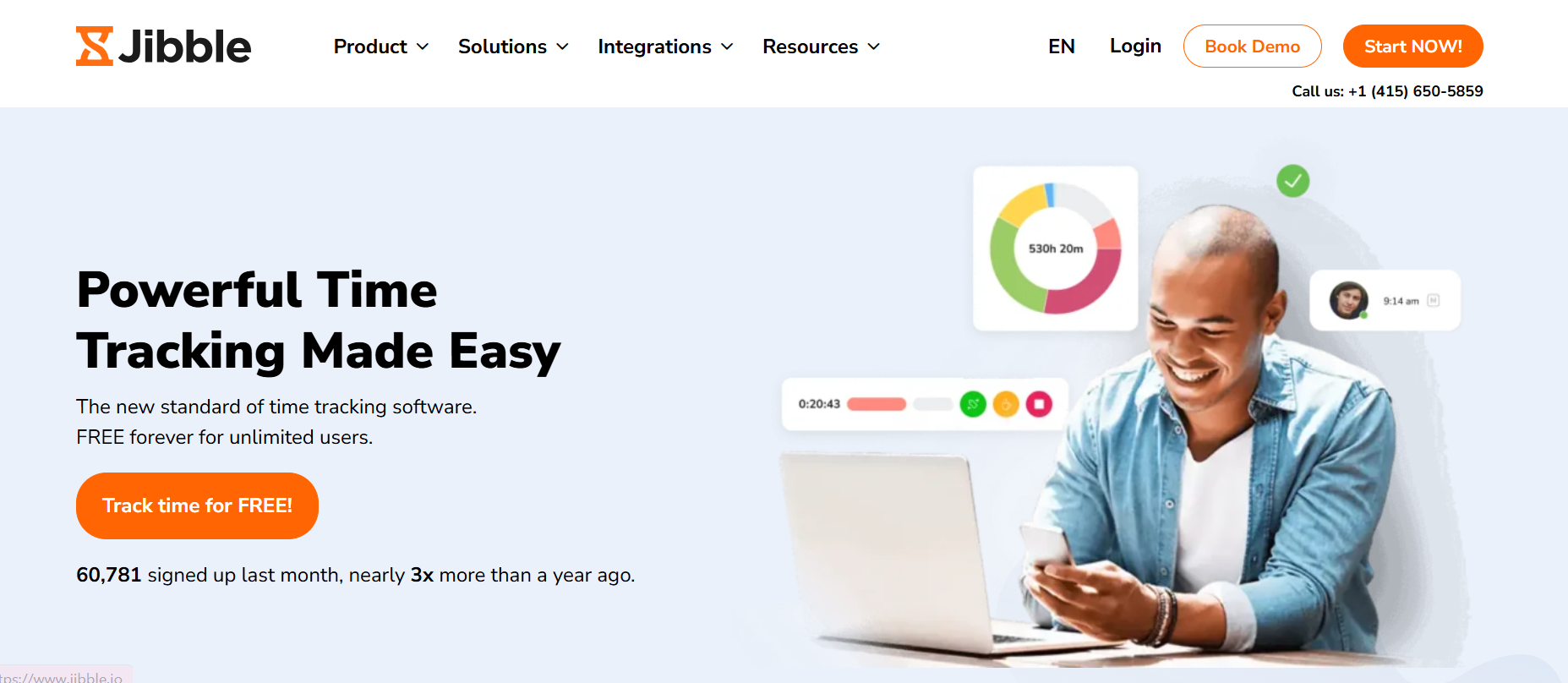
Jibble is a cloud-based time and attendance tracking software designed to help businesses manage employee working hours, attendance, and timesheets. It supports remote, hybrid, and on-site teams, allowing employees to clock in and out through mobile apps, web browsers, desktop devices, and shared kiosks. The platform helps businesses automate attendance records while reducing manual timesheet administration.
The platform combines facial recognition, GPS tracking, and geofencing to improve workforce accountability and prevent time theft. Jibble also supports automated timesheets, overtime and break management, PTO tracking, payroll calculations, and integrations with business and accounting tools. Its free plan, mobile-first design, and support for multiple platforms make it a practical option for businesses of different sizes.
Key Features
- Time & Attendance Tracking: Allows employees to clock in and out through mobile apps, web browsers, desktop devices, and shared kiosks.
- Facial Recognition: Uses facial recognition and liveness detection to help prevent buddy punching and fraudulent attendance records.
- GPS & Geofencing: Tracks employee locations and lets businesses create designated work zones for authorized clock-ins.
- Automated Timesheets: Automatically converts tracked working hours into organized timesheets for review and management.
- Overtime & Break Management: Supports configurable overtime, paid and unpaid breaks, and custom working-hour rules.
- PTO & Leave Management: Helps businesses manage employee leave, time off, and attendance records.
- Payroll & Integrations: Calculates working hours and overtime while integrating with tools such as QuickBooks, Xero, Slack, and Microsoft Teams.
2. Toggl Track – Best Time Tracking Software for Freelancers in 2026
Company Overview
| Detail | Information |
|---|---|
| Founded | 2006 |
| Country | Estonia |
| Software Type | Time Tracking, Productivity & Invoicing Software |
| Core Features | Time Tracking, Automated Tracking, Calendar Views, Billable Rates, Project Management, Productivity Reports |
| Deployment | Cloud-based / SaaS |
| Pricing Model | Tiered Subscription / Per-user |
| Free Trial | 30-day free trial of Premium features |
| Starting Price | $0 with the Free plan |
| Payment Frequency | Monthly / Annual |
| Supported Platforms | Windows, macOS, Linux, iOS, Android, Web Browser |
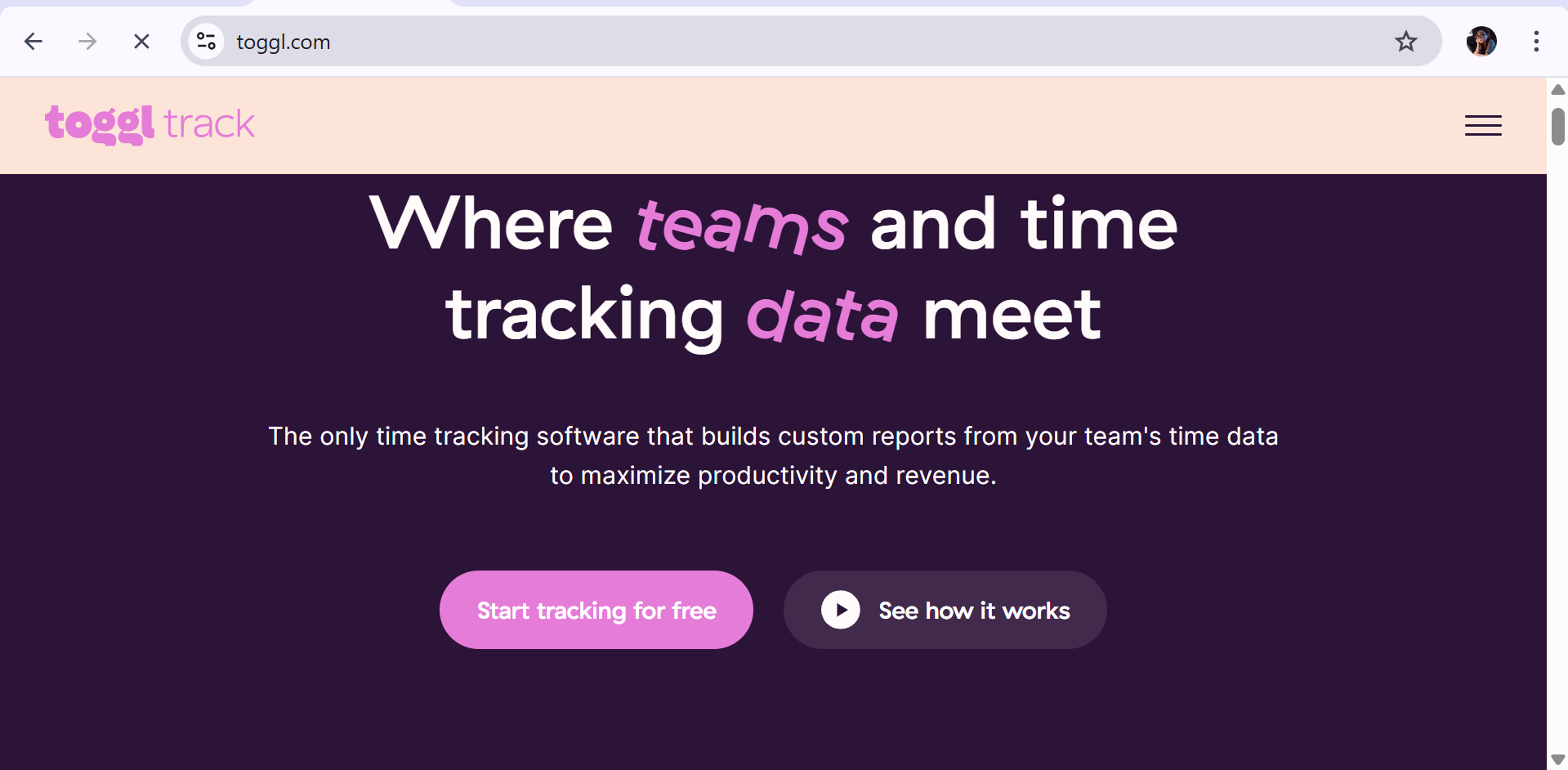
Toggl Track is a cloud-based time tracking and productivity software designed to help freelancers, agencies, and teams accurately record working hours without invasive employee surveillance. Its one-click timer, calendar views, automated tracking, and timesheet tools make it easy to capture time across different projects and tasks. The platform also supports billable rates and reporting for businesses that charge clients based on hours worked.
The software provides a privacy-focused approach to productivity tracking and does not rely on screenshots or background keystroke monitoring. Toggl Track also connects with more than 100 tools and supports features such as project estimates, profitability analysis, timesheet approvals, scheduled reports, and time auditing. Its combination of simple time tracking and advanced reporting makes it suitable for both individual professionals and growing teams.
Key Features
- One-Click Time Tracking: Lets users start and stop timers quickly while also supporting manual time entries, Pomodoro timers, and automated background tracking.
- Calendar Integration: Connects with Google Calendar and Outlook to help users convert scheduled calendar events into time entries.
- Privacy-Focused Tracking: Avoids invasive monitoring methods such as screenshots and keystroke tracking, giving users greater control over their productivity data.
- Billable Rates: Allows businesses and freelancers to assign billable rates to projects and team members for more accurate client billing.
- Project & Task Management: Supports projects, clients, tasks, time estimates, budgets, and alerts to help teams monitor project progress.
- Profitability & Productivity Reports: Provides reports covering billable hours, labor costs, revenue, profitability, workload, and team productivity.
- Integrations: Connects with more than 100 tools, including Jira, Asana, Trello, Salesforce, Notion, QuickBooks, Slack, and other business platforms.
3. Clockify – Best Free Time Tracking Software in 2026
Company Overview
| Detail | Information |
|---|---|
| Founded | 2017 |
| Country | United States |
| Software Type | Time Tracking & Workforce Productivity Software |
| Core Features | Time Tracking, Timesheets, Project Management, Billing, Invoicing, PTO Management, Reporting |
| Deployment | Cloud-based SaaS |
| Pricing Model | Freemium / Per-user Subscription |
| Free Trial | 7-day free trial of Pro features |
| Starting Price | $0 with the Free plan |
| Payment Frequency | Monthly / Annual |
| Supported Platforms | Web, Windows, macOS, Linux, Android, iOS, Chrome, Firefox, Edge |
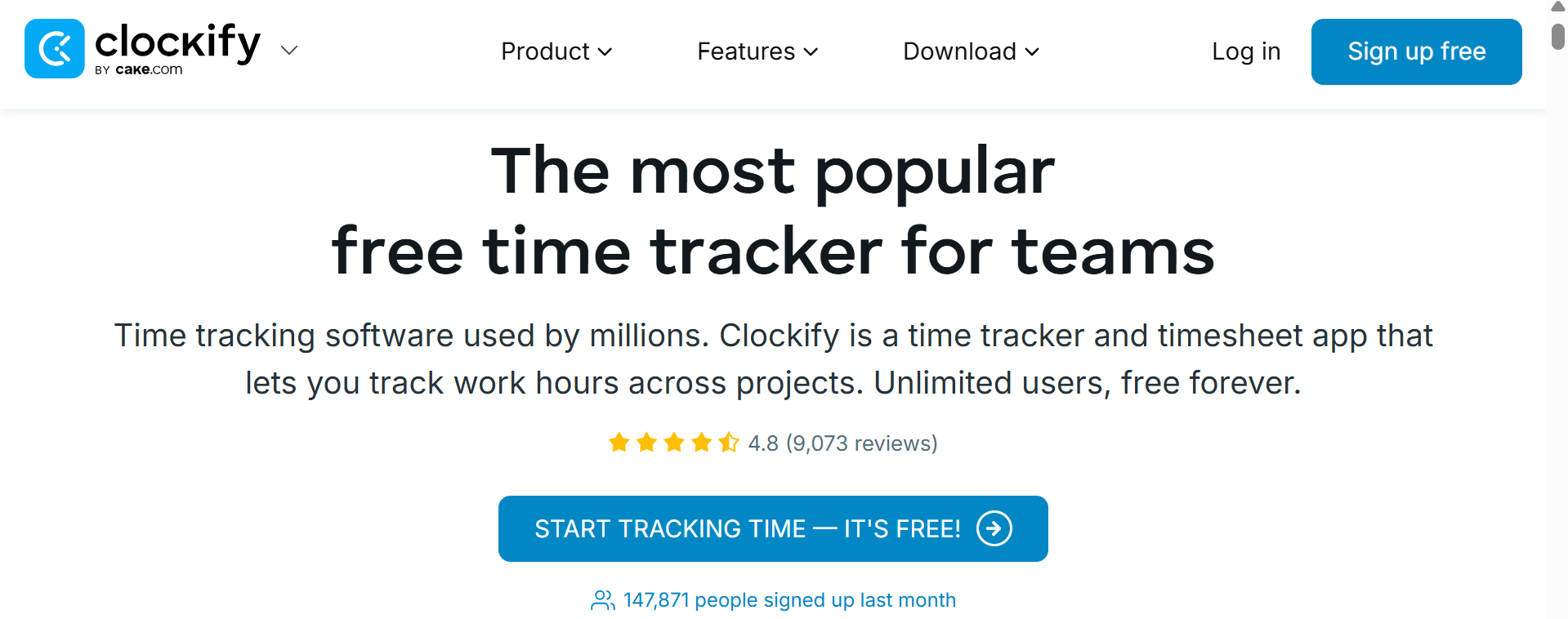
Clockify is a cloud-based time tracking and timesheet software designed for freelancers, agencies, and businesses that need to monitor working hours across projects and clients. It provides live timers, manual time entries, timesheets, attendance tracking, and project management tools. The platform also helps businesses organize billable hours and generate reports for accurate client invoicing.
The software combines time tracking, workforce management, billing, reporting, and productivity features in one platform. Users can manage employee schedules, PTO, project budgets, and labor costs while creating detailed reports to analyze productivity and profitability. Paid plans also add features such as GPS tracking, screenshots, scheduling, and advanced administrative controls for larger teams.
Key Features
- Time Tracking & Timesheets: Provides live timers, manual time entries, automatic tracking, and weekly timesheets for recording working hours.
- Project & Team Management: Organizes tracked time by clients, projects, and tasks while allowing teams to set project estimates and monitor progress.
- Billing & Invoicing: Supports billable hours, customizable hourly rates, and invoicing based on tracked time for client projects.
- Workforce & PTO Management: Helps businesses manage attendance, employee leave, time-off requests, schedules, and team workloads.
- Reporting & Analytics: Generates detailed reports covering tracked hours, labor costs, billable time, project performance, and profitability.
- Employee Monitoring: Paid plans provide optional tools such as desktop screenshots, GPS location tracking, and kiosk-based attendance tracking.
- Administrative Controls: Provides features such as time auditing, required fields, project templates, timesheet approvals, and advanced access controls.
Pricing
- Free – $0/month: Includes unlimited time tracking, projects, clients, basic calendar features, and PDF report exports for up to 5 active users.
- Basic – $3.99/user/month: Adds unlimited users, time auditing, required fields, bulk editing, and project templates.
- Standard – $5.49/user/month: Adds invoicing, timesheet approvals, PTO tracking, and QuickBooks integration for client billing.
- Pro – $7.99/user/month: Includes scheduling, expenses, project budgeting alerts, GPS tracking, screenshots, and advanced profitability features.
4. Harvest – Best Time Tracking Software for Agencies in 2026

Company Overview
| Detail | Information |
|---|---|
| Founded | 2006 |
| Country | United States |
| Software Type | Time Tracking, Invoicing & Project Expense Management Software |
| Core Features | Time Tracking, Timesheets, Invoicing, Project Budgeting, Expense Tracking, Reporting, Integrations |
| Deployment | Cloud-based SaaS |
| Pricing Model | Freemium / Per-seat Subscription |
| Free Trial | 30-day free trial |
| Starting Price | $0 with Free plan; paid plans from $9/seat/month |
| Payment Frequency | Monthly / Annual |
| Supported Platforms | Web, macOS, Windows, iOS, Android, Browser Extensions |
Harvest is a cloud-based time tracking and invoicing software designed for freelancers, agencies, and businesses that need to monitor billable hours and project costs. It allows users to track time, record expenses, manage project budgets, and convert tracked hours into professional client invoices. Its combination of time tracking and financial management makes it particularly useful for service-based businesses.
The platform provides project budgeting, profitability reporting, expense management, and online payments alongside its core time tracking tools. Teams can monitor project burn rates, compare actual hours against budgets, analyze utilization, and connect Harvest with popular business applications such as Asana, Trello, Jira, QuickBooks Online, and Xero.
Key Features
- Time Tracking: Records billable and non-billable hours through one-click timers and manual timesheet entries.
- Invoicing & Payments: Converts tracked time and expenses into professional invoices and supports online payments through services such as Stripe and PayPal.
- Project Budgeting: Tracks project hours, costs, burn rates, retainers, and budgets to help prevent overruns.
- Expense Tracking: Captures and organizes business expenses and receipts while linking costs to specific projects and clients.
- Reporting & Analytics: Provides reports on team utilization, project performance, billable hours, expenses, and profitability.
- Team Management: Helps businesses monitor team capacity, employee hours, project workloads, and time allocation.
- Integrations: Connects with more than 40 business tools, including project management, accounting, and productivity platforms.
Pricing
- Free – $0/month: Supports 1 seat and up to 2 active projects with essential time tracking, expenses, and invoicing.
- Teams – $9/seat/month annually: Adds unlimited seats, team tracking metrics, and accounting software integrations.
- Enterprise – $14/seat/month annually: Includes profitability calculations, timesheet approvals, historical log visibility, and SAML SSO.
- Enterprise Plus – Custom pricing: Provides dedicated onboarding, custom integrations, and advanced solutions for larger organizations.
5. Hubstaff – Best Time Tracking Software for Remote and Field Teams in 2026

Company Overview
| Detail | Information |
|---|---|
| Founded | 2012 |
| Country | United States |
| Software Type | Workforce Management & Time Tracking Software |
| Core Features | Time Tracking, Timesheets, Employee Monitoring, GPS Tracking, Geofencing, Payroll, Project Budgeting, Workforce Analytics |
| Deployment | Cloud-based SaaS |
| Pricing Model | Per-user / Per-seat Subscription |
| Free Trial | 14-day free trial |
| Starting Price | $0 with Free plan; paid plans from $4.99/seat/month annually |
| Payment Frequency | Monthly / Annual |
| Supported Platforms | Windows, macOS, Linux, Web, Chrome Extension, iOS, Android |
Hubstaff is a workforce management and time tracking software designed for remote, hybrid, and field service teams. It combines employee time tracking with digital timesheets, activity monitoring, GPS tracking, project budgeting, scheduling, and payroll tools. Businesses can use the platform to monitor working hours, manage distributed teams, and gain better visibility into project costs and workforce performance.
The platform provides productivity monitoring, geofencing, automated payroll, invoicing, and workforce analytics alongside traditional time tracking. Managers can set project budgets, monitor employee activity, track field workers through GPS, and receive alerts when projects approach predefined limits. Its broad range of workforce management tools makes Hubstaff particularly suitable for businesses managing remote employees, contractors, and mobile teams.
Key Features
- Time Tracking & Timesheets: Records employee working hours through desktop, web, and mobile timers and converts them into detailed timesheets.
- Employee Productivity Monitoring: Tracks activity levels, application usage, URL activity, and screenshots to provide visibility into work activity.
- GPS Tracking & Geofencing: Uses GPS and virtual boundaries to monitor field workers and automate location-based clock-ins and outs.
- Payroll & Invoicing: Connects approved working hours with invoices, payroll calculations, and automated payments.
- Project Budgeting: Tracks project hours and costs while sending alerts when teams approach predefined budget limits.
- Scheduling & Attendance: Helps managers create employee schedules, monitor attendance, manage breaks, and organize workforce availability.
- Workforce Analytics: Provides insights into productivity, utilization, work patterns, and operational performance.
Pricing
- Free – $0/month: Basic time tracking for 1 user.
- Starter – $4.99/user/month: Core time tracking and productivity management features.
- Grow – $7.50/user/month: Adds advanced workforce management, project budgets, and reporting.
- Team – $10/user/month: Includes advanced productivity tracking, scheduling, timesheet approvals, and team management.
6. Time Doctor – Best Time Tracking Software for Employee Monitoring in 2026

Company Overview
| Detail | Information |
|---|---|
| Founded Year | 2012 |
| Country of Origin | United States |
| Software Type | Workforce Management, Employee Monitoring & Time Tracking Software |
| Core Features | Time Tracking, Activity Monitoring, Screenshots, Productivity Analytics, Attendance, Payroll, Reporting, AI Insights |
| Deployment | Cloud-based SaaS |
| Pricing Model | Per-user subscription |
| Free Trial | 14 days |
| Starting Price | $6.67/user/month billed annually |
| Payment Frequency | Monthly or Annual |
| Supported Platforms | Windows, macOS, Linux, Android, iOS, Web, Chrome |
Time Doctor is a time tracking and workforce analytics software designed to help businesses monitor working hours, employee activity, productivity, and project performance. It supports remote, hybrid, and distributed teams with automatic time tracking, project and task management, screenshots, online and offline tracking, and detailed productivity reports.
The platform goes beyond basic time tracking by providing attendance management, schedules, time approvals, payroll support, website and application usage reporting, productivity ratings, and work-life balance metrics. Higher-tier plans also provide AI-powered workforce insights, video screen recording, executive dashboards, SSO, and advanced reporting, making Time Doctor particularly suitable for organisations that require detailed workforce visibility.
Key Features
- Time & Activity Tracking: Automatically records working time and employee activity across projects and tasks.
- Employee Monitoring: Provides visibility into applications, websites, activity levels, and working patterns.
- Screenshots & Screen Recording: Captures screenshots and, on supported plans, video recordings of on-screen activity.
- Productivity Analytics: Provides productivity ratings, activity summaries, and workforce performance insights.
- Attendance & Scheduling: Tracks attendance, schedules, breaks, leave, and approved working time.
- Payroll & Timesheet Management: Helps manage approved time data and connect working hours with payroll workflows.
- AI Workforce Analytics: Premium features provide AI-driven insights and reports to identify productivity and performance trends.
Pricing
- Basic – $6.67/user/month: Essential time tracking, projects, tasks, screenshots, timeline reports, and online/offline tracking when billed annually.
- Standard – $11.67/user/month: Adds attendance, scheduling, time approvals, productivity ratings, leave, payroll, and work-life balance reporting.
- Premium – $16.70/user/month: Adds Benchmarks AI, advanced reports, video screen recording, executive dashboards, SSO, and API access.
- Enterprise – Custom pricing: Includes private cloud deployment, customised BI dashboards, guided implementation, and enterprise-level support.
7. Everhour – Best Time Tracking Software for Project Management Integrations in 2026

Company Overview
| Detail | Information |
|---|---|
| Founded | Not publicly specified |
| Country | United States |
| Software Type | Time Tracking, Billing & Team Resource Management Software |
| Core Features | Time Tracking, Timesheets, Time Off, Project Budgeting, Billing, Invoicing, Resource Planning, Reporting |
| Deployment | Cloud-based SaaS |
| Pricing Model | Freemium / Per-user Subscription |
| Free Trial | 14-day free trial |
| Starting Price | $0 with Free plan; paid plans from $5/user/month annually |
| Payment Frequency | Monthly / Annual |
| Supported Platforms | Web, Chrome, Firefox, Safari, Edge, iOS, macOS |
Everhour is a cloud-based time tracking and project management software designed for teams that want time tracking directly inside their existing project management workflows. It embeds timers and time-tracking controls into platforms such as Asana, ClickUp, Trello, Jira, and GitHub, allowing users to track work without constantly switching between applications.
The platform combines time tracking, project budgeting, billing, resource planning, and reporting to give teams better visibility into project performance and employee capacity. Businesses can set hourly or monetary budgets, assign flexible billing rates, track expenses and time off, and create detailed reports. Its strong project-management integrations make Everhour particularly useful for agencies and teams already working with supported productivity platforms.
Key Features
- Embedded Time Tracking: Adds start and stop timers directly inside supported project management and development platforms.
- Timesheets & Time Approval: Provides manual time entries, weekly timesheets, and approval workflows for reviewing employee hours.
- Project Budgeting: Tracks project hours and monetary budgets while providing alerts when predefined thresholds are reached.
- Billing & Invoicing: Supports flexible billing rates and generates invoices from tracked time for connected accounting platforms.
- Time Off & PTO: Helps teams manage vacation, sick leave, public holidays, and other employee time-off requirements.
- Resource Planning: Provides team scheduling and capacity visibility to help managers distribute workloads effectively.
- Custom Reporting: Creates detailed reports and dashboards that can be filtered by client, project, task, or team member.
Pricing
- Free – $0/month: Supports up to 5 users with unlimited internal projects, basic time tracking, and simple reporting.
- Lite – $5/user/month annually: Requires at least 2 seats and adds invoicing, budgeting, and essential integrations.
- Team – $8.50/user/month annually: Requires at least 5 seats and adds scheduling, advanced integrations, and priority support.
- 14-Day Free Trial: Provides access to premium Everhour features without requiring a credit card.
8. Timely – Best Automatic Time Tracking Software in 2026
Company Overview
| Detail | Information |
|---|---|
| Founded Country | Norway |
| Software Type | Automatic Time Tracking & Resource Management Software |
| Core Features | Automatic Time Tracking, AI Time Categorization, Project Tracking, Budget Management, Resource Planning, Overtime Tracking, Reporting |
| Deployment | Cloud-hosted SaaS |
| Pricing Model | Per-user, tiered subscription |
| Free Trial | 14-day fully featured trial |
| Starting Price | $11/user/month |
| Payment Frequency | Monthly or annual |
| Supported Platforms | Web, Mac, Windows, iOS, Android |
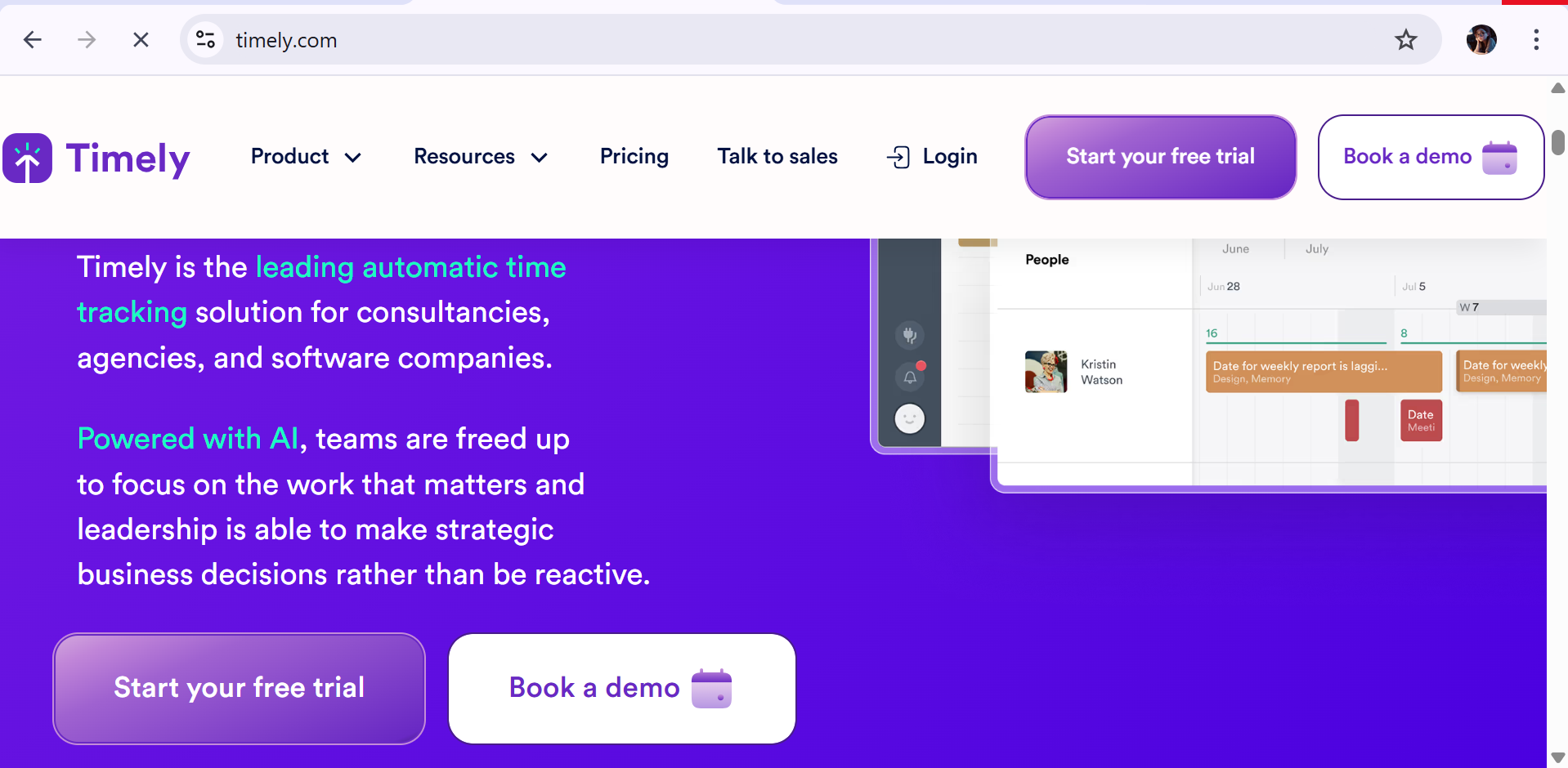
Timely is an AI-powered automatic time tracking software designed for businesses and professionals who want to reduce the need for manual timesheets. Its Memory app runs in the background to record time spent across applications, websites, documents, and other work activities, while AI organizes that activity into usable time entries.
The platform goes beyond basic time tracking by combining automatic activity recording, project health monitoring, budgeting, resource management, and reporting. Timely is particularly useful for agencies, consultancies, professional services firms, and teams that need accurate project time data without requiring employees to constantly start and stop timers.
Key Features
- Automatic Time Tracking: Records work activity in the background without requiring users to operate a manual timer.
- AI Time Categorization: Uses AI to organize recorded activity into relevant projects and time entries.
- Memory App: Captures activity across documents, applications, emails, and websites to create detailed work timelines.
- Project Health Monitoring: Tracks project progress and provides visibility into budget and time consumption.
- Budget Tracking: Compares project time and costs against budgets to identify potential overruns.
- Resource & Capacity Management: Helps managers monitor workloads, capacity, overtime, and undertime.
- Integrations: Connects with project management and accounting tools on higher-tier plans.
Pricing
- Starter – $11/user/month: Supports up to 5 users and 20 projects with automatic tracking, AI categorization, and project monitoring.
- Premium – $20/user/month: Supports up to 50 users with unlimited projects, team management, budgets, and broader integrations.
- Unlimited – $28/user/month: Supports unlimited users and adds capacity management, overtime/undertime tracking, and 50+ currencies.
- 14-Day Free Trial – $0: Full-featured trial that allows businesses to evaluate Timely before subscribing.
9. Paymo – Best Project Management and Time Tracking Software in 2026
Company Overview
| Detail | Information |
|---|---|
| Founded Year | 2008 |
| Country of Origin | Romania |
| Software Type | Project Management & Time Tracking SaaS |
| Core Features | Project Management, Time Tracking, Timesheets, Gantt Charts, Task Management, Invoicing, Expense Tracking, Resource Scheduling |
| Deployment | Cloud-hosted SaaS |
| Pricing Model | Freemium / Per-user tier-based |
| Free Trial | Yes, available for paid plans |
| Starting Price | $5.90/user/month billed annually |
| Payment Frequency | Monthly or annual |
| Supported Platforms | Web, Windows, macOS, Linux, iOS, Android |
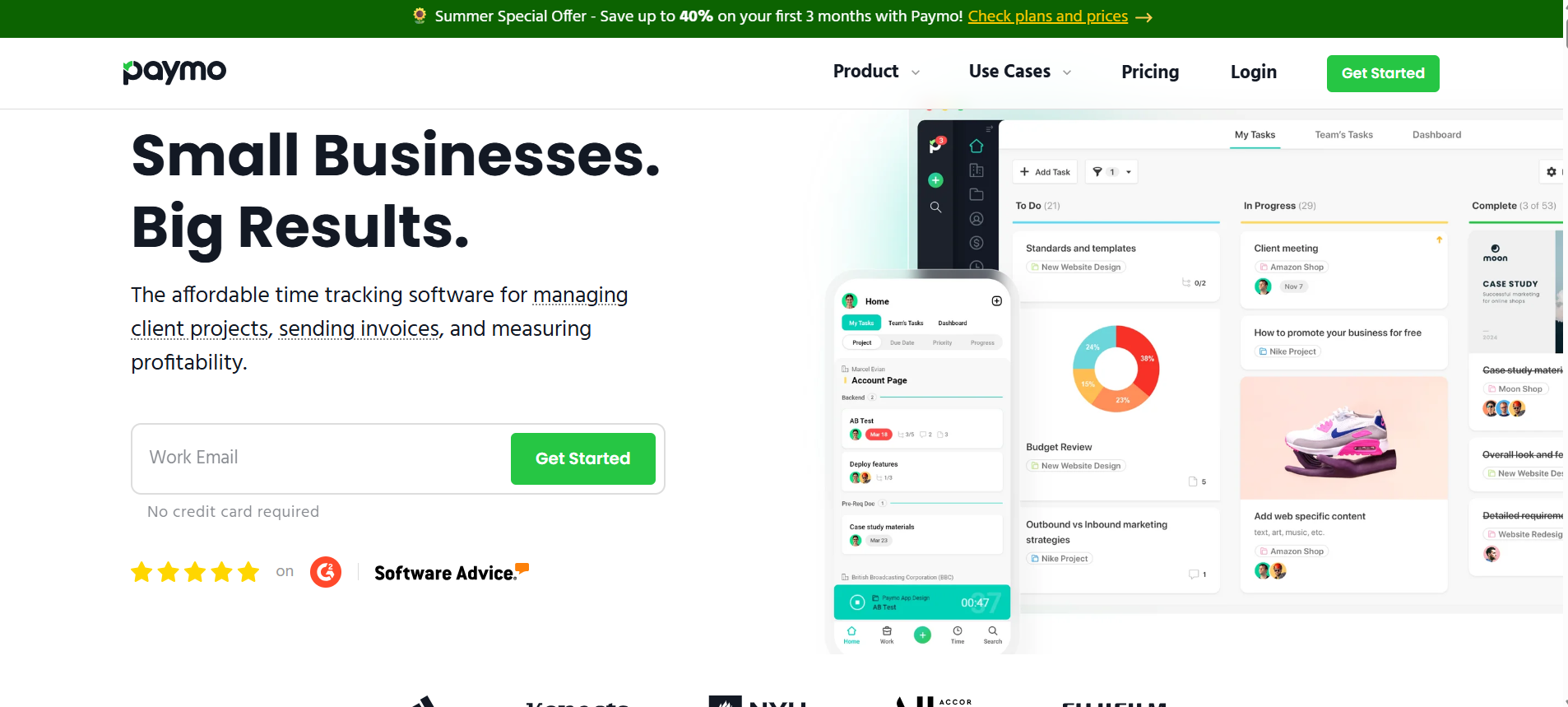
Paymo is a cloud-based project management and time tracking software designed for freelancers, agencies, and small to mid-sized businesses that need to manage projects, track working hours, and handle client billing from one platform. Its integrated approach connects tasks and projects with timesheets, expenses, estimates, and invoices, reducing the need for separate tools.
The platform combines time tracking, project planning, resource scheduling, financial management, and invoicing in a single workspace. Paymo is particularly suitable for service-based businesses that bill clients based on hours or project work, while features such as Gantt charts, task dependencies, workload management, and profitability analysis help teams manage larger and more complex projects.
Key Features
- Task & Project Management: Manage work through Kanban boards, lists, tables, task views, and project calendars.
- Time Tracking: Record billable and non-billable hours using timers, manual entries, and timesheets linked to projects and tasks.
- Gantt Charts & Dependencies: Plan projects using Gantt charts, milestones, task dependencies, and project schedules.
- Resource Scheduling: Monitor employee workloads, availability, schedules, and capacity across projects.
- Invoicing & Estimates: Create client estimates and invoices based on tracked time, expenses, and project work.
- Expense Management: Track project-related expenses and connect costs with clients and projects for better financial visibility.
- Payments & Integrations: Support online payments and integrations with accounting and business tools such as QuickBooks Online and Xero.
Pricing
- Free – $0/month: Supports 1 user with basic time tracking, invoicing, 1 client, and up to 2 active projects.
- Solo – $5.90/user/month: Designed for freelancers with expanded project and client management capabilities.
- Plus – $10.90/user/month: Adds advanced project management, recurring tasks, templates, and profit margin analysis for growing teams.
- Pro – $16.90/user/month: Includes advanced Gantt charts, workload management, leave management, and priority support.
Company Overview
| Detail | Information |
|---|---|
| Founded | 2008 |
| Country | United States |
| Software Type | Time Tracking & Productivity Optimization Software |
| Core Features | Automatic Time Tracking, Focus Sessions, Smart Timesheets, Productivity Analytics, Distraction Blocking, Offline Activity Tracking, Integrations |
| Deployment | Cloud-based SaaS with Desktop & Mobile Apps |
| Pricing Model | Freemium / Subscription |
| Free Trial | 14-day free trial |
| Starting Price | Approximately $6.50–$7/month when billed annually |
| Payment Frequency | Monthly / Annual |
| Supported Platforms | Windows, macOS, Linux, Android, iOS, Web Browsers |
RescueTime is an automated time tracking and productivity software designed to help individuals and teams understand how they spend their working time. Unlike traditional time trackers that rely heavily on manual entries, it runs in the background and records activity across applications, websites, and projects. This provides users with a clearer view of their digital habits, focus levels, and daily work patterns.
The platform combines automatic tracking, productivity analytics, distraction blocking, and smart timesheets to help users improve their work habits. RescueTime can categorize activities by productivity level, generate performance reports, and support focused work sessions by blocking distracting websites and applications. Its desktop and mobile applications make it suitable for professionals who want automated visibility into their time usage.
Key Features
- Automatic Time Tracking: Records time spent across applications, websites, and digital activities without requiring constant manual entries.
- Focus Sessions: Blocks selected distracting websites and applications to help users maintain dedicated periods of focused work.
- Smart Timesheets: Uses activity history and contextual information to help automate timesheet entries and project categorization.
- Offline Activity Tracking: Allows users to account for meetings, calls, breaks, and other activities that occur away from their tracked devices.
- Productivity Analytics: Categorizes activities by productivity level and provides dashboards, trends, and performance reports.
- Goal Setting & Productivity Insights: Helps users establish productivity goals and understand patterns affecting their focus and work habits.
- Integrations: Connects with tools such as Slack, Google Calendar, Outlook Calendar, Asana, Trello, Jira, and Zoom.
Pricing
- Free Lite – $0/month: Provides basic automated time tracking and productivity insights with limited features.
- Solo – Approximately $6.50–$7/month annually: Adds advanced time tracking, productivity analytics, focus tools, and detailed reporting.
- Monthly Plan – Approximately $9/month: Provides the paid RescueTime experience with monthly billing and access to premium productivity features.
- 14-Day Free Trial: Allows users to test premium RescueTime features before committing to a paid subscription.
11. ClickTime – Best Time Tracking Software for Labor Cost Management in 2026

Company Overview
| Detail | Information |
|---|---|
| Founded Country | United States |
| Software Type | B2B Time Tracking & Resource Management Software |
| Core Features | Time Tracking, Timesheets, Labor Cost Management, Resource Planning, Expense Tracking, Project Budgeting, Reporting, Integrations |
| Deployment | Cloud-based SaaS |
| Pricing Model | Per-user subscription |
| Free Trial | Yes |
| Starting Price | $12/user/month billed annually |
| Payment Frequency | Monthly or annual |
| Supported Platforms | Web, iOS, Android, macOS, Windows |
ClickTime is a cloud-based time tracking and resource management software designed for organizations that need greater control over employee hours, project costs, and workforce utilization. It combines online timesheets with labor-cost tracking, expense management, project budgeting, and reporting, making it suitable for professional services firms, nonprofits, government organizations, and other teams managing employee time against projects or cost codes.
The platform stands out through its focus on labor cost management and resource planning rather than simple stopwatch-based time tracking. Managers can use customizable billing and cost rates, project budgets, utilization reporting, approval workflows, and integrations with business systems to connect employee time with financial and operational data.
Key Features
- Time Tracking & Timesheets: Record employee hours through online timesheets, timers, and mobile time-entry options.
- Labor Cost Management: Track internal labor costs and apply customizable billing and cost rates to projects.
- AI Automation: Connect work-context data from supported tools to help categorize time and reduce manual entry.
- Project & Resource Planning: Manage project budgets, employee capacity, utilization, and expected completion.
- Expense Tracking: Capture employee expenses and receipts while supporting approval and reimbursement workflows.
- Reporting & Dashboards: Access pre-built reports and management dashboards for workforce, project, and financial analysis.
- Business Integrations: Connect time and labor data with tools such as QuickBooks, Salesforce, BambooHR, Jira, and Slack.
Pricing
- Starter – $12/user/month: Supports up to 25 users with core time tracking, mobile access, reporting templates, and timesheet reminders.
- Team – $15/user/month: Supports up to 200 users and adds AI features, time-off workflows, advanced billing rates, and timesheet approvals.
- Premier – $27/user/month: Adds advanced project budgeting, resource capacity planning, and Report Studio capabilities.
- Enterprise – Custom pricing: Provides custom integrations, SSO/SCIM provisioning, enhanced compliance controls, and dedicated account management.