
AI transcription software has become an essential productivity solution for professionals who work with audio and video content at scale. Powered by advanced speech-to-text and natural language processing models, modern transcription tools can convert recordings into accurate, searchable text within minutes—saving hours of manual effort. From podcasts, webinars, and online courses to interviews, meetings, and research recordings, AI transcription platforms now deliver exceptional speed, accuracy, and multilingual support.
Unlike AI note-taking tools that focus on summaries, action items, or task automation, AI transcription services are built for word-level precision. Their primary goal is to capture spoken content exactly as it’s delivered, identify multiple speakers correctly, and generate structured transcripts suitable for publishing, accessibility compliance, legal documentation, academic research, and content repurposing. Many of today’s leading tools also support real-time transcription, automatic translations, closed captions, and advanced editing features that streamline post-processing.
In this in-depth guide, we’ve curated the 10 best AI transcription software and services available today, evaluating each platform based on accuracy, processing speed, pricing flexibility, language coverage, and advanced capabilities. Whether you’re a content creator, journalist, educator, business professional, or part of a distributed global team, the right AI transcription tool can dramatically improve how you capture, manage, and reuse spoken information.
What Makes the Best AI Transcription Software?
When you regularly interview subject matter experts or analyze long-form audio content, transcription software becomes more than a convenience—it’s a necessity. Pausing conversations to take notes can disrupt the natural flow of an interview, while manually reviewing podcast recordings for research is time-consuming and inefficient. After extensive hands-on use of multiple transcription tools across interviews, webinars, and podcasts, it becomes clear that not all transcription software delivers the same level of quality.
To identify the best AI transcription software, several critical factors separate truly reliable platforms from those that fall short. These were the core criteria used while evaluating and testing each tool.
Accuracy
Accuracy is the foundation of any transcription service. To test real-world performance, each platform was evaluated using a short webinar recording that included unscripted dialogue, overlapping speakers, brand names, and industry-specific terminology. The best transcription tools consistently captured speaker intent, proper nouns, and conversational nuances with minimal correction required.
Speed
Turnaround time is just as important as accuracy. AI-powered transcription should deliver results quickly—waiting hours or days for a short audio file defeats the purpose of automation. During testing, priority was given to tools that produced transcripts within minutes while maintaining high accuracy, even for multi-speaker conversations.
AI-Powered Transcription Capabilities
Modern transcription software is rapidly shifting toward fully automated, AI-driven workflows. All tools included in this evaluation support automatic transcription, offering fast and scalable results without manual intervention. While human transcription can be valuable for niche or highly technical use cases, AI-based transcription was the primary focus due to its efficiency, accessibility, and growing accuracy.
Pricing and Overall Value
Most transcription platforms fall within a similar price range, but their billing structures vary widely. Some offer pay-as-you-go pricing based on minutes or hours, others rely on monthly subscriptions, and a few use hybrid models. Instead of focusing solely on cost, each tool was assessed based on the value it delivers relative to its pricing—balancing accuracy, features, and usability.
Editing, Collaboration, and Productivity Features
A raw transcript is rarely the final product. The best transcription software includes built-in editing tools that eliminate the need for external downloads. Features such as inline editing, highlights, adjustable playback speed, speaker labeling, team collaboration, and commenting were strongly favored. Additional capabilities like AI-generated summaries or conversational AI for querying transcripts further enhance productivity, especially when working with long or complex recordings.
How AI Transcription Software Works
AI transcription software relies on Automatic Speech Recognition (ASR) combined with machine learning and natural language processing (NLP) to convert spoken audio into accurate, readable text. Modern transcription platforms are trained on millions of hours of diverse human speech, enabling them to understand accents, dialects, speaking speeds, and contextual meaning far better than earlier speech-to-text systems.
Below is a detailed breakdown of how the transcription process works from start to finish.
Audio Analysis
The transcription process begins with audio preprocessing and analysis. The AI system first separates speech from background noise, music, or silence using advanced noise-reduction and voice activity detection algorithms. The audio file is then divided into very small segments—often milliseconds long—so the system can analyze each sound pattern individually.
This step is crucial for handling real-world recordings, such as Zoom meetings, podcasts, interviews, or lectures, where audio quality can vary. High-quality AI transcription tools in 2026 can intelligently adapt to echo, overlapping voices, and low-quality microphones, ensuring the speech signal remains clear for further processing.
Speech Recognition
Once the audio is segmented, the ASR engine converts sound waves into text. Machine learning models analyze phonemes (the smallest units of sound) and match them with words and phrases based on probability and context. Unlike traditional rule-based systems, modern AI models understand contextual meaning, not just individual words.
For example, the AI can distinguish between similar-sounding words like “there,” “their,” and “they’re” based on sentence structure. Advanced transcription software also supports speaker diarization, allowing it to identify and label different speakers automatically, even in group conversations or panel discussions.
Language Processing
After speech recognition, Natural Language Processing (NLP) refines the transcript. This stage improves readability and accuracy by adding punctuation, correcting grammar, and organizing sentences logically. NLP models also recognize sentence boundaries, filler words, and speech patterns such as pauses or emphasis.
In 2026, many AI transcription tools can also detect keywords, topics, and intent, making transcripts more searchable and useful for business insights. Some platforms even provide summaries, action items, or highlights automatically, especially for meetings and interviews.
Post-Processing and Formatting
The final stage is post-processing, where the transcript is enhanced for professional use. This includes adding timestamps, speaker labels, paragraph breaks, and custom formatting. Users can usually export transcripts in multiple formats such as TXT, DOCX, PDF, or SRT for subtitles and captions.
Advanced tools also allow users to edit transcripts in real time, sync text with audio playback, and integrate transcripts with content management systems, video platforms, or collaboration tools. These features make AI transcription software valuable not only for documentation but also for content repurposing, SEO, and accessibility.
Continuous Learning and Accuracy Improvement
Modern AI transcription software improves continuously through machine learning feedback loops. As users correct errors or interact with transcripts, the system learns and adapts. This ongoing training enables higher accuracy across different accents, languages, speaking speeds, and noisy environments.
As a result, today’s AI transcription tools deliver near-human accuracy, even for fast-paced conversations, technical discussions, or multilingual content—making them a reliable solution for professionals in 2026.
10 Best AI Transcription Software for 2026
Here is the list of the 10 best AI transcription software for 2026 to convert audio and video into accurate, searchable text quickly and efficiently.
- Notta – Multilingual AI transcription, real-time translation, meeting summaries, and team collaboration
- Otter – Real-time transcription with speaker identification on desktop and mobile
- MeetGeek – Automated meeting recording, transcription, and AI-generated summaries
- Fathom – Instant post-meeting summaries with high-accuracy transcription
- Speak AI – Scalable transcription with keyword, topic, and sentiment analysis
- Beey – Fast transcription and professional subtitling in 30+ languages
- Supernormal – AI-powered meeting notes with automatic action items
- Trint – Collaborative transcription and translation for journalists and media teams
- Sonix – High-speed automated transcription with speaker labeling
- Verbit – Enterprise-grade transcription, live captioning, and compliance support
1. Notta
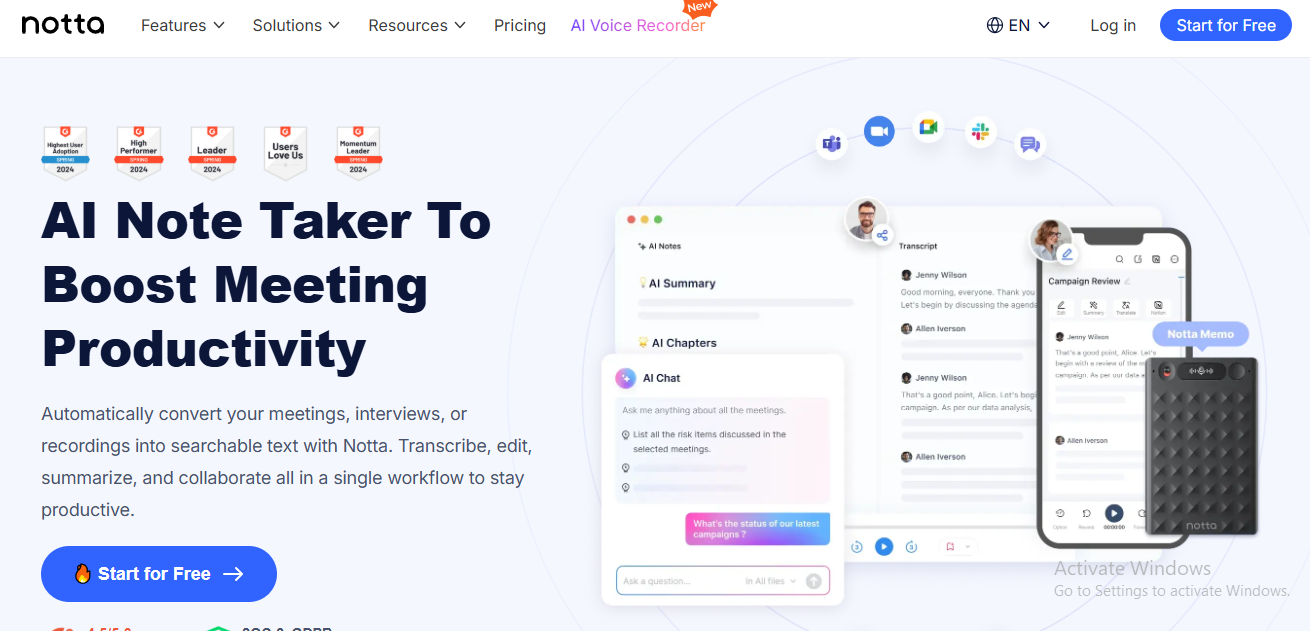
Notta is an advanced AI-powered transcription and note-taking platform built to improve productivity by automatically converting meetings, interviews, and audio recordings into accurate, searchable text. By combining transcription, editing, summarization, and collaboration tools in one workspace, Notta helps users organize information efficiently while saving valuable time. The platform supports transcription in 58 languages, real-time translation for multilingual meetings, and speaker identification to ensure clarity in group conversations.
A standout feature of Notta is its one-click AI summarization, which extracts key discussion points, decisions, and action items from lengthy transcripts. These summaries can be easily shared across tools such as Slack, Notion, and Google Calendar, streamlining follow-ups and knowledge sharing. Notta also integrates directly with major video conferencing platforms, allowing users to record and transcribe meetings on Zoom, Google Meet, and Microsoft Teams without switching tools.
Designed for both individuals and teams, Notta is trusted by over 5 million users worldwide, including professionals from global organizations like Salesforce, Coca-Cola, and PwC. With strong security measures in place—such as SOC-2 certification and GDPR compliance—Notta provides a secure, all-in-one solution for transcription, translation, and meeting documentation.
Key Features of Notta:
- AI transcription and translation in 58 languages
- One-click summaries highlighting key points, decisions, and action items
- Native integration with Zoom, Google Meet, and Microsoft Teams
- Secure cloud storage with SOC-2 and GDPR compliance
- Trusted by millions of users worldwide
2. Otter
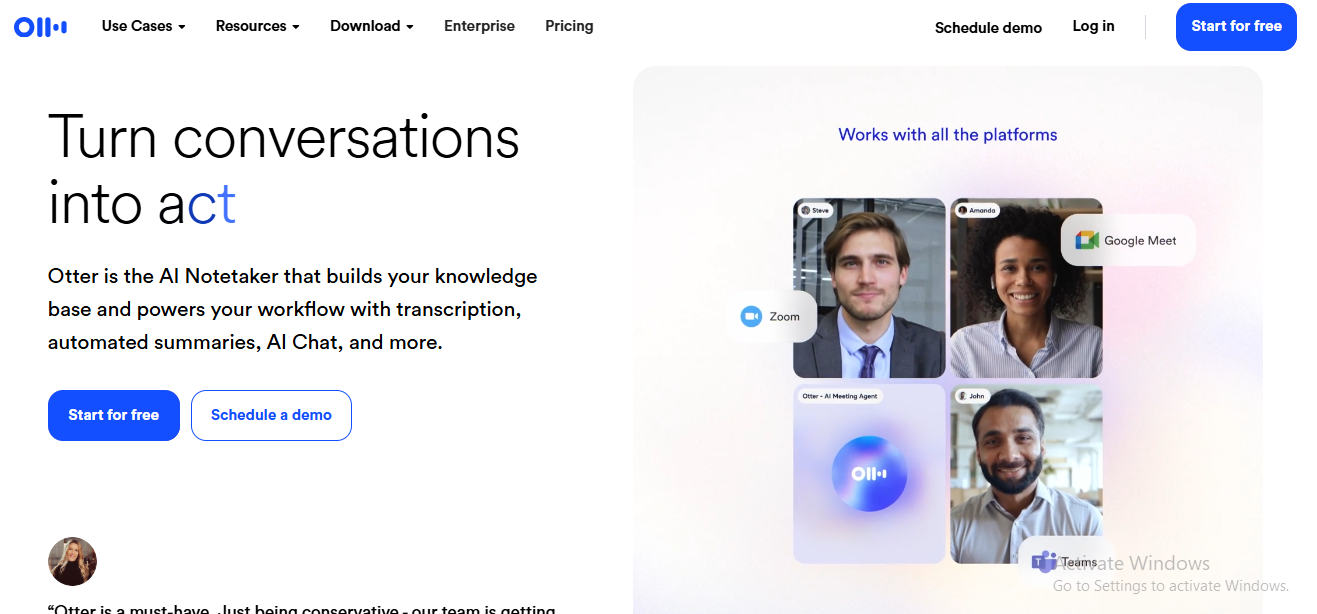
Otter is a widely used AI transcription service designed to capture and transcribe voice conversations in real time. Available on desktop, Android, and iOS, Otter allows users to transcribe meetings, interviews, and discussions from virtually any device. The platform offers multiple plans with feature sets tailored to different professional and team-based workflows.
With Otter, users can record conversations directly from their phone or computer while the software automatically generates live transcripts. Its speaker recognition capability accurately distinguishes between participants, making it easier to follow multi-speaker conversations. Transcripts can be edited, organized, and managed entirely within the app, while synchronized audio playback allows users to review content at adjustable speeds.
Otter’s interface is clean, intuitive, and user-friendly, featuring clearly accessible tools for recording, importing files, and tracking recent activity. The platform also includes a guided tutorial, helping new users get started quickly and efficiently.
Key Features of Otter:
- Automatic real-time transcription
- Speaker identification for clearer conversations
- In-app editing and transcript management
- Adjustable audio playback speed
- Available on desktop and mobile devices
3. MeetGeek
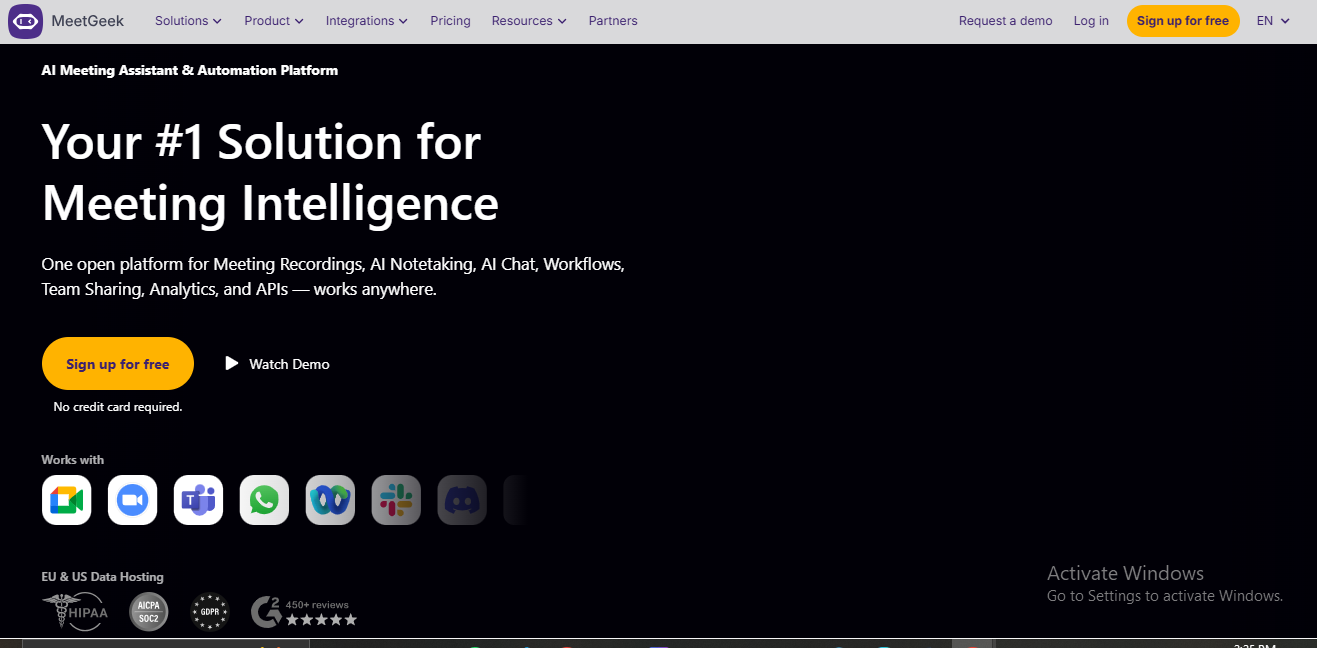
MeetGeek is an AI-powered meeting assistant that automatically records, transcribes, and summarizes meetings held on popular platforms such as Google Meet, Microsoft Teams, and Zoom. Its most powerful capability is the AI-generated meeting summary, which highlights key topics, decisions, and action items—eliminating the need for manual note-taking and follow-up documentation.
By syncing with Google Calendar, MeetGeek analyzes meeting behavior and provides insights into punctuality, participation levels, and overtime patterns, helping teams improve meeting efficiency. After each meeting, the platform automatically creates a Google Docs file within Google Drive that contains the meeting recording, transcript, highlights, and assigned tasks. Transcripts and notes can be exported in multiple formats for easy sharing.
MeetGeek structures meeting minutes to ensure fast comprehension and smooth navigation, allowing users to review discussions and responsibilities without replaying full recordings.
Key Features of MeetGeek:
- AI-written conversation summary in natural, human-like language
- One-paragraph overview of key meeting highlights
- Timestamped transcript for quick navigation
- Automatic tags for action items, concerns, and important details
4. Fathom
Fathom is an AI-powered meeting assistant that automatically records, transcribes, and summarizes video calls across Zoom, Google Meet, and Microsoft Teams. It stands out for delivering AI-generated meeting summaries within seconds after a call ends, along with highly accurate transcripts that support 28 languages. By automatically detecting key discussion moments and action items, Fathom allows users to stay fully engaged in conversations without worrying about manual note-taking.
Designed to fit seamlessly into existing workflows, Fathom can sync meeting summaries, notes, and action items directly with tools such as CRMs and task management platforms. This eliminates repetitive post-meeting data entry and speeds up follow-ups. The platform also highlights important discussion points, including action items with speaker attribution, and allows users to share short video or audio clips via Slack for added context. With a clean interface and enterprise-grade security, Fathom delivers a smooth and privacy-focused meeting documentation experience.
Key Features of Fathom:
- Free: Unlimited recordings and transcripts with basic AI features
- Premium ($15): Unlimited AI summaries with CRM and Zapier integrations
- Team ($19): Shared repositories and advanced integrations
- Pro ($29): Analytics and administrative controls
- Enterprise: Custom pricing
5. Speak AI
Speak AI is a versatile AI transcription and analysis platform designed to help users capture, transcribe, and analyze audio and video data at scale. It offers multiple data collection options, including custom embeddable audio and video recorders, direct in-app recording, and easy uploads of locally stored files. This flexibility makes Speak AI suitable for interviews, research, podcasts, and large-scale media analysis.
Beyond transcription, Speak AI enables users to generate detailed dashboard reports and uncover insights hidden within conversations and recordings. Its AI engine automatically identifies keywords, topics, and sentiment patterns, ensuring no critical information is overlooked. The platform also helps break down data silos by allowing users to build centralized, shareable media repositories that combine transcripts, AI-driven insights, and visualizations in one place.
Key Features of Speak AI
- Named entity recognition for deeper content insights
- Advanced search across transcripts and media files
- APIs and third-party integrations
- Centralized media management system
- Dashboard reports with audio and video capture
6. Beey
Beey is an AI-powered transcription tool that automatically converts videos, podcasts, meetings, interviews, online lectures, and web-based files into text. It is designed for speed and simplicity, making it easy for users to generate transcripts without complex setup or workflows.
One of Beey’s standout features is its advanced subtitling capability, which enables the creation of professional-quality captions and subtitles. With the built-in machine translation tool, users can quickly make their video content accessible in multiple languages. The automatic speech recognition technology behind Beey was developed at the Laboratory of Computer Speech Processing, ensuring high-quality transcription results. With support for 30+ languages, Beey is well-suited for international users and multilingual projects.
Key Features of Beey
- Clean and user-friendly interface
- Fast AI-powered transcription processing
- Manual editing tools for correcting transcripts
- Professional subtitle and caption generation
- Support for over 30 languages
7. Supernormal

Supernormal is an AI-powered meeting note-taking application designed to fully automate meeting documentation. It connects directly to meeting platforms such as Zoom, Microsoft Teams, and Google Meet, and as meetings take place, it transcribes conversations while simultaneously generating a structured summary. By the end of each call, Supernormal produces polished meeting notes—often organized by agenda items or discussion topics—highlighting key points, decisions, and clearly defined action items. This automation significantly reduces the time teams spend on manual note-taking and follow-ups.
Built with productivity and simplicity in mind, Supernormal allows users to customize what the AI prioritizes during meetings. For example, users can instruct the tool to focus on budget-related discussions, customer feedback, or strategic decisions. The platform can also automatically capture and assign action items. With seamless sharing options, a Chrome extension, and integrations that fit into existing workflows, Supernormal makes meeting documentation effortless across teams.
Key Features of Supernormal:
- Free: 1,000 minutes with AI-generated summaries
- Pro ($10): Unlimited storage, AI Q&A, and export options
- Business ($19): GPT-4 access, custom templates, and admin controls
- Enterprise: Custom pricing with private AI and dedicated support
8. Trint
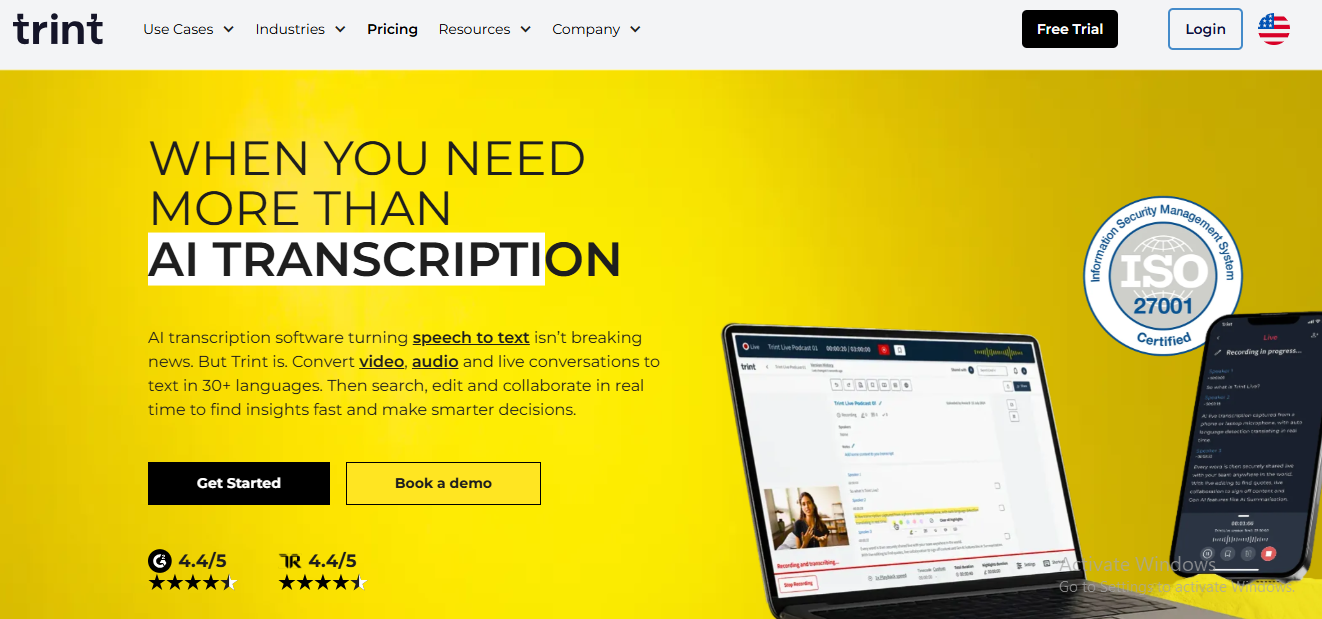
Trint is an AI transcription platform that converts audio and video files into text that is fully editable, searchable, and collaborative—much like a shared document. It enables users to turn raw recordings into meaningful content quickly, making it a strong choice for journalists, content creators, and media teams working under tight deadlines.
One of Trint’s key strengths is its speed and flexibility. Users can transcribe uploaded files or capture content live, then pull verified quotes directly from transcripts while listening to the synced audio. Collaboration tools such as tags, highlights, and comments allow teams to work together efficiently, speeding up reviews and approvals. Trint supports transcription in 30+ languages and translation into 50+ languages, making it suitable for global content production. It also includes built-in closed captioning tools to improve accessibility and audience reach, along with secure cloud storage and powerful search capabilities for content reuse.
Key Features of Trint
- Live and file-based AI transcription
- Collaboration tools including tags, highlights, and comments
- Transcription in 30+ languages and translation in 50+ languages
- Instant closed caption and subtitle generation
- Secure content storage with advanced search functionality
9. Sonix
Sonix is a high-performance automated transcription service designed for businesses that need fast and accurate audio-to-text conversion. It allows users to transcribe, organize, and search through audio and video files with ease, making it suitable for industries that rely on quick turnaround times.
The platform can transcribe 30 minutes of audio or video in just three to four minutes, offering an excellent balance between speed and accuracy. Sonix includes an online editor that syncs text with audio, enabling users to review and correct transcripts while listening in real time. A unique confidence-scoring feature highlights words that may require extra attention, helping users refine transcripts efficiently. Sonix also supports drag-and-drop uploads, cloud imports from Google Drive and Dropbox, speaker labeling, and automatic diarization to clearly separate conversations.
Key Features of Sonix
- Rapid transcription with high accuracy
- Word confidence indicators for quality control
- Multi-user collaboration support
- Drag-and-drop file uploads and cloud integrations
- Speaker labeling and automatic diarization
10. Verbit
Verbit is an enterprise-grade transcription and accessibility platform designed to support compliant, inclusive meetings and events. It offers a comprehensive suite of services, including live transcription, captioning, subtitles, audio descriptions, and translation, helping organizations improve accessibility while maintaining accuracy and speed.
Verbit combines advanced AI technology with human expertise to deliver transcription accuracy of up to 99%, making it especially valuable for industries such as education, media, and legal services. Its speech recognition technology adapts to different accents, reduces background noise, and identifies context-specific terminology by leveraging acoustic, linguistic, and contextual modeling. Verbit also provides market-specific solutions tailored for corporate learning, court reporting, education, and media production, along with real-time monitoring through its cloud-based portal.
Key Features of Verbit
- Live captioning and transcription services
- Translation, subtitles, and audio descriptions
- AI + human accuracy model (up to 99%)
- Real-time status tracking via cloud dashboard
- Clean, minimal, and enterprise-ready interface
Final Verdict:
AI transcription software has evolved far beyond basic speech-to-text tools. Today’s leading platforms combine high transcription accuracy with real-time processing, multilingual support, AI summaries, and deep workflow integrations—making them indispensable for professionals who rely on audio and video content.
Tools like Notta, Otter, and Fathom excel in meeting transcription and automated summaries, helping teams save time and stay focused during conversations. MeetGeek and Supernormal stand out for structured meeting documentation and action-item tracking, while Trint and Sonix are better suited for journalists, content creators, and media teams that need fast, editable, and collaborative transcripts. For enterprise-grade accuracy, accessibility, and compliance, Verbit offers a powerful AI-plus-human approach.
Ultimately, the best AI transcription software depends on your specific needs—whether that’s speed, accuracy, collaboration, multilingual support, or compliance. By choosing the right platform, you can eliminate manual note-taking, improve content reuse, and transform spoken conversations into valuable, searchable data.
Frequently Asked Questions (FAQs)
What is AI transcription software?
AI transcription software uses advanced speech recognition and natural language processing to automatically convert audio or video recordings into written text. These tools can transcribe meetings, interviews, podcasts, lectures, and more with high accuracy.
How accurate is AI transcription?
Modern AI transcription tools can achieve very high accuracy, especially with clear audio and minimal background noise. Accuracy may vary depending on accents, technical terminology, and audio quality, but many platforms allow easy editing and speaker correction.
Can AI transcription software handle multiple speakers?
Yes, most leading transcription platforms include speaker identification or diarization, which separates and labels speakers automatically, making multi-person conversations easier to follow.
Is AI transcription better than human transcription?
AI transcription is significantly faster and more cost-effective, making it ideal for most use cases. Human transcription can offer higher accuracy for highly technical, legal, or sensitive content, which is why some platforms combine AI with human review.
Do AI transcription tools support multiple languages?
Yes, many AI transcription services support dozens of languages and dialects. Some tools also offer real-time translation and multilingual subtitles, making them suitable for global teams.
