
How We Selected the Best Work Management Tools
Selecting the right work management software requires a careful balance of features, usability, and scalability. Our selection process involved thorough research, analysis, and practical evaluation. Here’s what we considered:
- Comprehensive Project & Task Management: Tools were assessed based on their ability to handle complex projects, including task dependencies, timelines, and workload management.
- Collaboration & Communication Features: Integration with chat, email, and collaboration platforms was prioritized to ensure seamless teamwork.
- Customization & Workflow Automation: Platforms that allowed personalized workflows, automations, and templates scored higher for adaptability.
- Ease of Use: The software had to be intuitive, requiring minimal training while providing powerful functionality.
- Reporting & Analytics: Tools with robust dashboards, reporting features, and performance insights were given preference.
- Integrations & Scalability: Compatibility with other tools (CRM, HR, cloud apps) and the ability to scale with business growth were essential.
Only platforms meeting these high standards made it to our top 10 list, ensuring businesses get tools that deliver tangible results.
Who Should Use Work Management Software?
Work management tools are invaluable for a wide range of users:
- Project Managers: For planning, assigning tasks, and tracking team performance.
- Small and Medium Businesses: To organize operations and maintain productivity with limited resources.
- Remote Teams: For centralizing communication, managing deadlines, and collaborating effectively.
- Marketing & Creative Teams: To track campaigns, approvals, and creative workflows efficiently.
-
Enterprises: To coordinate complex projects across departments while integrating with enterprise software ecosystems.
These tools are designed to transform team collaboration, task management, and workflow automation, regardless of industry or team size.
Why Work Management Software Is No Longer Optional
Modern workplaces are more dynamic than ever. Teams are distributed, projects are multi-layered, and deadlines are tighter. Relying on emails, spreadsheets, or disconnected tools often leads to miscommunication, missed tasks, and reduced productivity. This is where work management software becomes essential rather than optional.
The right work management tool provides a centralized workspace where tasks, timelines, files, and conversations live together. It ensures transparency across teams, improves accountability, and allows managers to track progress in real time. From automating repetitive workflows to offering clear performance insights, these platforms help organizations stay agile, efficient, and competitive in a fast-moving digital environment.
Whether you’re managing a growing startup or coordinating enterprise-level operations, adopting a reliable work management system empowers teams to focus on meaningful work instead of administrative chaos.
Top 10 Best Work Management Software & Tools in 2026
- Asana — Best All-Round Task & Project Management
- Trello— Best Visual Kanban Boards
- Monday.com — Best for Team Collaboration & Workflow Automation
- ClickUp — Best for Highly Customizable Workflows
- Wrike — Best for Enterprise Project & Task Management
- Smartsheet — Best for Spreadsheet-Style Project Tracking
- Teamwork — Best for Client-Facing Project Management
- Basecamp — Best for Simple & Streamlined Team Communication
- Jira — Best for Agile & Software Development Teams
- Notion — Best for Flexible Workspaces & Knowledge Management
1. Asana
Overview
Asana is one of the most widely used work management platforms, designed to help teams plan, organize, and track work efficiently. It supports everything from simple task lists to complex, multi-stage projects with dependencies and timelines. Asana is especially popular among marketing, product, and operations teams due to its clean interface and powerful collaboration features. The platform emphasizes clarity by clearly defining responsibilities, deadlines, and progress. With multiple views such as list, board, timeline, and calendar, teams can visualize work in the way that suits them best.
Key Features
- Task creation with assignees and due dates
- Project timelines and dependency tracking
- Multiple views including list, board, and calendar
- Team collaboration with comments and mentions
- Automation rules for recurring workflows
-
Integration with tools like Slack, Google Drive, and Zoom
Review
Asana is widely regarded as a reliable and mature work management platform that balances usability with structured project control. Teams benefit greatly from its clear task ownership, deadline tracking, and visual timelines, which reduce confusion and improve accountability. The platform performs exceptionally well for cross-functional collaboration.
Pros
- Clean and intuitive user interface
- Strong project visibility and tracking
- Excellent collaboration features
- Scales well for growing teams
- Reliable integrations ecosystem
Cons
- Advanced features locked behind paid plans
- Can feel complex for very small teams
- Limited built-in reporting in lower tiers
Final Verdict
Asana is an excellent all-round work management solution that suits teams seeking structure, visibility, and reliable collaboration. It is especially strong for organizations managing multiple projects simultaneously.
2. Trello
Overview
Trello is a visually driven work management tool built around the Kanban board concept. It allows teams to organize tasks into boards, lists, and cards, making workflows easy to understand at a glance. Trello is widely appreciated for its simplicity and flexibility, making it ideal for individuals and teams who prefer a visual approach to task management. Each card can include descriptions, checklists, attachments, and due dates, providing enough detail without clutter. The platform supports lightweight project tracking rather than complex project planning. Trello’s Power-Ups extend its functionality with integrations.
Key Features
- Visual Kanban boards and drag-and-drop cards
- Custom lists and task checklists
- Due dates and reminders
- Power-Ups for automation and integrations
- Collaboration via comments and mentions
-
Cross-platform access on web and mobile
Review
Trello’s strength lies in its simplicity and visual-first approach, making it one of the easiest tools to adopt for task management. The drag-and-drop Kanban boards offer instant clarity on work progress, which is especially helpful for creative teams and small projects. Trello works best when workflows are straightforward and do not require heavy dependencies.
Pros
- Extremely easy to use
- Highly visual and intuitive
- Flexible for many use cases
- Generous free plan
- Fast setup and adoption
Cons
- Limited advanced project management features
- Reporting capabilities are basic
- Can become cluttered with large projects
Final Verdict
Trello is ideal for teams and individuals who value simplicity and visual organization. It works best for straightforward workflows rather than large, complex projects.
3. Monday.com
Overview
Monday.com is a powerful work management platform designed to centralize collaboration, workflows, and project tracking. It offers a highly customizable structure that allows teams to build workflows tailored to their specific needs. The platform supports a wide range of use cases, including project management, CRM, marketing operations, and HR workflows. Monday.com stands out for its automation capabilities and visually appealing dashboards. Teams can track progress in real time using status columns, timelines, and workload views. Its collaborative features make it easy to keep stakeholders aligned.
Key Features
- Customizable boards and workflows
- Workflow automation and triggers
- Real-time dashboards and reporting
- Timeline, workload, and calendar views
- Team collaboration and file sharing
-
Integration with popular business tools
Review
Monday.com stands out as a highly flexible and visually polished work management system that adapts to a wide range of industries and workflows. Its strength lies in customization, allowing teams to design workflows that closely match their operational needs. The platform’s automation and dashboards significantly improve efficiency and visibility.
Pros
- Highly customizable workflows
- Strong automation features
- Visual and modern interface
- Scales well across teams
- Powerful reporting tools
Cons
- Pricing can be high for small teams
- Initial setup may take time
- Feature overload for simple use cases
Final Verdict
Monday.com is an excellent choice for teams that need flexibility, automation, and visibility across complex workflows. It is particularly strong for cross-department collaboration.
4. ClickUp
Overview
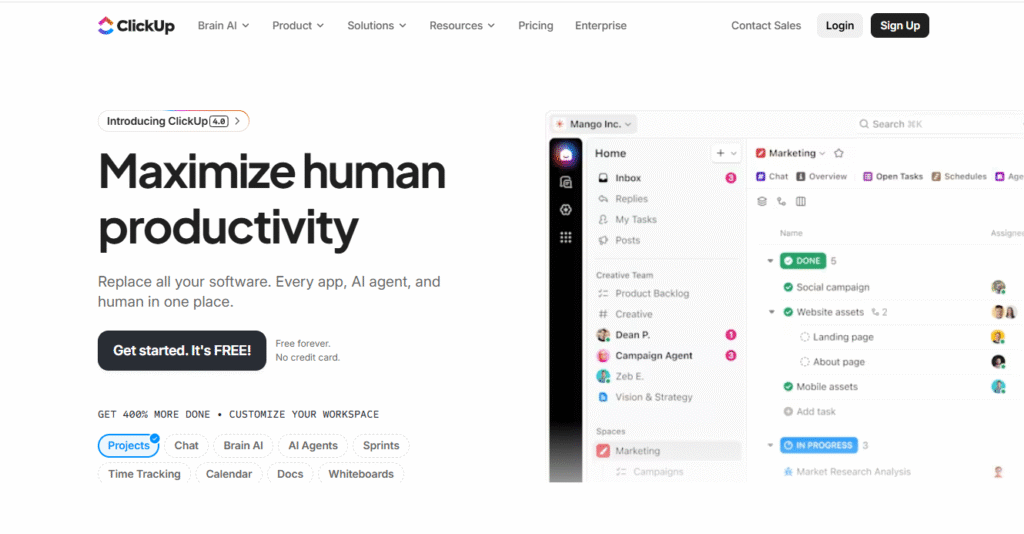
ClickUp is an all-in-one work management platform designed to replace multiple productivity tools. It combines task management, project tracking, documentation, and goal setting into a single workspace. ClickUp is known for its deep customization options, allowing teams to tailor every aspect of their workflow. Users can choose from numerous views, including list, board, Gantt, and mind maps. The platform also includes built-in docs, time tracking, and automation. While it offers powerful features, it can feel dense for new users. ClickUp is best suited for teams that want maximum control over how they work.
Key Features
- Multiple task and project views
- Custom fields and statuses
- Built-in documentation and wikis
- Time tracking and goal setting
- Workflow automation
-
Extensive integrations
Review
ClickUp positions itself as an all-in-one productivity platform, and in many ways, it delivers on that promise. Its extensive feature set allows teams to centralize tasks, documents, goals, and communication within a single workspace. ClickUp is especially appealing to teams that want deep customization and control over their workflows.
Pros
- All-in-one platform
- Highly customizable
- Competitive pricing
- Strong productivity tools
-
Frequent feature updates
Cons
- Steep learning curve
- Interface can feel crowded
- Performance issues on very large setups
Final Verdict
ClickUp is ideal for teams that want a single platform to manage everything. It shines in flexibility and value but requires commitment to fully utilize its capabilities.
5. Wrike
Overview
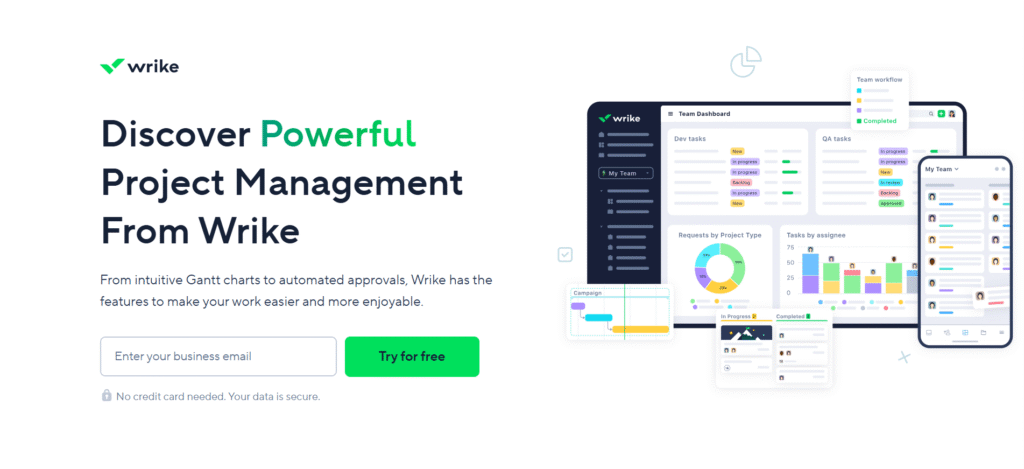
Wrike is an enterprise-focused work management and project management solution designed for complex and large-scale operations. It offers advanced planning, tracking, and reporting capabilities suited for cross-functional teams. Wrike supports detailed workflows with task dependencies, approvals, and resource management. Its real-time dashboards provide deep visibility into project performance and workloads. The platform is commonly used by enterprises, agencies, and professional services teams. Wrike also emphasizes security and scalability, making it suitable for regulated industries.
Key Features
- Advanced task and project planning
- Real-time analytics and dashboards
- Resource and workload management
- Custom workflows and approvals
- Enterprise-grade security
- Integration with major business tools
Review
Wrike is a powerful enterprise-grade work management solution designed for organizations managing complex and large-scale projects. Its advanced reporting, real-time dashboards, and resource management tools provide deep operational insights. Wrike excels in environments where multiple teams, approvals, and dependencies must be carefully coordinated.
Pros
- Robust enterprise features
- Powerful reporting and analytics
- Strong scalability
- Excellent project visibility
- Secure and reliable
Cons
- Higher pricing tiers
- Less intuitive for beginners
- Overkill for small teams
Final Verdict
Wrike is best suited for enterprises and large teams that require advanced project control, reporting, and scalability. It is a dependable choice for complex work environments.
6. Smartsheet
Overview
Smartsheet is a powerful work management platform designed for teams that prefer spreadsheet-style project tracking with advanced collaboration capabilities. It combines the familiarity of traditional spreadsheets with modern project management features such as automation, reporting, and real-time collaboration. Smartsheet is widely used by operations, PMOs, and enterprise teams managing complex workflows. Its grid-based interface makes it easy to organize tasks, timelines, and dependencies. At the same time, it supports large-scale projects with advanced governance and controls.
Key Features
- Spreadsheet-style grid view with advanced project controls
- Automated workflows and approval processes
- Real-time collaboration and file sharing
- Gantt charts, calendars, and card views
- Advanced reporting and dashboards
- Enterprise-grade security and compliance
Review
Smartsheet delivers a strong balance between familiarity and functionality, making it particularly appealing to teams transitioning from spreadsheets to structured work management. The platform excels at handling complex project data while maintaining clarity and control. Its automation capabilities significantly reduce manual effort and errors in repetitive workflows.
Pros
- Familiar spreadsheet-style interface
- Excellent automation and reporting tools
- Scales well for enterprise use
- Strong security and compliance features
- Ideal for data-heavy project management
Cons
- Less intuitive for creative workflows
- Limited flexibility compared to visual tools
- Pricing can be high for smaller teams
Final Verdict
Smartsheet is best suited for teams that value structure, precision, and spreadsheet-style project control, especially at an enterprise scale.
7. Teamwork
Overview
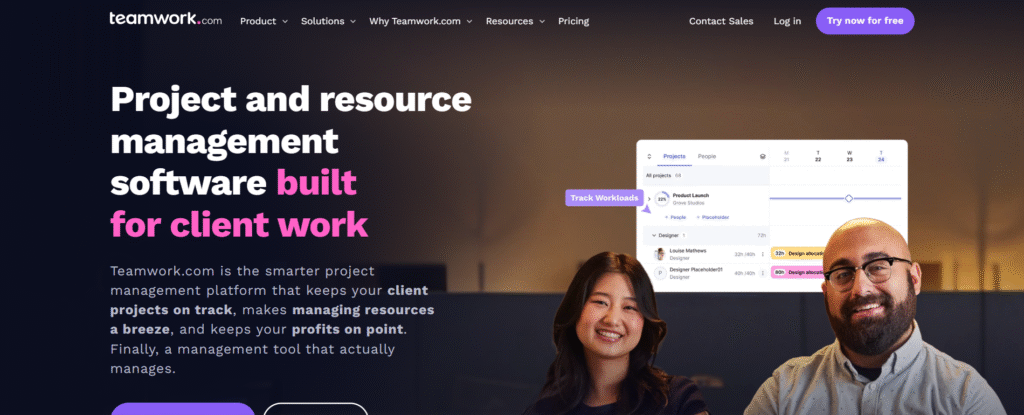
Teamwork is a project management platform designed specifically for client-facing teams and service-based businesses. It focuses on helping agencies, consultancies, and professional services manage projects, clients, and deliverables in one place. Teamwork emphasizes transparency, time tracking, and client collaboration. The platform allows teams to manage tasks while keeping clients informed without overwhelming them. It supports structured workflows that align well with billable work and deadlines. Teamwork offers a clean interface with practical tools for managing multiple client projects.
Key Features
- Client-friendly project collaboration tools
- Time tracking and workload management
- Task dependencies and milestones
- Built-in billing and invoicing support
- Custom project templates
-
Advanced reporting and dashboards
Review
Teamwork performs exceptionally well for agencies and teams that need to balance internal execution with client visibility. The platform’s focus on time tracking and workload management makes it ideal for billable projects. Teamwork allows teams to maintain professional communication with clients while keeping internal workflows private and organized.
Pros
- Excellent for client-facing project management
- Strong time tracking and billing tools
- Clear task and milestone management
- Scales well for agencies
- Reliable reporting features
Cons
- Less customization than all-in-one tools
- Interface feels traditional
- Limited automation compared to newer platforms
Final Verdict
Teamwork is an excellent choice for agencies and service-based teams that prioritize client collaboration and billable work management.
8. Basecamp
Overview
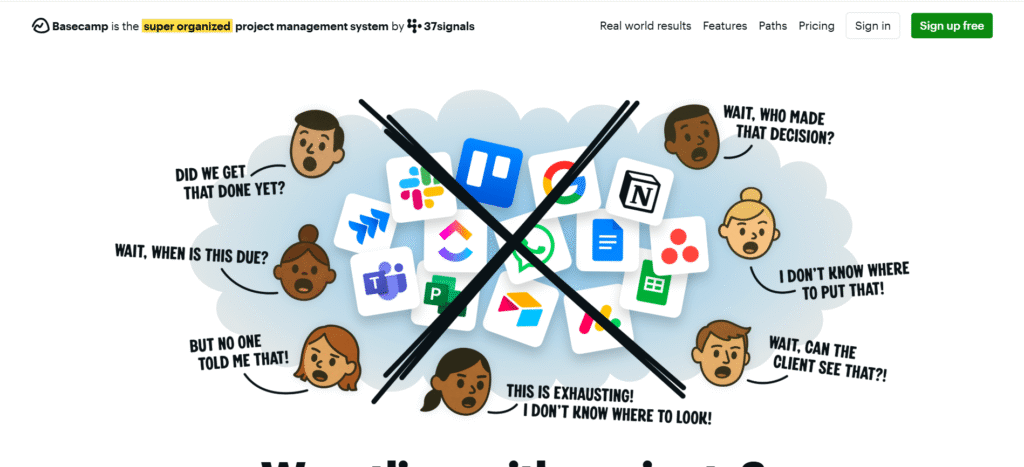
Basecamp is a simple and streamlined work management tool designed to reduce complexity and improve team communication. It focuses on clarity rather than feature overload, making it ideal for small teams and straightforward projects. Basecamp centralizes discussions, tasks, schedules, and files into a single workspace. The platform emphasizes asynchronous communication to minimize meetings and interruptions. Its flat pricing model makes it predictable and cost-effective. Basecamp avoids advanced configurations in favor of simplicity. Overall, Basecamp is built for ease of use and focus.
Key Features
- Centralized team communication boards
- To-do lists with clear ownership
- Shared schedules and file storage
- Automatic check-ins and updates
- Flat pricing for unlimited users
- Simple onboarding and setup
Review
Basecamp delivers a refreshing approach to work management by eliminating unnecessary complexity. The platform is highly intuitive, allowing teams to get started almost instantly. It encourages clear communication and accountability through structured message boards and task lists. It is best for teams that want less management overhead.
Pros
- Extremely easy to use
- Encourages focused communication
- Predictable flat pricing
- Ideal for small teams
- Minimal learning curve
Cons
- Lacks advanced project features
- Limited customization options
- Not suitable for complex workflows
Final Verdict
Basecamp is ideal for teams seeking simplicity, clarity, and effective communication without the burden of complex project management tools.
9. Jira
Overview
Jira is a robust work management and issue-tracking platform built specifically for agile and software development teams. Developed by Atlassian, it supports Scrum, Kanban, and hybrid agile frameworks. Jira enables teams to plan, track, and release software efficiently. Its powerful backlog management and sprint planning tools are industry standards. Jira integrates seamlessly with development tools like Bitbucket and Confluence. While originally built for developers, it has expanded to support broader project management needs. Jira is best suited for technical and agile-driven organizations.
Key Features
- Agile boards for Scrum and Kanban
- Sprint planning and backlog management
- Advanced issue tracking and workflows
- Custom fields and automation rules
- Deep integration with dev tools
- Powerful reporting and analytics
Review
Jira is a leading solution for agile teams that require precise control over workflows and development cycles. Its strength lies in its flexibility and depth, allowing teams to model complex processes accurately. Jira supports detailed tracking of tasks, bugs, and releases. Jira excels in structured, technical environments.
Pros
- Industry-standard agile tools
- Highly customizable workflows
- Strong reporting and tracking
- Excellent developer integrations
- Scales for large teams
Cons
- Steep learning curve
- Overkill for non-technical teams
- Requires ongoing administration
Final Verdict
Jira is the best choice for agile and software development teams that need advanced tracking, customization, and delivery control.
10. Notion
Overview
Notion is a flexible all-in-one workspace that combines project management, documentation, and knowledge management. It allows teams to build custom workflows using pages, databases, and templates. Notion is highly adaptable, making it suitable for a wide range of use cases. It supports task tracking, notes, wikis, and collaboration in one platform. Teams can design their own systems rather than follow rigid structures. Notion encourages creativity and organization simultaneously. It works well for startups, creators, and cross-functional teams. Overall, Notion offers unmatched flexibility in work organization.
Key Features
- Custom databases and workspaces
- Task management with multiple views
- Integrated documentation and wikis
- Real-time collaboration
- Extensive templates and customization
-
Cross-platform accessibility
Review
Notion excels as a flexible workspace that adapts to how teams think and work. Its ability to combine tasks, documentation, and knowledge management sets it apart from traditional tools. Notion empowers teams to build personalized systems, which increases ownership and engagement. However, this flexibility can also lead to inconsistency without proper guidelines.
Pros
- Extremely flexible and customizable
- Combines tasks and documentation
- Clean and modern interface
- Strong collaboration features
- Suitable for diverse workflows
Cons
- Requires setup discipline
- Limited advanced automation
- Can feel unstructured for large teams
Final Verdict
Notion is perfect for teams seeking a customizable, all-in-one workspace that blends project management with knowledge sharing.
Conclusion
Choosing the right work management software can have a profound impact on how efficiently teams operate, collaborate, and deliver results. With modern workplaces becoming more dynamic and distributed, relying on manual processes or disconnected tools often leads to confusion, delays, and reduced productivity. The platforms covered in this guide represent the best work management tools available today, each excelling in different areas such as task organization, collaboration, automation, agile development, or enterprise-level control.
From highly visual and user-friendly tools like Trello and Basecamp to powerful, scalable solutions such as Wrike, Jira, and Smartsheet, there is a solution for every type of team and workflow. Tools like ClickUp, Monday.com, and Notion offer flexibility and customization, while Asana and Teamwork strike a balance between structure and usability.
The key to making the right choice lies in understanding your team’s size, project complexity, collaboration needs, and growth plans. By investing in the right work management software, organizations can streamline operations, improve accountability, and create a more focused, productive work environment.
What is work management software?
Work management software is a digital platform that helps teams plan, organize, track, and execute work efficiently. It centralizes tasks, communication, timelines, and files, allowing teams to collaborate in real time and maintain visibility across projects.
How is work management different from project management?
Project management focuses on completing specific projects with defined goals and deadlines, while work management covers ongoing tasks, workflows, and team collaboration beyond individual projects. Work management tools often include project management features but offer broader flexibility.
Which work management tool is best for small teams?
For small teams, tools like Trello, Basecamp, and Notion are excellent options due to their simplicity, affordability, and ease of use. These platforms allow teams to stay organized without overwhelming them with complex features.
Are work management tools suitable for remote teams?
Yes, most modern work management tools are designed with remote and hybrid teams in mind. They offer cloud-based access, real-time collaboration, task tracking, and communication features that help distributed teams stay aligned and productive.
Can work management software scale with business growth?
Many work management platforms, such as Asana, ClickUp, Monday.com, Wrike, and Smartsheet, are built to scale with growing organizations. They offer advanced features, automation, reporting, and integrations that support increased team size and project complexity.
