
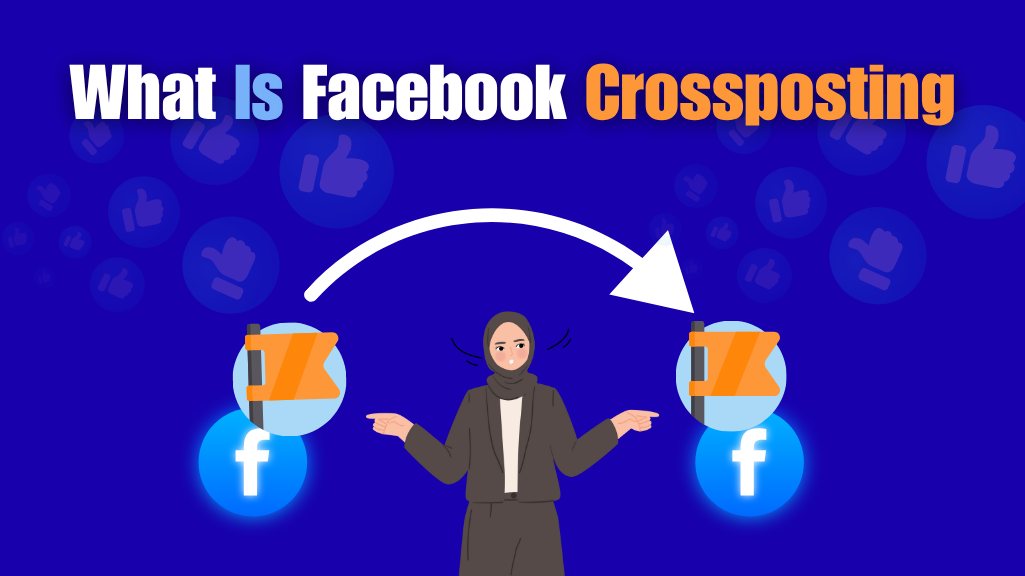
What Is Facebook Crossposting?
Facebook Crossposting is a feature that allows you to share the same video across multiple Facebook Pages without re-uploading it. Instead of manually posting the video to each Page, you can upload it once and crosspost it to any other Page you have a partnership with.
This is especially useful for businesses, media publishers, and content creators that manage more than one Page or collaborate with partner Pages. It helps maintain consistent branding, saves time, and ensures all views, comments, and likes are tracked under a single video post, giving you better engagement insights.
In 2026, crossposting remains one of the most efficient ways to expand your video’s reach without losing quality or performance data.
How Does Facebook Crossposting Work?
Wondering how Facebook Crossposting actually works between Pages? Whether you’re managing multiple Pages or collaborating with a partner brand, the process is easier than you think. Let’s break it down step by step:
Step 1: Set Up a Crossposting Relationship
Before anything else, both Facebook Pages must agree to crosspost. This means Page A needs to send a crossposting request to Page B. The admin of Page B then approves this request in their Page settings.
You can find this option by going to:
Settings > Crossposting > Add Page > Search and Approve.
Once approved, the connection between both Pages is established, and you’re ready to share content seamlessly.
Step 2: Upload a Video to Your Main Page
After the connection is made, upload a video as you normally would to your original Page. During the upload process, you’ll notice a section labeled “Crossposting”. Here, you can allow other approved Pages to crosspost your video.
This means you’re giving permission for those Pages to publish the same video without needing to download, re-upload, or lose quality.
Step 3: Select Pages You Want to Crosspost To
Now, choose which partner Pages you want to share the video with. If you manage both Pages, you can instantly publish the video across them. If another business owns the other Page, they will get the video in their Video Library, and they can choose when and how to publish it on their timeline.
Step 4: Customize & Publish on the Second Page
The second Page (crossposting partner) can now publish the video directly from their library. The best part? They can write their own caption, schedule the post, or customize it to suit their audience—all without affecting your original post.
This flexibility makes crossposting a great choice for collaborative marketing, franchise networks, or multi-location businesses.
Step 5: Unified Analytics for All Posts
Even though the video is published on multiple Pages, Facebook treats it as one video file behind the scenes. That means all the likes, shares, views, and comments from all Pages are collected into one report.
You can view this data in the original Page’s Insights or Meta Business Suite, making it easier to track performance and audience reach without splitting metrics across versions.
Benefits of Facebook Crossposting for Businesses
Facebook Crossposting isn’t just a technical feature — it’s a powerful strategy for businesses, brands, and creators who want to scale their video marketing efforts. It offers a way to distribute content widely while staying consistent and efficient. Here’s how crossposting can benefit your Facebook strategy:
Expanded Reach Without Extra Effort
Crossposting allows you to share the same video across multiple Facebook Pages, without re-uploading it. This is especially helpful for businesses with multiple locations, sub-brands, or partner Pages. By sharing one piece of content in multiple places, you tap into a larger audience pool — all with the same amount of effort. More reach means more opportunities to engage new viewers, drive awareness, and increase visibility.
Boosted Engagement on Original Content
All reactions, comments, and views from crossposted videos are counted toward the original post. This means your engagement metrics grow faster, giving your content more weight in Facebook’s algorithm. Higher engagement signals quality to the platform, which can lead to better organic reach. This is a smart way to grow your Page without boosting or advertising every video.
Consistent Branding Across Pages
Maintaining a consistent brand voice across different Pages can be challenging, especially when you’re managing franchises, multiple product lines, or regional teams. Crossposting solves this by letting one team create the content, and others simply share it in a controlled, unified way. Your visuals, tone, and messaging stay intact across every Page, reinforcing your brand identity and trust with your audience.
Saves Time and Resources
Instead of creating separate videos for each Facebook Page, you can upload once and crosspost. This saves hours of work, especially for social media teams with limited resources. You eliminate the need to duplicate efforts — no more reformatting or editing the same message for every audience. It also reduces confusion and errors that can happen when content is handled by multiple teams.
Ideal for Collaborations and Partnerships
If you frequently partner with other businesses, influencers, or creators, crossposting allows you to co-share content efficiently. For example, a brand collaboration video can be published once but shown on both your Page and your partner’s, helping both parties benefit from the shared audience. This keeps messaging consistent while improving visibility for both sides.
Requirements to Enable Crossposting on Facebook
Before you can start crossposting videos between two Facebook Pages, there are a few important requirements that both Pages must meet. These rules help Facebook ensure that the content being shared is safe, authorized, and properly managed. If you’re managing multiple Pages or collaborating with other brands, it’s important to meet these conditions first to unlock the crossposting feature.
Both Facebook Pages Must Be Published
Crossposting only works if both Pages are published and publicly visible. A Page that is unpublished or restricted will not be able to send or receive crossposting permissions. If you’re setting this up with a partner or another brand, make sure their Page is also active and published.
Each Page Must Have Video Upload Rights Enabled
The crossposting feature is only available to Pages that can upload original video content. If one or both Pages have restrictions on video uploads (for example, due to violations of Facebook’s policies), crossposting will not work. You’ll need to confirm that both Pages have no limitations on uploading videos.
A Mutual Crossposting Relationship Must Be Established
Crossposting isn’t automatic — both Pages must agree to the partnership. One Page must first send a crossposting request to the other. The receiving Page must then accept this request. This mutual approval creates a trusted relationship between the Pages. Without this two-way permission, crossposting will remain disabled.
Only Certain Types of Videos Can Be Crossposted
Not all videos are eligible for crossposting. Facebook allows only certain types of content to be shared between Pages. Typically, these are original, non-boosted videos that are uploaded directly to one of the Pages. Videos that are Live, Reels, or already boosted as ads are usually not allowed for crossposting. Make sure you’re working with the right kind of video files.
Admin or Editor Access Is Required
Only users with Admin or Editor roles on both Pages have permission to manage crossposting settings. If you’re a Moderator, Analyst, or have any other role, you won’t be able to activate or approve crossposting requests. Make sure that the person managing this process on both sides has the correct Page role assigned.
No Policy Violations or Restrictions
Facebook may restrict crossposting privileges if a Page has previously violated content policies or is under review. Pages that have recently been flagged for copyright violations, misinformation, or spam might be temporarily limited. Before setting up crossposting, it’s a good idea to review both Pages’ standing in Facebook’s Page Quality section.
Difference Between Facebook Crossposting and Sharing
The key difference between crossposting and sharing on Facebook lies in how the video appears, who controls it, and how the performance is tracked.
Crossposting
- Crossposting allows two Facebook Pages to upload the same video directly on their own timelines.
- The video appears natively on both Pages, as if each uploaded it themselves.
- Both Pages get separate analytics, reach, and engagement metrics.
- Requires mutual permission between the Pages before crossposting can happen.
- Ideal for brands, creators, franchises, and partnerships that want to share content but maintain control and track performance independently.
Sharing
- Sharing is when a Page simply shares a post or video from another Page’s timeline.
- The shared content links back to the original Page, not hosted directly.
- Engagement like likes and comments go to the original post, not the Page that shared it.
- No permission is needed — any public post can be shared.
- Best used when you want to promote someone else’s post quickly without needing access to the original content.
Quick Summary
| Feature | Crossposting | Sharing |
|---|---|---|
| Native post on your Page | Yes | No (shows original source) |
| Separate analytics | Yes | No |
| Requires approval | Yes (between Pages) | No |
| Can edit caption | Yes | No |
| Engagement goes to | Your own Page | Original Page |
Best Practices for Effective Crossposting in 2026
If you want to make the most out of Facebook crossposting in 2026, it’s not enough to simply share videos between Pages. You need to be intentional about your strategy, maintain consistent branding, and understand how different audiences respond to your content. Here are some advanced practices that brands, creators, and marketers should follow to get better results from crossposting.
Use High-Quality, Original Videos
Start by uploading professional, high-resolution videos that reflect your brand’s identity. Facebook users scroll quickly — if your video looks blurry, poorly edited, or generic, it’s likely to be ignored. Original videos (rather than stock or reused clips) also tend to perform better in terms of engagement and ranking in Facebook’s algorithm. Investing in strong visuals and storytelling can significantly boost crossposting success.
Partner With the Right Pages
Crossposting only works well when both Pages share similar audiences and goals. Don’t randomly partner with any Page — instead, choose collaborators that have a relevant community and a trustworthy reputation. Take time to build relationships, communicate your expectations clearly, and ensure both admins understand how the crossposting setup works. This keeps your brand image consistent and avoids confusion.
Customize Captions for Each Audience
Even though the video file is shared between Pages, your captions don’t have to be identical. Use different descriptions, hashtags, or calls-to-action tailored to each Page’s unique audience. This approach feels more natural and relevant, making followers more likely to watch, comment, or share. You can highlight different aspects of the video depending on what matters to each group of viewers.
Schedule for Optimal Times
Don’t post just for the sake of it. Use Facebook Insights or Meta Business Suite to find out when each Page’s audience is most active. A post that performs well at noon on one Page might flop if shared at midnight on another. Timing matters. Coordinate crossposts strategically across Pages to maximize visibility without spamming your audiences all at once.
Analyze Each Post Separately
Crossposted videos generate individual performance metrics for each Page. This gives you a great opportunity to test and learn. Compare which captions, thumbnails, or posting times perform better. Use these insights to refine your content strategy over time. What works for one Page might not work for another — so don’t assume all audiences behave the same way.
Keep Branding Elements Visible
Consistency is key when sharing content across multiple Pages. Your videos should always include clear branding — such as your logo, colors, slogan, or signature style — so that viewers can recognize it instantly, no matter which Page posts it. This strengthens your brand identity and ensures that credit is visually linked to your business, even if the Page name is different.
Review Facebook’s Content Policies
Make sure every video you post complies with Facebook’s community guidelines and copyright rules. Avoid uploading videos with unlicensed music, watermarked stock clips, or controversial material. Violations could reduce your video’s reach or get it removed entirely. Playing by the rules protects your Page and keeps your content visible to more people.
Test, Measure, and Improve
Crossposting is not a one-time tactic. It should be part of a continuous content experiment. Test different types of videos — tutorials, behind-the-scenes, customer stories — and measure what resonates best with each audience. The more you test and optimize, the more successful your future crossposts will be.
By applying these best practices, Facebook crossposting becomes more than just a convenience — it becomes a strategic tool for growing your brand, increasing video reach, and building stronger partnerships across the platform.
What mistakes should you avoid in Facebook Crossposting?
Avoid these common issues to improve results:
- Manually uploading duplicate videos
- Not setting permissions properly
- Using same caption everywhere
- Ignoring analytics
- Poor coordination between admins
- Sharing low-quality or irrelevant content
How can you scale results using Facebook Crossposting?
Scaling depends on consistency and data-driven optimization.
- Analyze performance across Pages
- Identify high-performing content
- Repeat successful formats
- Build long-term partnerships
- Improve based on audience behavior
Expert Insight
The real strength of Facebook Crossposting lies in its ability to multiply content impact without increasing effort. By sharing one video across multiple Pages, businesses can reach wider audiences while maintaining control and consistency. When used strategically, it becomes more than a convenience—it turns into a scalable marketing system that boosts visibility, strengthens collaborations, and drives long-term engagement and growth.
Frequently Asked Questions (FAQs)
What is the difference between crossposting and sharing on Facebook?
Crossposting lets you publish the same original video across multiple Pages without uploading it again, while sharing simply links to a post from another Page. Crossposted videos show up as native content on each Page, whereas shared posts appear as reposts with the original Page tagged.
Can I crosspost any type of content on Facebook?
No, Facebook only allows crossposting of video content between eligible Pages. Images, text, and links cannot be crossposted in the same way.
Do I need admin access on both Pages to crosspost?
No, but both Pages must give each other permission to crosspost. You only need admin access on the Page you manage, but the other Page must accept the request and allow crossposting.
Will crossposting affect video metrics?
Crossposting gives separate insights for each Page’s version of the video. However, if the original video is used, aggregate metrics (like total views) can be tracked in Meta Business Suite.
Is crossposting possible between Facebook and Instagram?
No, crossposting is currently only supported between Facebook Pages. You cannot crosspost from Facebook to Instagram or vice versa using the same method.
