
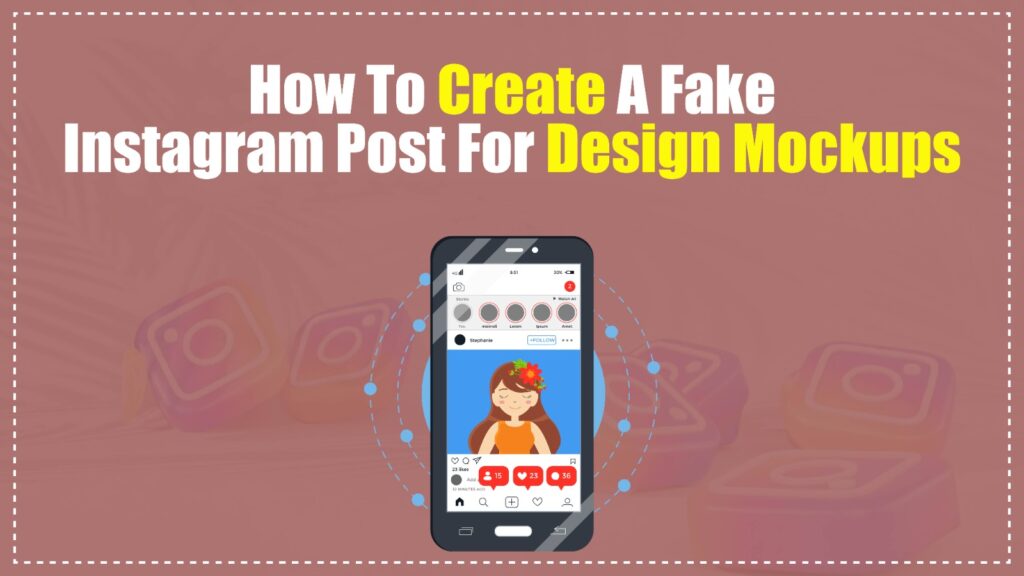
Are you tired of presenting brilliant social media campaigns on boring, flat canvases that clients just cannot visualize in the real world? Presenting your creative work without a realistic interface context often leads to rejected pitches and endless, unnecessary revisions. Learning how to create a fake Instagram post instantly elevates your design mockups, providing that crucial, real-world context clients crave.
By leveraging the right UI templates and tools, you can transform a simple image into a highly convincing social media presentation. This comprehensive guide will walk you through the exact dimensions, tools, and strategies needed to master this essential design skill.
What is a Fake Instagram Post and How Do You Create One?
A fake Instagram post is a high-fidelity visual mockup that perfectly replicates the Instagram user interface without requiring an actual live upload.
You create one by using specialized design tools like Figma, Photoshop templates, or a dedicated fake Instagram post maker to frame your custom content. This process involves layering your creative assets underneath realistic UI elements like likes, comments, and profile avatars. The goal is to mimic the native app environment flawlessly.
Why Are UI Design Mockups Essential for Social Media Presentations?
Client approvals hinge on visual context. When stakeholders see a raw square image, they struggle to imagine how it will perform on a mobile screen. A realistic Instagram post template bridges this imagination gap instantly.
Placing your graphics inside a simulated app environment proves that you understand platform constraints. It shows clients exactly how their logo will look next to the content, and how the caption interacts with the visual.
Furthermore, mockups protect your typography and vital design elements. By visualizing the UI overlays, you ensure your core message is not hidden behind native app icons. [Insert Internal Link to Social Media Safe Zones Guide Here]
What Are the Core Elements of an Instagram Post Template?
To build a convincing mockup, you must understand the anatomical structure of the platform’s interface. Missing even a single pixelated detail can break the illusion of realism.
A professional mockup consists of several distinct, non-negotiable UI components. You must replicate these with exact precision to maintain your authoritative edge.
The Header Interface
The top section sets the immediate context of the post. It requires specific typographical hierarchies and alignment rules.
- Profile Avatar: A perfectly circular 32×32 pixel image container.
- Username: Bolded text using the system font (SF Pro for iOS, Roboto for Android).
- Location Tag: Optional, but adds realism, utilizing a smaller, lighter font weight beneath the username.
- Options Icon: The three horizontal or vertical dots aligned to the far right.
- The Content Container
This is the core area where your actual design work sits. Understanding aspect ratios here is critical.
- Square Post: 1080 x 1080 pixels (1:1 ratio).
- Portrait Post: 1080 x 1350 pixels (4:5 ratio) – highly recommended for maximizing screen real estate.
- Carousel Indicator: If applicable, small pagination dots overlaid at the bottom center.
The Engagement Footer
This section validates the “fakeness” by adding realistic social proof. This is where most amateur templates fail.
- Action Icons: Heart, Comment, Share, and Bookmark icons spaced symmetrically.
- Like Count: Bold numeric value indicating engagement.
- Caption Area: The username in bold, followed by standard text and strategically placed hashtags.
Which Tools Are Best for Creating a Fake Instagram Post?
Choosing the right fake Instagram post maker depends on your technical skill level and the volume of mockups you need to produce. Different workflows demand different software ecosystems.
Below is a technical comparison of the most popular platforms used by industry professionals.
| Tool Category | Best Use Case | Customization Level | Learning Curve |
| Figma | Scalable UI design mockups and agency workflows. | Extremely High (Pixel-perfect) | Medium |
| Adobe Photoshop | Complex, textured, or 3D-angled presentations. | High (Smart Objects) | Steep |
| Canva | Quick, drag-and-drop templates for beginners. | Medium (Pre-built frames) | Low |
| Web Generators | Instant, single-use mockup generation. | Low (Text input only) | Zero |
How Do You Use a Web-Based Mockup Generator?
Web-based generators are incredibly fast but offer limited scalability. You simply upload your image, type in a fake username and caption, and hit download.
While convenient, they often use outdated UI designs or compress your final image. They are suitable for quick internal reviews but lack the polish needed for high-stakes enterprise pitches.
Why is Figma the Industry Standard for Mockups?
Figma has revolutionized how we build social media presentations. Utilizing “Auto Layout” and “Components,” designers can create a master template that updates globally.
If Instagram changes its heart icon design, you only update your master Figma component, and all your mockups update instantly. This modular approach is essential for any modern design team. [Insert Internal Link to Figma Component Architecture Here]
Step-by-Step Guide: Designing a Pixel-Perfect Fake Instagram Post
Building your own template from scratch ensures you never rely on outdated web generators. This guide will walk you through creating a scalable system in Figma or Adobe XD.
Step 1: Establish the Canvas and Grid System
Start by creating a mobile-sized artboard. An iPhone 14 Pro frame (393 x 852 pixels) provides a modern, realistic canvas.
- Enable an 8-pixel grid system to ensure all UI elements align perfectly.
- Set your background color to pure white (#FFFFFF) or true dark mode black (#000000).
Step 2: Construct the Header Component
Draw a circle for the profile picture and place it 16 pixels from the left edge.
- Add a text layer for the username using SF Pro Text, Semibold, size 14px.
- Align the text vertically with the center of the profile picture.
- Import an SVG icon for the “More” (three dots) button and align it 16 pixels from the right edge.
Step 3: Insert the Main Visual Asset
Draw a rectangle that spans the full width of the screen. This is your image placeholder.
- Set the height to 393px for a square post, or 491px for a portrait post.
- Convert this rectangle into a “Smart Object” (Photoshop) or a “Component” (Figma) so you can swap images instantly later.
Step 4: Build the Interaction Bar
Below the image, create a row of engagement icons. You will need a Heart, Comment, Paper Airplane, and Bookmark.
- Ensure the stroke width on all icons is consistent (usually 1.5px to 2px).
- Group the first three icons on the left, spacing them evenly, and place the Bookmark icon alone on the far right.
Step 5: Format the Caption and Typography
Add text layers for the likes and the main caption. Typography rules make or break the illusion.
- Use bold text for the username and like counts.
- Use regular weight text for the caption body.
- Keep the line height tight (around 130%) to mimic mobile screen rendering accurately.
Real-World Case Study: Scaling Social Media Presentations
Let’s examine a hypothetical, data-backed scenario of an advertising agency, “CreativeScale,” struggling with mockup inefficiencies. Before standardizing their process, designers manually rebuilt mockups for every single campaign.
The Inefficiency Problem
CreativeScale produced roughly 50 social media graphics per week. Designers spent an average of 15 minutes manually finding UI stickers, cropping images, and adjusting text to create a fake Instagram post.
This resulted in 12.5 hours per week wasted solely on formatting mockups, costing the agency significant billable time. Furthermore, inconsistencies in UI alignment made their final presentations look sloppy. [Insert Internal Link to Agency Time Tracking Metrics Here]
The Template Automation Solution
The agency transitioned to a unified Figma Component Library. They built a master Instagram post template utilizing nested Auto Layouts and text variables.
Now, a designer simply drops their artwork into the main frame, types the caption into a sidebar input, and the entire UI adapts automatically. The time spent per mockup dropped from 15 minutes to exactly 1.5 minutes.
Analyzing the KPI Improvements
This modular shift yielded massive efficiency gains. We can measure this using a simple time-savings formula.
- Time Savings Formula: Time Saved = (Old Time – New Time) x Volume
- Calculation: (15 min – 1.5 min) x 50 posts = 675 minutes saved weekly
-
This optimization saved the agency over 45 hours per month, directly increasing their profit margins and E-E-A-T standing with clients due to flawless presentations.
What Are the Common Mistakes When Designing Mockups?
Even seasoned designers fall into specific traps when creating a fake Instagram post. Avoiding these pitfalls separates elite presentations from amateur hour.
1. Ignoring Platform UI Updates
Social media interfaces evolve constantly. Using a template with the old Instagram gradient icon or outdated typography instantly ruins your credibility.
-
Solution: Audit your templates quarterly against the live app.
2. Disregarding Safe Zones
Many designers place crucial text at the very bottom of their 4:5 image. They forget that the native UI’s “Keep Watching” or tag overlays will obscure this content.
-
Solution: Always overlay a transparent “safe zone” guide over your working files before exporting.
3. Using Unrealistic Engagement Metrics
Adding “10 Million Likes” to a mockup for a local bakery shatters the illusion. The goal of a mockup is suspension of disbelief.
-
Solution: Use realistic, data-backed dummy numbers that align with the specific client’s actual audience size.
4. Overlooking Legal and Trademark Risks
Replicating a platform’s UI exactly and publishing it publicly as a real endorsement can lead to trademark disputes. It is vital to separate internal mockups from public-facing deceptive content.
-
Solution: Always include a subtle watermark or explicitly state “Visual Concept” if publishing the mockup to a public portfolio.
Tools & Technology Stack Section
To dominate social media presentations, your technology stack must be ruthlessly efficient. Below is the elite stack recommended for modern workflows.
- Design Engine: Figma (For vector-based UI replication and component architecture).
- Asset Management: Eagle or Pinterest (For organizing UI reference screenshots).
- Typography: Apple Design Resources (To legally download exact system fonts like SF Pro).
- Iconography: Phosphor Icons or Feather Icons (If you need to rebuild UI vectors cleanly).
- Automation: Figma Plugins like “Data Populator” to automatically fill your mockups with realistic dummy text and usernames.
What Are the Future Trends in Social Media Mockups?
The landscape of UI design mockups is rapidly shifting toward automation and artificial intelligence. Static templates are slowly becoming a thing of the past.
1. AI-Driven Contextual Generation
Future tools will analyze your core design asset and automatically generate the perfect fake Instagram post around it. AI will read the image mood and auto-generate relevant, realistic captions, hashtags, and simulated comments. [Insert Internal Link to AI in Graphic Design Here]
2. Dynamic API Mockups
Agencies will move toward code-based mockups. Instead of pushing pixels, designers will upload assets to a custom web portal that pulls the live CSS data directly from social platforms. This ensures the mockup is mathematically identical to the live app at all times.
3. AR and 3D Presentations
Clients will no longer look at flat screens. Designers will export their mockups directly into Augmented Reality environments. Clients will hold up their phones and see the simulated Instagram post floating in their physical space.
Master Framework Summary
Follow this structured numeric framework to guarantee flawless mockup execution every time:
- Analyze the Asset: Determine if the graphic is a square (1:1) or portrait (4:5) format.
- Select the Ecosystem: Open your centralized, up-to-date Figma or Photoshop UI library.
- Inject the Creative: Place your design within the designated Smart Object or Component frame.
- Populate Realistic Data: Add brand-specific avatars, plausible usernames, and logical engagement numbers.
- Audit the Safe Zones: Toggle your safe-zone overlays to ensure no core text is hidden by UI elements.
- Export for Presentation: Render the final file at 2x resolution to maintain crisp typography on high-retina screens.
Checklist for Implementation
Before sending any mockup to a client, verify it against this strict quality control checklist:
- Is the profile picture perfectly circular and aligned?
- Are you using the correct native system font (SF Pro/Roboto)?
- Does the image dimension strictly adhere to 1080×1080 or 1080×1350?
- Are the engagement numbers realistic for the brand’s size?
- Is the line spacing on the caption mimicking the mobile app accurately?
- Have you checked the live app today to ensure no major UI changes occurred?
Expert Insight
The core strategic advantage of mastering the fake Instagram post lies not in deception, but in cognitive fluency. Human brains process information faster when it is presented in a familiar, expected format. By framing your abstract creative ideas within the rigid, highly recognizable UI of a major social platform, you instantly reduce the client’s cognitive load. They stop analyzing how the image looks, and immediately start feeling how the campaign will perform. This subtle psychological shift is the secret weapon for winning high-tier design pitches.
